

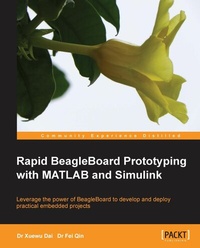
Rapid BeagleBoard Prototyping with MATLAB and Simulink
Leverage the power of Beagleboard to develop and deploy practical embedded projects
1st Edition
Published on 13. January 2025
152 pages
978-1-84969-605-0 (ISBN)
Description

Leverage the power of Beagleboard to develop and deploy practical embedded projectsKey Features - Develop and validate your own embedded audio/video applications rapidly with Beagleboard
- Create embedded Linux applications on a pure Windows PC
- Full of illustrations, diagrams, and tips for rapid Beagleboard prototyping with clear, step-by-step instructions and hands-on examples
Book DescriptionAs an open source embedded single-board computer with many standard interfaces, Beagleboard is ideal for building embedded audio/video systems to realize your practical ideas. The challenge is how to design and implement a good digital processing algorithm on Beagleboard quickly and easily without intensive low-level coding. Rapid BeagleBoard Prototyping with MATLAB and Simulink is a practical, hands-on guide providing you with a number of clear, step-by-step exercises which will help you take advantage of the power of Beagleboard and give you a good grounding in rapid prototyping techniques for your audio/video applications. Rapid BeagleBoard Prototyping with MATLAB and Simulink looks at rapid prototyping and how to apply these techniques to your audio/video applications with Beagleboard quickly and painlessly without intensive manual low-level coding. It will take you through a number of clear, practical recipes that will help you to take advantage of both the Beagleboard hardware platform and Matlab/Simulink signal processing. We will also take a look at building S-function blocks that work as hardware drivers and interfaces for Matlab/Simulink. This gives you more freedom to explore the full range of advantages provided by Beagleboard. By the end of this book, you will have a clear idea about Beagleboard and Matlab/Simulink rapid prototyping as well as how to develop voice recognition systems, motion detection systems with I/O access, and serial communication for your own applications such as a smart home.What you will learn - Understand rapid prototyping on a Windows host, including Matlab/Simulink code generation for Beagleboard
- Set up a cross-development environment on Windows for Beagleboard
- Access Beagleboard s GPIO pins and RS232 communication in Matlab and Simulink
- Develop your own S-function block in Simulink to access Beagleboard s hardware devices
- Create an audio player and equalizer in Simulink, including audio file reading
- Adjust the parameters of your target system on-the-fly for the purpose of performance optimization
- Penetrate into an infrared sensor in Matlab/Simulink for smart home applications
- Build a video motion detection system for security applications
Who this book is forRapid BeagleBoard Prototyping with MATLAB and Simulink is great for students and academic researchers who have practical ideas and who want to build a proof-of-concept system on an embedded hardware platform quickly and efficiently. It is also useful for product design engineers who want to ratify their applications and reduce the time-to-market. It is assumed that you are familiar with Matlab/Simulink and have some basic knowledge of computer hardware. Experience in Linux is favoured but not necessary, as our software development is purely on a Windows host.
- Create embedded Linux applications on a pure Windows PC
- Full of illustrations, diagrams, and tips for rapid Beagleboard prototyping with clear, step-by-step instructions and hands-on examples
Book DescriptionAs an open source embedded single-board computer with many standard interfaces, Beagleboard is ideal for building embedded audio/video systems to realize your practical ideas. The challenge is how to design and implement a good digital processing algorithm on Beagleboard quickly and easily without intensive low-level coding. Rapid BeagleBoard Prototyping with MATLAB and Simulink is a practical, hands-on guide providing you with a number of clear, step-by-step exercises which will help you take advantage of the power of Beagleboard and give you a good grounding in rapid prototyping techniques for your audio/video applications. Rapid BeagleBoard Prototyping with MATLAB and Simulink looks at rapid prototyping and how to apply these techniques to your audio/video applications with Beagleboard quickly and painlessly without intensive manual low-level coding. It will take you through a number of clear, practical recipes that will help you to take advantage of both the Beagleboard hardware platform and Matlab/Simulink signal processing. We will also take a look at building S-function blocks that work as hardware drivers and interfaces for Matlab/Simulink. This gives you more freedom to explore the full range of advantages provided by Beagleboard. By the end of this book, you will have a clear idea about Beagleboard and Matlab/Simulink rapid prototyping as well as how to develop voice recognition systems, motion detection systems with I/O access, and serial communication for your own applications such as a smart home.What you will learn - Understand rapid prototyping on a Windows host, including Matlab/Simulink code generation for Beagleboard
- Set up a cross-development environment on Windows for Beagleboard
- Access Beagleboard s GPIO pins and RS232 communication in Matlab and Simulink
- Develop your own S-function block in Simulink to access Beagleboard s hardware devices
- Create an audio player and equalizer in Simulink, including audio file reading
- Adjust the parameters of your target system on-the-fly for the purpose of performance optimization
- Penetrate into an infrared sensor in Matlab/Simulink for smart home applications
- Build a video motion detection system for security applications
Who this book is forRapid BeagleBoard Prototyping with MATLAB and Simulink is great for students and academic researchers who have practical ideas and who want to build a proof-of-concept system on an embedded hardware platform quickly and efficiently. It is also useful for product design engineers who want to ratify their applications and reduce the time-to-market. It is assumed that you are familiar with Matlab/Simulink and have some basic knowledge of computer hardware. Experience in Linux is favoured but not necessary, as our software development is purely on a Windows host.
All prices
More details
Other editions
Additional editions
Xuewu Dai | Fei Qin
Rapid BeagleBoard Prototyping with MATLAB and Simulink
Leverage the power of Beagleboard to develop and deploy practical embedded projects
Book
10/2013
Packt Publishing
€38.90
Shipment within 3-4 weeks
Content
- Cover
- Copyright
- Credits
- About the Authors
- About the Reviewers
- www.PacktPub.com
- Table of Contents
- Preface
- Chapter 1: Introducing BeagleBoard
- A quick overview of this book
- BeagleBoard-xM
- BeagleBoard for rapid prototyping
- Summary
- Chapter 2: Installing Linux on the BeagleBoard
- Setting up the hardware
- Compulsory hardware
- Required hardware for rapid prototyping in this book
- Connecting our components
- Installing software and tools on a Windows 7 PC
- Target system and host PC system
- Finding the COM port for a RS232-USB adapter cable
- Configuring the IP address of the host PC
- Installing MATLAB and the BeagleBoard support package
- What are MATLAB® and Simulink®
- Why we use MATLAB/Simulink for rapid prototyping
- Installing Ubuntu for BeagleBoard on a Windows 7 PC
- Configuring BeagleBoard
- First interaction with the BeagleBoard
- Installing PuTTY on a Windows PC
- Logging into BeagleBoard from a Windows PC
- Logging via a serial-USB connection
- Using Win32DiskImager to create multiple micro SD cards
- Summary
- Chapter 3: C/C++ Development with Eclipse on Windows
- Windows-based cross-complier
- Installing Sourcery CodeBench Lite in Windows
- Verify the installation
- Verify the compiler
- Mac and Linux users
- Installing Eclipse IDE on Windows 7
- Installing the GNU ARM Eclipse plugin
- Installing Remote System Explorer (RSE)
- Connecting to a BeagleBoard in RSE
- Build your first Hello World! program
- Creating your first project in Eclipse
- Configuring the cross-compiler and the C/C++ Build
- Compiling our application
- Transferring program files to a Beagleboard
- Running programs on the Beagleboard
- Running and debugging remotely with Eclipse
- Summary
- Chapter 4: Automatic Code Generation
- MATLAB code generation
- MATLAB and m-language
- Code generation workflow in MATLAB
- Selecting a compiler for MATLAB Coder
- C/C++ code generation with MATLAB Coder
- Creating BeagleBoard applications in Eclipse
- Creating an Eclipse project for BeagleBoard applications
- Running the executable at the BeagleBoard
- Simulink code generation
- A Simulink model of music player
- Building the Simulink model
- Writing a Simulink device driver block for a BeagleBoard
- Configuring the model to run on a BeagleBoard
- Running the music player on the BeagleBoard
- Playing music without Simulink
- Tuning model parameters on the fly
- Tuning model parameters through GUIs
- Other things to try
- Summary
- Chapter 5: Digital I/O and Serial Communication
- IR sensor hardware
- Voltage shifting
- Interfacing sensors via digital I/O in Simulink
- Interfacing sensors via a serial port in C
- MATLAB-based algorithm integration
- Other things to try
- Summary
- Chapter 6: Voice Recognition
- Defining the voice recognition task
- Configuration of the voice recognition system
- Digital audio signals
- Handling audio in MATLAB/Simulink
- Frame-based signal processing in Simulink
- Structure of a voice recognition system
- Feature extraction
- Training session
- Voice acquisition and segmentation
- Vector Quantization (VQ) training
- Recognition session
- Running the voice recognition application
- Performance optimization by parameter tuning
- Other things to try
- References
- Summary
- Chapter 7: Digital Video-Based Motion Detector
- Video input: Digital camera hardware connection
- Video acquisition: Software driver
- Motion detection algorithm
- Implementation algorithm in Simulink
- Grayscale image
- Image enhancement
- Detection of the moving area
- Parameter optimization
- Summary
- Appendix: Wrapping up
- A brief review of what we have learned
- Ideas for next-step projects
- Expanding the IR motion detector to include verbal alarms
- Voice-controlled light switch
- Voice biometric authentication systems
- 2D Ball tracking
- Gesture-controlled device
- Useful references and websites
- Index

