

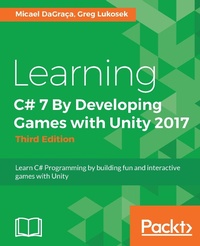
Learning C# 7 By Developing Games with Unity 2017
Learn C# Programming by building fun and interactive games with Unity
3rd Edition
Published on 13. January 2025
290 pages
978-1-78839-949-4 (ISBN)
Description

No detailed description available for "Learning C# 7 By Developing Games with Unity 2017".
More details
Edition
3rd Revised edition
Language
English
Place of publication
Birmingham
United Kingdom
Target group
Adult education
US School Grade: College Graduate Student
Edition type
Revised edition
File size
24,22 MB
ISBN-13
978-1-78839-949-4 (9781788399494)
Copyright in bibliographic data and cover images is held by Nielsen Book Services Limited or by the publishers or by their respective licensors: all rights reserved.
Schweitzer Classification
Other editions
Additional editions
Micael DaGraca | Greg Lukosek
Learning C# 7 By Developing Games with Unity 2017 - Third Edition
Learn C# Programming by building fun and interactive games with Unity
Book
12/2017
3rd Edition
Packt Publishing
€63.00
Shipment within 3-4 weeks
Persons
Micael DaGraca is a game designer and AR/VR developer living in Porto, Portugal. He has worked for multiple game studios, contributing to the creation of different indie games and interactive apps. Micael grew up playing video games, and that passion never went away. So, later on in his life, he decided to learn how to create games. Without any previous knowledge in coding or 3D animation, he slowly started to create simple games, learning each time more with those experiences.
When the games started to work and the gameplay became enjoyable, he started to make plans to publish a game in collaboration with an old friend. Micael was responsible for the technical aspect of the game, making sure that the game worked as planned, while his friend created all the artwork for the game. Finally, the game was published, and it received some positive feedback from other indie game developers. Since the game generated some revenue, the dream of becoming a game designer turned into reality.
Today, Micael works for other studios, helping others to develop their game ideas, and has also integrated into a company that focuses on the creation of interactive apps for health and well-being purposes. Even though he doesn't have the time to keep working on personal projects, he has a few frozen game projects that are still under development with the help of his friend.
Greg Lukosek was born and raised in the Upper Silesia region of Poland. When he was about 8 years old, his amazing parents bought him and his brother a Commodore C64. That was when his love of programming started. He would spend hours writing simple basic code, and when he couldn't write it on the computer directly, he used a notepad.
Greg completed his mechanical engineering diploma at ZSTiO Meritum- Siemianowice Slaskie, Poland. He has learned all his programming skills through determination and hard work at home.
Greg met the love of his life, Kasia, in 2003, which changed his life forever. They both moved to London in search of adventure and decided to stay there.
He started work as a 3D artist and drifted away from programming for some years. Deep inside, he still felt the urge to come back to game programming. During his career as a 3D artist, he discovered Unity and adopted it for an interactive visualizations project. At that very moment, he started programming again.
His love for programming overcomes his love for 3D graphics. Greg ditched his 3D artist career and came back to writing code professionally. He is now doing what he
really wanted to do since he was 8 years old-developing games.
These days, Greg lives in a little town called Sandy in the UK with Kasia and their son, Adam.
When the games started to work and the gameplay became enjoyable, he started to make plans to publish a game in collaboration with an old friend. Micael was responsible for the technical aspect of the game, making sure that the game worked as planned, while his friend created all the artwork for the game. Finally, the game was published, and it received some positive feedback from other indie game developers. Since the game generated some revenue, the dream of becoming a game designer turned into reality.
Today, Micael works for other studios, helping others to develop their game ideas, and has also integrated into a company that focuses on the creation of interactive apps for health and well-being purposes. Even though he doesn't have the time to keep working on personal projects, he has a few frozen game projects that are still under development with the help of his friend.
Greg Lukosek was born and raised in the Upper Silesia region of Poland. When he was about 8 years old, his amazing parents bought him and his brother a Commodore C64. That was when his love of programming started. He would spend hours writing simple basic code, and when he couldn't write it on the computer directly, he used a notepad.
Greg completed his mechanical engineering diploma at ZSTiO Meritum- Siemianowice Slaskie, Poland. He has learned all his programming skills through determination and hard work at home.
Greg met the love of his life, Kasia, in 2003, which changed his life forever. They both moved to London in search of adventure and decided to stay there.
He started work as a 3D artist and drifted away from programming for some years. Deep inside, he still felt the urge to come back to game programming. During his career as a 3D artist, he discovered Unity and adopted it for an interactive visualizations project. At that very moment, he started programming again.
His love for programming overcomes his love for 3D graphics. Greg ditched his 3D artist career and came back to writing code professionally. He is now doing what he
really wanted to do since he was 8 years old-developing games.
These days, Greg lives in a little town called Sandy in the UK with Kasia and their son, Adam.
Content
- Cover
- Title Page
- Copyright
- Credits
- About the Authors
- About the Authors
- About the Reviewer
- www.PacktPub.com
- Customer Feedback
- Table of Contents
- Preface
- Chapter 1: Discovering Your Hidden Scripting Skills and Getting Your Environment Ready
- Prerequisite knowledge to use this book
- Dealing with scriptphobia
- Downloading Unity
- Obtaining a free license
- Teaching behavior to GameObjects
- Using Unity's documentation
- The Unity community - asking others for help
- Working with C# script files
- Creating a C# script file
- Introducing the MonoDevelop code editor
- Opening LearningScript in MonoDevelop
- The namespace - highlighted in blue
- Watching for possible gotchas while creating script files in Unity
- Fixing synchronization if it isn't working properly
- Adding our script to GameObject
- Lots of files can create a mess
- Why does my Project tab look different?
- Instance? What is this?
- Summary
- Chapter 2: Introducing the Building Blocks for Unity Scripts
- Understanding what a variable is and what it does
- Naming a variable
- A variable name is just a substitute for a value
- Creating a variable and seeing how it works
- Declaration
- Assignment
- Click Play!
- Changing variables
- Watching for a possible gotcha when using public variables
- What is a method?
- Using the term "method" instead of "function
- Method names are substitutes, too
- Introducing the class
- Inheritance
- The Start(), Update(), and Awake() methods, and the execution order
- Components that communicate using dot syntax
- What's with the dots?
- Making decisions in code
- Using the NOT operator to change the condition
- Checking many conditions in an if statement
- Using else if to make complex decisions
- Making decisions based on user input
- Pencil and paper are powerful tools
- Summary
- Chapter 3: Getting into the Details of Variables
- Writing C# statements properly
- Understanding component properties in Unity's Inspector
- Variables become component properties
- Unity changes script and variable names slightly
- Changing a property's value in the Inspector panel
- Displaying public variables in the Inspector panel
- Private variables
- Naming your variables properly
- Beginning variable names with lowercase
- Using multiword variable names
- Declaring a variable and its type
- The most common built-in variable types
- Assigning values while declaring a variable
- Where you declare a variable is important
- Variable scope - determining where a variable can be used
- Summary
- Chapter 4: Getting into the Details of Methods
- Using methods in a script
- Naming methods properly
- Beginning method names with an uppercase letter
- Using multiword names for a method
- Parentheses are part of the method's name
- Defining a method the right way
- The minimum requirements for defining a method
- Understanding parentheses - why are they there?
- Specifying a method's parameters
- How many parameters can a method have?
- Returning a value from a method
- Returning the value
- Example
- Summary
- Chapter 5: Lists, Arrays, and Dictionaries
- What is an array?
- Declaring an array
- Storing items in the List
- Common operations with Lists
- List &T& versus arrays
- Retrieving the data from the Array or List&T&
- Checking the size
- ArrayList
- Dictionaries
- Accessing values
- How do I know what's inside my Hashtable?
- Summary
- Chapter 6: Loops
- Introduction to loops
- The foreach loop
- The for loop
- An example
- The while loop
- while versus for loops
- Loops in statements
- Modulo
- Searching for data inside an array
- Breaking the loop
- Summary
- Chapter 7: Object, a Container with Variables and Methods
- Working with objects is a class act
- A few facts
- Example
- Instantiating an object
- Bored yet?
- Using methods with objects
- Custom constructors
- Overloading
- Summary
- Chapter 8: Let's Make a Game! - from Idea to Development
- Your first game - avoiding the trap of the never-ending concept
- What do I need to learn before I start creating my own game?
- The concept
- Game mechanics and core components
- Breaking the concept into smaller parts
- Testing the mechanics
- Level design
- An animated 2D character
- Physics
- Mouse and touch controls
- Collectables and obstacles
- Scoring
- UI - the user interface
- Target platform and resolution
- Target screen resolution
- Summary
- Chapter 9: Starting Your First Game
- Setting up a new Unity project for our game
- Backup
- Keeping your project clean
- Preparing the player prefab
- Rigidbody2D
- CircleCollider2D
- PlayerController
- User input
- Jump
- Animator
- Running
- Code
- PlayerController.cs
- Summary
- Chapter 10: Writing GameManager
- Gameplay loops
- Singleton class
- Starting the game
- Setting up input keys
- Using triggers
- Restarting the game
- Setting up the player starting position
- Code in this chapter
- Summary
- Chapter 11: The Game Level
- Designed levels versus generated levels
- Creating a designed level
- Creating a generated level
- Planning the LevelGenerator class
- Writing the script LevelGenerator
- Creating a copy of the level piece
- Instantiating
- Vector3
- Testing LevelGenerator
- Extending the level
- The code used in this chapter
- Summary
- Chapter 12: The User Interface
- Introducting the Unity UI
- Views
- Constructing the view UI - how to keep things clean
- Target screen resolution
- Recognizing events
- Buttons
- Basic button
- The image
- The Button component
- Interaction
- The Button action
- Hiding and showing the Canvas
- Reference exceptions
- GameView
- Game over
- The code in this chapter
- Summary
- Chapter 13: Collectables
- Collectables
- The coin prefab
- The Collectable class
- High score and persisting data
- Health Points and Health bar
- Magic Points and Magic bar
- The code in this chapter
- Summary
- Chapter 14: Enemies
- What makes an enemy?
- Movement
- Movement by animation
- Trigger movement
- Making it an enemy
- The code in this chapter
- Summary
- Chapter 15: Audio, 3D Games, and Export
- How to add sound effects and music
- Where to find sound effects and music
- Adding music
- Adding sound effects
- Through animation
- Through script
- How to create a 3D game
- 3D models
- 3D animations
- Animator
- How to export and make it playable
- Code
- PlayerController.cs
- Summary
- Index
