

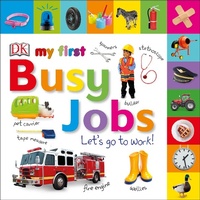
My First Busy Jobs Let's Go To Work
Published on 6. June 2019
28 pages
978-0-241-40985-5 (ISBN)
Description

What do you want to be when you grow up? Explore the world of jobs people do with this sturdy tabbed board book for babies and toddlers. With lots of colourful, fun-filled pictures, things to name and talk about, as well as simple questions and activities, this baby ebook about jobs is ideal for preschool learning. Share it together and help your inquisitive toddler develop their speaking, listening, and observational skills as they learn to identify objects.
Whether your little one dreams of being a doctor, a chef, a mechanic, or a builder, they will love learning about different jobs. 13 picture tabs invite little ones to explore the world of going to work, as they turn the pages by themselves and get hands-on with their learning. Babies can go straight to their favourite pages using the easy-grip picture tabs, which are perfect for little hands, where they'll find vibrant images of everyday objects. Your toddler will enjoy pointing to and naming the clear photographs of objects, from a firefighter with her helmet, torch, and hose pipe, to a zoo keeper with zoo animals, to a pilot, plane, passport, and tickets - there is something for every child to enjoy. Lively questions such as "What meal shall we cook in the kitchen?" and "Can you make a loud noise like a fire engine?" encourage interaction and learning through play.
What are you waiting for? Let's go to work!
Whether your little one dreams of being a doctor, a chef, a mechanic, or a builder, they will love learning about different jobs. 13 picture tabs invite little ones to explore the world of going to work, as they turn the pages by themselves and get hands-on with their learning. Babies can go straight to their favourite pages using the easy-grip picture tabs, which are perfect for little hands, where they'll find vibrant images of everyday objects. Your toddler will enjoy pointing to and naming the clear photographs of objects, from a firefighter with her helmet, torch, and hose pipe, to a zoo keeper with zoo animals, to a pilot, plane, passport, and tickets - there is something for every child to enjoy. Lively questions such as "What meal shall we cook in the kitchen?" and "Can you make a loud noise like a fire engine?" encourage interaction and learning through play.
What are you waiting for? Let's go to work!
More details
Series
Language
English
Place of publication
London
United Kingdom
Publishing group
Dorling Kindersley Ltd
Target group
Children/juvenile
Interest Age: From 0 to 3 years
Product notice
Fixed format
File size
10,04 MB
ISBN-13
978-0-241-40985-5 (9780241409855)
Copyright in bibliographic data and cover images is held by Nielsen Book Services Limited or by the publishers or by their respective licensors: all rights reserved.
Schweitzer Classification
Other editions
Additional editions

Book
06/2019
DK Children
€27.42
Article exhausted; check different version

Book
06/2019
DK Children
€31.95
Article exhausted; check different version
