

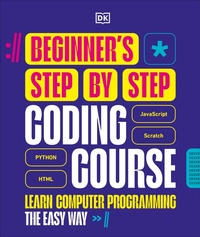
Beginner's Step-by-Step Coding Course
Learn Computer Programming the Easy Way
Published on 8. January 2026
360 pages
978-0-241-73881-8 (ISBN)
Description

Learning to code has never been easier than with this innovative visual guide to computer programming for beginners.
In our digital world, coding skills are in high demand and the need for programmers is still growing. Taking the first steps in learning to code may seem daunting but by using a graphic method to break code into small chunks, this book brings essential skills easily within reach.
Each chapter explores one of the most popular languages, with practical programming projects to show you how programming works. You'll learn to think like a programmer by breaking a problem down into parts, before turning those parts into lines of code. Short, easy-to-follow steps then show you, piece by piece, how to build a complete program. There are challenges for you to tackle to build your confidence before moving on.
Written by a team of expert coders and coding teachers, the Beginner's Step-by-Step Coding Course is the ideal way to get to grips with coding.
In our digital world, coding skills are in high demand and the need for programmers is still growing. Taking the first steps in learning to code may seem daunting but by using a graphic method to break code into small chunks, this book brings essential skills easily within reach.
Each chapter explores one of the most popular languages, with practical programming projects to show you how programming works. You'll learn to think like a programmer by breaking a problem down into parts, before turning those parts into lines of code. Short, easy-to-follow steps then show you, piece by piece, how to build a complete program. There are challenges for you to tackle to build your confidence before moving on.
Written by a team of expert coders and coding teachers, the Beginner's Step-by-Step Coding Course is the ideal way to get to grips with coding.
More details
Series
Language
English
Place of publication
London
United Kingdom
Publishing group
Dorling Kindersley Ltd
Target group
Children/juvenile
Interest Age: From 12 years
Product notice
Fixed format
File size
85,75 MB
ISBN-13
978-0-241-73881-8 (9780241738818)
Copyright in bibliographic data and cover images is held by Nielsen Book Services Limited or by the publishers or by their respective licensors: all rights reserved.
Schweitzer Classification
Other editions
Additional editions
Book
01/2026
DK
€25.00
Available immediately
