

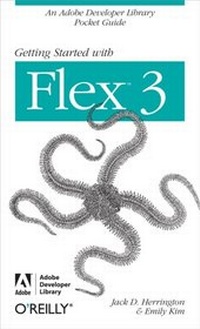
Getting Started with Flex 3
An Adobe Developer Library Pocket Guide for Developers
1st Edition
Published on 24. June 2008
143 pages
978-0-596-15427-1 (ISBN)
Description

Discover how easy RIA development can be with this one-of-a-kind handbook from the Adobe Developer Library. Several clear, step-by-step mini-tutorials teach you about web services, event handling, designing user interfaces with reusable components, and more. After finishing this guide, you'll be able to build Flash applications ranging from widgets to full-featured RIAs using the Flex SDK and Flex Builder 3.0. With Getting Started with Flex 3, you will:Walk through sample RIA projects and see examples of amazing applications people have built with FlexWork with ActionScript 3.0 and the MXML markup languageBuild user interfaces using the controls and tools available with the frameworkGet a tour of controls available commercially and through open sourceLearn how Flex integrates with ASP.NET, ColdFusion, PHP, and J2EE in the serverBuild Flex-based widgets that let you display real-time dataUse advanced controls to build 3D graphs, data dashboards, mapping applications, and moreYou'll find complete code for video players, a slideshow, a chat client, and an RSS reader, just to name a few. You also get plenty of tips, tricks, and techniques to leverage your existing programming skills, whether you come from an open source or Visual Studio-intensive background.
More details
Other editions
Additional editions
Emily Kim and Adobe Development Team
Getting Started with Flex 3
An Adobe Developer Library Pocket Guide for Developers
Book
07/2008
1st Edition
O'Reilly
€19.00
Shipment within 10-20 days
Content
- Intro
- Table of Contents
- Preface
- Who Should Read This Book
- How This Book Is Organized
- Conventions Used in This Book
- How to Contact Us
- About the Author
- Acknowledgments and Dedication
- Publisher's Acknowledgments
- Chapter 1. Installing Flex Builder 3
- Installing the IDE
- Having Some Image Fun
- Chapter 2. Flex in Action
- E-Commerce
- Online Applications
- Multimedia
- Plug-ins and Widgets
- Dashboards
- Desktop Applications
- What Will You Do?
- Chapter 3. Flex 101: Step by Step
- A Flickr Viewer
- Chapter 4. Flex Controls and Layout
- The Application Container
- The Box Class
- The Canvas Container (Absolute Positioning)
- The Canvas Container (Relative Positioning)
- The Form Container
- Combined Layouts
- The Panel Container
- Controls
- Data Grids
- In-Place Editing
- Tabs and Accordions
- Menus
- Divider Boxes
- CSS
- Skinning
- Filters and Effects
- Chapter 5. Working with the Server
- POSTing to the Server with Flex
- Using the HTTPService Tag
- The Server Code in ColdFusion
- Going on from Here
- Chapter 6. More Flex Applications
- A Runner's Calculator
- A Simple Image Viewer
- Drag-and-Drop
- States and Transitions
- A Simple Video Viewer
- Creating Better Movies
- Chapter 7. Advanced Flex Controls
- ILOG Elixir
- Advanced Flash Components
- The FlexLib Project
- Distortion Effects
- SpringGraph
- Chapter 8. Flex for Widgets
- Slide Show Widget
- Chat Widget
- Chapter 9. Flex on AIR
- Creating an AIR Version of the Runner's Calculator
- Chapter 10. Resources for Flex Developers
- Flex Websites
- Blogs and Sites
- The Flex Cookbook
- Community Resources
- Books
- Index
