

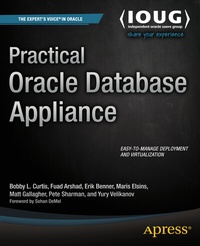
Practical Oracle Database Appliance
Description

Practical Oracle Database Appliance is a hands-on book taking you through the components and implementation of the Oracle Database Appliance. Learn about architecture, installation, configuration, and reconfiguration. Install and configure the Oracle Database Appliance with confidence. Make the right choices between the various configurations in order to realize your performance requirements. Manage and monitor the appliance to meet business requirements. Protect your data through proper backup and recovery procedures.
Oracle Database is one of the most relied-up databases in industry. For many years Oracle Database was a software product that had to be installed and configured at no small expense. The Oracle Database Appliance makes Oracle Database into a plug-and-play proposition: Plug the appliance into the wall socket, and turn it on. That's it. You have a running database server. This book takes you through that beginning point and beyond, helping you to realize in your own organization the ease of deployment and management represented by the appliance.
- Covers the Oracle Database Appliance from architecture through configuration.
- Provides a technical resource for system- and database administrators.
- Examines practical use cases for the Oracle Database Appliance.
More details
Other editions
Additional editions
Persons
Content
2 - Contents [Seite 249]
3 - Foreword [Seite 256]
4 - About the Authors [Seite 257]
5 - About the Technical Reviewer [Seite 259]
6 - Acknowledgments [Seite 260]
7 - Chapter 1: Oracle Database Appliance [Seite 6]
7.1 - Why an Appliance? [Seite 6]
7.2 - The Appliance Hardware [Seite 8]
7.2.1 - Oracle Database Appliance V1 [Seite 8]
7.2.2 - Oracle Database Appliance X3-2 [Seite 13]
7.3 - Summary [Seite 17]
8 - Chapter 2: Integrated Lights Out Management [Seite 18]
8.1 - Introduction to ILOM [Seite 18]
8.2 - ILOM Features [Seite 20]
8.2.1 - Remote KVMS Service [Seite 20]
8.2.2 - Integrated Shell [Seite 22]
8.2.3 - Security Management [Seite 24]
8.2.4 - Local Account Management [Seite 24]
8.2.5 - Alerting and Syslog Setup [Seite 25]
8.3 - Oracle Database Appliance and the ILOM [Seite 28]
8.3.1 - Oracle Database Appliance Setup via Serial Connection [Seite 28]
8.3.2 - Bare-Metal Oracle Database Appliance [Seite 32]
8.4 - Summary [Seite 35]
9 - Chapter 3: Installation [Seite 36]
9.1 - Network and Power Connections [Seite 36]
9.1.1 - Original ODA [Seite 36]
9.1.2 - ODA X3-2 [Seite 38]
9.1.3 - Power Cables [Seite 39]
9.2 - Oracle Database Appliance Initial Deployment [Seite 40]
9.2.1 - ILOM Network [Seite 40]
9.2.2 - Network Information [Seite 40]
9.2.3 - Real Application Cluster (RAC) Network [Seite 41]
9.2.4 - Network Configuration [Seite 42]
9.2.5 - Network Time Protocol (NTP) Configuration [Seite 44]
9.2.6 - Grid Infrastructure and Database Installation [Seite 45]
9.3 - Database Installation [Seite 46]
9.3.1 - VNC Configuration and Connection [Seite 46]
9.3.2 - Oracle Appliance Manager and Deployment [Seite 48]
9.3.3 - Oracle Database Appliance Redeploy [Seite 56]
9.3.4 - Preparing for a ZFS Array As External Storage [Seite 58]
9.4 - Summary [Seite 59]
10 - Chapter 4: Database Configuration [Seite 60]
10.1 - The oakcli Command [Seite 60]
10.1.1 - Command Options [Seite 60]
10.1.2 - Executing the Command [Seite 61]
10.2 - Database Configuration Types [Seite 62]
10.2.1 - Real Application Cluster [Seite 62]
10.2.2 - Real Application Cluster One [Seite 66]
10.2.3 - Single Instance (EE Option) [Seite 67]
10.3 - Database Deletion [Seite 68]
10.4 - Database Configuration Assistant [Seite 69]
10.4.1 - Creating a Database [Seite 70]
10.4.2 - Deleting a Database [Seite 80]
10.5 - Automatic Storage Management (ASM) [Seite 81]
10.5.1 - Automatic Storage Management Configuration Assistant [Seite 82]
10.5.2 - Automatic Storage Management Command Line [Seite 84]
10.6 - Summary [Seite 84]
11 - Chapter 5: Networking [Seite 85]
11.1 - ODA Models [Seite 85]
11.1.1 - Oracle Database Appliance V1 [Seite 85]
11.1.2 - Oracle Database Appliance X3-2 [Seite 87]
11.2 - ODA Network Deployment Process [Seite 88]
11.2.1 - Plan the ODA Networks to Be Deployed [Seite 88]
11.2.2 - Define Network Security Considerations [Seite 89]
11.2.3 - Complete Work That Can Be Accomplished Before the ODA Arrives [Seite 89]
11.2.4 - Spec and Order the ODA Network Cabling [Seite 90]
11.2.5 - Request IP Addresses [Seite 90]
11.2.6 - Build the Offline Configuration File [Seite 91]
11.2.7 - Rack the ODA [Seite 95]
11.2.8 - Cable the ODA [Seite 96]
11.2.9 - Apply the ILOM IP Addresses and Configure the ODA Public Network [Seite 97]
11.2.10 - Configure the Remaining Networks [Seite 99]
11.3 - Post Deployment Options for Making Network Changes [Seite 99]
11.4 - Virtualization Considerations [Seite 100]
11.5 - Summary [Seite 101]
12 - Chapter 6: Monitoring the Oracle Database Appliance [Seite 102]
12.1 - Configuring Database Control [Seite 102]
12.1.1 - Using the Enterprise Manager Configuration Assistant (EMCA) [Seite 103]
12.1.2 - Using a Parameter File [Seite 105]
12.2 - Controlling Database Control [Seite 106]
12.2.1 - Status of Database Control [Seite 106]
12.2.2 - Stopping Database Control [Seite 106]
12.2.3 - Start Database Control [Seite 107]
12.3 - Reconfiguring the Database Console [Seite 108]
12.4 - Deconfiguring Database Control [Seite 110]
12.5 - Supporting Oracle Enterprise Manager [Seite 111]
12.6 - Summary [Seite 116]
13 - Chapter 7: Diagnosing the Oracle Database Appliance [Seite 117]
13.1 - Proactive Diagnostics [Seite 117]
13.1.1 - Validation [Seite 117]
13.1.1.1 - System Component Checks [Seite 119]
13.1.1.2 - OS Disk Storage [Seite 123]
13.1.1.3 - Shared Storage [Seite 124]
13.1.1.4 - Network Components [Seite 125]
13.1.1.5 - Disk Calibration [Seite 127]
13.1.2 - Automatic Service Requests [Seite 128]
13.1.3 - ODA Configuration Audit Tool [Seite 131]
13.1.4 - Trace File Analyzer [Seite 134]
13.1.5 - Miscellaneous Tools [Seite 139]
13.2 - Reactive Checks [Seite 141]
13.2.1 - Diagnostic Collection [Seite 141]
13.2.2 - Disk Failures [Seite 142]
13.3 - Summary [Seite 142]
14 - Chapter 8: Patching the Oracle Database Appliance [Seite 143]
14.1 - Introduction to Patching [Seite 143]
14.1.1 - Conventional Systems Limitations [Seite 143]
14.1.2 - Oracle Database Appliance Benefits [Seite 144]
14.2 - Patching Flow [Seite 145]
14.2.1 - General Patching Flow [Seite 145]
14.2.2 - Specific ODA Steps [Seite 146]
14.3 - Timing [Seite 147]
14.3.1 - How Often to Patch [Seite 147]
14.3.2 - How Long It Takes to Patch [Seite 148]
14.4 - ODA Patching Options [Seite 148]
14.4.1 - New Appliances [Seite 148]
14.4.2 - Default Patching Option [Seite 149]
14.4.3 - Steps Separated in Time [Seite 149]
14.4.4 - Delayed RDBMS Update [Seite 149]
14.4.5 - Data Guard to Minimize Downtime [Seite 150]
14.4.6 - Virtual Oracle Database Appliance [Seite 151]
14.5 - Preparation [Seite 151]
14.5.1 - Verify the Release Level [Seite 152]
14.5.2 - Review the Patch Notes [Seite 152]
14.5.3 - Download the Patch Bundle Set [Seite 153]
14.5.4 - Unpack the Patch Bundle Set [Seite 153]
14.5.5 - Browse the Updates Repository [Seite 154]
14.5.6 - Verify Target Versions [Seite 156]
14.6 - Patch Execution [Seite 156]
14.6.1 - Upgrade Log Files [Seite 157]
14.6.2 - Upgrade System Infrastructure [Seite 157]
14.6.3 - Upgrade Grid Infrastructure [Seite 158]
14.7 - Database Upgrade [Seite 158]
14.7.1 - Upgrading All Databases [Seite 158]
14.7.2 - Upgrading One by One [Seite 159]
14.8 - Summary [Seite 160]
15 - Chapter 9: Business Values for the ODA [Seite 161]
15.1 - Business Challenges [Seite 161]
15.2 - Enter the ODA [Seite 162]
15.3 - Fast, Simple Database Infrastructure Deployments [Seite 163]
15.4 - RAC Without Tears [Seite 164]
15.5 - High Availability Without Tears [Seite 166]
15.6 - Costs and Value Proposition [Seite 166]
15.7 - Oracle Hardware [Seite 168]
15.8 - Security and Compliance [Seite 168]
15.9 - Virtualization [Seite 170]
15.10 - ODA Technical Solutions [Seite 170]
15.11 - ODA Performance [Seite 172]
15.12 - Summary [Seite 173]
16 - Chapter 10: Virtualization and the ODA [Seite 174]
16.1 - Oracle Virtual Machine (OVM) [Seite 174]
16.2 - OVM and the Database Appliance [Seite 174]
16.3 - Installation of a Virtualized ODA [Seite 175]
16.3.1 - Preparation for Virtualization [Seite 175]
16.3.2 - Virtualization Deployment Considerations [Seite 176]
16.4 - Deployment of the Virtualized ODA [Seite 178]
16.4.1 - Deployment of ODA_BASE [Seite 182]
16.4.2 - Deployment of a User VM [Seite 184]
16.4.2.1 - Virtual Image Repository [Seite 184]
16.4.3 - User VM Creation [Seite 185]
16.4.4 - Advanced VM Configuration and Patching [Seite 187]
16.4.4.1 - CPU Pools [Seite 187]
16.4.4.2 - Virtual LANs [Seite 188]
16.4.4.3 - Patching a Virtualized ODA [Seite 189]
16.5 - Summary [Seite 189]
17 - Chapter 11: e-Business Suite and the ODA [Seite 190]
17.1 - Is ODA a Good Fit? [Seite 190]
17.2 - e-Business Suite System Architecture on ODA [Seite 191]
17.3 - Configuring the ODA for e-Business Suite [Seite 192]
17.3.1 - Deploying e-Business Suite on ODA [Seite 192]
17.3.2 - Plan for Your Unique Environment [Seite 193]
17.3.3 - Configure the Local File System on the Database Server [Seite 195]
17.3.4 - Create a Virtual Machine for the Application Tier [Seite 197]
17.3.5 - Use ACFS for the Application Tier Files [Seite 199]
17.3.6 - Configure the Virtual IP for the Application Tier [Seite 200]
17.4 - Installing the e-Business Suite [Seite 201]
17.4.1 - The Database Tier Installation [Seite 201]
17.4.2 - The Application Tier Installation [Seite 204]
17.5 - Finalizing the Configuration [Seite 206]
17.5.1 - Create a New 11.2 Oracle Home [Seite 206]
17.5.2 - Configure the New Oracle Home [Seite 208]
17.5.3 - Migrate to ASM and RAC [Seite 211]
17.5.4 - Clone the Application Tier VM [Seite 217]
17.5.5 - Configure the Second Application Tier Node [Seite 220]
17.5.6 - Revert the Temporary Configuration [Seite 222]
17.6 - Post-Installation Tasks [Seite 224]
17.6.1 - Additional Configuration [Seite 224]
17.6.2 - Backups and Monitoring [Seite 224]
17.7 - Summary [Seite 225]
18 - Chapter 12: Oracle Enterprise Manager and the ODA [Seite 226]
18.1 - Architecture Overview [Seite 226]
18.1.1 - The Cloud Control Console [Seite 227]
18.1.2 - Oracle Management Agents [Seite 227]
18.1.3 - Oracle Management Service [Seite 228]
18.1.4 - Oracle Management Repository [Seite 228]
18.1.5 - Plug-ins [Seite 229]
18.2 - Agent Installation [Seite 229]
18.2.1 - Adding the Hosts [Seite 229]
18.2.2 - Running the root.sh Script [Seite 232]
18.2.3 - Discovering Targets [Seite 235]
18.3 - Summary [Seite 241]
19 - Index [Seite 242]
