

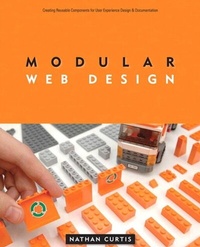
Modular Web Design
Creating Reusable Components for User Experience Design and Documentation
1st Edition
Published on 7. April 2010
360 pages
978-0-13-210486-9 (ISBN)
Description

User experience design teams often suffer from a decentralized, blank canvas approach to creating and documenting a design solution for each new project. As teams repeatedly reinvent screen designs, inconsistency results, and IT teams scramble to pick up the pieces. Pattern libraries only go so far, suggesting general solutions to common problems instead of offering concrete, specific design treatments. At times, documented solutions turn into a costly mess of unclear expectations, unrealistic goals, and abandoned work.
Enter components, each of which represents a chunk of a Web page. Designers can produce wireframes, mockups, or markup far more efficiently reusing components based on an established design system. Rather than limit innovation, components enable designers to render solved design frameworks quickly and to focus on the problem at hand, drastically improving the quality and rate of production. In addition, teams develop a deeper baseline for collaboration, a platform for governance, and a structure for useful and predictable documentation.
This book defines the role of components and why they matter, maps out how to organize and build a component library, discusses how to use components in practice, and teaches a process for documenting and maintaining components.
Enter components, each of which represents a chunk of a Web page. Designers can produce wireframes, mockups, or markup far more efficiently reusing components based on an established design system. Rather than limit innovation, components enable designers to render solved design frameworks quickly and to focus on the problem at hand, drastically improving the quality and rate of production. In addition, teams develop a deeper baseline for collaboration, a platform for governance, and a structure for useful and predictable documentation.
This book defines the role of components and why they matter, maps out how to organize and build a component library, discusses how to use components in practice, and teaches a process for documenting and maintaining components.
More details
Language
English
Place of publication
United States
Publishing group
Pearson Education (US)
Target group
College/higher education
ISBN-13
978-0-13-210486-9 (9780132104869)
Copyright in bibliographic data and cover images is held by Nielsen Book Services Limited or by the publishers or by their respective licensors: all rights reserved.
Schweitzer Classification
Other editions
Additional editions
Nathan Curtis
Modular Web Design
Creating Reusable Components for User Experience Design and Documentation
Book
07/2009
New Riders
€40.84
Article exhausted; check different version
Person
Nathan Curtis is a founder and principal at EightShapes, LLC, a user experience consulting firm based in Washington, DC. Nathan has been a user experience design practitioner since 1996 in areas including information architecture, interaction design, usability, and user interface development. Prior to founding EightShapes, Nathan practiced user experience design during stints at Sprint Nextel, BIG fish Design, and SAS Institute, Inc. Nathan obtained a B.S. summa cum laude in mathematics and statistics from Virginia Tech, followed by a master's degree in statistics from the University of Chicago. He blogs at www.nathancurtis.com and currently lives in Fairfax, VA, with his wife and two children.
Content
Part 1 Component Design
1. Define
2. Divide
3. Vary
4. Combine
5. Reuse
6. Document
Part 11 Component Libraries
7. Appraise
8. Discover
9. Organize
10. Setup
11. Build
12. Administer
13. Guide
14. Adopt
15. Integrate
1. Define
2. Divide
3. Vary
4. Combine
5. Reuse
6. Document
Part 11 Component Libraries
7. Appraise
8. Discover
9. Organize
10. Setup
11. Build
12. Administer
13. Guide
14. Adopt
15. Integrate
