

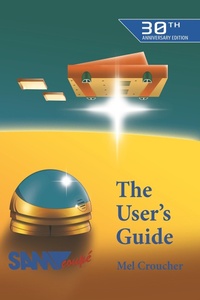
Sam Coupe Users' Manual
Published on 31. March 2022
189 pages
978-1-78982-955-6 (ISBN)
Description

The SAM Coupe was an 8-bit British home computer first released in late 1989. Designed to offer backwards compatibility with the ZX Spectrum, it was marketed as a logical upgrade for owners of the much-loved range of Sinclair machines. Originally manufactured by Miles Gordon Technology, the SAM Coupe promised a great deal. Sadly, however, it was not a financial success due to a lack of commercial software and tough competition from the faster 16-bit processors of its rivals.This 30th Anniversary Edition User's Guide features a new foreword from Mel Croucher, the original author. The manual is Illustrated throughout by Robin Evans, his memorable creation Sam the Robot always on hand to help users get the most out of their wonder machine.Offered as both a collector's piece and a valuable resource for lucky owners of a SAM Coupe today, we are excited to bring this slice of computing history back to life for the first time in thirty years.
More details
Other editions
Additional editions
Mel Croucher
The Sam Coupe User's Guide
Book
10/2020
30th Edition
Acorn Books
€13.60
Shipment within 3-4 weeks
Content
- Cover
- Contents
- Front Matter
- Publisher Information
- Foreword
- SAM Coupé User's Guide
- Chapter 1: Setting Up
- Testing Video and Audio
- First Aid Checklist
- Chapter 2: What's What
- Sockets and Ports
- The Keyboard
- Computer Care
- Chapter 3: Software
- ROM and RAM
- Cassette Recorders
- RUN and SAVE
- VERIFY and LOAD
- INPUT
- MERGE
- Chapter 4: SAM Basic
- Beginner's BASIC
- Keywords and Commands
- EDITing, DELETE, and REM
- Punctuation
- RUN, STOP, PAUSE
- INPUT, GO TO, CONTINUE
- PRINT Statements
- IF and THEN
- Everyday BASIC
- Strings, Variables, Arrays
- ELSE, LOOPS, and STEPs
- Subroutines
- Calculations
- Functions
- Beautified BASIC
- Advanced SAM Basic
- Random Numbers
- DATA
- DO, WHILE, UNTIL, IF
- AND, OR, NOT
- Defining Functions
- Handling Strings
- Procedures
- References and Labels
- System Variables
- Chapter 5: Colour and Light
- The Pallete
- The Colour Chart
- PEN and PAPER
- The Four Screen Modes
- Attributes
- Chapter 6: Text and Graphics
- Graphic Commands
- Graphics Scaling
- SCROLL, ROLL, WINDOW, GRAB
- Animation
- The Character Set
- Block Graphics and UDGs
- Chapter 7: Making Music
- BEEP
- Shortcuts
- MIDI
- Chapter 8: Sound Effects
- ZAP, POW, ZOOM, and BOOM
- SOUND
- Chapter 9: Expanding the System
- Add-Ons
- Printers
- Chapter 10: Memory
- Extra Memory
- Machine Code
- Disk Drives
- Chapter 11: Communications
- Education
- Streams and Channels
- Chapter 12: Error Codes
- Back Matter
- Glossary of SAM Computing
- SAM Coupé Appendix
