
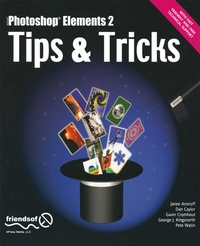
Photoshop Elements 2 Tips and Tricks
Description
Alles über E-Books | Antworten auf Fragen rund um E-Books, Kopierschutz und Dateiformate finden Sie in unserem Info- & Hilfebereich.
An exciting collection of tips and tricks to help you make the most out of this amazing low-cost piece of software. We'll help you uncover some of the secrets hidden in Adobe Photoshop Elements 2, as well as nifty shortcuts-you'll work more effectively and have more time to play!
You can learn a lot by experimenting, but it would take you a very long time to pick up the tips and tricks we show you in this book. We've pooled the knowledge of some highly experienced professionals to help provide this handy reference, and ordered them in a clear, logical way-keep this by your side and you'll certainly save time, as well as discover interesting and surprising new ways to manipulate your images.
Whether you're just getting to grips with Elements or a more experienced user, this a great addition to your library, that you'll find you want to refer to time and again.
We've packed this book full of tips on a wide range of subjects-from making selections to effects and filters-it's all here! Hundreds of hints come thick and fast, from half a page to two pages, every one designed to be used in a variety of situations. Each tip comes with a picture and information about how and when it's likely to be useful, so you'll know when to put it into action!
More details
Other editions
Additional editions

Persons
Content
System requirements
File format: PDF
Copy protection: Watermark-DRM (Digital Rights Management)
System requirements:
- Computer (Windows; MacOS X; Linux): Use the free software Adobe Reader, Adobe Digital Editions, or any other PDF viewer of your choice (see eBook Help).
- Tablet/Smartphone (Android; iOS): Install the free app Adobe Digital Editions or another reading app for eBooks, e.g., PocketBook (see eBook Help).
- E-reader: Bookeen, Kobo, Pocketbook, Sony, Tolino and many more (only limited: Kindle).
The file format PDF always displays a book page identically on any hardware. This makes PDF suitable for complex layouts such as those used in textbooks and reference books (images, tables, columns, footnotes). Unfortunately, on the small screens of e-readers or smartphones, PDFs are rather annoying, requiring too much scrolling.
This eBook uses Watermark-DRM, a „soft” copy protection. This means that there are no technical restrictions to prevent illegal distribution. However, there is a personalised watermark embedded in the eBook that can be used to identify the purchaser of the eBook in the event of misuse and to provide evidence for legal purposes.
For more information, see our eBook Help page.