

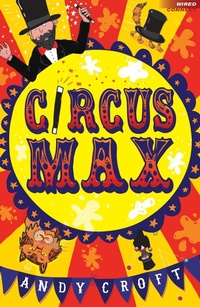
Circus Max
1st Edition
Published on 21. May 2015
64 pages
978-1-4729-1198-8 (ISBN)
Description

Max has always wanted to be in a circus. The problem is, he's useless at performing. He's incredibly clumsy, no good at acrobatics, and his tricks all go wrong, no matter what he does. But that doesn't stop him trying...
When his school talent show is announced Max knows it's his time to shine. Can he prove to his friends and family once and for all that the circus is the place for him?
Highly readable, exciting books that take the struggle out of reading, Wired Connect encourages and supports reading practice by providing gripping, age-appropriate stories for struggling and reluctant readers or those with English as an additional language aged 9+, at a manageable length (64 pages) and reading level (7+). Produced in association with reading experts at CatchUp, a charity which aims to address underachievement caused by literacy and numeracy difficulties.
When his school talent show is announced Max knows it's his time to shine. Can he prove to his friends and family once and for all that the circus is the place for him?
Highly readable, exciting books that take the struggle out of reading, Wired Connect encourages and supports reading practice by providing gripping, age-appropriate stories for struggling and reluctant readers or those with English as an additional language aged 9+, at a manageable length (64 pages) and reading level (7+). Produced in association with reading experts at CatchUp, a charity which aims to address underachievement caused by literacy and numeracy difficulties.
More details
Series
Edition
1. Auflage
Language
English
Place of publication
London
United Kingdom
Publishing group
Bloomsbury Publishing PLC
Target group
Professional and scholarly
Illustrations
Black and white throughout
ISBN-13
978-1-4729-1198-8 (9781472911988)
Copyright in bibliographic data and cover images is held by Nielsen Book Services Limited or by the publishers or by their respective licensors: all rights reserved.
Schweitzer Classification
Other editions
Additional editions
Andy Croft
Circus Max
Book
05/2015
A & C Black (Childrens books)
€27.42
Article exhausted; check different version
Persons
Andy Croft has written over forty non-fiction books (mostly about football) and four novels for teenagers. He has also written nine books of poetry and edited many poetry anthologies. Circus Max is his third title for A & C Black's Wired series.
Content
- Cover
- Half-title
- Copyright
- Title
- Dedication
- Contents
- Chapter One: Mad Max
- Chapter Two: Chicken and Egg
- Chapter Three: To the Max
- Chapter Four: Relax Max
- Chapter Five: The Cat in the Hat
