

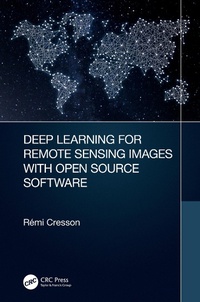
Deep Learning for Remote Sensing Images with Open Source Software
1st Edition
Published on 15. July 2020
164 pages
978-1-000-09361-2 (ISBN)
Description

In today's world, deep learning source codes and a plethora of open access geospatial images are readily available and easily accessible. However, most people are missing the educational tools to make use of this resource. Deep Learning for Remote Sensing Images with Open Source Software is the first practical book to introduce deep learning techniques using free open source tools for processing real world remote sensing images. The approaches detailed in this book are generic and can be adapted to suit many different applications for remote sensing image processing, including landcover mapping, forestry, urban studies, disaster mapping, image restoration, etc. Written with practitioners and students in mind, this book helps link together the theory and practical use of existing tools and data to apply deep learning techniques on remote sensing images and data.
Specific Features of this Book:
The first book that explains how to apply deep learning techniques to public, free available data (Spot-7 and Sentinel-2 images, OpenStreetMap vector data), using open source software (QGIS, Orfeo ToolBox, TensorFlow)
Presents approaches suited for real world images and data targeting large scale processing and GIS applications
Introduces state of the art deep learning architecture families that can be applied to remote sensing world, mainly for landcover mapping, but also for generic approaches (e.g. image restoration)
Suited for deep learning beginners and readers with some GIS knowledge. No coding knowledge is required to learn practical skills.
Includes deep learning techniques through many step by step remote sensing data processing exercises.
Specific Features of this Book:
The first book that explains how to apply deep learning techniques to public, free available data (Spot-7 and Sentinel-2 images, OpenStreetMap vector data), using open source software (QGIS, Orfeo ToolBox, TensorFlow)
Presents approaches suited for real world images and data targeting large scale processing and GIS applications
Introduces state of the art deep learning architecture families that can be applied to remote sensing world, mainly for landcover mapping, but also for generic approaches (e.g. image restoration)
Suited for deep learning beginners and readers with some GIS knowledge. No coding knowledge is required to learn practical skills.
Includes deep learning techniques through many step by step remote sensing data processing exercises.
More details
Series
Edition
1. Auflage
Language
English
Place of publication
London
United Kingdom
Publishing group
Taylor & Francis Ltd
Target group
College/higher education
Product notice
Reflowable
Illustrations
6 Tables, black and white; 68 Illustrations, color
ISBN-13
978-1-000-09361-2 (9781000093612)
Copyright in bibliographic data and cover images is held by Nielsen Book Services Limited or by the publishers or by their respective licensors: all rights reserved.
Schweitzer Classification
Other editions
Additional editions
Book
01/2022
1st Edition
CRC Press
€66.60
Shipment within 15-20 days
Book
07/2020
1st Edition
CRC Press
€143.50
Shipment within 15-20 days
Person
Remi Cresson received the M. Sc. in electrical engineering from the Grenoble Institute of Technology, France, 2009. He is with the Land, Environment, Remote Sensing and Spatial Information Joint Research Unit (UMR TETIS), at the French Research Institute of Science and Technology for Environment and Agriculture (Irstea), Montpellier, France. His research and engineering interests include remote sensing image processing, High Performance Computing, and geospatial data inter-operability. He is member of the Orfeo ToolBox Project Steering Committee and charter member of the Open source geospatial foundation (OSGEO).
Content
Introduction
I Backgrounds
II Patch Based Classification
III Semantic Segmentation
IV Image Restoration
I Backgrounds
II Patch Based Classification
III Semantic Segmentation
IV Image Restoration
