

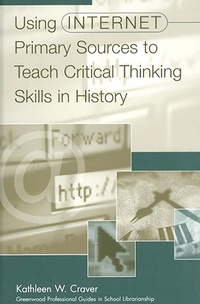
Using Internet Primary Sources to Teach Critical Thinking Skills in History
1st Edition
Published on 30. October 1999
280 pages
978-1-56750-736-2 (ISBN)
Description

History teachers and school library media specialists will find this guide a valuable resource for creating technologically advanced, resource-based instructional units in American and World History in grades 7-12. It is filled with 150 recommended primary source Internet sites about history ranging from ancient civilizations to 1998 and is stocked with exciting, interesting, and challenging questions designed to stimulate students' critical thinking skills. Dr. Craver, who maintains an award-winning interactive Internet database and conducts technology workshops for school library media specialists, provides an indispensable tool to enable students to make the best use of the Internet for the study of history.
Each site is accompanied by a summary that describes its contents and usefulness to history teachers and school library media specialists. The questions that follow are designed specifically to stimulate critical thinking skills. Critical thinking skills are deemed essential for students if they are to succeed academically and economically in the twenty-first century. An annotated appendix of selected primary source databases includes the Internet addresses for 60 additional primary source sites.
Each site is accompanied by a summary that describes its contents and usefulness to history teachers and school library media specialists. The questions that follow are designed specifically to stimulate critical thinking skills. Critical thinking skills are deemed essential for students if they are to succeed academically and economically in the twenty-first century. An annotated appendix of selected primary source databases includes the Internet addresses for 60 additional primary source sites.
More details
Series
Edition
1. Auflage
Language
English
Place of publication
New York
United States
Publishing group
Bloomsbury Publishing Plc
Target group
Professional and scholarly
ISBN-13
978-1-56750-736-2 (9781567507362)
Copyright in bibliographic data and cover images is held by Nielsen Book Services Limited or by the publishers or by their respective licensors: all rights reserved.
Schweitzer Classification
Other editions
Additional editions
Kathleen W. Craver
Using Internet Primary Sources to Teach Critical Thinking Skills in History
Book
10/1999
Libraries Unlimited Inc
€75.90
Shipment within 15-20 days
Person
KATHLEEN W. CRAVER is Head Librarian at the National Cathedral School in Washington, D.C. Dr. Craver is the author of School Library Media Centers in the 21st Century (Greenwood, 1994) and Teaching Electronic Literacy (Greenwood, 1997), and has published widely in library journals.
Content
Introduction
Using Critical Thinking Skills in History
Using Primary Sources
Ancient Civilizations
Early Christian Era
Eleventh - Fourteenth Centuries
Fifteenth - Sixteenth Centuries
Seventeenth - Eighteenth Centuries
Nineteenth Century
Twentieth Century
Selected Primary Source Databases
Title Index
Subject Index
Using Critical Thinking Skills in History
Using Primary Sources
Ancient Civilizations
Early Christian Era
Eleventh - Fourteenth Centuries
Fifteenth - Sixteenth Centuries
Seventeenth - Eighteenth Centuries
Nineteenth Century
Twentieth Century
Selected Primary Source Databases
Title Index
Subject Index
