

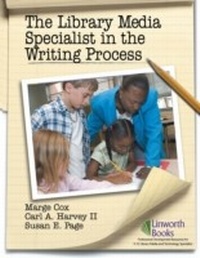
The Library Media Specialist In the Writing Process
1st Edition
Published on 19. February 2007
120 pages
978-1-58683-366-4 (ISBN)
Description

Collaborate with classroom teachers on strategies to teach the writing process in the K-12 library and classroom. This well-organized and easy-to-follow resource is all you need to teach your students to write well. Includes reproducible posters and lessons to use immediately. This book explains the writing process, offers collaborative curriculum connections, and includes a treasure trove of teacher/librarian collaborative writing lessons.
More details
Edition
1. Auflage
Language
English
Place of publication
New York
United States
Target group
Professional and scholarly
US School Grade: Preschool
ISBN-13
978-1-58683-366-4 (9781586833664)
Copyright in bibliographic data and cover images is held by Nielsen Book Services Limited or by the publishers or by their respective licensors: all rights reserved.
Schweitzer Classification
Other editions
Additional editions
Marge Cox | Carl A. Harvey | Susan Page
The Library Media Specialist In the Writing Process
Book
02/2007
Linworth Publishing, Incorporated
€48.50
Shipment within 3-4 weeks
Persons
Marge Cox is a library media specialist at Veterans Memorial Elementary School in Naples, FL.
Carl A. Harvey II is an instructor of school librarianship at Longwood University in Farmville, VA.
Susan E. Page is an educator from Yorktown, IN.
Carl A. Harvey II is an instructor of school librarianship at Longwood University in Farmville, VA.
Susan E. Page is an educator from Yorktown, IN.
Content
- Cover
- Title Page
- Copyright Page
- Table of Contents
- Table of Figures
- About the Authors
- Introduction
- Chapter 1: Research Important to Teaching Writing
- Teaching Writing as a Process
- The Product Approach
- The Process Approach
- Effective Strategies in a Process Approach
- Maximize the Reading and Writing Relationship
- Teach Language Conventions in the Context of Writing
- Directly Teach the Major Modes of Writing
- Teach Traits, Strategies, and Skills in Short, Focus Lessons
- Provide Immediate, Positive, Specific Feedback
- Engage Students in Identifying the Qualities of Effective Writing
- Use Writing across the Curriculum
- Use Available Technology throughout the Writing Process
- One More Thing.
- Ten Easy Ways to Share Information with Teachers
- Ten Easy Ways to Use Writing Across the Curriculum
- Works Consulted
- Chapter 2: The Writing Process
- Understanding Terminology
- Writing Process
- Writing Traits
- Prewrite
- Draft
- Revision
- Editing
- Publishing and Sharing
- Purposes for Writing
- Audience for Writing
- Types of Writing
- Collaborate with Teachers
- The Educator's Role in Prewriting
- The Educator's Role in Drafting
- The Educator's Role in Revising
- The Educator's Role in Editing
- The Educator's Role in Publishing and Sharing
- One More Thing.
- Works Consulted
- Chapter 3: Collaboration
- First Steps in Collaboration
- Instruction and Evaluation
- Provide Teacher Assistance
- Provide Student Assistance
- Provide Resources
- One More Thing
- Works Consulted
- Chapter 4: Prewrite
- Provide Teacher Assistance
- Student Choice of Topic
- Prewriting Organization
- Provide Student Assistance
- Prewrite Possibilities
- Think about the Audience
- Know the Purpose
- Get Focused
- Use Research Processes
- Deliver a Message
- Plan Organization
- Use Primary and Secondary Sources
- Compile Sources
- Stay Focused
- Decide the Voice
- One More Thing.
- Literature Connections
- Works Consulted
- Sample Collaborative Lessons
- Chapter 5: Drafting
- Provide Teacher Assistance
- Encourage Drafts
- Provide Student Assistance
- Model Drafting
- Discover and Maintain Focus
- Use Anchor Papers
- Organize Writing
- Consider Adding More Information
- Coordinate Writing Products
- One More Thing.
- Literature Connections
- Works Consulted
- Sample Collaborative Lessons
- Chapter 6: Revision
- Provide Teacher Assistance
- Two Phases to Revision
- Provide Student Assistance
- Model Setting Priorities for Revision
- Share Revision Experiences and Tips from Other Writers
- Feature Writers in Your School
- Share and Use Revision Checklists
- Engage in Interactive Revision
- Hold Revision Mini-Conferences
- Revisit Familiar Strategies from Prewriting and Drafting
- Provide Teachers with Professional Materials
- One More Thing.
- Works Consulted
- Sample Collaborative Lessons
- Chapter 7: Editing
- Provide Teacher Assistance
- Provide Student Assistance
- Choose Words Carefully
- Clarify Conventions
- Correct Spelling
- Check Capitalization
- Organize Paragraphing
- Review Punctuation
- Use Appropriate Grammar
- Apply Parts of Speech
- Examine Passive and Active Voice Verbs
- Eliminate Slang
- Cite Sources
- Offer Simple Solutions for Good Editing
- One More Thing.
- Literature Connections
- Works Consulted
- Sample Collaborative Lessons
- Chapter 8: Publishing
- Options for Publishing
- Printing
- Speaking
- Visual
- Web Opportunities
- Provide Teacher Assistance
- Provide Student Assistance
- Planning the Delivery and Presentation
- One More Thing
- Literature Connections
- Works Consulted
- Sample Collaborative Lessons
- Chapter 9: Response to Writing
- Informal Feedback
- Walking Feedback
- Writing Conferences
- Written Feedback
- Interactive Technology
- Formal Evaluation
- Student Self-Evaluation
- Educators Evaluation
- One More Thing.
- Works Consulted
- Glossary of Terms
- Index
