

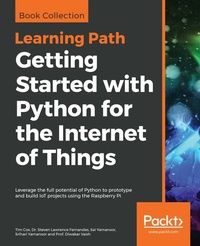
Getting Started with Python for the Internet of Things
Leverage the full potential of Python to prototype and build IoT projects using the Raspberry Pi
1st Edition
Published on 26. February 2019
732 pages
978-1-83855-333-3 (ISBN)
Description

Build clever, collaborative, and powerful automation systems with the Raspberry Pi and Python.Key FeaturesCreate your own Pi-Rover or Pi-Hexipod robotsDevelop practical applications in Python using Raspberry PiBuild your own Jarvis, a highly advanced computerized AIBook DescriptionThis Learning Path takes you on a journey in the world of robotics and teaches you all that you can achieve with Raspberry Pi and Python.It teaches you to harness the power of Python with the Raspberry Pi 3 and the Raspberry Pi zero to build superlative automation systems that can transform your business. You will learn to create text classifiers, predict sentiment in words, and develop applications with the Tkinter library. Things will get more interesting when you build a human face detection and recognition system and a home automation system in Python, where different appliances are controlled using the Raspberry Pi. With such diverse robotics projects, you'll grasp the basics of robotics and its functions, and understand the integration of robotics with the IoT environment.By the end of this Learning Path, you will have covered everything from configuring a robotic controller, to creating a self-driven robotic vehicle using Python.Raspberry Pi 3 Cookbook for Python Programmers - Third Edition by Tim Cox, Dr. Steven Lawrence FernandesPython Programming with Raspberry Pi by Sai Yamanoor, Srihari YamanoorPython Robotics Projects by Prof. Diwakar VaishWhat you will learnBuild text classifiers and predict sentiment in words with the Tkinter libraryDevelop human face detection and recognition systemsCreate a neural network module for optical character recognitionBuild a mobile robot using the Raspberry Pi as a controllerUnderstand how to interface sensors, actuators, and LED displays workApply machine learning techniques to your modelsInterface your robots with BluetoothWho this book is forThis Learning Path is specially designed for Python developers who want to take their skills to the next level by creating robots that can enhance people's lives. Familiarity with Python and electronics will aid understanding the concepts in this Learning Path.
More details
Other editions
Additional editions
Tim Cox | Dr. Steven Lawrence Fernandes | Sai Yamanoor
Getting Started with Python for the Internet of Things
Leverage the full potential of Python to prototype and build IoT projects using the Raspberry Pi
Book
02/2019
Packt Publishing
€58.90
Shipment within 3-4 weeks
Content
- Cover
- Title Page
- Copyright and Credits
- About Packt
- Contributors
- Table of Contents
- Preface
- Chapter 1: Getting Started with a Raspberry Pi 3 Computer
- Introduction
- Introducing Raspberry Pi
- What's with the name?
- Why Python?
- Python 2 and Python 3
- Which version of Python should you use?
- The Raspberry Pi family - a brief history of Pi
- Which Pi to choose?
- Connecting to Raspberry Pi
- Getting ready
- How to do it...
- There's more...
- Secondary hardware connections
- Using NOOBS to set up your Raspberry Pi SD card
- Getting ready
- How to do it...
- How it works...
- There's more...
- Changing the default user password
- Ensuring that you shut down safely
- Preparing an SD card manually
- Expanding the system to fit in your SD card
- Accessing the RECOVERY/BOOT partition
- Using the tools to back up your SD card in case of failure
- Networking and connecting your Raspberry Pi to the internet via an Ethernet port, using a CAT6 Ethernet cable
- Getting ready
- How to do it...
- There's more...
- Using built-in Wi-Fi and Bluetooth on Raspberry Pi
- Getting ready
- How to do it...
- Connecting to your Wi-Fi network
- Connecting to Bluetooth devices
- Configuring your network manually
- Getting ready
- How to do it...
- There's more...
- Networking directly to a laptop or computer
- Getting ready
- How to do it...
- How it works...
- There's more...
- Direct network link
- See also
- Getting ready
- How to do it...
- There's more...
- Using USB wired network adapters
- Networking and connecting yourRaspberry Pi to the internet via aUSB Wi-Fi dongle
- Getting ready
- How to do it...
- There's more...
- Using USB wired network adapters
- Connecting to the internet through a proxy server
- Getting ready
- How to do it...
- How it works...
- There's more...
- Connecting remotely to Raspberry Pi over the network using VNC
- Getting ready
- How to do it...
- There's more...
- Connecting remotely to Raspberry Pi over the network using SSH (and X11 forwarding)
- Getting ready
- How to do it...
- How it works...
- There's more...
- Running multiple programs with X11 forwarding
- Running as a desktop with X11 forwarding
- Running Pygame and Tkinter with X11 forwarding
- Sharing the home folder of Raspberry Pi with SMB
- Getting ready
- How to do it...
- Keeping Raspberry Pi up to date
- Getting ready
- How to do it...
- There's more...
- Chapter 2: Dividing Text Data and Building Text Classifiers
- Introduction
- Building a text classifier
- How to do it...
- How it works...
- See also
- Pre-processing data using tokenization
- How to do it...
- Stemming text data
- How to do it...
- Dividing text using chunking
- How to do it...
- Building a bag-of-words model
- How to do it...
- Applications of text classifiers
- Chapter 3: Using Python for Automation and Productivity
- Introduction
- Using Tkinter to create graphical user interfaces
- Getting ready
- How to do it...
- How it works...
- Creating a graphical application - Start menu
- Getting ready
- How to do it...
- How it works...
- There's more...
- Displaying photo information in an application
- Getting ready
- How to do it...
- How it works...
- There's more...
- Organizing your photos automatically
- Getting ready
- How to do it...
- How it works...
- Chapter 4: Predicting Sentiments in Words
- Building a Naive Bayes classifier
- How to do it...
- See also
- Logistic regression classifier
- How to do it...
- Splitting the dataset for training and testing
- How to do it...
- Evaluating the accuracy using cross-validation
- How to do it...
- Analyzing the sentiment of a sentence
- How to do it...
- Identifying patterns in text using topic modeling
- How to do it...
- Applications of sentiment analysis
- Chapter 5: Detecting Edges and Contours in Images
- Introduction
- Loading, displaying, and saving images
- How to do it...
- Image flipping
- How to do it...
- Image scaling
- How to do it...
- Erosion and dilation
- How to do it...
- Image segmentation
- How to do it...
- Blurring and sharpening images
- How to do it...
- Detecting edges in images
- How to do it...
- How it works...
- See also
- Histogram equalization
- How to do it.
- Detecting corners in images
- How to do it...
- Chapter 6: Building Face Detector and Face Recognition Applications
- Introduction
- Building a face detector application
- How to do it...
- Building a face recognition application
- How to do it...
- How it works...
- See also
- Applications of a face recognition system
- Chapter 7: Using Python to Drive Hardware
- Introduction
- Controlling an LED
- Getting ready
- How to do it...
- How it works...
- There's more...
- Controlling the GPIO current
- Responding to a button
- Getting ready
- Trying a speaker or headphone with Raspberry Pi
- How to do it...
- How it works...
- There's more...
- Safe voltages
- Pull-up and pull-down resistor circuits
- Protection resistors
- A controlled shutdown button
- Getting ready
- How to do it...
- How it works...
- There's more...
- Resetting and rebooting Raspberry Pi
- Adding extra functions
- The GPIO keypad input
- Getting ready
- How to do it...
- How it works...
- There's more...
- Generating other key combinations
- Emulating mouse events
- Multiplexed color LEDs
- Getting ready
- How to do it...
- How it works...
- There's more...
- Hardware multiplexing
- Displaying random patterns
- Mixing multiple colors
- Writing messages using persistence of vision
- Getting ready
- How to do it...
- How it works...
- Chapter 8: Sensing and Displaying Real-World Data
- Introduction
- Using devices with the I2C bus
- Getting ready
- How to do it...
- How it works...
- There's more...
- Using multiple I2C devices
- I2C bus and level shifting
- Using just the PCF8591 chip or adding alternative sensors
- Reading analog data using an analog-to-digital converter
- Getting ready
- How to do it...
- How it works...
- There's more...
- Gathering analog data without hardware
- Logging and plotting data
- Getting ready
- How to do it...
- How it works...
- There's more...
- Plotting live data
- Scaling and calibrating data
- Extending the Raspberry Pi GPIO with an I/O expander
- Getting ready
- How to do it...
- How it works...
- There's more...
- I/O expander voltages and limits
- Using your own I/O expander module
- Directly controlling an LCD alphanumeric display
- Capturing data in an SQLite database
- Getting ready
- How to do it...
- How it works...
- There's more...
- The CREATE TABLE command
- The INSERT command
- The SELECT command
- The WHERE command
- The UPDATE command
- The DELETE command
- The DROP command
- Viewing data from your own webserver
- Getting ready
- How to do it...
- How it works...
- There's more...
- Security
- Using MySQL instead
- Sensing and sending data to online services
- Getting ready
- How to do it...
- How it works...
- See also
- Chapter 9: Building Neural Network Modules for Optical Character Recognition
- Introduction
- Visualizing optical characters
- How to do it...
- Building an optical character recognizer using neural networks
- How to do it...
- How it works...
- See also
- Applications of an OCR system
- Chapter 10: Arithmetic Operations, Loops, and Blinky Lights
- Hardware required for this chapter
- Arithmetic operations
- Bitwise operators in Python
- Logical operators
- Data types and variables in Python
- Reading inputs from the user
- The formatted string output
- The str.format() method
- An exercise for the reader
- Another exercise for the reader
- Concatenating strings
- Loops in Python
- A for loop
- Indentation
- Nested loops
- A while loop
- Raspberry Pi's GPIO
- Blinky lights
- Code
- The applications of GPIO control
- Summary
- Chapter 11: Conditional Statements, Functions, and Lists
- Conditional statements
- An if-else statement
- if-elif-else statement
- Breaking out of loops
- The applications of conditional statements: executing tasks using GPIO
- Breaking out a loop by counting button presses
- Functions in Python
- Passing arguments to a function:
- Returning values from a function
- The scope of variables in a function
- GPIO callback functions
- DC motor control in Python
- Some mini-project challenges for the reader
- Summary
- Chapter 12: Communication Interfaces
- UART - serial port
- Raspberry Pi Zero's UART port
- Setting up the Raspberry Pi Zero serial port
- Example 1 - interfacing a carbon dioxide sensor to the Raspberry Pi
- Python code for serial port communication
- I2C communication
- Example 2 - PiGlow
- Installing libraries
- Example
- Example 3 - Sensorian add-on hardware for the Raspberry Pi
- I2C drivers for the lux sensor
- Challenge
- The SPI interface
- Example 4 - writing to external memory chip
- Challenge to the reader
- Summary
- Chapter 13: Data Types and Object-Oriented Programming in Python
- Lists
- Operations that could be performed on a list
- Append element to list:
- Remove element from list:
- Retrieving the index of an element
- Popping an element from the list
- Counting the instances of an element:
- Inserting element at a specific position:
- Challenge to the reader
- Extending a list
- Clearing the elements of a list
- Sorting the elements of a list
- Reverse the order of elements in list
- Create copies of a list
- Accessing list elements
- Accessing a set of elements within a list
- List membership
- Let's build a simple game!
- Dictionaries
- Tuples
- Sets
- OOP in Python
- Revisiting the student ID card example
- Class
- Adding methods to a class
- Doc strings in Python
- self
- Speaker controller
- Light control daemon
- Summary
- Chapter 14: File I/O and Python Utilities
- File I/O
- Reading from a file
- Reading lines
- Writing to a file
- Appending to a file
- seek
- Read n bytes
- r+
- Challenge to the reader
- The with keyword
- configparser
- Challenge to the reader
- Reading/writing to CSV files
- Writing to CSV files
- Reading from CSV files
- Python utilities
- The os module
- Checking a file's existence
- Checking for a folder's existence
- Deleting files
- Killing a process
- Monitoring a process
- The glob module
- Challenge to the reader
- The shutil module
- The subprocess module
- The sys module
- Summary
- Chapter 15: Requests and Web Frameworks
- The try/except keywords
- try...except...else
- try...except...else...finally
- Connecting to the Internet - web requests
- The application of requests - retrieving weather information
- The application of requests - publishing events to the Internet
- Flask web framework
- Installing Flask
- Building our first example
- Controlling appliances using the Flask framework
- Summary
- Chapter 16: Awesome Things You Could Develop Using Python
- Image processing using a Raspberry Pi Zero
- OpenCV
- The verification of the installation
- A challenge to the reader
- Installing the camera to the Raspberry Zero
- Speech recognition
- Automating routing tasks
- Improving daily commute
- A challenge to the reader
- Project challenge
- Improving your vocabulary
- A challenge to the reader
- Project challenge
- Logging
- Threading in Python
- PEP8 style guide for Python
- Verifying PEP8 guidelines
- Summary
- Chapter 17: Robotics 101
- The hardware arsenal
- Setting up Raspberry Pi
- Let's program
- Playing with voltage
- Summary
- Chapter 18: Using GPIOs as Input
- A deeper dive into GPIOs
- Interfacing the PIR sensor
- Interfacing the ultrasonic proximity sensor
- Interfacing through I2C
- Summary
- Chapter 19: Making a Gardener Robot
- Working with solenoids
- Making the robot
- Making it more intelligent
- Making it truly intelligent
- Summary
- Chapter 20: Basics of Motors
- The basics
- Getting it rolling
- Changing the speed
- Summary
- Chapter 21: Bluetooth-Controlled Robotic Car
- Basics of the vehicle
- Getting the vehicle ready
- Controlling the vehicle by Bluetooth
- Summary
- Chapter 22: Sensor Interface for Obstacle Avoidance
- Infrared proximity sensor
- Autonomous emergency braking
- Giving the car self-steering capabilities
- Making it fully autonomous
- Summary
- Chapter 23: Making Your Own Area Scanner
- Servo motor
- Lists
- Looking around
- LIDAR on an autonomous vehicle
- Summary
- Chapter 24: Basic Switching
- Making Jarvis wake you up
- Working with relay and PIR sensor
- Making the alarm irritating
- Making it even more irritating
- Summary
- Chapter 25: Recognizing Humans with Jarvis
- Turn on the light Jarvis
- Understanding motion
- Perfecting motion
- Controlling the intensity
- Intelligent temperature control
- Adding more
- Summary
- Chapter 26: Making Jarvis IoT Enabled
- Basics of IoT
- The MQTT protocol
- Setting up the MQTT broker
- Making an IoT-based intrusion detector
- Controlling the home
- Summary
- Chapter 27: Giving Voice to Jarvis
- Basic installation
- Automatic delivery answering machine
- Making an interactive door - answering robot
- Making Jarvis understand our voice
- Summary
- Chapter 28: Gesture Recognition
- Electric field sensing
- Using the Flick HAT
- Gesture recognition-based automation
- Summary
- Chapter 29: Machine Learning
- Making a dataset
- Predicting using a dataset
- Making your home learn
- Home learning and automation
- Summary
- Chapter 30: Making a Robotic Arm
- Basics of a robotic arm
- Degrees of freedom
- Power house
- Voltage
- Capacity
- Power-to-weight ratio
- Maximum charge and discharge rate
- Chemical composition
- Finding the limits
- Making the robot safe
- Programming multiple frames
- Speed control
- Summary
- Other Books You May Enjoy
- Index
