

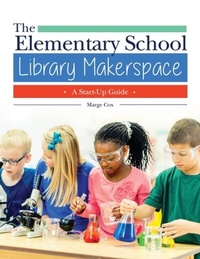
The Elementary School Library Makerspace
A Start-Up Guide
1st Edition
Published on 12. December 2017
150 pages
978-1-4408-5339-5 (ISBN)
Description

A must-read for elementary school librarians interested in starting a makerspace at their school, but who are concerned about the cost and are looking for curriculum links for getting started.
Makerspaces are a powerful way to expand a school library's influence as an educational partner in the school community. However, many elementary school librarians and educators are hesitant to consider adding a makerspace to their programming due to concerns about costs. This book focuses on effective ways to start a makerspace in your school on a shoestring budget while simultaneously supporting curriculum standards and inviting the collaboration of other members of your school community.
Today's school librarians have many responsibilities and often face a shrinking budget. The Elementary School Library Makerspace: A Start-Up Guide is a one-stop shop for learning the specific steps to successfully starting an elementary school library makerspace, without getting behind on managing your current school library tasks and responsibilities or blowing your budget. You'll learn how and where the makerspace movement started, and why; understand why today's young students crave hands-on experiences; and receive dozens of makerspace examples for each grade level by content area, including ones for language arts, math, science, engineering, arts, social studies, and technology. The book also covers how and why to track particular numbers regarding program performance, explains how to use creativity to start your makerspace with minimal dollars, and outlines how to make your PR efforts in letting others know about your school library makerspace effective in engaging many possible audiences.
Makerspaces are a powerful way to expand a school library's influence as an educational partner in the school community. However, many elementary school librarians and educators are hesitant to consider adding a makerspace to their programming due to concerns about costs. This book focuses on effective ways to start a makerspace in your school on a shoestring budget while simultaneously supporting curriculum standards and inviting the collaboration of other members of your school community.
Today's school librarians have many responsibilities and often face a shrinking budget. The Elementary School Library Makerspace: A Start-Up Guide is a one-stop shop for learning the specific steps to successfully starting an elementary school library makerspace, without getting behind on managing your current school library tasks and responsibilities or blowing your budget. You'll learn how and where the makerspace movement started, and why; understand why today's young students crave hands-on experiences; and receive dozens of makerspace examples for each grade level by content area, including ones for language arts, math, science, engineering, arts, social studies, and technology. The book also covers how and why to track particular numbers regarding program performance, explains how to use creativity to start your makerspace with minimal dollars, and outlines how to make your PR efforts in letting others know about your school library makerspace effective in engaging many possible audiences.
More details
Edition
1. Auflage
Language
English
Place of publication
United States
Publishing group
Bloomsbury Publishing Plc
Target group
Interest Age: From 7 to 17 years
Illustrations
16 bw illus
ISBN-13
978-1-4408-5339-5 (9781440853395)
Copyright in bibliographic data and cover images is held by Nielsen Book Services Limited or by the publishers or by their respective licensors: all rights reserved.
Schweitzer Classification
Other editions
Additional editions
Book
12/2017
Libraries Unlimited Inc
€49.10
Shipment within 10-20 days
Person
Marge Cox is currently the library media specialist at Veterans Memorial Elementary School in Naples, FL.
Content
Preface
Acknowledgments
Introduction
CHAPTER 1: History of Makerspaces
CHAPTER 2: Why Do You Want to Create Makerspaces?
CHAPTER 3: Curriculum Connections Overview
CHAPTER 4: Science Makerspace Ideas
CHAPTER 5: Technology Makerspace Ideas
CHAPTER 6: Engineering Makerspace Ideas
CHAPTER 7: Arts Makerspace Ideas
CHAPTER 8: Mathematics Makerspace Ideas
CHAPTER 9: Social Studies Makerspace Ideas
CHAPTER 10: Language Arts Makerspace Ideas
CHAPTER 11: Health Makerspace Ideas
CHAPTER 12: Data Collection, Assessment, and Evaluation in a Makerspace
CHAPTER 13: Funding a Makerspace
CHAPTER 14: Public Relations for a Makerspace
CHAPTER 15: Next Steps for Starting a Makerspace
Index
Acknowledgments
Introduction
CHAPTER 1: History of Makerspaces
CHAPTER 2: Why Do You Want to Create Makerspaces?
CHAPTER 3: Curriculum Connections Overview
CHAPTER 4: Science Makerspace Ideas
CHAPTER 5: Technology Makerspace Ideas
CHAPTER 6: Engineering Makerspace Ideas
CHAPTER 7: Arts Makerspace Ideas
CHAPTER 8: Mathematics Makerspace Ideas
CHAPTER 9: Social Studies Makerspace Ideas
CHAPTER 10: Language Arts Makerspace Ideas
CHAPTER 11: Health Makerspace Ideas
CHAPTER 12: Data Collection, Assessment, and Evaluation in a Makerspace
CHAPTER 13: Funding a Makerspace
CHAPTER 14: Public Relations for a Makerspace
CHAPTER 15: Next Steps for Starting a Makerspace
Index
