

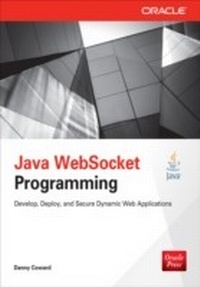
Java WebSocket Programming
1st Edition
Published on 27. August 2013
232 pages
978-0-07-182718-8 (ISBN)
Description

The leading expert on Java WebSocket programming shows how to create, deploy, and secure dynamic, rich enterprise server and client applications with the new Java-supported WebSocket protocol.Java WebSocket Programming is a practical, hands-on guide that teaches Java developers how to create new WebSocket applications and how to enrich existing Web applications with WebSocket. This Oracle Press guide starts with an overview of fundamentals and lifecycle of WebSocket before diving in to basic and advanced messaging and sessions, where you’ll create a group drawing application and a full-featured instant messaging application. The book also provides a full overview of client-side applications, allowing you to leverage rich client technologies, such as Java SE and JavaFX, to rebuild a client-side instant messaging application. A chapter on Web applications brings together the group drawing and instant messaging applications for Web integration and deployment, while a security chapter explores the varying degrees of encryption to secure WebSocket applications.Shows how to enrich existing Web and Server applications with modern, interactive and engaging elementsLearn a valuable skill—developers with WebSocket skillsets are in high demand as companies look to enrich their Web applications with HTML5 technology, including WebSocketsAll code examples used in the book will be available for download
More details
Other editions
Additional editions
Danny Coward
Java WebSocket Programming
Book
10/2013
Osborne/McGraw-Hill
€44.80
Article not available at the moment
Content
- Cover
- About the Author
- Title Page
- Copyright Page
- Contents at a Glance
- Contents
- Acknowledgments
- Introduction
- Chapter 1: Java WebSocket Fundamentals
- Creating Your First WebSocket Application
- Creating a WebSocket Endpoint
- Deploying the Endpoint
- Creating a WebSocket Client
- WebSocket Endpoints
- Programmatic Endpoints
- Fundamental Java WebSocket API Objects
- Inside the Echo Samples
- Deployment Phase
- Accepting the First Connection
- WebSocket Messaging
- Summary
- Chapter 2: Java WebSocket Lifecycle
- The WebSocket Protocol
- Lifecycle of a Java WebSocket
- The WebSocket Lifecycle in the Java WebSocket API
- Annotated Endpoint Event Handling
- Lifecycle Sample
- Programmatic Endpoint Lifecycle
- Number of Instances and Threading
- Summary
- Chapter 3: Basic Messaging
- Messaging Overview
- Sending Messages
- Receiving WebSocket Messages
- DrawingBoard Application
- DrawingBoard Client
- Messaging and Threading
- WebSocket Endpoint Threading and Messaging
- Threading and Lifecycle of Encoders and Decoders
- Summary
- Chapter 4: Configurations and Sessions
- Session State and Logical Endpoint State
- The Chat Sample
- Configuring Endpoints: ClientEndpointConfig and ServerEndpointConfig
- Supplying and Accessing Endpoint Configuration Information
- Examining the Configuration Options
- WebSocket Subprotocols and WebSocket Extensions
- The WebSocket Session
- The Lifecycle of the WebSocket Session
- Summary
- Chapter 5: Advanced Messaging
- Checking Up on Your Connection: Pings and Pongs
- Sending WebSocket Messages Asynchronously
- Sending a WebSocket Message by Future
- Sending a WebSocket Message with Handler
- When to Send By Future and When to Send with Handler?
- Asynchronous Send Timeouts
- Message Batching
- Buffering, Partial Messages, and Data Framing
- Guaranteeing Message Delivery
- Sending Messages API Summary
- The MessageModes Application
- Overview of the MessageModes Application
- Looking at the Code for the MessageModes Application
- Things to Notice About the MessageModes Application
- Summary
- Chapter 6: WebSocket Path Mapping
- Terminology of URIs
- WebSocket Path Mapping
- Exact URI Mapping
- URI Template Paths
- APIs Relating to URI Template Matching
- Accessing Path Information at Runtime
- Query Strings and Request Parameters
- Matching Precedence
- The Portfolio Application
- Query Strings vs. Path Parameters vs. WebSocket Messages
- Summary of WebSocket Path Mapping APIs
- Summary
- Chapter 7: Securing WebSocket Server Endpoints
- Security Concepts
- Java WebSocket API Security
- Authentication
- Authorization
- Private Communication
- Java WebSocket Security APIs
- Stock Account Application
- Summary
- Chapter 8: WebSockets in the Java EE Platform
- The Role of Java WebSockets in the Java EE Platform
- Sharing Web Application State
- HttpSession to WebSocket Session Association
- The HttpSession Sample
- Using EJBs from WebSocket Endpoints
- The EJB Example
- The Chat Redux Example
- Summary
- Index
