

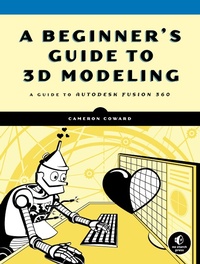
A Beginner's Guide to 3D Modeling
A Guide to Autodesk Fusion 360
Published on 11. June 2019
152 pages
978-1-59327-927-1 (ISBN)
Description

A Beginner's Guide to 3D Modeling is a project-based, straightforward introduction to computer-aided design (CAD). You'll learn how to use Autodesk Fusion 360, the world's most powerful free CAD software, to model gadgets, 3D print your designs, and create realistic images just like an engineering professional-with no experience required!
Hands-on modeling projects and step-by-step instructions throughout the book introduce fundamental 3D modeling concepts. As you work through the projects, you'll master the basics of parametric modeling and learn how to create your own models, from simple shapes to multipart assemblies. Once you've mastered the basics, you'll learn more advanced modeling concepts like sweeps, lofts, surfaces, and rendering, before pulling it all together to create a robotic arm.
You'll learn how to:
• Design a moving robotic arm, a door hinge, a teapot, and a 20-sided die
• Create professional technical drawings for manufacturing and patent applications
• Model springs and other complex curves to create realistic designs • Use basic Fusion 360 tools like Extrude, Revolve, and Hole
• Master advanced tools like Coil and Thread
Whether you're a maker, hobbyist, or artist, A Beginner's Guide to 3D Modeling is certain to show you how to turn your ideas into professional models. Go ahead-dust off that 3D printer and feed it your amazing designs.
Hands-on modeling projects and step-by-step instructions throughout the book introduce fundamental 3D modeling concepts. As you work through the projects, you'll master the basics of parametric modeling and learn how to create your own models, from simple shapes to multipart assemblies. Once you've mastered the basics, you'll learn more advanced modeling concepts like sweeps, lofts, surfaces, and rendering, before pulling it all together to create a robotic arm.
You'll learn how to:
• Design a moving robotic arm, a door hinge, a teapot, and a 20-sided die
• Create professional technical drawings for manufacturing and patent applications
• Model springs and other complex curves to create realistic designs • Use basic Fusion 360 tools like Extrude, Revolve, and Hole
• Master advanced tools like Coil and Thread
Whether you're a maker, hobbyist, or artist, A Beginner's Guide to 3D Modeling is certain to show you how to turn your ideas into professional models. Go ahead-dust off that 3D printer and feed it your amazing designs.
More details
Other editions
Additional editions
Book
06/2019
No Starch Press
€49.70
Article in reprint
Person
Cameron Coward is a maker and former mechanical designer and draftsman. He spent several years modeling parts and assemblies in the medical, automotive, and furniture industries. Currently, he focuses on CAD modeling for 3D printing and other hobby projects. He is a regular contributor to Hackster.io and Hackaday.com, and is the author of Idiot's Guides: 3D Printing.
Content
- Intro
- Title Page
- Copyright Page
- Dedication
- About the Author
- About the Technical Reviewer
- BRIEF CONTENTS
- CONTENTS IN DETAIL
- ACKNOWLEDGMENTS
- INTRODUCTION
- Who This Book Is For
- What Is Parametric Modeling?
- Why Use Parametric Modeling Software?
- About This Book
- 1 A BRIEF HISTORY OF CAD
- Drafting and the Industrial Revolution
- Replacing Pen and Paper
- Entering the Third Dimension
- CAD in the Modern World
- CAD for Hobbyists
- 2 PARAMETERS, FEATURES, AND THE FUSION 360 WORKSPACE
- Using Features as Building Blocks
- The Fusion 360 Workspace
- Summary
- 3 DESIGNING YOUR FIRST MODEL
- Getting to Know Your Tools
- Modeling a Cube
- Using the Design History Timeline
- Exercises
- Summary
- 4 REVOLVING A 2D SKETCH INTO A 3D OBJECT
- Creating a Sphere as a Revolve Feature
- Modeling a Decorative Pencil Holder
- Exercises
- Summary
- 5 MODELING ASSEMBLIES
- Converting Solid Bodies into Components Within a Single File
- Assembling Components from External Files
- Combining Assembly Methods
- Summary
- 6 MODELING WITH COMPLEX CURVES
- Sweeps and Lofts
- Organic Shapes and a Teapot
- Exercise
- Summary
- 7 SPRINGS, SCREWS, AND OTHER ADVANCED MODELING
- Modeling a Coil
- Modeling a Screw Using the Thread Tool
- Modeling a 20-Sided Die
- Exercises
- Summary
- 8 DRAFTING
- Guidelines for Drafting
- Drafting a Single-Part Drawing
- Exercise
- Summary
- 9 RENDERING
- Rendering Your Screw
- Rendering a Clock with a Decal Face
- Placing a Render in a Real Photo
- Summary
- 10 CAPSTONE PROJECT: CREATING A ROBOT ARM
- Measuring and Modeling Your Servos
- Modeling the Base of the Robot Arm
- Shoulder Motor Mount
- Third Motor Mount and First Segment
- Fourth Motor Mount and Second Segment
- The Gripper Mechanism
- Printing the Parts and Assembling the Robot Arm
- Summary
- INDEX
