

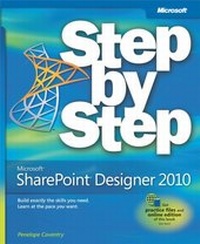
Microsoft SharePoint Designer 2010 Step by Step
1st Edition
Published on 23. December 2010
592 pages
978-0-7356-5965-0 (ISBN)
Description

The smart way to build applications with Microsoft SharePoint Designer 2010 -- one step at a time!
Experience learning made easy -- and quickly teach yourself how to create SharePoint 2010 applications and workflows with Microsoft SharePoint Designer 2010. With Step by Step, you set the pace -- building and practicing the skills you need, just when you need them!
Design solutions to meet your business scenario -- without code
Customize lists, libraries, and SharePoint site pages
Use Web Parts to display, edit, and modify list item data
Access data from a variety of external sources
Create workflows to automate business processes
Use master pages and CSS to control how sites work
Your Step by Step digital content includes:
All the books practice files -- ready to download and put to work.
Fully searchable online edition of this book -- with unlimited access on the Web.
Experience learning made easy -- and quickly teach yourself how to create SharePoint 2010 applications and workflows with Microsoft SharePoint Designer 2010. With Step by Step, you set the pace -- building and practicing the skills you need, just when you need them!
Design solutions to meet your business scenario -- without code
Customize lists, libraries, and SharePoint site pages
Use Web Parts to display, edit, and modify list item data
Access data from a variety of external sources
Create workflows to automate business processes
Use master pages and CSS to control how sites work
Your Step by Step digital content includes:
All the books practice files -- ready to download and put to work.
Fully searchable online edition of this book -- with unlimited access on the Web.
More details
Series
Language
English
Place of publication
Redmond
United States
Target group
College/higher education
ISBN-13
978-0-7356-5965-0 (9780735659650)
Copyright in bibliographic data and cover images is held by Nielsen Book Services Limited or by the publishers or by their respective licensors: all rights reserved.
Schweitzer Classification
Other editions
Additional editions
Penelope Coventry
Microsoft SharePoint Designer 2010 Step by Step
Book
03/2014
Microsoft Press
€50.94
Article exhausted; check different version
Person
Penelope Coventry, a Microsoft MVP for SharePoint Server, with more than 30 years of industry experience, focuses on the design, implementation, and development of solutions based on Microsoft SharePoint Products and Technologies. Penny has coauthored several books, including Microsoft SharePoint Server 2010 Administrator's Companion and Microsoft SharePoint Foundation 2010 Step by Step.
