

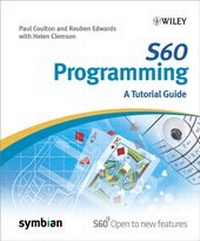
S60 Programming
A Tutorial Guide
Published on 4. April 2007
328 pages
978-0-470-05868-8 (ISBN)
Description

Based on the authors' experiences in developing and teachingSymbian OS, this practical guide is perfect for programmers andprovides a series of example-based scenarios that show how todevelop Symbian applications.
* Exercises walk the reader through the initial development of aconsole-based card game engine to a graphical userinterface(GUI)-based, two player blackjack game operating over aBluetooth connection between two mobile phones
* Addresses how Symbian offers a number of different variants toallow for different user interfaces and screen savers - the mostprevalent of these is S60
* Discusses how the move toward 3G technology has resulted in anincreasing need for mobile application development for S60devices.
* Exercises walk the reader through the initial development of aconsole-based card game engine to a graphical userinterface(GUI)-based, two player blackjack game operating over aBluetooth connection between two mobile phones
* Addresses how Symbian offers a number of different variants toallow for different user interfaces and screen savers - the mostprevalent of these is S60
* Discusses how the move toward 3G technology has resulted in anincreasing need for mobile application development for S60devices.
More details
Other editions
Additional editions
Book
02/2007
1st Edition
Wiley
€32.90
Article exhausted; check different version

Software
Wiley
€41.28
The article will not be published
Persons
Reuben Edwards and Paul Coulton are well-established researchers in the area of mobile systems and applications. As World leading academics for Symbian education, they are part of the Nokia Symbian Educators Group, which have been trained to the same standard as all Nokia Symbian developers. They run the only MSc in Mobile Games Design and M-Commerce Systems in the World and they have formed a company, which specializes in Mobile Applications Development.
Content
About this Book.
About the Authors.
Acknowledgements.
Symbian Press Acknowledgements.
Glossary of Terms.
1 Introduction to Mobile-Phone Systems.
1.1 Wireless Technologies.
1.2 Cellular Systems.
1.3 Elements of a Mobile-Phone System.
1.4 Keeping Users' Calls Separate.
1.5 Multipath Propagation.
1.6 2G Mobile-Phone Systems.
1.7 GPRS Systems.
1.8 3G Mobile-Phone Systems.
1.9 IP Multimedia Subsystem.
1.10 Mobile-Phone Hardware.
2 Introduction to Symbian OS.
Introduction.
2.1 The Development of Symbian OS.
2.2 Symbian OS User Interfaces.
2.3 Coding Idioms.
2.4 Tool Chains.
3 The Console Application.
Introduction.
3.1 Creating a Console Application.
3.2 CBase Classes.
3.3 Protecting Memory.
3.4 Putting It Into Practice: An Engine for a Simple CardGame.
Summary.
4 A GUI Application.
Introduction.
4.1 The Structure of a Symbian OS Application.
4.2 Descriptors.
4.3 Literals.
4.4 Simple Graphics.
4.5 Bitmap Images.
4.6 Observer Mixin Classes.
4.7 Handling User Input.
4.8 Putting It Into Practice: Creating a GUI-based CardGame.
5 Storing Data.
Introduction.
5.1 Resource File Header.
5.2 Menus.
5.3 CBA Buttons.
5.4 Changing the Application Title.
5.5 Dialogs.
5.6 Forms.
5.7 Files, Streams and Stores.
5.8 Putting It Into Practice: Saving Your Name and HighScore.
6 Complex Interfaces.
Introduction.
6.1 Multiple View Applications.
6.2 Dynamic Menus.
6.3 Advanced Graphics.
6.4 Putting It Into Practice: The Blackjack Game.
6.5 Getting Your Application Onto a Phone.
7 Communications.
Introduction.
7.1 Active Objects.
7.2 Serial Communications.
7.3 Text Messaging.
7.4 Socket Communications.
7.5 Infrared Communications.
7.6 Bluetooth Communications.
7.7 Putting It Into Practice: A Bluetooth MessagingApplication.
8 Routes to Market.
Introduction.
8.1 Testing an Application.
8.2 Quality Assurance.
8.3 Symbian Signed Software.
8.4 Marketing.
8.5 Portals.
8.6 Digital Rights Management.
Appendix A Web Resources.
Appendix B Specifications of Phones Based on S60 for SymbianOS.
Index.
About the Authors.
Acknowledgements.
Symbian Press Acknowledgements.
Glossary of Terms.
1 Introduction to Mobile-Phone Systems.
1.1 Wireless Technologies.
1.2 Cellular Systems.
1.3 Elements of a Mobile-Phone System.
1.4 Keeping Users' Calls Separate.
1.5 Multipath Propagation.
1.6 2G Mobile-Phone Systems.
1.7 GPRS Systems.
1.8 3G Mobile-Phone Systems.
1.9 IP Multimedia Subsystem.
1.10 Mobile-Phone Hardware.
2 Introduction to Symbian OS.
Introduction.
2.1 The Development of Symbian OS.
2.2 Symbian OS User Interfaces.
2.3 Coding Idioms.
2.4 Tool Chains.
3 The Console Application.
Introduction.
3.1 Creating a Console Application.
3.2 CBase Classes.
3.3 Protecting Memory.
3.4 Putting It Into Practice: An Engine for a Simple CardGame.
Summary.
4 A GUI Application.
Introduction.
4.1 The Structure of a Symbian OS Application.
4.2 Descriptors.
4.3 Literals.
4.4 Simple Graphics.
4.5 Bitmap Images.
4.6 Observer Mixin Classes.
4.7 Handling User Input.
4.8 Putting It Into Practice: Creating a GUI-based CardGame.
5 Storing Data.
Introduction.
5.1 Resource File Header.
5.2 Menus.
5.3 CBA Buttons.
5.4 Changing the Application Title.
5.5 Dialogs.
5.6 Forms.
5.7 Files, Streams and Stores.
5.8 Putting It Into Practice: Saving Your Name and HighScore.
6 Complex Interfaces.
Introduction.
6.1 Multiple View Applications.
6.2 Dynamic Menus.
6.3 Advanced Graphics.
6.4 Putting It Into Practice: The Blackjack Game.
6.5 Getting Your Application Onto a Phone.
7 Communications.
Introduction.
7.1 Active Objects.
7.2 Serial Communications.
7.3 Text Messaging.
7.4 Socket Communications.
7.5 Infrared Communications.
7.6 Bluetooth Communications.
7.7 Putting It Into Practice: A Bluetooth MessagingApplication.
8 Routes to Market.
Introduction.
8.1 Testing an Application.
8.2 Quality Assurance.
8.3 Symbian Signed Software.
8.4 Marketing.
8.5 Portals.
8.6 Digital Rights Management.
Appendix A Web Resources.
Appendix B Specifications of Phones Based on S60 for SymbianOS.
Index.
