

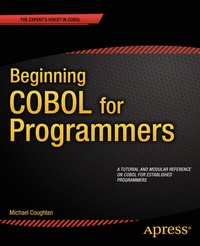
Beginning COBOL for Programmers
Description

Beginning COBOL for Programmers is a comprehensive, sophisticated tutorial and modular skills reference on the COBOL programming language for established programmers. This book is for you if you are a developer who would like to-or must-add COBOL to your repertoire. Perhaps you recognize the opportunities presented by the current COBOL skills crisis, or are working in a mission critical enterprise which retains legacy COBOL applications. Whatever your situation, Beginning COBOL for Programmers meets your needs as an established programmer moving to COBOL.
Beginning COBOL for Programmers includes comprehensive coverage of ANS 85 COBOL features and techniques, including control structures, condition names, sequential and direct access files, data redefinition, string handling, decimal arithmetic, subprograms, and the report writer. The final chapter includes a substantial introduction to object-oriented COBOL.
Benefiting from over one hundred example programs, you'll receive an extensive introduction to the core and advanced features of the COBOL language and will learn to apply these through comprehensive and varied exercises. If you've inherited some legacy COBOL, you'll be able to grasp the COBOL idioms, understand the constructs, and recognize what's happening in the code you're working with.
Today's enterprise application developers will find that COBOL skills open new-or old-doors, and this extensive COBOL reference is the book to help you acquire and develop your COBOL skills.
More details
Other editions
Additional editions
Person
Content
- Intro
- Contents at a Glance
- Contents
- About the Author
- About the Technical Reviewer
- Acknowledgments
- Preface
- Chapter 1: Introduction to COBOL
- What Is COBOL?
- COBOL's Target Application Domain
- COBOL's Fitness for Its Application Domain
- History of COBOL
- Beginnings
- COBOL Standards
- COBOL ANS 68
- COBOL ANS 74 (External Subprograms)
- COBOL ANS 85 (Structured Programming Constructs)
- COBOL ANS 2002 (OO Constructs)
- The Argument for COBOL (Why COBOL?)
- Dominance of COBOL in Enterprise Computing
- Danger, Difficulty, and Expense of Replacing Legacy COBOL Applications
- Replacement with a COTS Package
- Complete Rewrite
- Automatic Language Conversion
- Wrapping the Legacy System
- Code Renovation
- Migration to Commodity Hardware and Software
- Shortage of COBOL Programmers: Crisis and Opportunity
- COBOL: The Hidden Asset
- Advantages of Bespoke Software
- Characteristics of COBOL Applications
- COBOL Applications Can Be Very Large
- COBOL Applications Are Very Long-Lived
- COBOL Applications Often Run in Critical Areas of Business
- COBOL Applications Often Deal with Enormous Volumes of Data
- Characteristics of COBOL
- COBOL Is Self-Documenting
- COBOL Is Stable
- COBOL Is Simple
- COBOL Is Nonproprietary
- COBOL Is Maintainable
- Summary
- References
- Chapter 2: COBOL Foundation
- COBOL Idiosyncrasies
- COBOL Syntax Metalanguage
- Some Notes on Syntax Diagrams
- Example Metalanguage
- Divisions
- Sections
- Paragraphs
- Sentences
- Statements
- Structure of COBOL Programs
- The Four Divisions
- IDENTIFICATION DIVISION
- ENVIRONMENT DIVISION
- DATA DIVISION
- File Section
- Working-Storage Section
- Data Hierarchy
- PROCEDURE DIVISION
- Shortest COBOL Program
- COBOL Coding Rules
- Name Construction
- Comments about Naming
- Comments about Program Formatting
- Comments about Programming Style
- Example Programs
- The COBOL Greeting Program
- The DoCalc Program
- The Condition Names Program
- Chapter Exercise
- Where to Get a COBOL Compiler
- Micro Focus Visual COBOL
- OpenCOBOL
- Raincode COBOL
- Compileonline COBOL
- Fujitsu NetCOBOL
- Summary
- References
- Chapter 3: Data Declaration in COBOL
- Categories of Program Data
- COBOL Literals
- Alphanumeric Literals
- Numeric Literals
- Data Items (Variables)
- Data Type Enforcement
- Figurative Constants
- Elementary Data Items
- Declaring Elementary Data Items
- PICTURE Clause Symbols
- PICTURE Clause Notes
- Example Declarations
- Assignment in COBOL
- The MOVE Verb
- MOVE Syntax
- MOVE Rules
- MOVE Combinations
- MOVE Examples
- Alphanumeric MOVEs
- Numeric MOVEs
- Example Set 1
- Example Set 2
- Structured Data
- Group Data Items
- Level Numbers
- Data Hierarchy
- Level-Number Relationships Govern Hierarchy
- Summary
- Chapter 4: Procedure Division Basics
- Input and Output with ACCEPT and DISPLAY
- The DISPLAY Verb
- Notes
- DISPLAY Examples
- The ACCEPT Verb
- Rules
- Required Format for System Variables
- Example Program: ACCEPT and DISPLAY
- Arithmetic in COBOL
- Common Arithmetic Template
- Arithmetic Template Notes
- Examples of COBOL Arithmetic Statements
- The ROUNDED Phrase
- The ON SIZE ERROR
- Nonconforming Arithmetic Verbs
- The COMPUTE Verb
- COMPUTE Examples
- The ADD Verb
- Notes
- ADD Examples
- The SUBTRACT Verb
- Notes
- SUBTRACT Examples
- The MULTIPLY Verb
- MULTIPLY Examples
- The DIVIDE Verb
- DIVIDE Examples
- Let's Write a Program
- Summary
- Chapter 5: Control Structures: Selection
- Selection
- IF Statement
- Condition Types
- Relation Conditions
- Class Conditions
- Notes on Class Conditions
- User-Defined Class Names
- How the Program Works
- Sign Conditions
- Complex Conditions
- Truth Tables
- The Effect of Bracketing
- Implied Subjects
- Nested IFs
- Delimiting Scope: END-IF vs. Period
- Condition Names
- Defining Condition Names
- Rules
- Single Condition Name, Single Value
- Multiple Condition Names
- Overlapping and Multiple-Value Condition Names
- Values Can Be Alphabetic or Numeric
- List Values Can Be Whole Words
- Using Condition Names Correctly
- Example Program
- Setting a Condition Name to True
- SET Verb Metalanguage
- SET Verb Examples
- Design Pattern: Reading a Sequential File
- Group Item Condition Names
- Condition Name Tricks
- EVALUATE
- Decision Tables
- EVALUATE Metalanguage
- Notes
- EVALUATE Examples
- Payment Totals Example
- Amusement Park Example
- Acme Book Club Example
- Summary
- References
- Chapter 6: Control Structures: Iteration
- Paragraphs Revisited
- The PERFORM Verb
- Open Subroutines
- Closed Subroutines
- COBOL Subroutines
- Why Use Open Subroutines?
- PERFORM NamedBlock
- How PERFORM Works
- PERFORM..THRU Dangers
- Using PERFORM..THRU Correctly
- PERFORM..TIMES
- Inline Execution
- Out-of-Line Execution
- PERFORM..UNTIL
- Notes on PERFORM..UNTIL
- How PERFORM..UNTIL Works
- PERFORM..VARYING
- Notes on PERFORM..VARYING
- How PERFORM..VARYING Works
- Summary
- References
- Chapter 7: Introduction to Sequential Files
- What Is a File ?
- Terminology
- Files, Records, and Fields
- How Files Are Processed
- Implications of Buffers
- File and Record Declarations
- Creating a Record
- Declaring the Record Buffer in Your Program
- The SELECT and ASSIGN Clause
- SELECT and ASSIGN Syntax
- Processing Sequential Files
- The OPEN Statement
- Notes on the OPEN Statement
- The CLOSE Statement
- Notes
- The READ Statement
- Notes
- How READ Works
- The WRITE Statement
- Write a Record, Read a File
- How WRITE works
- Reading and Writing to the Employee File
- Summary
- Chapter 8: Advanced Sequential Files
- Files with Multiple Record Types
- Problem Specification
- Implications of Files with Multiple Record Types
- Multiple Record Descriptions, One Record Buffer
- The Type Code
- Example Program
- Specification Amendment
- Some Comments about the Program
- Printer Sequential Files
- SELECT and ASSIGN
- Notes
- What Is in a Report
- Problem of Multiple Print Records
- Solution to the Multiple Print Record Problem
- WRITE Syntax Revisited
- Notes on WRITE
- Example Program
- Report Writer Version
- Variable-Length Records
- FD Entries for Variable-Length Records
- Notes on Varying-Length Records
- Example Program
- Summary
- Output Template
- Entrants File
- Some Statements You Need for Your Program
- Executable Statements
- Some Data Descriptions
- Chapter 9: Edited Pictures
- Edited Pictures
- Formatting Output
- Immediate Editing
- Example Program
- Types of Editing
- Editing Symbols
- Insertion Editing
- Simple-Insertion Editing
- How the Symbols Work
- Simple-Insertion Examples
- Special-Insertion Editing
- Special-Insertion Examples
- Fixed-Insertion Editing
- Plus and Minus Symbols
- CR and DB
- The Currency Symbol
- Fixed-Insertion Examples
- Floating Insertion
- Floating-Insertion Examples
- Suppression-and-Replacement Editing
- Suppression-and-Replacement Examples
- Example Print Lines
- Immediate Editing
- Example Program
- PICTURE String Restrictions
- The PICTURE Clause Scaling Symbol
- Rules
- Summary
- Chapter 10: Processing Sequential Files
- File Organization vs. Method of Access
- Sequential Organization
- Ordered and Unordered Files
- Control-Break Processing
- Specifications that Require Control Breaks
- Specification Requiring a Single Control Break
- Specification Requiring Two Control Breaks
- Specification Requiring Three Control Breaks
- Detecting the Control Break
- Writing a Control-Break Program
- Control-Break Program Template
- Three-Level Control Break
- Three-Level Control-Break Program
- Program Notes
- Test Data and Results
- An Atypical Control Break
- Specification
- Atypical Control-Break Program
- Program Notes
- Test Data and Results
- Updating Sequential Files
- Applying Transactions to an Ordered Sequential File
- Inserting Records in an Ordered Sequential File
- Updating Records in an Ordered Sequential File
- Deleting Records from an Ordered Sequential File
- The File-Update Problem: Simplified
- Updating a Stock File: Problem Specification
- Buffer Implications of Multiple Record Types
- File Update Program
- Program Notes
- Test Data and Results
- The Full File Update Problem
- Full File Update Program
- Program Notes
- Test Data and Results
- Summary
- TestData
- Notes
- Chapter 11: Creating Tabular Data
- Tables vs. Arrays
- Table/Array Definition
- Table/Array Differences
- Declaring Tables
- OCCURS Clause Rules
- Subscript Rules
- Why Use Tabular Data?
- First Specification
- Second Specification
- Using a Table for the State Sales Totals
- Third Specification: Group Items as Table Elements
- Tabular Data Program
- Multidimensional Tables
- Multidimensional Program
- Correct Depiction of COBOL Tables
- Three-Dimensional Tables
- Problem Specification
- Depicting a Three-dimensional Table
- Prefilled Tables
- REDEFINES Clause
- Creating Prefilled Tables of Values
- Creating a Prefilled Two-dimensional Table
- Prefilled Table Program
- Revised Specification
- Final Prefilled Table Program
- ANS 85 Table Changes
- Summary
- Specification Extension
- References
- Chapter 12: Advanced Data Declaration
- The Redefines Clause
- Specification: Aromamora Base Oil Sales Report
- The Sales File
- Report Template
- Notes
- Oil Costs Table
- Program
- Test Data and Results
- The REDEFINES Clause
- REDEFINES Syntax
- REDEFINES Notes
- REDEFINES Examples
- REDEFINES Example 1
- REDEFINES Example 2
- REDEFINES Example 3
- REDEFINES Example 4
- The RENAMES Clause
- RENAMES Syntax
- RENAMES Notes
- RENAMES Examples
- Listing Notes
- The USAGE Clause
- Representation of Numeric Data
- Disadvantage of USAGE DISPLAY
- Advantage of USAGE IS DISPLAY
- USAGE Clause Syntax
- Notes
- COMP Explanation
- PACKED-DECIMAL Explanation
- The SYNCHRONIZED Clause
- Nonstandard USAGE Extensions
- Decimal Arithmetic
- Summary
- The Problems
- Program 1
- Program 2
- Program 3
- Program 4
- Program 1
- Problem Cause
- Problem Solution
- Program 2
- Problem Cause
- Problem Solution
- Program 3
- Problem Cause
- Problem Solution
- Program 4
- Problem Cause
- Problem Solution
- References
- Chapter 13: Searching Tabular Data
- SEARCHING Tabular Data
- Searching Using SEARCH and SEARCH ALL
- INDEXED BY Clause
- Using SET to Manipulate the Table Index
- The SEARCH Verb
- SEARCH Examples
- Letter Position Example
- American States Example
- Searching Multidimensional Tables
- Searching the First Dimension of a Two-Dimensional Table
- The SEARCH ALL Verb
- KEY IS Clause
- How a Binary Search Works
- SEARCH ALL
- Variable-Length Tables
- Summary
- Chapter 14: Sorting and Merging
- SORTING
- Simple Sorting
- Simple Sorting Notes
- How the Simple SORT Works
- Simple Sorting Program
- Program Notes
- Using Multiple Keys
- SORT with Procedures
- INPUT PROCEDURE Notes
- OUTPUT PROCEDURE Notes
- How an INPUT PROCEDURE Works
- Creating an INPUT PROCEDURE
- Using an INPUT PROCEDURE to Select Records
- Using an INPUT PROCEDURE to Modify Records
- Feeding SORT from the Keyboard
- OUTPUT PROCEDURE
- How the OUTPUT PROCEDURE Works
- Creating an OUTPUT PROCEDURE
- Using an OUTPUT PROCEDURE to Produce a Summary File
- Some Interesting Programs
- Sorting Student Records into Date-of-Entry Order
- Sorting Tables
- Sorting Tables: ISO 2002 Changes
- Merging Files
- MERGE Verb
- MERGE Notes
- Merging Province Sales Files
- Summary
- Chapter 15: String Manipulation
- The INSPECT Verb
- INSPECT .. TALLYING: Format 1
- Modifying Phrases
- INSPECT .. TALLYING Examples
- Programmatic Detour
- INSPECT .. REPLACING: Format 2
- Modifying Phrases
- INSPECT .. REPLACING Examples
- INSPECT: Format 3
- INSPECT .. CONVERTING: Format 4
- Using INSPECT .. CONVERTING
- INSPECT .. CONVERTING Examples
- String Concatenation
- The STRING Verb
- String Concatenation Example
- String Splitting
- The UNSTRING Verb
- Data-Movement Termination
- UNSTRING Termination
- UNSTRING Clauses
- Notes on UNSTRING
- Language Knowledge Examples
- UNSTRING: Demonstrating the COUNT IN Clause
- UNSTRING: Demonstrating ON OVERFLOW and the Effect of Delimiters
- UNSTRING: The Effect of the ALL Delimiter
- String-Splitting Program
- Reference Modification
- Intrinsic Functions
- Using Intrinsic Functions
- String Functions
- String Intrinsic Function Examples
- Program Explanation
- DATE Functions
- DATE Examples
- DATE Program Explanation
- Summary
- Chapter 16: Creating Large Systems
- Subprograms and the COPY Verb
- The CALL Verb
- Parameter-Passing Mechanisms
- CALL..BY REFERENCE
- CALL..BY CONTENT
- Subprograms
- Contained Subprograms
- Contained Subprograms vs. External Subprograms
- State Memory and the IS INITIAL Phrase
- The CANCEL Verb
- The IS GLOBAL Clause
- The IS COMMON PROGRAM Clause
- Example Programs and Their Subprograms
- External Subprogram
- Parameter Passing and Data Visibility
- Using IS COMMON PROGRAM
- A Practical Example
- GetStateInfo External Subprogram
- The State Knowledge Game
- Getting State Information
- The IS EXTERNAL Clause
- IS EXTERNAL Problems
- Using IS EXTERNAL Data Items
- The COPY Verb
- The COPY Metalanguage
- How COPY Works
- How the REPLACING Phrase Works
- COPY Examples
- Summary
- Chapter 17: Direct Access Files
- Direct Access vs.Sequential Files
- Organization of Relative Files
- Processing Relative Files
- Reading a Relative File
- Creating a Relative File from a Sequential File
- Applying Transactions to a Relative File
- Relative Files: Syntax and Semantics
- Relative Files: SELECT and ASSIGN Clause
- Relative File Verbs
- INVALID KEY Clause
- OPEN/CLOSE
- READ Verb
- WRITE Verb
- REWRITE Verb
- DELETE Verb
- START Verb
- Organization of Indexed Files
- Processing Indexed Files
- Reading an Indexed File
- Creating an Indexed File from a Sequential File
- Using Indexed Files in Combination
- Applying Transactions to an Indexed File
- Indexed Files: Syntax and Semantics
- Indexed Files: SELECT and ASSIGN Clause
- The Key of Reference
- Indexed File Verbs
- The READ Verb
- The WRITE, REWRITE and DELETE Verbs
- The START Verb
- Comparison of COBOL File Organizations
- Sequential File Organization
- Disadvantages of Sequential File Organization
- Advantages of Sequential File Organization
- Relative File Organization
- Disadvantages of Relative File Organization
- Advantages of Relative File Organization
- Indexed File Organization
- Disadvantages of Indexed File Organization
- Advantages of Indexed File Organization
- Summary
- Introduction
- General Description
- Vehicle Master File
- Stock Master File
- Transaction File
- Maintenance Procedure
- The Redundant Stock Report
- Chapter 18: The COBOL Report Writer
- Report Writer
- Example Report: Solace Solar Solutions
- Problem Specification
- Example Report
- Report Writer Tasks
- Report Writer PROCEDURE DIVISION
- So Much Work, So Little Code
- How the Report Writer Works
- Writing a Report Program
- Modifying the Specification
- Report Groups
- PROCEDURE DIVISION Notes
- Adding Features to the Report Program
- Adding More Features to the Report Program
- Report Writer Declaratives
- Report Writer Syntax and Semantics
- ENVIRONMENT DIVISION Entries
- FILE SECTION Entries
- Report Description (RD) Entries
- Report Group Entries
- RD Entry
- LINE NUMBER Clause
- NEXT GROUP Clause
- The TYPE Clause
- Report Group Lines
- Defining the Print Lines
- Defining the Elementary Print Items
- The COLUMN NUMBER Clause
- The GROUP INDICATE Clause
- The SOURCE Clause
- The SUM Clause
- Subtotaling
- Rolling Forward
- Crossfooting
- The RESET ON Clause
- Special Report Writer Registers
- LINE-COUNTER
- PAGE-COUNTER
- PROCEDURE DIVISION Report Writer Verbs
- The INITIATE Verb
- The GENERATE Verb
- The TERMINATE Verb
- Declaratives
- Using Declaratives with the Report Writer
- The SUPPRESS PRINTING Statement
- Control-Break Registers
- Using Declaratives with Files
- Purchase Requirements File (Indexed)
- Book File (Indexed)
- Publisher File (Indexed)
- Summary
- Introduction
- File Descriptions
- Print Specification
- Chapter 19: OO-COBOL
- Module Strength and Module Coupling
- Informational-Strength Modules in COBOL
- OO-COBOL
- The UseDictionary Program
- The Dictionary Class
- A Formal Introduction to OO-COBOL
- Objects, Classes, and Methods
- Programming with Objects
- Registering a Class
- Declaring Object References
- Sending Messages to Instance Objects
- Creating a New Object Instance
- Destroying Objects
- Predefined Object Identifiers
- Writing Your Own Classes
- The Issue of Scope
- Summary
- Index
