

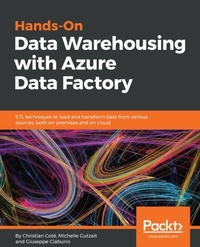
Hands-On Data Warehousing with Azure Data Factory
ETL techniques to load and transform data from various sources, both on-premises and on cloud
Published on 23. September 2024
284 pages
978-1-78913-009-6 (ISBN)
Description

Leverage the power of Microsoft Azure Data Factory v2 to build hybrid data solutions
Key Features
Combine the power of Azure Data Factory v2 and SQL Server Integration Services
Design and enhance performance and scalability of a modern ETL hybrid solution
Interact with the loaded data in data warehouse and data lake using Power BI
Book DescriptionETL is one of the essential techniques in data processing. Given data is everywhere, ETL will always be the vital process to handle data from different sources. Hands-On Data Warehousing with Azure Data Factory starts with the basic concepts of data warehousing and ETL process. You will learn how Azure Data Factory and SSIS can be used to understand the key components of an ETL solution. You will go through different services offered by Azure that can be used by ADF and SSIS, such as Azure Data Lake Analytics, Machine Learning and Databrick's Spark with the help of practical examples. You will explore how to design and implement ETL hybrid solutions using different integration services with a step-by-step approach. Once you get to grips with all this, you will use Power BI to interact with data coming from different sources in order to reveal valuable insights. By the end of this book, you will not only learn how to build your own ETL solutions but also address the key challenges that are faced while building them. What you will learn
Understand the key components of an ETL solution using Azure Data Factory and Integration Services
Design the architecture of a modern ETL hybrid solution
Implement ETL solutions for both on-premises and Azure data
Improve the performance and scalability of your ETL solution
Gain thorough knowledge of new capabilities and features added to Azure Data Factory and Integration Services
Who this book is forThis book is for you if you are a software professional who develops and implements ETL solutions using Microsoft SQL Server or Azure cloud. It will be an added advantage if you are a software engineer, DW/ETL architect, or ETL developer, and know how to create a new ETL implementation or enhance an existing one with ADF or SSIS.
Key Features
Combine the power of Azure Data Factory v2 and SQL Server Integration Services
Design and enhance performance and scalability of a modern ETL hybrid solution
Interact with the loaded data in data warehouse and data lake using Power BI
Book DescriptionETL is one of the essential techniques in data processing. Given data is everywhere, ETL will always be the vital process to handle data from different sources. Hands-On Data Warehousing with Azure Data Factory starts with the basic concepts of data warehousing and ETL process. You will learn how Azure Data Factory and SSIS can be used to understand the key components of an ETL solution. You will go through different services offered by Azure that can be used by ADF and SSIS, such as Azure Data Lake Analytics, Machine Learning and Databrick's Spark with the help of practical examples. You will explore how to design and implement ETL hybrid solutions using different integration services with a step-by-step approach. Once you get to grips with all this, you will use Power BI to interact with data coming from different sources in order to reveal valuable insights. By the end of this book, you will not only learn how to build your own ETL solutions but also address the key challenges that are faced while building them. What you will learn
Understand the key components of an ETL solution using Azure Data Factory and Integration Services
Design the architecture of a modern ETL hybrid solution
Implement ETL solutions for both on-premises and Azure data
Improve the performance and scalability of your ETL solution
Gain thorough knowledge of new capabilities and features added to Azure Data Factory and Integration Services
Who this book is forThis book is for you if you are a software professional who develops and implements ETL solutions using Microsoft SQL Server or Azure cloud. It will be an added advantage if you are a software engineer, DW/ETL architect, or ETL developer, and know how to create a new ETL implementation or enhance an existing one with ADF or SSIS.
More details
Edition
Digital original
Language
English
Place of publication
Birmingham
United Kingdom
Target group
Professional and scholarly
US School Grade: College Graduate Student
Edition type
Digital original
File size
15,40 MB
ISBN-13
978-1-78913-009-6 (9781789130096)
Copyright in bibliographic data and cover images is held by Nielsen Book Services Limited or by the publishers or by their respective licensors: all rights reserved.
Schweitzer Classification
Other editions
Additional editions
Christian Coté | Michelle Gutzait
Hands-On Data Warehousing with Azure Data Factory
ETL techniques to load and transform data from various sources, both on-premises and on cloud
Book
05/2018
Packt Publishing
€56.00
Shipment within 3-4 weeks
Persons
Cote Christian :
Christian Cote is an IT professional with more than 15 years of experience working in a data warehouse, Big Data, and business intelligence projects. Christian developed expertise in data warehousing and data lakes over the years and designed many ETL/BI processes using a range of tools on multiple platforms. He's been presenting at several conferences and code camps. He currently co-leads the SQL Server PASS chapter. He is also a Microsoft Data Platform Most Valuable Professional (MVP).Gutzait Michelle :
Michelle Gutzait has been in IT for 30 years as a developer, business analyst, and databaseCiaburro Giuseppe :
Giuseppe Ciaburro holds a PhD and two master's degrees. He works at the Built Environment Control Laboratory - Universita degli Studi della Campania "Luigi Vanvitelli". He has over 25 years of work experience in programming, first in the field of combustion and then in acoustics and noise control. His core programming knowledge is in MATLAB, Python and R. As an expert in AI applications to acoustics and noise control problems, Giuseppe has wide experience in researching and teaching. He has several publications to his credit: monographs, scientific journals, and thematic conferences. He was recently included in the world's top 2% scientists list by Stanford University (2022).
Christian Cote is an IT professional with more than 15 years of experience working in a data warehouse, Big Data, and business intelligence projects. Christian developed expertise in data warehousing and data lakes over the years and designed many ETL/BI processes using a range of tools on multiple platforms. He's been presenting at several conferences and code camps. He currently co-leads the SQL Server PASS chapter. He is also a Microsoft Data Platform Most Valuable Professional (MVP).Gutzait Michelle :
Michelle Gutzait has been in IT for 30 years as a developer, business analyst, and databaseCiaburro Giuseppe :
Giuseppe Ciaburro holds a PhD and two master's degrees. He works at the Built Environment Control Laboratory - Universita degli Studi della Campania "Luigi Vanvitelli". He has over 25 years of work experience in programming, first in the field of combustion and then in acoustics and noise control. His core programming knowledge is in MATLAB, Python and R. As an expert in AI applications to acoustics and noise control problems, Giuseppe has wide experience in researching and teaching. He has several publications to his credit: monographs, scientific journals, and thematic conferences. He was recently included in the world's top 2% scientists list by Stanford University (2022).
Content
Table of Contents
Azure Data Factory
Getting Started with Our First Data Factory
ADF and SSIS in PaaS
Azure Data Lake
Machine Learning on the Cloud
Sparks with Databrick
Power BI reports
Azure Data Factory
Getting Started with Our First Data Factory
ADF and SSIS in PaaS
Azure Data Lake
Machine Learning on the Cloud
Sparks with Databrick
Power BI reports
