

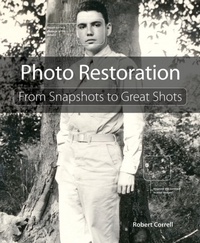
Photo Restoration
From Snapshots to Great Shots
1st Edition
Published on 15. May 2015
264 pages
978-0-13-411879-6 (ISBN)
Description

In Photo Restoration: From Snapshots to Great Shots, author Robert Correll carefully guides you through the process of restoring your photos, teaching you the most effective techniques to preserve and repair your damaged or aging images. Organized based on a helpful photo restoration workflow, the book will feature Adobe Photoshop as the primary software solution of choice, with coverage of Photoshop Elements and Lightroom as well. Read the book from start to finish or quickly access the information you need for the specific photo problems at hand.
The book will start by covering the basics, such as how to evaluate how a photo is damaged and then move to the appropriate solution; how to properly handle and scan/import your photos; and how to use Photoshop as a photo retouching tool, with information on how Photoshop Elements and Lightroom can also play a role in restoring your images.
The book then dives into specific issues that arise with old or damaged photos, such as removal of dust, scuff marks, and stains; repairing actual damage such as creases or missing corners; correcting color-related problems like blue or yellow-tinted images and oversaturation; and improving the contrast and brightness of both color and black-and-white images. Finally, the book finishes up by showing you how to add a special touch of greatness and creativity to your photos, in addition to printing and archiving.
The book will start by covering the basics, such as how to evaluate how a photo is damaged and then move to the appropriate solution; how to properly handle and scan/import your photos; and how to use Photoshop as a photo retouching tool, with information on how Photoshop Elements and Lightroom can also play a role in restoring your images.
The book then dives into specific issues that arise with old or damaged photos, such as removal of dust, scuff marks, and stains; repairing actual damage such as creases or missing corners; correcting color-related problems like blue or yellow-tinted images and oversaturation; and improving the contrast and brightness of both color and black-and-white images. Finally, the book finishes up by showing you how to add a special touch of greatness and creativity to your photos, in addition to printing and archiving.
More details
Series
Language
English
Place of publication
Berkeley
United States
Publishing group
Pearson Education (US)
Target group
College/higher education
ISBN-13
978-0-13-411879-6 (9780134118796)
Copyright in bibliographic data and cover images is held by Nielsen Book Services Limited or by the publishers or by their respective licensors: all rights reserved.
Schweitzer Classification
Other editions
Additional editions
Book
06/2015
Peachpit Press Publications
€23.51
Article exhausted; check different version
Person
Robert Correll is a passionate photographer and author. He loves helping and encouraging others to grow and reach their potential, while having fun in the process! He has written on subjects ranging from general digital SLR photography and specific digital SLR models to HDR photography and books on photo retouching and restoration. As you can tell from this book, he loves artistic photography and creative photo processing. When not writing and taking photos, Robert enjoys family life, playing the guitar and bass, and recording music. Robert graduated from the United States Air Force Academy.
Content
Chapter 1. The Art and Science of Photo Restoration
An Exercise in Problem Solving
Necessary Hardware
Software Solutions
Categorizing Common Problems
Evaluating Photos
Dealing with Expectations
Following an Organized Workflow
Chapter 2. Preparing and Scanning Photos
Choosing a Scanner
Understanding Scanner Options
Creating Custom Scan Presets
Removing Photos from Albums
Removing Photos from Frames
Handling Photos
Aligning Photos on the Scanner Bed
Scanning Photos
Scanning Oversized Photos
Scanning Photos in Albums
Scanning Other Documents
Chapter 3. Working with Photoshop
Touring the Photoshop Interface
Understanding Key Photoshop Concepts
Setting General Photoshop Preferences
Setting Color Profile Options
Top 10 Photo Restoration Tools
Developing Practical Skills
Comparing Before and After
Comparing Alternate Approaches
Photoshop Elements
Photoshop Lightroom
Chapter 4. Cleaning the Surface
Dust
Writing
Scuff Marks
Spots and Stains
Splotches and Gunk
Tape and Tape Residue
Chapter 5. Repairing Physical Damage
Scratches
Pin Holes
Surface Damage
Damaged Faces
Creases
Damaged Edges
Damaged Corners
Missing Corners
Cut Photos
Torn Photos
Chapter 6. Correcting and Enhancing Color
Blue Tint (Color Photo)
Blue Tint (Black and White Photo)
Yellowing (Color Photo)
Yellowing (Black and White Photo)
Muted Colors
Fading Colors
Oversaturated Colors
Discolored Areas
Converting to Black and White
Re-colorizing and Tinting
Problematic Film Development
Double Exposures
Exposed Negatives
Chapter 7. Adjusting Brightness and Contrast
Dark Photos
Dark Shadows
Brightness and Glare
Featureless Skies
Dark Subject against a Bright Background
Bright Subjects
Low Contrast
Excessive Contrast
Enhancing Exposure
Chapter 8. Tackling Other Problems
Texture
Straightening Photos
Cropping to Improve Composition
Sharpening
Noise
Chapter 9. Creating Great Shots
Recognizing Great Photos
What Not to Do
Creating Artistic Interpretations
Home Printing
Professional Printing
Archiving
An Exercise in Problem Solving
Necessary Hardware
Software Solutions
Categorizing Common Problems
Evaluating Photos
Dealing with Expectations
Following an Organized Workflow
Chapter 2. Preparing and Scanning Photos
Choosing a Scanner
Understanding Scanner Options
Creating Custom Scan Presets
Removing Photos from Albums
Removing Photos from Frames
Handling Photos
Aligning Photos on the Scanner Bed
Scanning Photos
Scanning Oversized Photos
Scanning Photos in Albums
Scanning Other Documents
Chapter 3. Working with Photoshop
Touring the Photoshop Interface
Understanding Key Photoshop Concepts
Setting General Photoshop Preferences
Setting Color Profile Options
Top 10 Photo Restoration Tools
Developing Practical Skills
Comparing Before and After
Comparing Alternate Approaches
Photoshop Elements
Photoshop Lightroom
Chapter 4. Cleaning the Surface
Dust
Writing
Scuff Marks
Spots and Stains
Splotches and Gunk
Tape and Tape Residue
Chapter 5. Repairing Physical Damage
Scratches
Pin Holes
Surface Damage
Damaged Faces
Creases
Damaged Edges
Damaged Corners
Missing Corners
Cut Photos
Torn Photos
Chapter 6. Correcting and Enhancing Color
Blue Tint (Color Photo)
Blue Tint (Black and White Photo)
Yellowing (Color Photo)
Yellowing (Black and White Photo)
Muted Colors
Fading Colors
Oversaturated Colors
Discolored Areas
Converting to Black and White
Re-colorizing and Tinting
Problematic Film Development
Double Exposures
Exposed Negatives
Chapter 7. Adjusting Brightness and Contrast
Dark Photos
Dark Shadows
Brightness and Glare
Featureless Skies
Dark Subject against a Bright Background
Bright Subjects
Low Contrast
Excessive Contrast
Enhancing Exposure
Chapter 8. Tackling Other Problems
Texture
Straightening Photos
Cropping to Improve Composition
Sharpening
Noise
Chapter 9. Creating Great Shots
Recognizing Great Photos
What Not to Do
Creating Artistic Interpretations
Home Printing
Professional Printing
Archiving
