

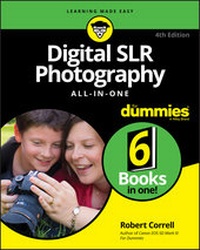
Digital SLR Photography All-in-One For Dummies
4th Edition
Published on 19. October 2020
624 pages
978-1-119-71171-1 (ISBN)
Description

Click your way to stunning digital images with this thorough resource!
With the six mini-guides in Digital SLR Photography All-in-One For Dummies, you've got the six ingredients you need to cook up some fantastic photos. This book will help you make friends with your dSLR whether it's the latest model or an older hand-me-down. Together, you'll find the perfect angles, exposure, and lighting to capture magical images.
It wouldn't be digital photography without a bit of tech--SD cards, file transfers, resolution, and a few other things you might have never encountered before you picked up a dSLR. With this book, you can become a camera-wrangler extraordinaire, getting your shots and using digital editing tools to help them look their best. Now you have the tools you need to start building your portfolio--including some friendly advice on which images to include! Get out there and get shooting!
* Explore your camera's features and settings, then pick the perfect lenses for your photography style
* Learn how to make beautiful images by controlling the key components of exposure -- aperture, shutter speed, and ISO settings
* Light your shots perfectly with or without a flash or other lighting equipment
* Use digital tools to make your photos shine and create an outstanding portfolio
Upgrading to a digital SLR is a sign that you're serious about becoming a better photographer. Let this chummy Dummies guide, well, guide you as you become an image maker!
With the six mini-guides in Digital SLR Photography All-in-One For Dummies, you've got the six ingredients you need to cook up some fantastic photos. This book will help you make friends with your dSLR whether it's the latest model or an older hand-me-down. Together, you'll find the perfect angles, exposure, and lighting to capture magical images.
It wouldn't be digital photography without a bit of tech--SD cards, file transfers, resolution, and a few other things you might have never encountered before you picked up a dSLR. With this book, you can become a camera-wrangler extraordinaire, getting your shots and using digital editing tools to help them look their best. Now you have the tools you need to start building your portfolio--including some friendly advice on which images to include! Get out there and get shooting!
* Explore your camera's features and settings, then pick the perfect lenses for your photography style
* Learn how to make beautiful images by controlling the key components of exposure -- aperture, shutter speed, and ISO settings
* Light your shots perfectly with or without a flash or other lighting equipment
* Use digital tools to make your photos shine and create an outstanding portfolio
Upgrading to a digital SLR is a sign that you're serious about becoming a better photographer. Let this chummy Dummies guide, well, guide you as you become an image maker!
More details
Other editions
Additional editions
Robert Correll
Digital SLR Photography All-in-One For Dummies
Book
11/2020
Wiley
€37.50
Shipment within 15-20 days
Person
Robert Correll has over two decades of experience in writing and photography. He is the author of all previous editions of Digital SLR Photography All-in-One For Dummies and has written several other books specific to individual DSLR camera models.
Content
- Intro
- Title Page
- Copyright Page
- Table of Contents
- Introduction
- About This Book
- Icons Used in This Book
- Where to Go from Here
- Book 1 Pursuing Digital SLR Photography
- Chapter 1 Embracing Digital SLRs
- Introducing the Digital SLR
- Naming and Classifying Digital SLRs
- Make and model
- Sensor size
- Pixel count
- Lens mount
- Mirror and viewfinder type
- Lenses
- Wrapping it up
- Pricing Digital SLRs
- Consumer dSLRs
- Mid-range models
- Professional cameras
- Delving into Camera Specifications
- Basic information
- Crop factor
- ISO
- Shutter speeds
- Autofocus system
- Movies
- Shooting modes and scenes
- In-camera processing
- Filters and other creative effects
- Media
- Viewfinder specs
- Image stabilization
- Following Recent dSLR Developments
- Shopping for a dSLR
- Understanding the system
- Going shopping
- Investing in accessories
- Embracing dSLRs
- Chapter 2 Handling, Cleaning, and Protecting Your Camera
- Anatomy of a dSLR
- Front and center
- Around back
- Top and bottom
- Both sides
- Working the Controls
- Gripping the Camera
- Standard grip
- Vertical grip
- Over-the-shoulder grip
- Live View grip
- Providing Additional Support
- Handling an Articulated Monitor
- Using a Touchscreen
- Changing Batteries
- Checking battery power
- Inserting a battery
- Removing a battery
- Inserting and Removing Memory Cards
- Inserting a memory card
- Removing a memory card
- Cleaning Your Camera
- Wiping off the camera body
- Cleaning monitors and LCD panels
- Cleaning inside the camera
- Protecting Your Camera
- Using a camera strap
- Carrying a camera bag
- Buying extra lens and camera caps
- Armoring your camera
- Dealing with adverse weather
- Chapter 3 Learning about Lenses
- Identifying and Naming Lenses
- Brand name
- Lens mount
- Focal length
- Aperture
- Image stabilization
- Other identifiers
- Other lens characteristics
- Older lenses
- Categorizing Lenses
- Normal lenses
- Wide-angle lenses
- Telephoto lenses
- Prime lenses
- General-purpose zoom lenses
- Wide-angle zoom lenses
- Telephoto zoom lenses
- Specialty lenses
- Looking at Lens Anatomy
- Working with Lenses
- Getting a grip
- Mounting a lens
- Removing a lens
- Zooming in and out
- Switching from auto to manual focus
- Manually focusing
- Activating lens-based image stabilization
- Cleaning Lenses
- Chapter 4 Exploring Menus and Camera Settings
- Understanding How Menus Are Organized
- Opening and Using the Menu
- Setting Up Your Camera
- Date and time
- Language
- Feature guides and expanded help
- Review time
- Auto power off
- Sound
- Touchscreen settings
- No card
- Setting Typical Shooting Options
- Image size and quality
- Using multiple memory cards
- ISO settings
- Picture control or creative style
- Color space
- Highlight and shadow options
- Noise reduction
- Aspect ratio
- Red-eye reduction
- Flash options
- Movie options
- Making Other Choices
- Display settings
- Display brightness and color
- Filenaming and numbering
- File and folder structure
- Auto Rotate (camera orientation)
- Copyright
- Wi-Fi connectivity
- Video mode or system
- Controlling Playback
- Protect Images
- Rotate
- Erase/Delete
- Print order
- Slide show
- Retouch
- Keeping Everything Running Smoothly
- Showing battery information
- Formatting memory cards
- Cleaning the image sensor
- Creating a dust reference photo
- Resetting the camera
- Updating the firmware
- Exploring Advanced Options
- Using custom functions and settings
- Creating custom shooting profiles
- Tweaking autofocus settings
- Configuring bracketing settings
- Customizing the controls
- Creating custom menus
- Chapter 5 Taking Pictures with Your dSLR
- Seeing the Big Picture
- Planning Ahead
- Unpacking and Readying Your Gear
- Setting Up Your Camera
- Performing an initial checkup
- Preparing for still photography
- Choosing a shooting mode
- Setting the image quality
- Choosing a viewing mode
- Configuring the display
- Setting exposure controls
- Setting other parameters
- Taking and Reviewing Photos
- Book 2 Looking through Lenses
- Chapter 1 Appreciating Standard Zoom Lenses
- Embodying Versatility
- Taking Wide-Angle Shots
- Working with Normal Focal Lengths
- Zooming In
- Capturing telephoto shots
- Capturing portraits
- Capturing close-ups
- Chapter 2 Enjoying Wide-Angle Lenses
- Wide-Angle Whatzit
- Looking at Landscapes
- Capturing Wide-Angle Cityscapes
- Focusing on Single Buildings
- Photographing Interiors
- Shooting Wide-Angle Portraits
- Improving Your Wide-Angle Shots
- Frame tall objects from afar
- Get up close and personal
- Use the vertical
- Combine different elements into one shot
- Emphasize height
- Chapter 3 Capturing Macros and Close-ups
- Defining Macro and Close-up Photography
- Shooting at Close Ranges
- Managing Depth of Field
- Shooting Handheld with a Flash
- Maximizing Shutter Speed
- Shooting in Controlled Conditions
- Exploring Creative Alternatives
- Relaxing your angle of view
- Shooting close-ups with everyday lenses
- Using telephoto lenses
- Using Holga lenses
- Shooting with Special Accessories
- Using a teleconverter
- Using extension tubes
- Using diopters
- Using reverse rings
- Using a macro bellows
- Chapter 4 Reaching Out with Telephoto Lenses
- Learning the Lingo
- Using a Super Telephoto Lens
- Capturing Action with Telephoto Lenses
- Using Telephoto Lenses for Close-ups
- Capturing Portraits
- Photographing Animals
- Chapter 5 Exploring Other Lenses
- Fisheye Lenses
- Tilt-Shift Lenses
- Holga Lenses
- Lensbaby Lenses
- Pinhole Lenses
- Diana F+ Lenses
- Book 3 Taking Creative Control
- Chapter 1 Making Sense of Exposure
- Understanding Exposure
- Evaluating exposure
- Controlling exposure
- Comparing exposure intervals
- Keeping an Eye on Exposure Information
- Reading the exposure level
- Viewing exposure settings
- Paying attention to warnings
- Measuring Light by Metering
- General metering methods
- Camera metering modes
- Changing metering modes
- Metering the scene with your camera
- Using an external light meter
- Reviewing and Analyzing Your Photos
- Delving into photo playback
- Interpreting histograms
- Troubleshooting Exposure
- Using exposure compensation
- Setting the exposure manually
- Using AE lock
- Autoexposure bracketing (AEB)
- Using other exposure tricks
- Chapter 2 Setting the Aperture
- Investigating f-numbers and Apertures
- Learning about f-numbers
- Lenses and apertures
- Setting the Aperture
- From the camera
- From the lens
- Digging into Depth of Field
- Controlling the depth of field
- Previewing the depth of field
- Paying attention to the blurry parts
- Being realistic
- Designing with Depth of Field
- Landscapes
- Portraits
- Macros and close-ups
- Action
- Tilt-shift lenses
- Chapter 3 Choosing a Shutter Speed
- Decoding Shutter Speed
- Learning about the shutter
- Reading the speed
- Shutter speed and exposure
- Setting the Shutter Speed
- Combating Blur and Noise
- Camera shake, rattle, and roll
- Shooting moving targets
- Enabling Long Exposure Noise Reduction
- Designing with Shutter Speed
- Shooting crisp photos
- Accounting for flash sync speed
- Photographing action
- Being creative with water
- Working with slow shutter speeds
- Using Bulb mode
- Shooting macros
- Chapter 4 Selecting an ISO
- Understanding ISO
- A bit of history
- Inside the numbers
- Generating noise with high ISOs
- The funny thing about noise
- Setting ISO
- Controlling ISO yourself
- Using Auto ISO
- Restricting Auto ISO
- Using High ISO Noise Reduction
- Managing ISO
- ISO Gallery
- Elevated ISO
- High ISO levels
- Extreme ISO settings
- Chapter 5 Using Filters
- Learning about Filters
- Looking at how filters work
- Considering filter pros and cons
- Using filters with dSLRs
- Taking Shape with Filter Systems
- Circular (screw-in)
- Rectangular frame slide-in
- Using Filters for Different Purposes
- Protective
- Circular polarizer
- Ultraviolet (UV)
- Neutral density (ND)
- ND graduated
- Color filter
- Color grad filter
- Other filters
- Book 4 Lighting the Scene
- Chapter 1 Working with Ambient Light
- Working in Natural Light
- Shooting during the morning golden hour
- Fighting with the light at noon
- Going out in the early evening
- Enjoying the evening golden hour
- Photographing the sunset
- Capturing twilight
- Shooting at night
- Dealing with Weather
- Capturing clouds
- Working in the snow
- Using fog
- Shooting Inside
- Photographing in large interior spaces
- Photographing in living spaces
- Using stage lighting
- Being Creative in Different Situations
- Working with indirect light
- Capturing reflections
- Dealing with glare and haze
- Shooting high-contrast scenes
- Photographing low contrast scenes
- The Shadow knows!
- Chapter 2 Exploring Basic Flash Photography
- Finding the Flash
- Using the Flash Automatically
- Setting a flash-friendly shooting mode
- Preventing the built-in flash from firing
- Customizing automatic flash settings
- Manually Activating the Built-in Flash
- Using the built-in flash
- Knowing when to use flash
- Disabling the built-in flash
- Tips on Using the Built-in Flash
- Getting Fancy with the Flash
- Enabling red-eye reduction
- Using flash compensation
- Using FE Lock
- Controlling the flash strength manually
- Unlocking more advanced features
- Chapter 3 Using an External Flash and Accessories
- Getting to Know External Flash Units
- Looking at the front
- From the back and sides
- Accessorizing your external flash
- Handling an External Flash
- Attaching it to your camera
- Removing the flash
- Tilting and swiveling the flash head
- Attaching a mini stand
- Working the controls
- Configuring Your External Flash
- Trying Different Techniques
- Using high-speed sync
- Bouncing and diffusing
- Using an umbrella
- Focusing light with a snoot
- Using a stand
- Elevating the flash with a bracket
- Cords galore
- Going wireless
- Book 5 Managing and Processing Your Shots
- Chapter 1 Transferring and Managing Files
- Getting a Workflow
- Early Decisions
- Transferring Files
- Connecting
- Downloading
- Getting a Grip on Your Pictures
- Manual management
- Media-management software
- Processing and managing software
- Photo editors
- Managing Photos
- Quickly Processing the Good Ones
- Advanced Editing When Desired
- Publishing
- General considerations
- Resizing options
- Saving and exporting
- Archiving
- Playing it safe
- Putting the plan into action
- Chapter 2 Quickly Sprucing Up Shots
- Software for Sprucing Up Photos
- Deciding on an Image Quality
- Benefits of Raw images
- Challenges of working with Raw photos
- Non-destructive editing
- Getting Started
- Reviewing and flagging good photos
- Switching to the Develop module
- Setting the lens profile
- Testing the waters
- Setting Brightness and Contrast
- Adjusting the exposure
- Improving contrast
- Protecting highlights and shadows
- Setting the black and white points
- Working with texture, clarity, and haze
- Correcting and Improving Color
- Checking the white balance
- Adjusting color vibrancy and saturation
- Making Additional Improvements
- Finishing Up
- Straightening and cropping
- Exporting images
- Processing Photos In-Camera
- Chapter 3 Digging Deeper into Photo Editing
- Software for Editing Photos
- Dealing with the Mundane Stuff
- Creating a Photoshop file
- Helpful Photoshop features
- Coping with color management
- Saving your final images
- Dodging and Burning
- Using High Pass to Sharpen
- Making Minor Adjustments
- Applying Changes Selectively with Masks
- Mashing Up Versions of the Same Shot
- Stamping Out Imperfections and Distractions
- Dusting and cleaning
- Removing other distractions
- Improving complexions
- Adjusting Final Composition
- Words of Caution and Encouragement
- Chapter 4 Expressing Your Artistry
- Why Be Creative?
- Software for Your Artistic Endeavors
- Converting to Black and White
- Using black-and-white adjustment layers
- Photo gallery
- Colorizing Your Photos
- Tinting the fast and easy way
- Colorizing with Hue/Saturation
- Split toning using Color Balance
- Cross-processing with Curves
- Using color layers
- Creating duotones
- Experimenting with Artistic Filters
- Using the Filter Gallery
- Applying other filters
- Smart Filters
- Filter fun
- Using In-Camera Creative Styles and Filters
- Using in-camera styles
- Applying in-camera filters
- Chapter 5 Creating Panoramas
- Shooting Pan-tastic Panoramas
- Getting your camera ready
- Shooting tripod-assisted panoramas
- Shooting handheld panoramas
- Stitching Photos Together
- Creating panoramas with Lightroom
- Creating panoramas with Photoshop
- Stepping Up Your Game
- Advanced blending in Photoshop
- Using a panoramic tripod head
- Using specialized panorama software
- Shooting HDR panoramas
- Shooting Automatic Panoramas
- Chapter 6 Enjoying HDR Photography
- HDR Software
- Learning about HDR
- Shooting Exposure Brackets for HDR
- Configuring your camera
- Setting up automatic exposure bracketing (AEB)
- Shooting the exposure brackets
- Tone Mapping in Photomatix Pro
- Creating the HDR image
- Tone mapping the HDR image
- Trying Alternative Techniques
- Using your camera's HDR modes
- Preparing your images differently
- Trying single-exposure HDR
- Creating your own brackets from a single shot
- Manually bracketing exposures
- Using other applications for HDR
- Book 6 Showcasing Different Scenes
- Chapter 1 Portraits
- Capturing Animal Portraits
- Copy What Works
- Snapping Casual Portraits
- Posing Group Photos
- Say Cheese!
- Chapter 2 Landscapes
- Using an Ultra Wide-Angle Lens
- Getting Up Early
- Going Different Places
- Getting Out in the Weather
- The Classic Sunset
- Chapter 3 Action
- Tracking the Action
- Using an External Flash
- Finding the Right Spot
- Great Light Is Great
- Pushing to the Limits
- Chapter 4 Close-Ups
- Zoom In
- Be Ready to Grab Your Camera
- Using Diopters
- Whatever Works, Works
- Focus on Small Details
- Index
- EULA
