

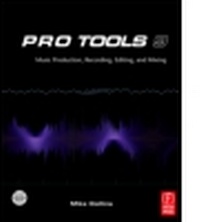
Pro Tools 9
Music Production, Recording, Editing and Mixing
1st Edition
Published on 10. September 2012
404 pages
978-1-136-11166-2 (ISBN)
Description

Prepare yourself to be a great producer when using Pro Tools in your studio. Pro Tools 9: Music Production, Recording, Editing & Mixing is the definitive guide to the software for new and professional users, providing you with all the vital techniques that you need to know. Covering both Pro Tools HD 9 and Pro Tools 9 software, this book is extensively illustrated in color and packed with time saving hints and tips - making it a great reference to keep on hand.
* Become an expert Pro Tools user and fully unlock the potential of your system!
* Discover how to achieve complete control over tempo, time and key.
. Understand how to get professional results using the MIDI and music scoring features.
* Master the technicalities of recording, editing and mixing using Pro Tools.
* New features of Pro Tools HD 9 and Pro Tools 9 software described in detail.
* Link to Website full of useful extra info including comprehensive details of hardware options
* Endorsed by leading International record producers, composers and engineers.
Pro Tools 9: Music Production, Recording, Editing & Mixing is a vital reference source both for the working professional and for the serious hobbyist looking for professional results.
* Become an expert Pro Tools user and fully unlock the potential of your system!
* Discover how to achieve complete control over tempo, time and key.
. Understand how to get professional results using the MIDI and music scoring features.
* Master the technicalities of recording, editing and mixing using Pro Tools.
* New features of Pro Tools HD 9 and Pro Tools 9 software described in detail.
* Link to Website full of useful extra info including comprehensive details of hardware options
* Endorsed by leading International record producers, composers and engineers.
Pro Tools 9: Music Production, Recording, Editing & Mixing is a vital reference source both for the working professional and for the serious hobbyist looking for professional results.
Reviews / Votes
"Collins, an experienced studio musician and engineer, explains the Pro Tools 9 features every beginning engineer needs to understand and shares useful tips for recording multiple audio tracks and editing the recorded data quickly. The guide focuses on operations not fully explained in the help documents supplied by Avid and addresses the debate over how much compression to apply on individual tracks and the final mix. Color screenshots illustrate recommended settings for a Pro Tools HD system running on a Mac."--SciTech Book NewsMore details
Language
English
Place of publication
London
United Kingdom
Publishing group
Taylor & Francis Ltd
Target group
Professional and scholarly
<P>Pro Tools 9: Music Production, Recording, Editing & Mixing is a definitive guide to the system for new and existing users. Extensively illustrated in color and packed with time saving hints and tips, those working with Pro Tools will want to keep this book on hand as a constant source of information. Detailed chapters on recording, editing and mixing blend essential knowledge with practical advice.</P> <P> Key updates to this edition:</P> <P>* New features of Pro Tools HD 9 and Pro Tools 9 software described in detail</P> <P>* Full color screen shots and equipment photos throughout</P> <P>* Packed with tips to help Pro Tools users get the most from their system </P> <P>* Endorsed by leading international producers, composers and engineers</P> <P>* Accompanying Website with informative appendices includes details of Pro Tools hardware and lots more</P> <P>Pro Tools 9: Music Production, Recording, Editing & Mixing is a vital reference source for both, the working pr
File size
30,34 MB
ISBN-13
978-1-136-11166-2 (9781136111662)
Copyright in bibliographic data and cover images is held by Nielsen Book Services Limited or by the publishers or by their respective licensors: all rights reserved.
Schweitzer Classification
Other editions
Additional editions
Book
09/2018
1st Edition
Routledge
€237.70
Shipment within 10-20 days
Book
05/2011
1st Edition
Focal Press
€59.41
Shipment within 15-20 days
Person
Mike Collins (Author)
Mike Collins is a studio musician, recording engineer and producer with more than 30 years experience of making records. He has many credits on UK chart singles and albums, for radio and TV broadcasts, advertising jingles and movie scores.
Mike was awarded a BSc Degree in Electroacoustics-with-Music from Salford University in 1979, became a Member of the Audio Engineering Society in 1980, and was awarded an MSc Degree in Music Information Technology, with Distinction, in 1989.
After graduating, he spent 14 months working on transducer designs for Standard Telephones and Cables (STC), followed by a couple of 6-month stints as a Planning & Installation Engineer for Neve Electronics and as a Film Sound Consultant for Dolby Labs, before joining Yamaha's London R & D Studio in 1986 as Senior Recording Engineer and Music Technology Specialist.
Working freelance since 1988, Mike has regularly reviewed music and audio software and hardware and written about a variety of audio and music production topics, with more than 2000 articles and reviews published in Pro Sound News Europe, Future Music, Computer Music, Macworld, MacUser, Personal Computer World, Sound On Sound, AudioMedia, Studio Sound, Electronic Musician, EQ, MIX and similar publications.
In parallel with this, Mike established a career throughout the 1990's as a studio musician, MIDI programmer, recording engineer and producer working on Top 40 albums and singles in the leading London recording studios including Abbey Road, Mayfair, Townhouse, Eden, Strongroom and Sony Whitfield Street Studios, CTS and Lansdowne Studios. In 1997, Mike set up a project studio equipped with a high-end Pro Tools system and has since been involved in everything from dance remixes to TV ads, background and featured music for TV and video, album editing and compilation, and, since 1999, producing jazz, blues and soul recordings. Notable projects include working on music for a Deutsche Bank promotional video, co-production credits on Ayetoro, an experimental jazz/Afrobeat album, and, in 2010, working as a freelance audio transfer engineer at Iron Mountain's studio facility in Slough, helping to digitize Universal Music's vast library of master tape recordings. Most recently, Mike has set up a 'boutique' record label to release recordings he has produced - see http://rudenoterecords.com/author/rudenoterecords/
Mike Collins is a studio musician, recording engineer and producer with more than 30 years experience of making records. He has many credits on UK chart singles and albums, for radio and TV broadcasts, advertising jingles and movie scores.
Mike was awarded a BSc Degree in Electroacoustics-with-Music from Salford University in 1979, became a Member of the Audio Engineering Society in 1980, and was awarded an MSc Degree in Music Information Technology, with Distinction, in 1989.
After graduating, he spent 14 months working on transducer designs for Standard Telephones and Cables (STC), followed by a couple of 6-month stints as a Planning & Installation Engineer for Neve Electronics and as a Film Sound Consultant for Dolby Labs, before joining Yamaha's London R & D Studio in 1986 as Senior Recording Engineer and Music Technology Specialist.
Working freelance since 1988, Mike has regularly reviewed music and audio software and hardware and written about a variety of audio and music production topics, with more than 2000 articles and reviews published in Pro Sound News Europe, Future Music, Computer Music, Macworld, MacUser, Personal Computer World, Sound On Sound, AudioMedia, Studio Sound, Electronic Musician, EQ, MIX and similar publications.
In parallel with this, Mike established a career throughout the 1990's as a studio musician, MIDI programmer, recording engineer and producer working on Top 40 albums and singles in the leading London recording studios including Abbey Road, Mayfair, Townhouse, Eden, Strongroom and Sony Whitfield Street Studios, CTS and Lansdowne Studios. In 1997, Mike set up a project studio equipped with a high-end Pro Tools system and has since been involved in everything from dance remixes to TV ads, background and featured music for TV and video, album editing and compilation, and, since 1999, producing jazz, blues and soul recordings. Notable projects include working on music for a Deutsche Bank promotional video, co-production credits on Ayetoro, an experimental jazz/Afrobeat album, and, in 2010, working as a freelance audio transfer engineer at Iron Mountain's studio facility in Slough, helping to digitize Universal Music's vast library of master tape recordings. Most recently, Mike has set up a 'boutique' record label to release recordings he has produced - see http://rudenoterecords.com/author/rudenoterecords/
Content
Chapter 1 Introduction
Chapter 2 Using Pro Tools
Chapter 3 Time Operations
Chapter 4 Working with MIDI
Chapter 5 Recording
Chapter 6 Editing
Chapter 7 Mixing
Chapter 8 New Hardware & Software: PT9
On the website
Appendix 1 About Summing Mixers
Appendix 2 Troubles with Dongles
Appendix 3 Avid Eucon Support
Appendix 4 Pro Tools LE Hardware
Appendix 5 Pro Tools HD Hardware
Appendix 6 Eleven Rack & Pro Tools Mbox Family
Appendix 7 New Hardware 2010
Appendix 8 Pro Tools 8 New Features
Appendix 9 Pro Tools 9 Laptop System
Chapter 2 Using Pro Tools
Chapter 3 Time Operations
Chapter 4 Working with MIDI
Chapter 5 Recording
Chapter 6 Editing
Chapter 7 Mixing
Chapter 8 New Hardware & Software: PT9
On the website
Appendix 1 About Summing Mixers
Appendix 2 Troubles with Dongles
Appendix 3 Avid Eucon Support
Appendix 4 Pro Tools LE Hardware
Appendix 5 Pro Tools HD Hardware
Appendix 6 Eleven Rack & Pro Tools Mbox Family
Appendix 7 New Hardware 2010
Appendix 8 Pro Tools 8 New Features
Appendix 9 Pro Tools 9 Laptop System
