

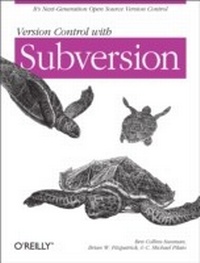
Version Control with Subversion
1st Edition
Published on 22. June 2004
319 pages
978-0-596-51710-6 (ISBN)
Description

One of the greatest frustrations in most software projects is version control: the art of managing changes to information. Today's increasingly fast pace of software development--as programmers make small changes to software one day only to undo them the next--has only heightened the problem; consecutive work on code or single-programmer software is a rare sight these days. Without careful attention to version control, concurrent and collaborative work can create more headaches than it solves. This is where Subversion comes into play.Written by members of the Subversion open source development team, Version Control with Subversion introduces the powerful new versioning tool designed to be the successor to the Concurrent Version System or CVS. CVS users will find the "e;look and feel"e; Subversion comfortably familiar, but under the surface it's far more flexible, robust, and usable, and more importantly, it improves on CVS's more notable flaws.The book begins with a general introduction to Subversion, the basic concepts behind version control, and a guided tour of Subversion's capabilities and structure. With thorough attention to detail, the authors cover every aspect of installing and configuring Subversion for managing a programming project, documentation, or any other team-based endeavor. Later chapters cover the more complex topics of branching, repository administration, and other advanced features such as properties, externals, and access control. The book ends with reference material and appendices covering a number of useful topics such as a Subversion complete reference and troubleshooting guide.Version Control with Subversion aims to be useful to readers of widely different backgrounds, from those with no previous experience in version control to experienced sysadmins. If you've never used version control, you'll find everything you need to get started in this book. And if you're a seasoned CVS pro, this book will help you make a painless leap into Subversion.
More details
Other editions
Additional editions
Ben Collins-Sussman | Brian W. Fitzpatrick | C. Michael Pilato
Version Control with Subversion
Book
07/2004
1st Edition
O'Reilly
€29.00
Article exhausted; check for reprint
Content
- Intro
- Copyright
- Table of Contents
- Foreword
- Preface
- Audience
- How to Read this Book
- Conventions Used in This Book
- Typographic Conventions
- Icons
- Organization of This Book
- This Book is Free
- Comments and Questions
- Acknowledgments
- From Ben Collins-Sussman
- From Brian W. Fitzpatrick
- From C. Michael Pilato
- Introduction
- What Is Subversion?
- Subversion's History
- Subversion's Features
- Subversion's Architecture
- Installing Subversion
- Subversion's Components
- A Quick Start
- Basic Concepts
- The Repository
- Versioning Models
- The Problem of File Sharing
- The Lock-Modify-Unlock Solution
- The Copy-Modify-Merge Solution
- Subversion in Action
- Working Copies
- Revisions
- How Working Copies Track the Repository
- The Limitations of Mixed Revisions
- Summary
- Guided Tour
- Help!
- Import
- Revisions: Numbers, Keywords, and Dates, Oh My!
- Revision Numbers
- Revision Keywords
- Revision Dates
- Initial Checkout
- Basic Work Cycle
- Update Your Working Copy
- Make Changes to Your Working Copy
- Examine Your Changes
- svn status
- svn diff
- svn revert
- Resolve Conflicts (Merging Others' Changes)
- Merging conflicts by hand
- Copying a file onto your working file
- Punting: Using svn revert
- Commit Your Changes
- Examining History
- svn log
- svn diff
- Examining local changes
- Comparing working copy to repository
- Comparing repository to repository
- svn cat
- svn list
- A Final Word on History
- Other Useful Commands
- svn cleanup
- svn import
- Summary
- Branching and Merging
- What's a Branch?
- Using Branches
- Creating a Branch
- Working with Your Branch
- The Key Concepts Behind Branches
- Copying Changes Between Branches
- Copying Specific Changes
- Best Practices for Merging
- Tracking merges manually
- Previewing merges
- Noticing or Ignoring Ancestry
- Common Use-Cases for Merging
- Merging a Whole Branch to Another
- Undoing Changes
- Resurrecting Deleted Items
- Switching a Working Copy
- Tags
- Creating a Simple Tag
- Creating a Complex Tag
- Branch Maintenance
- Repository Layout
- Data Lifetimes
- Summary
- Repository Administration
- Repository Basics
- Understanding Transactions and Revisions
- Unversioned Properties
- Berkeley DB
- Repository Creation and Configuration
- Hook Scripts
- Berkeley DB Configuration
- Repository Maintenance
- An Administrator's Toolkit
- svnlook
- svnadmin
- svndumpfilter
- svnshell.py
- Berkeley DB utilities
- Repository Cleanup
- Managing Disk Space
- Repository Recovery
- Migrating a Repository
- Repository Backup
- Adding Projects
- Choosing a Repository Layout
- Creating the Layout and Importing Initial Data
- Summary
- Server Configuration
- Overview
- Network Model
- Requests and Responses
- Client Credentials Caching
- svnserve
- A Custom Server
- Invoking the Server
- Built-In Authentication and Authorization
- Create a "users" file and realm
- Set access controls
- SSH Authentication and Authorization
- httpd
- The Apache HTTP Server
- Prerequisites
- Basic Apache Configuration
- Authentication Options
- Basic HTTP authentication
- SSL certificate management
- Authorization Options
- Blanket access control
- Per-directory access control
- Extra Goodies
- Repository browsing
- Other features
- Supporting Multiple Repository Access Methods
- Advanced Topics
- Runtime Configuration Area
- Configuration Area Layout
- Configuration and the Windows Registry
- Configuration Options
- Servers
- Config
- Properties
- Why Properties?
- Manipulating Properties
- Special Properties
- svn:executable
- svn:mime-type
- svn:ignore
- svn:keywords
- svn:eol-style
- svn:externals
- Automatic Property Setting
- Externals Definitions
- Vendor Branches
- General Vendor Branch Management Procedure
- svn_load_dirs.pl
- Developer Information
- Layered Library Design
- Repository Layer
- Repository Access Layer
- RA-DAV (repository access using HTTP/DAV)
- RA-SVN (custom protocol repository access)
- RA-Local (direct repository access)
- Your RA library here
- Client Layer
- Using the APIs
- The Apache Portable Runtime Library
- URL and Path Requirements
- Using Languages Other than C and C++
- Inside the Working Copy Administration Area
- The Entries File
- Pristine Copies and Property Files
- WebDAV
- Programming with Memory Pools
- Contributing to Subversion
- Join the Community
- Get the Source Code
- Become Familiar with Community Policies
- Make and Test Your Changes
- Donate Your Changes
- Subversion Complete Reference
- The Subversion Command Line Client: svn
- svn Switches
- svn Subcommands
- svn add
- svn blame
- svn cat
- svn checkout
- svn cleanup
- svn commit
- svn copy
- svn delete
- svn diff
- svn export
- svn help
- svn import
- svn info
- svn list
- svn log
- svn merge
- svn mkdir
- svn move
- svn propdel
- svn propedit
- svn propget
- svn proplist
- svn propset
- svn resolved
- svn revert
- svn status
- svn switch
- svn update
- svnadmin
- svnadmin Switches
- svnadmin Subcommands
- svnadmin create
- svnadmin deltify
- svnadmin dump
- svnadmin help
- svnadmin hotcopy
- svnadmin list-dblogs
- svnadmin list-unused-dblogs
- svnadmin load
- svnadmin lstxns
- svnadmin recover
- svnadmin rmtxns
- svnadmin setlog
- svnadmin verify
- svnlook
- svnlook Switches
- svnlook Subcommands
- svnlook author
- svnlook cat
- svnlook changed
- svnlook date
- svnlook diff
- svnlook dirs-changed
- svnlook help
- svnlook history
- svnlook info
- svnlook log
- svnlook propget
- svnlook proplist
- svnlook tree
- svnlook uuid
- svnlook youngest
- svnserve
- svnserve Switches
- Subversion for CVS Users
- Revision Numbers Are Different Now
- Directory Versions
- More Disconnected Operations
- Distinction Between Status and Update
- Branches and Tags
- Metadata Properties
- Conflict Resolution
- Binary Files and Translation
- Versioned Modules
- Authentication
- Converting a Repository from CVS to Subversion
- Troubleshooting
- Common Problems
- Problems Using Subversion
- Every time I try to access my repository, my Subversion client just hangs.
- Every time I try to run svn, it says my working copy is locked.
- I'm getting errors finding or opening a repository, but I know my repository URL is correct.
- How can I specify a Windows drive letter in a file:// URL?
- I'm having trouble doing write operations to a Subversion repository over a network.
- Under Windows XP, the Subversion server sometimes seems to send out corrupted data.
- What is the best method of doing a network trace of the conversation between a Subversion client ...
- I just built the distribution binary, and when I try to check out Subversion, I get an error abou...
- Why does the svn revert command require an explicit target? Why is it not recursive by default? T...
- When I start Apache, mod_dav_svn complains about a "bad database version," that it found db-3.X, ...
- I'm getting "Function not implemented" errors on RedHat 9, and nothing works. How do I fix this?
- Why does log say "(no author)" for files committed or imported via Apache (ra_dav)?
- I'm getting occasional "Access Denied" errors on Windows. They seem to happen at random.
- On FreeBSD, certain operations (especially svnadmin create) sometimes hang.
- I can see my repository in a web browser, but svn checkout gives me an error about "301 Moved Per...
- I'm trying to look at an old version of my file, but svn says something about "path not found."
- WebDAV and Autoversioning
- Basic WebDAV Concepts
- Just Plain WebDAV
- DeltaV Extensions
- Subversion and DeltaV
- Mapping Subversion to DeltaV
- Autoversioning Support
- The mod_dav_lock Alternative
- Autoversioning Interoperability
- Win32 WebFolders
- Mac OS X
- Unix: Nautilus 2
- Linux davfs2
- Third-Party Tools
- Clients and Plugins
- Language Bindings
- Repository Converters
- Higher-Level Tools
- Repository Browsing Tools
- Creative Commons Attribution License
- Creative Commons Legal Code
- Attribution 2.0
- License
- Index
