

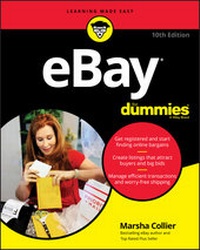
eBay For Dummies
Description

Want to know the best way to get rid of some of that clutter laying around the house and make some cash? Or sell that beautiful jewelry you made recently? It might be time to take a quick trip to a market with more than 175 million buyers and start a global bidding war.
eBay remains the easiest way to sell to hungry consumers worldwide and to uncover incredible bargains and unique items for yourself in the process. Marsha Collier, longtime eBay business owner and one of their first elite PowerSellers, shares 20+ years of expertise to fast-track you to becoming a trusted buyer and seller on the site. You'll find out how to set up your account, market effectively, and master shipping and payment, as well as how to find the best bargains for yourself and close those sweet, sweet deals.
* Establish your eBay store
* Find techniques to make your listings stand out
* Make money and friends with social media
* Bid or buy outright
Whether you're a bargain hunter or bargain seller, declutterer or aspiring eBay tycoon, eBay for Dummies has what you need. Put your bid on it right now!
More details
Other editions
Additional editions
Content
- Intro
- Title Page
- Copyright Page
- Table of Contents
- Introduction
- About This Book
- Foolish Assumptions
- Icons Used in This Book
- Beyond the Book
- Where to Go from Here
- Part 1 Getting a Feel for eBay
- Chapter 1 Why Being on eBay Is Fun on So Many Levels
- What Is eBay, and How Does It Work?
- All About Auctions
- eBay auctions
- Reserve-price auctions
- Restricted-access adult auctions
- Private (shhh-it's-a-secret) listings
- "Buy It Now" on eBay
- eBay Stores
- Buy It Now and fixed-price sales
- Want to Make Some Cash?
- Get a Deal and Get It Fast!
- Research for Fun and Profit
- eBay's Role in the Action
- Features and Fun Stuff
- Extra Apps You're Gonna Want
- Chapter 2 Let's Do It! Signing Up on eBay
- Registering on eBay
- Registering Is Free
- Filling in required information
- Do you solemnly swear to . . . ?
- It must be true if you have it in writing
- Uh-oh, you made a mistake?
- A Quick Word about Passwords
- A Not-So-Quick Word about Choosing a User ID
- Your License to Deal (Almost)
- Chapter 3 Finding Your Way Around eBay
- What Is the Home Page?
- Sign In, Please
- Follow the Links
- Exploring Your Home Page Search Options
- Seeking items through the search box
- Going where the Advanced Search box takes you
- Home Links, the Next Generation
- Maneuvering through Categories
- Bottoming Out
- Chapter 4 Ground Central, Your Private, My eBay
- Getting to Your My eBay Pages
- Keeping Track of Your Personal eBay Business
- Checking your account information
- Choosing your communication preferences
- Your Feedback link
- Account links
- Understanding Your Seller Dashboard
- Using the Resolution Center
- Organizing Saved Sellers/Searches
- Searches you follow
- Sellers you follow
- Keeping your follows on the "down low"
- Sleuthing with your Watching list
- Following the Action on Your Buying
- Seeing the items you're buying
- Keeping track of your purchased items
- Surveying Your Sales on Your My eBay Selling Overview
- Your Selling page
- Your Sold page
- Keeping Track of Your Transactions
- Getting and Giving Feedback
- How to get positive feedback
- How to get negative feedback
- The Feedback page
- Reading your feedback
- You have the last word - responding to feedback
- Leaving feedback with finesse
- Part 2 Buying Like an Expert
- Chapter 5 Deal or No Deal? Buying Hacks and Searching Tips
- Online Tips for Vintage Enthusiasts
- The experts speak out
- Following an expert on the hunt
- Grading vintage items
- Finding More Research Information
- Searching sites online
- Finding other sources of information
- Looking to Find an Item? Start Your eBay Search
- Using the Advanced Search page
- Finding Sold Items
- An international search
- Finding a specific seller
- Finding items by keywords for multiple sellers
- Shortcuts for a quick eBay search
- Chapter 6 Get a Deal: The Art of Shopping eBay
- The Item Listing Page
- Beating the Devil in the Details
- Read the item description carefully
- Get the scoop on the seller
- Factoring In the Extras
- Payment methods
- Using an escrow service
- Shipping costs
- Placing Your Bid on an Auction
- Bidding to the Max: Automatic Bidding
- Specialized Categories
- The Agony (?) of Buyer's Remorse
- Retracting your bid
- Avoiding deadbeat (unpaid item) status
- Chapter 7 Winning eBay Shopping Strategies
- Make an Offer!
- Find Out an Item's Bidding History
- Get to Know the Other Bidders
- Strategies to Help You Outsmart the Competition
- Time Is Money: Auction Strategy by the Clock
- Using a laid-back strategy
- Using the beat-the-clock strategy
- Chapter 8 Winner! Winner! Chicken Dinner?
- eBay Calling: You're a Winner
- Getting Your Paperwork Together
- Getting in Contact
- Sending the Payment Promptly and Securely
- Checking Out
- Communicating with the Seller
- Keeping in Touch: Dealing with an AWOL Seller
- You Get the Item . . . Uh-Oh, What's This?
- Don't Forget to Leave Feedback
- Properly Giving the Detailed Seller Ratings (DSRs)
- Part 3 Making Money the eBay Way
- Chapter 9 Selling Online for Fun and Profit
- Why Should You Sell Stuff on eBay?
- Finding Stuff to Sell
- Know When to Sell
- Know Thy Stuff
- Getting the goods on your goods
- Spy versus spy: Comparison selling
- Know What You Can (And Can't) Sell
- Prohibited items
- Infringing items
- Restricted items: Know the laws
- Forbidden tactics
- Reporting a Problem Listing
- Intellectual Property Violations
- eBay Fees? What eBay Fees? Oops . . .
- Final value fees
- Managed Payments and PayPal fees
- Keep calculating your profits
- Uncle Sam Wants You - to Pay Your Taxes
- Two wild rumors about federal taxes
- State sales tax
- State income taxes
- Chapter 10 Time to Sell: Making Irresistible Listings
- Getting Ready to List Your Item
- Examining the Create Listing Page
- Filling In the Required Blanks
- Selecting a category
- Creating the perfect item title
- Adding item specifics
- Writing your description
- Listing the number of items for sale
- Setting a starting price - how low can you go?
- Buy It Now for auctions
- Setting your auction time
- Your secret safety net - reserve price
- I want to be alone: The private listing
- Filling out the item location
- Setting shipping terms
- Checking Your Work and Starting the Listing
- Midcourse Corrections: Fixing Current Listings
- Making changes before bidding begins
- Making changes after bidding begins
- Chapter 11 Find Merchandise to Sell and the eBay Store Decision
- Knowing the Market
- Do You Have Talent, Provide a Service?
- Catching Trends in the Media
- Trending on the web
- What's on television
- Catch up with youth culture . . .
- Check out pop-culture websites
- Follow the trends on social media
- The Hunt for eBay Inventory
- The goods are out there
- Salvage: Liquidation Items, Unclaimed Freight, and Returns
- Items by the pallet
- Job lots
- Drop-shipping to your customers
- Tips for the modest investor
- Making the eBay Store Decision
- Selling from Your Own Virtual Storefront
- Paying the landlord
- Opening your eBay Store
- Chapter 12 Take the Pain out of Closing the Deal and Shipping
- Bookkeeping and Staying Organized
- Talking to Buyers: The ABCs of Good Communication
- Thank you - mean it
- Keep communication open
- Shipping without Going Postal
- Shopping for a shipper
- Getting the right (packing) stuff
- Buying and Printing Postage Online
- Preparing postage with Endicia
- Shipping with Stamps.com
- Ahoy matey! Print labels free from Pirate Ship
- Shipping directly from eBay
- Chapter 13 Saving and Troubleshooting Sales
- Dealing with a Buyer Who Doesn't Respond
- Requesting immediate payment
- Setting buyer requirements
- Going into nudge mode
- Do a little sleuthing
- Blocking a customer
- Other Possible Problems
- Buyer backout? Try Second Chance Offer
- The item you send is busted - and so are you
- You have regrets - seller's remorse
- Going Badly? Cut Your Losses
- Making changes or canceling bids
- Editing your Fixed Price listing
- Ending your listing early
- Opening an Unpaid Item case
- Chapter 14 Increase Profits with Photography and Other Strategies
- Using Images in Your Listings
- Choosing your camera
- Choosing a scanner
- Making Your Picture a Thing of Beauty
- Get it on camera
- Yes, I scan
- Software that adds the artist's touch
- Making Your Images Web-Friendly
- The Image Is Perfect - Now What?
- Getting Pictures from Your Smartphone to eBay
- Using Your Website to Store Images
- Using the Photo Uploader
- Tell Your Story on Your Profile Page
- Part 4 Even More of eBay's Special Features
- Chapter 15 Security: Protect Yourself Online and on eBay
- What eBay Knows about You
- What you tell eBay
- What cookies gather
- Your eBay sign-in cookie
- Web beacons
- What web servers collect
- What Does eBay Do with Information about Me, Anyway?
- What Do Other eBay Members Know about Me?
- Hack-proof Your Account with Two-Factor Authentication
- Spam - Not Just a Hawaiian Delicacy
- Sending spam versus eating it
- Trashing your junk mail
- Email spoofing
- I Vant to Be Alone - and Vat You Can Do to Stay That Vay
- Chapter 16 Rules, Policies, and Etiquette (and How to Get Help)
- Keeping eBay Safe with eBay Security
- Buyers Are Safe When Shopping on eBay
- Abuses You Should Look Out For
- Selling abuses
- Bidding abuses
- Feedback abuses
- Identity abuses
- Operational abuses
- Miscellaneous abuses
- Reporting Abuses to eBay Security
- Stuff eBay Won't Do Anything About
- Knowing the Deeds That Can Get You Suspended
- eBay Motors Vehicle Purchase Protection
- PayPal Purchase Protection
- Launching a Report or a Return
- Returning an item for a refund
- Getting the Real Deal? Authentication and Appraising
- If It's Clearly Fraud
- Chapter 17 Marketing Sales with Social Media and the Community
- Joining the eBay Community
- News and chat, this and that
- Joining in the social media conversation
- Filling in your eBay profile
- Hear ye, hear ye! eBay's Announcements Board
- Help! I need somebody
- User-to-user discussion boards
- Category-specific groups
- Learning and Selling through Social Media
- Finding friends and customers on Facebook
- Connecting with other sellers on Twitter
- Chapter 18 eBay Bucks Rewards, Charitable Buying and Selling, and Going Mobile
- Rewards Program for Shoppers: eBay Bucks
- Selling and Buying: Helping Nonprofits
- eBay for Charity
- Creative charity auctions
- Go Mobile - for Buying and Selling
- Part 5 The Parts of Tens
- Chapter 19 Ten (Or So) Golden Rules to Succeed on eBay
- Buyer: Research Your Treasure Before You Buy
- Buyer: Check the Seller's Feedback
- Buyer: Check the Price Tag and Bid Wisely
- Buyer: Leave Positive Feedback for a Good Seller
- Buyer: Protect Your Privacy
- Seller: Really Know Your Stuff
- Seller: Polish and Shine
- Seller: Picture-Perfect Facts
- Seller: Communication Is Key
- Seller: Be a Buyer's Dream
- Seller: Listen to the Music
- Buyers and Sellers: Keep Current, Keep Cool
- Chapter 20 Ten (Or So) Services to Make Life Easy
- Seller Tools and Services
- inkFrog
- Sizely
- Important Tools for Buyers and Sellers
- Sniping with BidRobot
- Find out what it's worth at Worthpoint
- Buying a warranty through SquareTrade
- eBay fee calculator: Salecalc
- Kabbage: Working capital
- eBay's Software and Services
- Selling Manager, Selling Manager Pro, and Seller Hub
- eBay PowerSellers
- Top Rated Sellers
- Index
- EULA
Introduction
These days you have a lot of choices when you want to sell online. There are some apps/platforms that may seem easier than eBay . but . there's only one eBay. You have the opportunity to sell your items to a worldwide audience who may be looking for the things you choose to sell.
Selling on eBay is profitable and empowering if you follow the basics rules. The beginning steps are outlined in this book and can take you to easily bring in $60,000 a year. You don't need any more to start out than what you read in the pages of this book. After you've mastered the basics, you're on your way to your own part- or full-time e-commerce empire.
This is the tenth edition of eBay For Dummies. When I wrote the original edition in 1999, eBay had just gone public, and the gross merchandise sales by sellers on the site was estimated at a staggering $2.8 billion. There has been little change in Internet transactions since eBay pioneered the collaborative economy. In 2018, eBay enabled almost $95 billion of gross merchandise volume with person-to-person transactions. I had no idea that eBay would become the worldwide marketplace it has - and that this book would become the top-selling book for those wanting to learn about eBay. (Pretty cool, though.)
Literally millions of people have learned how to succeed at an eBay business by reading my books. In your hand you have the book that will get you on the road to your own online business. Heed my words and you'll be getting the no-nonsense facts about eBay from an active user who was selling on eBay almost from day one.
I'm a longtime eBay shopper as well as a Top Rated Seller. My original career was in retail marketing, and since launching my eBay adventure, I've been making money on the site. (I even put my daughter through college on my profits!) I work from home and apply my background successfully to all facets of the site.
My enthusiasm and excitement for shopping and selling on the eBay Marketplace seems to have spread to so many corners of the world. eBay users (like you and me) currently total 182 million active users worldwide - that's quite a community. (In 1999 there were only 10 million registered users.)
It's a community of buyers who enjoy shopping with mom-and-pop businesses (along with many famous celebrities and brand names) worldwide - and of sellers who forage for items to sell online and make a few dollars (or a full-time living). The best part is that eBay is available to anyone who wants to take the time to learn how it works.
The venue is constantly evolving; familiar links may move, but the basics are there. It isn't too hard to master, but just as with any tool, once you know the ins and outs, you're ahead of the game. You can then get the deals when you shop, and make the most money when you sell. You've come to the right place to find out all about eBay. This book is designed to help you understand the basics about buying and selling on eBay, the world's most successful e-commerce community.
You need a firm grasp of the basics before you can succeed in any endeavor. Here are all the tools you need to get moving on eBay, whether you're new to the Internet or a seasoned veteran. You see how to turn your everyday household clutter into cold, hard cash - and how to look for items that you can sell on eBay.
If you're an online shopper, I show you how to figure out how much you should spend and how to get great deals. How much money you earn (or spend) depends entirely on how often and how smartly you conduct your eBay transactions. You decide how often you want to sell items and place bids; I'm here to help with the smart part by sharing tips (along with the rules) drawn from my years of experience on eBay.
A website as complex as eBay has many nooks and crannies that may confuse new users. Think of this book as a detailed road map that can help you navigate eBay, getting just as much or as little as you want from it. If there's a specific question you want answered, try looking it up in the index. I bet you'll find a reference that will help.
As you figure out the nuts and bolts, you can start buying and selling stuff. This book is full of terrific strategies that help you get the most out of your transactions. With this book and a little focused effort, you can join the ranks of the millions of people who use the Internet to make a profit. When you get the hang of eBay and feel that it's time to graduate (no cap and gown required) from this book, look for my eBay Business All-In-One For Dummies - it'll take you to the next plateau.
Remember one thing. The more items you list for sale, the more profits you make. "Thinking" about listing items brings in no profit; trust me, I've been there. Action = profits.
About This Book
Remember those open-book tests that teachers sprang on you in high school? Well, sometimes you may feel like eBay pop-quizzes you while you're on the site. Think of eBay For Dummies, 10th Edition, as your open-book-test cheat sheet with all the answers. You don't have to memorize anything; just keep this book handy to help you get over the confusing parts of eBay. Over the years, some of the top sellers and buyers on the eBay site have visited with me when I'm at a book signing or teaching a seminar just to show me their dog-eared, highlighted, marred copy of an earlier edition of eBay For Dummies that got them started. This book will do the same for you.
With all that in mind, I've divided this book into pertinent sections to help you find your answers fast. I'll show you how to
- Get online and register on eBay.
- Navigate eBay to do just about anything you can think of - search for items for sale, set up listings, monitor your transactions, and join the social media fun.
- Bid on and win eBay auctions and find low prices at fixed-price sales.
- Choose an item to sell, pick the right time for your listing, market it so that a bunch of people see it, and make a nice profit.
- Handle problems with finesse, should they crop up.
- Become a part of a unique community of people who like to collect, buy, and sell items of just about every type!
Do not adjust your eyes. To protect the privacy of eBay users, screen images (commonly called screen shots) in this book blur user IDs to protect the innocent (or not-so .).
Foolish Assumptions
You may have picked up this book because you heard that people are making huge money selling online and you want to find out what's going on. Or you heard about the brand-name bargains and wacky stuff you can find in the world's largest shopping emporium. If either of these assumptions is true, this is the right book for you.
Here are some other foolish assumptions I've made about you:
- You have, or would like to have, access to the Internet so you can do business on eBay.
- You have an interest in collecting, selling, or buying, and you want to find out more about doing that online.
- You want tips and strategies that can save you money when you buy and make you money when you sell. (You too? I can relate. We already have a lot in common.)
- You're concerned about maintaining your privacy and staying away from people who try to ruin everyone's good time.
Icons Used in This Book
The icons that appear from time to time in the left margin serve some special purposes. I try to throw them in where appropriate to draw your attention to specifics. Here's a rundown of what they mean.
These are facts that you just have to know! Just picture me jumping up and down, just waiting to interrupt your reading with a little extra bonus tidbit. Time is money on eBay. When you see this shortcut or timesaver come your way, read the information and think about all the greenbacks you just saved.
Think of this icon as a sticky note for your brain. If you forget one of the pearls of wisdom, you can go back and reread it. If you still can't remember something here, go ahead and bookmark the page - I won't tell. Even better: Use a yellow highlighter on the print edition.
Don't feel my pain. I've done plenty of things wrong on eBay - and really want to save you from my mistakes. I put these warnings out there bright and bold so that you don't have a bad experience. Don't skip these warnings unless you're enthusiastic about masochism.
When you see this icon, you know you're in for the real deal. This icon will give you my personal tips as well as war stories and successes I've heard from eBay veterans. They can help you strategize, make money, and avoid the perils faced by others. ("Learn from others' mistakes" is my motto.)
You also see a sidebar now and then - text on a gray background to make the topic stand out. Sometimes these decorative items have important short facts that I want you to know, or they contain an interesting aside.
Beyond the Book
Like everything else in the world, eBay changes. Some of the screen grabs in this edition may look slightly different from what you see on your device. That's just eBay tweaking and improving things on the site. My job is to arm you with...
