

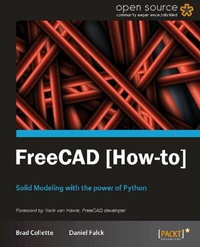
FreeCAD
Solid Modeling with the power of Python with this book and ebook.
1st Edition
Published on 13. January 2025
70 pages
978-1-84951-887-1 (ISBN)
Description

Solid Modeling with the power of Python with this book and ebook.Key Features - Learn something new in an Instant! A short, fast, focused guide delivering immediate results.
- Packed with simple and interesting examples of python coding for the CAD world.
- Understand FreeCAD's approach to modeling and see how Python puts unprecedented power in the hands of users.
- Dive into FreeCAD and its underlying scripting language.
Book DescriptionFreeCAD is a general purpose platform for CAD development. It can be extended to use different workbenches to solve different problems. Targeted squarely at the engineering community, FreeCAD is an open source design application built to be extended. Python, the powerful scripting language, is woven deeply into FreeCAD's DNA and gives users unprecedented power to automate and invent. "FreeCAD [How-to]" is a lean, fast tour of FreeCAD's major workbenches and design philosophy. The reader will get a hands-on introduction to several modeling techniques and learn how Python makes macro automation and design possible. FreeCAD allows users to design in a variety of ways; from drawing 2D designs as lines and circles to combining primitive solids into complex 3D shapes. Objects can even be created or modified by code you write in Python. FreeCAD even allows power users to extend the application itself with new dialogs, panels, and scripts. This book will not only show you how to get started using FreeCAD in a traditional GUI mode, but will teach you how to harness its powerful scripting language for more power.What you will learn - Creating 3D solid objects with python
- 2D draft design and constraint modeling
- Turning 2D drawings into 3D objects
- Combining simple primitives into complex solids
- Recording Macros
- Creating objects with code
- Importing and exporting data
- Creating a Custom python dialog to automate a task
- Harnessing the constraints engine with python
Who this book is forIf you've been toying around with FreeCAD and want to have more control over your work flow then this book is for you.The reader needs to have basic knowledge of modeling.
- Packed with simple and interesting examples of python coding for the CAD world.
- Understand FreeCAD's approach to modeling and see how Python puts unprecedented power in the hands of users.
- Dive into FreeCAD and its underlying scripting language.
Book DescriptionFreeCAD is a general purpose platform for CAD development. It can be extended to use different workbenches to solve different problems. Targeted squarely at the engineering community, FreeCAD is an open source design application built to be extended. Python, the powerful scripting language, is woven deeply into FreeCAD's DNA and gives users unprecedented power to automate and invent. "FreeCAD [How-to]" is a lean, fast tour of FreeCAD's major workbenches and design philosophy. The reader will get a hands-on introduction to several modeling techniques and learn how Python makes macro automation and design possible. FreeCAD allows users to design in a variety of ways; from drawing 2D designs as lines and circles to combining primitive solids into complex 3D shapes. Objects can even be created or modified by code you write in Python. FreeCAD even allows power users to extend the application itself with new dialogs, panels, and scripts. This book will not only show you how to get started using FreeCAD in a traditional GUI mode, but will teach you how to harness its powerful scripting language for more power.What you will learn - Creating 3D solid objects with python
- 2D draft design and constraint modeling
- Turning 2D drawings into 3D objects
- Combining simple primitives into complex solids
- Recording Macros
- Creating objects with code
- Importing and exporting data
- Creating a Custom python dialog to automate a task
- Harnessing the constraints engine with python
Who this book is forIf you've been toying around with FreeCAD and want to have more control over your work flow then this book is for you.The reader needs to have basic knowledge of modeling.
All prices
More details
Other editions
Additional editions
Daniel Falck | Brad Collette
FreeCAD
Solid Modeling with the power of Python with this book and ebook.
Book
09/2012
Packt Publishing
€25.80
Shipment within 3-4 weeks
Persons
Collette Brad :
Brad Collette once designed software for a big company but doesn't like to remember that. These days, he is an entrepreneur, hobbyist, jack-of-all-trades, and a gentleman farmer. He is engaged in a multi-year project to raise two hacker sons. He has contributed to numerous open source projects and is an organizing member of Columbia Gadget Works, central Missouri's finest hackerspace.Falck Daniel :
Daniel Falck has over 25 years experience in manufacturing, machining, CAD, CAM, and computer programming. He has worked for Gibson Guitar doing design and prototyping for over 14 years. Currently, he runs the Prototype machine shop at King Cycle Group, in Portland, Oregon (USA), where bicycle components are manufactured. His home shop is full of CNC machining equipment that he uses to create guitar parts for customers, using open source software running on Linux. Over the past 10 years he has worked with open source manufacturing software such as Linuxcnc, APT360, HeeksCAD, FreeCAD, and a myriad of specialized python scripts.
Brad Collette once designed software for a big company but doesn't like to remember that. These days, he is an entrepreneur, hobbyist, jack-of-all-trades, and a gentleman farmer. He is engaged in a multi-year project to raise two hacker sons. He has contributed to numerous open source projects and is an organizing member of Columbia Gadget Works, central Missouri's finest hackerspace.Falck Daniel :
Daniel Falck has over 25 years experience in manufacturing, machining, CAD, CAM, and computer programming. He has worked for Gibson Guitar doing design and prototyping for over 14 years. Currently, he runs the Prototype machine shop at King Cycle Group, in Portland, Oregon (USA), where bicycle components are manufactured. His home shop is full of CNC machining equipment that he uses to create guitar parts for customers, using open source software running on Linux. Over the past 10 years he has worked with open source manufacturing software such as Linuxcnc, APT360, HeeksCAD, FreeCAD, and a myriad of specialized python scripts.
Content
- Intro
- FreeCAD [How-to]
- Table of Contents
- FreeCAD [How-to]
- Credits
- Foreword
- About the Authors
- About the Reviewers
- www.PacktPub.com
- Support files, eBooks, discount offers and more
- Why Subscribe?
- Free Access for Packt account holders
- Preface
- What this book covers
- What you need for this book
- Who this book is for
- Conventions
- Reader feedback
- Customer support
- Downloading the example code
- Errata
- Piracy
- Questions
- 1. FreeCAD [How-to]
- Getting and installing FreeCAD (Must know)
- Getting ready
- How to do it...
- There's more...
- Daily builds
- Building from source
- Third-party builds
- Understanding the FreeCAD interface (Must know)
- Getting ready
- How to do it...
- How it works...
- There's more...
- Default views
- Freezing and Saving views
- Python and Report views
- CSG modeling in the Part workbench (Must know)
- Getting ready
- How to do it...
- How it works....
- There's more...
- Create primitives
- Why doesn't my part look right?
- Recording and editing a macro (Should know)
- Getting ready
- How to do it...
- How it works...
- There's more...
- Taking advantage of the power of macros
- Learn a bit of Python programming by reading macro scripts
- Modeling a simple part with the Draft workbench (Must know)
- Getting ready
- How to do it...
- How it works...
- There's more....
- Create arrays
- Converting drafts and sketches
- Rotating and extruding to create parts (Should know)
- Getting ready
- How to do it...
- How it works...
- There's more...
- Lofting
- Creating 3D solids with Python (Become an expert)
- Getting ready
- How to do it...
- How it works...
- There's more...
- Learn more about part scripting online
- Creating a custom dialog to automate a task (Become an expert)
- Getting ready
- How to do it...
- How it works...
- There's more...
- Learn more about Python and PyQt programming
- Make things easier by using Qt Designer
- Modeling with constraints (Must know)
- Getting ready
- How to do it...
- How it works...
- There's more...
- Apply constraints carefully
- Use multiple simple sketches
- Using external constraints (Should know)
- Getting ready
- How to do it...
- How it works...
- There's more...
- Mapping a sketch to a face
- Adding or modifying constraints with Python (Become an expert)
- Getting ready
- How to do it...
- How it works...
- There's more...
- Add a length constraint to a line
- Creating a drawing of a part (Should know)
- Getting ready
- How to do it...
- How it works...
- There's more...
- Export a PDF file from your drawing
- Exporting DXF files for other applications (Should know)
- Getting ready
- How to do it...
- How it works...
- Importing data (Should know)
- Getting ready
- How to do it...
- How it works...
- Index

