

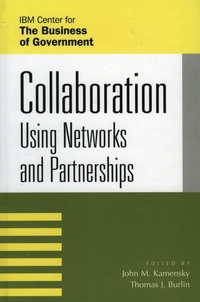
Collaboration
Using Networks and Partnerships
Rowman & Littlefield Publishers
1st Edition
Published on 19. March 2004
400 pages
979-8-216-28042-2 (ISBN)
Description

As government faces more complex problems, and citizens expect more, the way government delivers services and results is changing rapidly. The traditional model of government agencies administering hundreds of programs by themselves is giving way to one-stop services and cross-agency results. This translation implies collaboration-within agencies; among agencies; among levels of governments; and among the public, private, and nonprofit sectors. The first part of this book describes what networks and partnerships are. The second part presents case examples of how collaborative approaches have actually worked in the public sector, when they should be used, and what it takes to manage and coordinate them.
More details
Series
Edition
1. Auflage
Language
English
Place of publication
United States
Publishing group
Bloomsbury Publishing Plc
ISBN-13
979-8-216-28042-2 (9798216280422)
Copyright in bibliographic data and cover images is held by Nielsen Book Services Limited or by the publishers or by their respective licensors: all rights reserved.
Schweitzer Classification
Other editions
Additional editions
Book
03/2004
Rowman & Littlefield Publishers
€165.50
Shipment within 10-20 days
Persons
John M. Kamensky is associate partner for the managing for results practice of IBM Business Consulting Services and senior fellow for the IBM Center for the Business of Government. Thomas J. Burlin is partner, U.S. Federal Industry and Global Government Leader, IBM Business Consulting Services.
Content
Part 1 I Understanding Networks and Partnerships
Chapter 2 Networks and Partnerships: Collaborating to Achieve Results No One Can Achieve Alone
Chapter 3 Assessing Partnerships: New Forms of Collaboration
Chapter 4 Leveraging Networks: A Guide for Public Managers Working across Organizations
Chapter 5 Applying 21st-Century Government to the Challenge of Homeland Security
Part 6 II Networks and Partnerships in Action
Chapter 7 Using Virtual Teams to Manage Complex Projects: A Case Study of the Radioactive Waste Management Project
Chapter 8 Communities of Practice: A New Tool for Government Managers
Chapter 9 Leveraging Networks to Meet National Goals: FEMA and the Safe Construction Networks
Chapter 10 Extraordinary Results on National Goals: Networks and Partnerships in the Bureau of Primary Health Care's 100%/0 Campaign
Chapter 2 Networks and Partnerships: Collaborating to Achieve Results No One Can Achieve Alone
Chapter 3 Assessing Partnerships: New Forms of Collaboration
Chapter 4 Leveraging Networks: A Guide for Public Managers Working across Organizations
Chapter 5 Applying 21st-Century Government to the Challenge of Homeland Security
Part 6 II Networks and Partnerships in Action
Chapter 7 Using Virtual Teams to Manage Complex Projects: A Case Study of the Radioactive Waste Management Project
Chapter 8 Communities of Practice: A New Tool for Government Managers
Chapter 9 Leveraging Networks to Meet National Goals: FEMA and the Safe Construction Networks
Chapter 10 Extraordinary Results on National Goals: Networks and Partnerships in the Bureau of Primary Health Care's 100%/0 Campaign
