

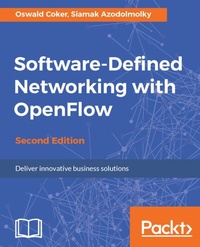
Software-Defined Networking with OpenFlow
Deliver innovative business solutions
2nd Edition
Published on 8. July 2025
246 pages
978-1-78398-429-9 (ISBN)
Description

No detailed description available for "Software-Defined Networking with OpenFlow".
All prices
More details
Edition
2nd Revised edition
Language
English
Place of publication
Birmingham
United Kingdom
Target group
Professional and scholarly
US School Grade: College Graduate Student
Edition type
Revised edition
File size
12,35 MB
ISBN-13
978-1-78398-429-9 (9781783984299)
Copyright in bibliographic data and cover images is held by Nielsen Book Services Limited or by the publishers or by their respective licensors: all rights reserved.
Schweitzer Classification
Other editions
Additional editions
Oswald Coker | Siamak Azodolmolky
Software-Defined Networking with OpenFlow - Second Edition
Book
10/2017
Packt Publishing
€50.70
Shipment within 3-4 weeks
Person
Coker Oswald :
Oswald Coker is currently serving as a partner at Crester Limited. Oswald has a Bachelor of Technology degree in information and communications engineering. He earned his Masters in Technology degree from the Vellore Institute of Technology. He is also a member of the Institute of Electrical and Electronic Engineers (IEEE) and other professional bodies. He has a number of scientific papers in international peer-reviewed journals and proceedings to his credit. Oswald is also a recipient of various awards. His current research interests are in various aspects of communications engineering, including (but not limited to): Software-Defined Networks, network virtualization, Internet of Things (IoT), and wireless (mobile) communications.AZODOLMOLKY SIAMAK :
Siamak Azodolmolky received his computer engineering degree from Tehran University and his first MSc degree in computer architecture from Azad University in 1994 and 1998, respectively. He was employed by Data Processing Iran Co. (IBM in Iran) as a software developer, systems engineer, and senior R&D engineer during 1992-2001. He received his second MSc degree with distinction from Carnegie Mellon University in 2006. He joined Athens Information Technology (AIT) as a research scientist and software developer in 2007, while pursuing his PhD degree. In August 2010, he joined the High Performance Networks research group of the School of Computer Science and Electronic Engineering (CSEE) of the University of Essex as a senior research officer. He received his PhD (cum laude) from the Universitat Politecnica de Catalunya UPC in 2011. He has been the technical investigator of various national and EU-funded projects. Software-defined networking (SDN) has been one of his research interests since 2010, in which he has been investigating the extension of OpenFlow toward its application in core transport (optical) networks. He has published more than 50 scientific papers in international conferences, journals, and books. Currently, he is with Gesellschaft fuer Wissenschaftliche Datenverarbeitung mbH Goettingen (GWDG) as a senior researcher and has led SDN-related activities since September 2012. He is a professional member of ACM and a senior member of IEEE.
Oswald Coker is currently serving as a partner at Crester Limited. Oswald has a Bachelor of Technology degree in information and communications engineering. He earned his Masters in Technology degree from the Vellore Institute of Technology. He is also a member of the Institute of Electrical and Electronic Engineers (IEEE) and other professional bodies. He has a number of scientific papers in international peer-reviewed journals and proceedings to his credit. Oswald is also a recipient of various awards. His current research interests are in various aspects of communications engineering, including (but not limited to): Software-Defined Networks, network virtualization, Internet of Things (IoT), and wireless (mobile) communications.AZODOLMOLKY SIAMAK :
Siamak Azodolmolky received his computer engineering degree from Tehran University and his first MSc degree in computer architecture from Azad University in 1994 and 1998, respectively. He was employed by Data Processing Iran Co. (IBM in Iran) as a software developer, systems engineer, and senior R&D engineer during 1992-2001. He received his second MSc degree with distinction from Carnegie Mellon University in 2006. He joined Athens Information Technology (AIT) as a research scientist and software developer in 2007, while pursuing his PhD degree. In August 2010, he joined the High Performance Networks research group of the School of Computer Science and Electronic Engineering (CSEE) of the University of Essex as a senior research officer. He received his PhD (cum laude) from the Universitat Politecnica de Catalunya UPC in 2011. He has been the technical investigator of various national and EU-funded projects. Software-defined networking (SDN) has been one of his research interests since 2010, in which he has been investigating the extension of OpenFlow toward its application in core transport (optical) networks. He has published more than 50 scientific papers in international conferences, journals, and books. Currently, he is with Gesellschaft fuer Wissenschaftliche Datenverarbeitung mbH Goettingen (GWDG) as a senior researcher and has led SDN-related activities since September 2012. He is a professional member of ACM and a senior member of IEEE.
Content
- Cover
- Copyright
- Credits
- About the Authors
- About the Reviewer
- www.PacktPub.com
- Customer Feedback
- Table of Contents
- Preface
- Chapter 1: Software-Defined Networks
- Understanding SDN
- Characteristics of SDN
- Plane decoupling
- Central control and simple forwarding elements
- Network automation and virtualization
- SDN use cases
- Data center applications
- Campus networks applications
- Service provider applications
- Mobile network applications
- NFV
- How is NFV different from SDN?
- NFV challenges
- Summary
- Chapter 2: Introducing OpenFlow
- Activities around SDN/OpenFlow
- Building Blocks of an SDN deployment
- Header field
- Counters
- Actions
- Priority
- Timeouts
- Cookies
- Flags
- OpenFlow messages
- Controller-to-switch
- Features
- Configuration
- Modify-State
- Read-State
- Packet-out
- Barrier
- Role-Request
- Setting asynchronous configuration
- Symmetric messages
- Hello
- Echo
- Errors
- Experimenter
- Asynchronous messages
- Packet-in
- Flow-Removal
- Port-status
- Role-status
- Controller-status
- Table-status
- Request-forward
- Northbound interface
- Summary
- Chapter 3: Implementing the OpenFlow Switch
- OpenFlow reference switch
- Controller-to-switch messages
- Asynchronous messages
- Symmetric messages
- OpenFlow enabled switches
- Software-based switches
- Hardware-based switches
- OpenFlow laboratory with Mininet
- Getting started with Mininet
- Experimenting with Mininet
- Experimenting with Mininet GUI (MiniEdit)
- Getting started with MiniEdit
- Creating a custom topology on Mininet canvas
- Configuring the controller
- Configuring the switch
- Configuring the host
- Setting the MiniEdit preferences
- Saving the configuration
- Running a Mininet topology simulation, generating logs, and monitoring the flow table
- Summary
- Chapter 4: The OpenFlow Controllers
- Software-Defined Networking controllers
- Existing implementations
- NOX and POX
- Running a POX application
- NodeFlow
- Floodlight
- Virtual networking filter
- Firewall module
- Static flow pusher
- Network plugin for OpenStack
- ODL
- Ryu
- Ryu architecture
- Ryu libraries
- OpenFlow protocol and controller
- Managers and core processes
- Northbound
- Applications
- Installation of a Ryu controller
- Running a Ryu application
- Special controllers
- Summary
- Chapter 5: Setting Up the Environment
- Understanding the OpenFlow laboratory
- External controllers
- Completing the OpenFlow laboratory
- Replacing ethX with the name of the unnumbered interface
- ODL
- ODL controller
- ODL-based SDN laboratory
- SDN Hub starter VM kit
- Summary
- Chapter 6: Net App Development
- Net App 1 - an Ethernet learning switch
- Building the learning switch
- Net App 2 - a simple firewall
- Net App 3 - simple forwarding in OpenDaylight
- Net App 4 - simple switching hub using Ryu controller
- Executing the Simple Switching Hub
- Testing application
- Net App 5 - simple router using Ryu controller
- Creating the topology on Mininet
- IP address configuration on the hosts
- Configuring the default gateway on the host
- Starting the Ryu controller
- Configuring the address of the router (switch)
- Configuring the default gateway of the switch
- Verification
- Conclusion
- Net App 6 - simple firewall using Ryu controller
- Creating the topology on Mininet
- Starting the rest firewall application
- Enabling the firewall
- Creating rules
- Verifying that these rules have been set
- ICMP Verification
- Configuring deny instructions
- Conclusion
- Summary
- Chapter 7: Getting a Network Slice
- Network virtualization
- FlowVisor
- Isolation mechanism
- Bandwidth isolation
- Topology isolation
- Switch CPU isolation
- New flow messages
- Controller requests
- Slow-path packet forwarding
- Internal state keeping
- Flowspace isolation
- OpenFlow control isolation
- FlowVisor API
- FLOW_MATCH structure
- Slice actions structure
- FlowVisor slicing
- Summary
- Chapter 8: OpenFlow in Cloud Computing
- OpenStack and Neutron
- OpenStack Networking architecture
- Neutron plugins
- Summary
- Chapter 9: Open Source Resources
- Controllers
- Beacon
- Floodlight
- Maestro
- Trema
- FlowER
- Ryu
- Open Network Operating System
- Atrium
- OpenContrail
- Miscellaneous
- FlowVisor
- Flowsim
- Avior
- RouteFlow
- OFlops and Cbench
- OSCARS
- Twister
- FortNOX
- Nettle
- Frenetic
- Open Exchange Software Suite
- Summary
- Chapter 10: The Future of SDN
- Packet forwarding innovations beyond OpenFlow
- POF
- POF architecture
- Structure of POFOX
- POFSwitch
- Programming protocol-independent packet processors
- P4 components
- Forwarding model of P4
- Protocol-independent forwarding
- Table Type Patterns
- Relationship between TTP and OF-PI
- Goals of OF-PI
- Optical transport protocol extensions
- Generalized Multiprotocol Label Switching
- Packet-optical Integration
- Summary
- Index

