

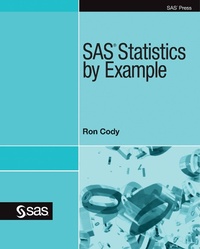
SAS Statistics by Example
Published on 22. August 2011
274 pages
978-1-61290-012-4 (ISBN)
Description

In SAS Statistics by Example, Ron Cody offers up a cookbook approach for doing statistics with SAS. Structured specifically around the most commonly used statistical tasks or techniques--for example, comparing two means, ANOVA, and regression--this book provides an easy-to-follow, how-to approach to statistical analysis not found in other books.
For each statistical task, Cody includes heavily annotated examples using ODS Statistical Graphics procedures such as SGPLOT, SGSCATTER, and SGPANEL that show how SAS can produce the required statistics. Also, you will learn how to test the assumptions for all relevant statistical tests. Major topics featured include descriptive statistics, one- and two-sample tests, ANOVA, correlation, linear and multiple regression, analysis of categorical data, logistic regression, nonparametric techniques, and power and sample size.
This is not a book that teaches statistics. Rather, SAS Statistics by Example is perfect for intermediate to advanced statistical programmers who know their statistics and want to use SAS to do their analyses.
This book is part of the SAS Press program.
More details
Other editions
Additional editions
Person
Ron Cody, EdD, a retired professor from the Robert Wood Johnson Medical School now works as a private consultant and a national instructor for SAS Institute Inc. A SAS user since 1977, Ron's extensive knowledge and innovative style have made him a popular presenter at local, regional, and national SAS conferences. He has authored or co-authored numerous books, such as Learning SAS by Example: A Programmer's Guide; SAS Statistics by Example, Applied Statistics and the SAS Programming Language, Fifth Edition; The SAS Workbook; The SAS Workbook Solutions; Cody's Data Cleaning Techniques Using SAS, Second Edition; Longitudinal Data and SAS: A Programmer's Guide; SAS Functions by Example, Second Edition, and Cody's Collection of Popular Programming Tasks and How to Tackle Them, as well as countless articles in medical and scientific journals.
Content
- Intro
- Contents
- acknow
- Chapter 1
- Introduction
- What is SAS
- Statistical Tasks Performed by SAS
- The Structure of SAS Programs
- SAS Data Sets
- SAS Display Manager
- Excel Workbooks
- Variable Types in SAS Data Sets
- Temporary versus Permanent SAS Data Sets
- Creating a SAS Data Set from Raw Data
- Data Values Separated by Delimiters
- Reading CSV Files
- Data Values in Fixed Columns
- Excel Files with Invalid SAS Variable Names
- Other Sources of Data
- Conclusions
- Chapter 2
- Introduction
- Computing Descriptive Statistics Using PROC MEANS
- Descriptive Statistics Broken Down by a Classification Variable
- Computing a 95% Confidence Interval and the Standard Error
- Producing Descriptive Statistics, Histograms, and Probability Plots
- Changing the Midpoint Values on the Histogram
- Generating a Variety of Graphical Displays of Your Data
- Displaying Multiple Box Plots for Each Value of a Categorical Variable
- Conclusions
- Chapter 3
- Introduction
- Computing Frequency Counts and Percentages
- Computing Frequencies on a Continuous Variable
- Using Formats to Group Observations
- Creating a Bar Chart Using PROC SGPLOT
- Using ODS to Send Output to Alternate Destinations
- Creating a Cross-Tabulation Table
- Changing the Order of Values in a Frequency Table
- Conclusions
- Chapter 4
- Introduction
- Producing a Simple Scatter Plot Using PROG GPLOT
- Producing a Scatter Plot Using PROC SGPLOT
- Creating Multiple Scatter Plots on a Single Page Using PROC SGSCATTER
- Conclusions
- Chapter 5
- Introduction
- Conducting a One-Sample t-test Using PROC TTEST
- Running PROC TTEST with ODS Graphics Turned On
- Conducting a One-Sample t-test Using PROC UNIVARIATE
- Testing Whether a Distribution is Normally Distributed
- Tests for Other Distributions
- Conclusions
- Chapter 6
- Introduction
- Conducting a Two-Sample t-test
- Testing the Assumptions for a t-test
- Customizing the Output from ODS Statistical Graphics
- Conducting a Paired t-test
- Assumption Violations
- Conclusions
- Chapter 7
- Introduction
- A Simple One-way Design
- Conducting Multiple Comparison Tests
- Using ODS Graphics to Produce a Diffogram
- Two-way Factorial Designs
- Analyzing Factorial Models with Significant Interactions
- Analyzing a Randomized Block Design
- Conclusions
- Chapter 8
- Introduction
- Producing Pearson Correlations
- Generating a Correlation Matrix
- Creating HTML Output with Data Tips
- Generating Spearman Nonparametric Correlations
- Running a Simple Linear Regression Model
- Using ODS Statistical Graphics to Investigate Influential Observations
- Using the Regression Equation to Do Prediction
- A More Efficient Way to Compute Predicted Values
- Conclusions
- Chapter 9
- Introduction
- Fitting Multiple Regression Models
- Producing Separate Plots Instead of a Panel
- Choosing the Best Model (Cp and Hocking's Criteria)
- Forward, Backward, and Stepwise Selection Methods
- Forcing Selected Variables into a Model
- Creating Dummy (Design) Variables for Regression
- Detecting Collinearity
- Influential Observations in Multiple Regression Models
- Conclusions
- Chapter 10
- Introduction
- Rearranging Rows and Columns in a Table
- Tables with Expected Values Less Than 5 (Fisher's Exact Test)
- Computing Chi-Square from Frequency Data
- Using a Chi-Square Macro
- A Short-Cut Method for Requesting Multiple Tables
- Computing Coefficient Kappa-A Test of Agreement
- Computing Tests for Trends
- Computing Chi-Square for One-Way Tables
- Conclusions
- Chapter 11
- Introduction
- Running a Logistic Regression Model with One Categorical Predictor Variable
- Running a Logistic Regression Model with One Continuous Predictor Variable
- Using a Format to Create a Categorical Variable from a Continuous Variable
- Using a Combination of Categorical and Continuous Variables in a Logistic Regression Model
- Running a Logistic Regression with Interactions
- Conclusions
- Chapter 12
- Introduction
- Performing a Wilcoxon Rank-Sum Test
- Performing a Wilcoxon Signed-Rank Test (for Paired Data)
- Performing a Kruskal-Wallis One-Way ANOVA
- Comparing Spread: The Ansari-Bradley Test
- Converting Data Values into Ranks
- Using PROC RANK to Group Your Data Values
- Conclusions
- Chapter 13
- Introduction
- Computing the Sample Size for an Unpaired t-Test
- Computing the Power of an Unpaired t-Test
- Computing Sample Size for an ANOVA Design
- Computing Sample Sizes (or Power) for a Difference in Two Proportions
- Using the SAS Power and Sample Size Interactive Application
- Conclusions
- Chapter 14
- Introduction
- Taking a Simple Random Sample
- Taking a Random Sample with Replacement
- Creating Replicate Samples using PROC SURVEYSELECT
- Conclusions
- References
- Index
