

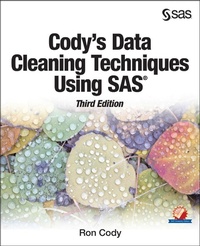
Cody's Data Cleaning Techniques Using SAS, Third Edition
Description

Find errors and clean up data easily using SAS!
Thoroughly updated, Cody's Data Cleaning Techniques Using SAS, Third Edition, addresses tasks that nearly every data analyst needs to do - that is, make sure that data errors are located and corrected. Written in Ron Cody's signature informal, tutorial style, this book develops and demonstrates data cleaning programs and macros that you can use as written or modify which will make your job of data cleaning easier, faster, and more efficient.
Building on both the author's experience gained from teaching a data cleaning course for over 10 years, and advances in SAS, this third edition includes four new chapters, covering topics such as the use of Perl regular expressions for checking the format of character values (such as zip codes or email addresses) and how to standardize company names and addresses.
With this book, you will learn how to:
- find and correct errors in character and numeric values
- develop programming techniques related to dates and missing values
- deal with highly skewed data
- develop techniques for correcting your data errors
- use integrity constraints and audit trails to prevent errors from being added to a clean data set
More details
Other editions
Additional editions
Person
Content
- Intro
- Contents
- List of Programs
- Chapter 1 Working with Character Data
- Chapter 2 Using Perl Regular Expressions to Detect Data Errors
- Chapter 3 Standardizing Data
- Chapter 4 Data Cleaning Techniques for Numeric Data
- Chapter 5 Automatic Outlier Detection for Numeric Data
- Chapter 6 More Advanced Techniques for Finding Errors in Numeric Data
- Chapter 7 Describing Issues Related to Missing and Special Values (Such as 999)
- Chapter 8 Working with SAS Dates
- Chapter 9 Looking for Duplicates and Checking Data with Multiple Observations per Subject
- Chapter 10 Working with Multiple Files
- Chapter 11 Using PROC COMPARE to Perform Data Verification
- Chapter 12 Correcting Errors
- Chapter 13 Creating Integrity Constraints and Audit Trails
- About This Book
- What Does This Book Cover?
- Is This Book for You?
- What Are the Prerequisites for This Book?
- What's New in This Edition?
- What Should You Know about the Examples?
- We Want to Hear from You
- About The Author
- Introduction
- Chapter 1: Working with Character Data
- Introduction
- Using PROC FREQ to Detect Character Variable Errors
- Changing the Case of All Character Variables in a Data Set
- A Summary of Some Character Functions (Useful for Data Cleaning)
- Checking that a Character Value Conforms to a Pattern
- Using a DATA Step to Detect Character Data Errors
- Using PROC PRINT with a WHERE Statement to Identify Data Errors
- Using Formats to Check for Invalid Values
- Creating Permanent Formats
- Removing Units from a Value
- Removing Non-Printing Characters from a Character Value
- Conclusions
- Chapter 2: Using Perl Regular Expressions to Detect Data Errors
- Introduction
- Describing the Syntax of Regular Expressions
- Checking for Valid ZIP Codes and Canadian Postal Codes
- Searching for Invalid Email Addresses
- Verifying Phone Numbers
- Converting All Phone Numbers to a Standard Form
- Developing a Macro to Test Regular Expressions
- Conclusions
- Chapter 3: Standardizing Data
- Introduction
- Using Formats to Standardize Company Names
- Creating a Format from a SAS Data Set
- Using TRANWRD and Other Functions to Standardize Addresses
- Using Regular Expressions to Help Standardize Addresses
- Performing a "Fuzzy" Match between Two Files
- Conclusions
- Chapter 4: Data Cleaning Techniques for Numeric Data
- Introduction
- Using PROC UNIVARIATE to Examine Numeric Variables
- Describing an ODS Option to List Selected Portions of the Output
- Listing Output Objects Using the Statement TRACE ON
- Using a PROC UNIVARIATE Option to List More Extreme Values
- Presenting a Program to List the 10 Highest and Lowest Values
- Presenting a Macro to List the n Highest and Lowest Values
- Describing Two Programs to List the Highest and Lowest Values by Percentage
- Using Pre-Determined Ranges to Check for Possible Data Errors
- Identifying Invalid Values versus Missing Values
- Checking Ranges for Several Variables and Generating a Single Report
- Conclusions
- Chapter 5: Automatic Outlier Detection for Numeric Data
- Introduction
- Automatic Outlier Detection (Using Means and Standard Deviations)
- Detecting Outliers Based on a Trimmed Mean and Standard Deviation
- Describing a Program that Uses Trimmed Statistics for Multiple Variables
- Presenting a Macro Based on Trimmed Statistics
- Detecting Outliers Based on the Interquartile Range
- Conclusions
- Chapter 6: More Advanced Techniques for Finding Errors in Numeric Data
- Introduction
- Introducing the Banking Data Set
- Running the %Auto_Outliers Macro on Bank Deposits
- Identifying Outliers Within Each Account
- Using Box Plots to Inspect Suspicious Deposits
- Using Regression Techniques to Identify Possible Errors in the Banking Data
- Using Regression Diagnostics to Identify Outliers
- Conclusions
- Chapter 7: Describing Issues Related to Missing and Special Values (Such as 999)
- Introduction
- Inspecting the SAS Log
- Using PROC MEANS and PROC FREQ to Count Missing Values
- Using DATA Step Approaches to Identify and Count Missing Values
- Locating Patient Numbers for Records where Patno is Either Missing or Invalid
- Searching for a Specific Numeric Value
- Creating a Macro to Search for Specific Numeric Values
- Converting Values Such as 999 to a SAS Missing Value
- Conclusions
- Chapter 8: Working with SAS Dates
- Introduction
- Changing the Storage Length for SAS Dates
- Checking Ranges for Dates (Using a DATA Step)
- Checking Ranges for Dates (Using PROC PRINT)
- Checking for Invalid Dates
- Working with Dates in Nonstandard Form
- Creating a SAS Date When the Day of the Month Is Missing
- Suspending Error Checking for Known Invalid Dates
- Conclusions
- Chapter 9: Looking for Duplicates and Checking Data with Multiple Observations per Subject
- Introduction
- Eliminating Duplicates by Using PROC SORT
- Demonstrating a Possible Problem with the NODUPRECS Option
- Reviewing First. and Last. Variables
- Detecting Duplicates by Using DATA Step Approaches
- Using PROC FREQ to Detect Duplicate IDs
- Working with Data Sets with More Than One Observation per Subject
- Identifying Subjects with n Observations Each (DATA Step Approach)
- Identifying Subjects with n Observations Each (Using PROC FREQ)
- Conclusions
- Chapter 10: Working with Multiple Files
- Introduction
- Checking for an ID in Each of Two Files
- Checking for an ID in Each of n Files
- A Macro for ID Checking
- Conclusions
- Chapter 11: Using PROC COMPARE to Perform Data Verification
- Introduction
- Conducting a Simple Comparison of Two Data Files
- Simulating Double Entry Verification Using PROC COMPARE
- Other Features of PROC COMPARE
- Conclusions
- Chapter 12: Correcting Errors
- Introduction
- Hard Coding Corrections
- Describing Named Input
- Reviewing the UPDATE Statement
- Using the UPDATE Statement to Correct Errors in the Patients Data Set
- Conclusions
- Chapter 13: Creating Integrity Constraints and Audit Trails
- Introduction
- Demonstrating General Integrity Constraints
- Describing PROC APPEND
- Demonstrating How Integrity Constraints Block the Addition of Data Errors
- Adding Your Own Messages to Violations of an Integrity Constraint
- Deleting an Integrity Constraint Using PROC DATASETS
- Creating an Audit Trail Data Set
- Demonstrating an Integrity Constraint Involving More Than One Variable
- Demonstrating a Referential Constraint
- Attempting to Delete a Primary Key When a Foreign Key Still Exists
- Attempting to Add a Name to the Child Data Set
- Demonstrating How to Delete a Referential Constraint
- Demonstrating the CASCADE Feature of a Referential Constraint
- Demonstrating the SET NULL Feature of a Referential Constraint
- Conclusions
- Chapter 14: A Summary of Useful Data Cleaning Macros
- Introduction
- A Macro to Test Regular Expressions
- A Macro to List the n Highest and Lowest Values of a Variable
- A Macro to List the n% Highest and Lowest Values of a Variable
- A Macro to Perform Range Checks on Several Variables
- A Macro that Uses Trimmed Statistics to Automatically Search for Outliers
- A Macro to Search a Data Set for Specific Values Such as 999
- A Macro to Check for ID Values in Multiple Data Sets
- Conclusions
- Index
