

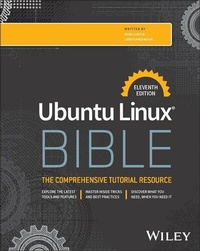
Ubuntu Linux Bible
Description

The latest version of the gold standard in Ubuntu Linux resources
In the freshly updated eleventh edition of Ubuntu Linux Bible, a team of veteran Linux educators delivers a comprehensive discussion of the Ubuntu Linux operating system. Perfect for absolute beginners and experienced users and server admins alike, this book explains the ins-and-outs of installing, configuring, maintaining, optimizing, and using Ubuntu systems.
This edition builds on the user-centric approach used by previous editions, showing you exactly how to perform common and essential tasks, like interfacing with popular IoT devices. The book covers:
- Becoming a Linux power user: Using the Shell, navigating the filesystem, and more
- Installing and configuring an Ubuntu Linux desktop or server
- Linux server administration, including managing remote access and common desktop network configuration settings
- Linux security techniques, including cryptography, PAM, and AppArmor
The Ubuntu Linux Bible is intuitively organized, allowing you to skip quickly to the section you need in the moment. It also covers the latest version of the popular Linux distribution - v24.04 at the time of writing - as well as the previous version. You'll also find:
- Complete coverage of the enterprise and network functionality offered by Ubuntu, like web servers, networked file sharing, and DHCP and DNS management
- Up-to-date explanations of desktop Ubuntu configuration, including user management, system backups, printer and device management, and wireless features
- End-of-chapter exercises and questions, complete with answers, to help you develop your hands-on Ubuntu skillset
Perfect for Ubuntu Linux beginners and novice users, Ubuntu Linux Bible is also an essential resource for anyone transitioning from Windows desktops and servers looking for concise, accurate, and expert guidance in the Ubuntu OS.
More details
Other editions
Additional editions
Persons
David Clinton is a system administrator, teacher, and writer. He has administered, written about, and created training material for many important technology subjects including Linux systems, cloud computing (AWS in particular), and container technologies like Docker. Many of his video training courses can be found on Pluralsight.com, and links to his other books (on Linux administration and server virtualization) can be found at bootstrap-it.com.
Christopher Negus has been teaching and writing about Linux and UNIX for over 25 years. He's an instructor and principal technical writer for Red Hat, Inc., and the author of dozens of Linux and UNIX books, including every edition of the Red Hat Linux Bible, CentOS Bible, Fedora Bible, Ubuntu Linux Toolbox, and more.
Content
Acknowledgments ix
Introduction xxix
Part I: Getting Started 1
Chapter 1: Starting with Linux 3
Chapter 2: Creating the Perfect Linux Desktop 21
Part II: Becoming a Linux Power User 43
Chapter 3: Using the Shell 45
Chapter 4: Moving Around the Filesystem 77
Chapter 6: Managing Running Processes 117
Chapter 7: Writing Simple Shell Scripts 133
Part III: Becoming a Linux System Administrator 151
Chapter 8: Learning System Administration 153
Chapter 9: Installing Linux 177
Chapter 10: Getting and Managing Software 201
Chapter 11: Managing User Accounts 215
Chapter 12: Managing Disks and Filesystems 237
Part IV: Becoming a Linux Server Administrator 267
Chapter 13: Understanding Server Administration 269
Chapter 14: Administering Networking 299
Chapter 15: Starting and Stopping Services 327
Chapter 16: Configuring a Print Server 363
Chapter 17: Configuring a Web Server r 385
Chapter 18: Configuring an FTP Server 413
Chapter 19: Configuring a Windows File Sharing (Samba) Server r 429
Chapter 20: Configuring an NFS File Server 447
Chapter 21: Troubleshooting Linux 467
Part V: Learning Linux Security Techniques 493
Chapter 22: Understanding Basic Linux Security y 495
Chapter 23: Understanding Advanced Linux Security y 525
Chapter 24: Enhancing Linux Security with AppArmor 553
Chapter 25: Securing Linux on a Network 561
Part VI: Engaging with Cloud Computing 585
Chapter 26: Shifting to Clouds and Containers 587
Chapter 27: Deploying Linux to the Public Cloud 601
Chapter 28: Automating Apps and Infrastructure with Ansible 619
Summary 647
Exercises 647
Appendix: Exercise Answers 649
Index 701
