

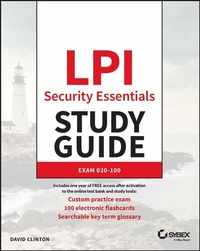
LPI Security Essentials Study Guide
Description

In LPI Security Essentials Study Guide: Exam 020-100, veteran Linux server administrator David Clinton delivers an expert tutorial on the major security threats facing computers, networks, connected devices, and IT services, both on-premise and in the cloud. You'll discover common and effective ways to prevent, mitigate, and respond to security attacks, and validate your ability to use encryption to secure data transferred through a network.
This book is designed to prepare you for the LPI Security Essentials certification offered by the global standard and career support organization for open-source professionals. Whether you're preparing for this foundational exam as a steppingstone to the more advanced Security+ certification or as an end in itself, you'll advance your knowledge of security concepts, encryption, node, device, and storage security, network and service security, and identity and privacy concepts. You'll get:
* Techniques and tools you can use immediately in a new role as an IT security professional
* Key strategies for digital self-defense, including securing your own devices and making use of IT services
* Complimentary access to Sybex's superior online interactive learning environment and test bank, complete with chapter tests, a practice exam, electronic flashcards, and a glossary of key terms
Perfect for anyone seeking to take the LPI Security Essentials certification exam, LPI Security Essentials Study Guide, Exam 020-100 is a must-have resource for people looking to hit the ground running in a new career focused on information security.
More details
Other editions
Additional editions
Person
DAVID CLINTON is a Linux server administrator with experience working in IT infrastructure in academic and enterprise environments. He is the co-author of AWS Certified Solutions Architect Study Guide: Associate (SAA-C03) Exam, Fourth Edition and AWS Certified Cloud Practitioner Study Guide: Foundational (CLF-C01) Exam.
Content
Assessment Test xvii
Chapter 1 Using Digital Resources Responsibly 1
Chapter 2 What Are Vulnerabilities and Threats? 17
Chapter 3 Controlling Access to Your Assets 37
Chapter 4 Controlling Network Connections 63
Chapter 5 Encrypting Your Data at Rest 85
Chapter 6 Encrypting Your Moving Data 97
Chapter 7 Risk Assessment 113
Chapter 8 Configuring System Backups and Monitoring 127
Chapter 9 Resource Isolation Design Patterns 143
Appendix Answers to Review Questions 155
Index 167
Chapter 1
Using Digital Resources Responsibly
THE LPI SECURITY ESSENTIALS EXAM TOPICS COVERED IN THIS CHAPTER INCLUDE THE FOLLOWING:
- 021.1 Goals, roles and actors
- Understanding of the importance of IT security
- 021.3 Ethical behavior
- Understanding the implications for others of actions taken related to security
- Handling information about security vulnerabilities responsibly
- Handling confidential information responsibly
- Awareness of personal, financial, ecological, and social implication of errors and outages in information technology services
- 024.3 Network encryption and anonymity
- Understanding of the concepts of TOR
- Awareness of the Darknet
- 025.2 Information confidentiality and secure communication (weight: 2)
- Understanding the implications and risks of data leaks and intercepted communication
- Understanding of phishing and social engineering and scamming
- Understanding the concepts of email spam filters
- 025.3 Privacy protection
- Understanding of the importance of personal information
- Understanding of how personal information can be used for a malicious purpose
- Understanding of the concepts of information gathering, profiling, and user tracking
- Managing profile privacy settings on social media platforms and online services
- Understanding of the risk of publishing personal information
- Understanding of the rights regarding personal information (e.g., GDPR)
"With great power comes great responsibility."
Words of wisdom. That's the message displayed for administrators when they log in for the first time to many Linux distributions. Who said those words first? Aristotle? Kant? Nope. Spiderman's uncle. But hey, accept the truth from any source.
While we'll discuss protecting yourself from attack at length later in the book, this chapter is all about responsibilities. It's about your responsibilities both as a consumer of computer technologies and as an administrator of computer technologies. It's your job to make sure nothing you do online or with your devices causes harm to anyone's assets.
How is all this relevant to the world of information technology (IT) and, specifically, to IT security? Computers amplify your strengths. No matter how much you can remember, how fast you can calculate, or how many people's lives you can touch, it'll never come close to the scope of what you can do with a computing device and a network. So, given the power inherent in digital technologies and the depth of chaos such power can unleash, you need to understand how it can all go wrong before you set off to use it for good.
The rest of this chapter will explore the importance of considering how your actions can impact people's personal and property rights and privacy and how you can both ensure and assess the authenticity of online information.
I'm not a lawyer, and this book doesn't pretend to offer legal advice, so we're not going to discuss some of the more esoteric places where individual rights can come into conflict with events driven by technology. Instead, we'll keep it simple. People should be able to go about their business and enjoy their interactions with each other without having to worry about having physical, financial, or emotional injury imposed on them. And you should be ready to do whatever is necessary to avoid or prevent such injuries.
Protecting Personal Rights
These days, the greatest technology-based threats to an individual's personal well-being will probably exist on one or another social media platform. Facebook, Twitter, LinkedIn, and other online sites present opportunities for anyone to reach out to and communicate with millions or even billions of other users. This can make it possible to build entire businesses or social advocacy movements in ways that would have been unthinkable just a few years back. But, as we all now know, it also makes it possible to spread dangerous scams, political mischief, and social conflict.
As the man said, "With great power comes great responsibility." Therefore, you need to be conscious of the possible impact of any interaction you undertake. This will be true not only for your use of your own social media or email/messaging accounts but also for any interactions taking place on sites or platforms you administrate. You could, for instance, be held legally responsible for anonymous comments left on your blog or for the use of email accounts belonging to your organization. It can be a hard balance to achieve. Are your policies unnecessarily allowing damaging content to be published or, alternatively, unfairly restricting innocuous content?
A helpful tool for maintaining perspective in these areas is to apply the grandmother test. What's that? Before posting a message or comment on any online forum, take a minute to read it over one or two more times and then ask yourself, "Would both my grandmothers approve of what I've written? Is there anything that would make them uncomfortable?" In other words, ask yourself whether anyone could reasonably feel threatened or bullied by what you're about to publish. The bottom line is to make generous use of common sense and goodwill.
With typical attention to such details, the social media community has come up with new names to describe each of the nastiest online threats. You should, unfortunately, be familiar with each of them.
- Cyberstalking Stalking isn't specific to online activities, but that doesn't make it any less frightening. In general terms, a stalker persistently follows and observes a target, often with the goal of forcing an unwanted reaction. In the online world, cyberstalking can include electronic monitoring of a target's online accounts and activities. Harassing cyberstalking can escalate beyond mere monitoring to include threats, slander, and identity theft.
- Cybermobbing Mobbing involves large groups of people banding together to engage in bullying behavior. The nature of many social networking platforms-in particular the prevalence of anonymous accounts and the ease by which users can connect to each other-lends itself to mob formation. Often, all it can take is a single public post expressing an unpopular position, and the power of tens of thousands of users can be brought to bear with the goal of making life miserable for the post's author.
- Doxxing Whether you present yourself to the online world using your real name or through an anonymous identity, you certainly don't want your complete personal profile to become public. Considering all the data that's already available on the Internet, it's often not hard for people with time on their hands to track down your physical address and private phone numbers. But making such information easily available on popular social media sites with the intention of causing the target harm is wrong-and, in some jurisdictions, also a crime. Victims of public doxxing have experienced relatively mild annoyances like middle-of-the-night pizza deliveries. But the practice has also proven deadly: it's been used as part of "swatting" attacks, where people call a victim's local police department claiming there's a violent crime in progress at the victim's address. More than one doxxer has been imprisoned for what, at the time, must have seemed like a clever prank.
Protecting Digital Privacy
Your primary concern must always be to secure the data under your control. But have you ever wondered why that is? What's the worst that could happen if copies of your data are stolen-after all, you'll still have the originals, right? Well, if your organization is in the business of profiting from innovations and complex, hard-to-reproduce technology stacks, then the consequences of data theft are obvious. But even if your data contains nothing more than private and personal information, there's a lot that can go wrong.
Let's explore all that by way of posing a few questions.
What Is Personal Data?
Your personal data is any information that relates to your health, employment, banking activities, close relationships, and interactions with government agencies. In most cases, you should have the legal right to expect that such information remains inaccessible to anyone without your permission.
But "personal data" could also be anything that you contributed with the reasonable expectation that it would remain private. That could include exchanges of emails and messages or recordings and transcripts of phone conversations. It should also include data-like your browser search history-saved to the storage devices used by your compute devices.
Businesses and government departments that handle many kinds of data must apply information classification systems to ensure that their data isn't mishandled. They might, therefore, label all data objects using designations like confidential, classified, and restricted. Clear policies based on those classifications should be enforced for the management of all that data.
Among other measures, organizations can seek to control the way their data is shared by imposing nondisclosure...
