

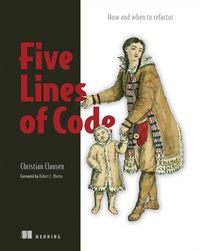
Five Lines of Code
How and when to refactor
1st Edition
Published on 9. November 2021
336 pages
978-1-63835-637-0 (ISBN)
Description

Five Lines of Code teaches refactoring that's focused on concrete rules and getting any method down to five lines or less! There's no jargon or tricky automated-testing skills required, just easy guidelines and patterns illustrated by detailed code samples.
In Five Lines of Code you will learn:
The signs of bad code
Improving code safely, even when you don't understand it
Balancing optimization and code generality
Proper compiler practices
The Extract method, Introducing Strategy pattern, and many other refactoring patterns
Writing stable code that enables change-by-addition
Writing code that needs no comments
Real-world practices for great refactoring
Improving existing code?refactoring?is one of the most common tasks you'll face as a programmer. Five Lines of Code teaches you clear and actionable refactoring rules that you can apply without relying on intuitive judgements such as "code smells." Following the author's expert perspective?that refactoring and code smells can be learned by following a concrete set of principles?you'll learn when to refactor your code, what patterns to apply to what problem, and the code characteristics that indicate it's time for a rework.
Foreword by Robert C. Martin.
Purchase of the print book includes a free eBook in PDF, Kindle, and ePub formats from Manning Publications.
About the technology
Every codebase includes mistakes and inefficiencies that you need to find and fix. Refactor the right way, and your code becomes elegant, easy to read, and easy to maintain. In this book, you'll learn a unique approach to refactoring that implements any method in five lines or fewer. You'll also discover a secret most senior devs know: sometimes it's quicker to hammer out code and fix it later!
About the book
Five Lines of Code is a fresh look at refactoring for developers of all skill levels. In it, you'll master author Christian Clausen's innovative approach, learning concrete rules to get any method down to five lines?or less! You'll learn when to refactor, specific refactoring patterns that apply to most common problems, and characteristics of code that should be deleted altogether.
What's inside
The signs of bad code
Improving code safely, even when you don't understand it
Balancing optimization and code generality
Proper compiler practices
About the reader
For developers of all skill levels. Examples use easy-to-read Typescript, in the same style as Java and C#.
About the author
Christian Clausen works as a Technical Agile Coach, teaching teams how to refactor code.
Table of Contents
1 Refactoring refactoring
2 Looking under the hood of refactoring
PART 1 LEARN BY REFACTORING A COMPUTER GAME
3 Shatter long function
4 Make type codes work
5 Fuse similar code together
6 Defend the data
PART 2 TAKING WHAT YOU HAVE LEARNED INTO THE REAL WORLD
7 Collaborate with the compiler
8 Stay away from comments
9 Love deleting code
10 Never be afraid to add code
11 Follow the structure in the code
12 Avoid optimizations and generality
13 Make bad code look bad
14 Wrapping up
In Five Lines of Code you will learn:
The signs of bad code
Improving code safely, even when you don't understand it
Balancing optimization and code generality
Proper compiler practices
The Extract method, Introducing Strategy pattern, and many other refactoring patterns
Writing stable code that enables change-by-addition
Writing code that needs no comments
Real-world practices for great refactoring
Improving existing code?refactoring?is one of the most common tasks you'll face as a programmer. Five Lines of Code teaches you clear and actionable refactoring rules that you can apply without relying on intuitive judgements such as "code smells." Following the author's expert perspective?that refactoring and code smells can be learned by following a concrete set of principles?you'll learn when to refactor your code, what patterns to apply to what problem, and the code characteristics that indicate it's time for a rework.
Foreword by Robert C. Martin.
Purchase of the print book includes a free eBook in PDF, Kindle, and ePub formats from Manning Publications.
About the technology
Every codebase includes mistakes and inefficiencies that you need to find and fix. Refactor the right way, and your code becomes elegant, easy to read, and easy to maintain. In this book, you'll learn a unique approach to refactoring that implements any method in five lines or fewer. You'll also discover a secret most senior devs know: sometimes it's quicker to hammer out code and fix it later!
About the book
Five Lines of Code is a fresh look at refactoring for developers of all skill levels. In it, you'll master author Christian Clausen's innovative approach, learning concrete rules to get any method down to five lines?or less! You'll learn when to refactor, specific refactoring patterns that apply to most common problems, and characteristics of code that should be deleted altogether.
What's inside
The signs of bad code
Improving code safely, even when you don't understand it
Balancing optimization and code generality
Proper compiler practices
About the reader
For developers of all skill levels. Examples use easy-to-read Typescript, in the same style as Java and C#.
About the author
Christian Clausen works as a Technical Agile Coach, teaching teams how to refactor code.
Table of Contents
1 Refactoring refactoring
2 Looking under the hood of refactoring
PART 1 LEARN BY REFACTORING A COMPUTER GAME
3 Shatter long function
4 Make type codes work
5 Fuse similar code together
6 Defend the data
PART 2 TAKING WHAT YOU HAVE LEARNED INTO THE REAL WORLD
7 Collaborate with the compiler
8 Stay away from comments
9 Love deleting code
10 Never be afraid to add code
11 Follow the structure in the code
12 Avoid optimizations and generality
13 Make bad code look bad
14 Wrapping up
More details
Content
- Intro
- inside front cover
- Quick overview of refactoring patterns
- Five Lines of Code
- Copyright
- dedication
- brief contents
- contents
- front matter
- foreword
- preface
- Goal: The selected rules and refactoring patterns
- Audience and roadmap
- About the teaching
- About the code
- liveBook discussion forum
- Bonus project
- acknowledgments
- about the author
- about the cover illustration
- 1 Refactoring refactoring
- 1.1 What is refactoring?
- 1.2 Skills: What to refactor?
- 1.2.1 An example code smell
- 1.2.2 An example rule
- 1.3 Culture: When to refactor?
- 1.3.1 Refactoring in a legacy system
- 1.3.2 When should you not refactor?
- 1.4 Tools: How to refactor (safely)
- 1.5 Tools you need to get started
- 1.5.1 Programming language: TypeScript
- 1.5.2 Editor: Visual Studio Code
- 1.5.3 Version control: Git
- 1.6 Overarching example: A 2D puzzle game
- 1.6.1 Practice makes perfect: A second codebase
- 1.7 A note on real-world software
- Summary
- 2 Looking under the hood of refactoring
- 2.1 Improving readability and maintainability
- 2.1.1 Making code better
- 2.1.2 Maintaining code . . . without changing what it does
- 2.2 Gaining speed, flexibility, and stability
- 2.2.1 Favoring composition over inheritance
- 2.2.2 Changing code by addition rather than modification
- 2.3 Refactoring and your daily work
- 2.3.1 Refactoring as a method for learning
- 2.4 Defining the "domain" in a software context
- Summary
- Part 1. Learn by refactoring a computer game
- 3 Shatter long functions
- 3.1 Establishing our first rule: Why five lines?
- 3.1.1 Rule: Five lines
- 3.2 Introducing a refactoring pattern to break up functions
- 3.2.1 Refactoring pattern: Extract method
- 3.3 Breaking up functions to balancing abstraction
- 3.3.1 Rule: Either call or pass
- 3.3.2 Applying the rule
- 3.4 Properties of a good function name
- 3.5 Breaking up functions that are doing too much
- 3.5.1 Rule: if only at the start
- 3.5.2 Applying the rule
- Summary
- 4 Make type codes work
- 4.1 Refactoring a simple if statement
- 4.1.1 Rule: Never use if with else
- 4.1.2 Applying the rule
- 4.1.3 Refactoring pattern: Replace type code with classes
- 4.1.4 Pushing code into classes
- 4.1.5 Refactoring pattern: Push code into classes
- 4.1.6 Inlining a superfluous method
- 4.1.7 Refactoring pattern: Inline method
- 4.2 Refactoring a large if statement
- 4.2.1 Removing generality
- 4.2.2 Refactoring pattern: Specialize method
- 4.2.3 The only switch allowed
- 4.2.4 Rule: Never use switch
- 4.2.5 Eliminating the if
- 4.3 Addressing code duplication
- 4.3.1 Couldn't we use an abstract class instead of the interface?
- 4.3.2 Rule: Only inherit from interfaces
- 4.3.3 What is up with all this code duplication?
- 4.4 Refactoring a pair of complex if statements
- 4.5 Removing dead code
- 4.5.1 Refactoring pattern: Try delete then compile
- Summary
- 5 Fuse similar code together
- 5.1 Unifying similar classes
- 5.1.1 Refactoring pattern: Unify similar classes
- 5.2 Unifying simple conditions
- 5.2.1 Refactoring pattern: Combine ifs
- 5.3 Unifying complex conditions
- 5.3.1 Using arithmetic rules for conditions
- 5.3.2 Rule: Use pure conditions
- 5.3.3 Applying condition arithmetic
- 5.4 Unifying code across classes
- 5.4.1 Introducing UML class diagrams to depict class relations
- 5.4.2 Refactoring pattern: Introduce strategy pattern
- 5.4.3 Rule: No interface with only one implementation
- 5.4.4 Refactoring pattern: Extract interface from implementation
- 5.5 Unifying similar functions
- 5.6 Unifying similar code
- Summary
- 6 Defend the data
- 6.1 Encapsulating without getters
- 6.1.1 Rule: Do not use getters or setters
- 6.1.2 Applying the rule
- 6.1.3 Refactoring pattern: Eliminate getter or setter
- 6.1.4 Eliminating the final getter
- 6.2 Encapsulating simple data
- 6.2.1 Rule: Never have common affixes
- 6.2.2 Applying the rule
- 6.2.3 Refactoring pattern: Encapsulate data
- 6.3 Encapsulating complex data
- 6.4 Eliminating a sequence invariant
- 6.4.1 Refactoring pattern: Enforce sequence
- 6.5 Eliminating enums another way
- 6.5.1 Enumeration through private constructors
- 6.5.2 Remapping numbers to classes
- Summary
- Part 2. Taking what you have learned into the real world
- 7 Collaborate with the compiler
- 7.1 Getting to know the compiler
- 7.1.1 Weakness: The halting problem limits compile-time knowledge
- 7.1.2 Strength: Reachability ensures that methods return
- 7.1.3 Strength: Definite assignment prevents accessing uninitialized variables
- 7.1.4 Strength: Access control helps encapsulate data
- 7.1.5 Strength: Type checking proves properties
- 7.1.6 Weakness: Dereferencing null crashes our application
- 7.1.7 Weakness: Arithmetic errors cause overflows or crashes
- 7.1.8 Weakness: Out-of-bounds errors crash our application
- 7.1.9 Weakness: Infinite loops stall our application
- 7.1.10 Weakness: Deadlocks and race conditions cause unintended behavior
- 7.2 Using the compiler
- 7.2.1 Making the compiler work
- 7.2.2 Don't fight the compiler
- 7.3 Trusting the compiler
- 7.3.1 Teach the compiler invariants
- 7.3.2 Pay attention to warnings
- 7.4 Trusting the compiler exclusively
- Summary
- 8 Stay away from comments
- 8.1 Deleting outdated comments
- 8.2 Deleting commented-out code
- 8.3 Deleting trivial comments
- 8.4 Transforming comments into method names
- 8.4.1 Using comments for planning
- 8.5 Keeping invariant-documenting comments
- 8.5.1 Invariants in the process
- Summary
- 9 Love deleting code
- 9.1 Deleting code may be the next frontier
- 9.2 Deleting code to get rid of incidental complexity
- 9.2.1 Technical ignorance from inexperience
- 9.2.2 Technical waste from time pressure
- 9.2.3 Technical debt from circumstances
- 9.2.4 Technical drag from growing
- 9.3 Categorizing code based on intimacy
- 9.4 Deleting code in a legacy system
- 9.4.1 Using the strangler fig pattern to get insight
- 9.4.2 Using the strangler fig pattern to improve the code
- 9.5 Deleting code from a frozen project
- 9.5.1 Making the desired outcome the default
- 9.5.2 Minimizing waste with spike and stabilize
- 9.6 Deleting branches in version control
- 9.6.1 Minimizing waste by enforcing a branch limit
- 9.7 Deleting code documentation
- 9.7.1 Algorithm to determine how to codify knowledge
- 9.8 Deleting testing code
- 9.8.1 Deleting optimistic tests
- 9.8.2 Deleting pessimistic tests
- 9.8.3 Fixing or deleting flaky tests
- 9.8.4 Refactoring the code to get rid of complicated tests
- 9.8.5 Specializing tests to speed them up
- 9.9 Deleting configuration code
- 9.9.1 Scoping configuration in time
- 9.10 Deleting code to get rid of libraries
- 9.10.1 Limiting our reliance on external libraries
- 9.11 Deleting code from working features
- Summary
- 10 Never be afraid to add code
- 10.1 Accepting uncertainty: Enter the danger
- 10.2 Using spikes to overcome the fear of building the wrong thing
- 10.3 Overcoming the fear of waste or risk with a fixed ratio
- 10.4 Overcoming the fear of imperfection by embracing gradual improvement
- 10.5 How copy and paste effects change velocity
- 10.6 Modification by addition through extensibility
- 10.7 Modification by addition enables backward compatibility
- 10.8 Modification by addition through feature toggles
- 10.9 Modification by addition through branch by abstraction
- Summary
- 11 Follow the structure in the code
- 11.1 Categorizing structure based on scope and origin
- 11.2 Three ways that code mirrors behavior
- 11.2.1 Expressing behavior in the control flow
- 11.2.2 Expressing behavior in the structure of the data
- 11.2.3 Expressing behavior in the data
- 11.3 Adding code to expose structure
- 11.4 Observing instead of predicting, and using empirical techniques
- 11.5 Gaining safety without understanding the code
- 11.5.1 Gaining safety through testing
- 11.5.2 Gaining safety through mastery
- 11.5.3 Gaining safety through tool assistance
- 11.5.4 Gaining safety through formal verification
- 11.5.5 Gaining safety through fault tolerance
- 11.6 Identifying unexploited structures
- 11.6.1 Exploiting whitespace with extraction and encapsulation
- 11.6.2 Exploiting duplication with unification
- 11.6.3 Exploiting common affixes with encapsulation
- 11.6.4 Exploiting the runtime type with dynamic dispatch
- Summary
- 12 Avoid optimizations and generality
- 12.1 Striving for simplicity
- 12.2 When and how to generalize
- 12.2.1 Building minimally to avoid generality
- 12.2.2 Unifying things of similar stability
- 12.2.3 Eliminating unnecessary generality
- 12.3 When and how to optimize
- 12.3.1 Refactoring before optimizing
- 12.3.2 Optimizing according to the theory of constraints
- 12.3.3 Guiding optimization with metrics
- 12.3.4 Choosing good algorithms and data structures
- 12.3.5 Using caching
- 12.3.6 Isolating optimized code
- Summary
- 13 Make bad code look bad
- 13.1 Signaling process issues with bad code
- 13.2 Segregating into pristine and legacy code
- 13.2.1 The broken window theory
- 13.3 Approaches to defining bad code
- 13.3.1 The rules in this book: Simple and concrete
- 13.3.2 Code smells: Complete and abstract
- 13.3.3 Cyclomatic complexity: Algorithmic (objective)
- 13.3.4 Cognitive complexity: Algorithmic (subjective)
- 13.4 Rules for safely vandalizing code
- 13.5 Methods for safely vandalizing code
- 13.5.1 Using enums
- 13.5.2 Using ints and strings as type codes
- 13.5.3 Putting magic numbers in the code
- 13.5.4 Adding comments to the code
- 13.5.5 Putting whitespace in the code
- 13.5.6 Grouping things based on naming
- 13.5.7 Adding context to names
- 13.5.8 Creating long methods
- 13.5.9 Giving methods many parameters
- 13.5.10 Using getters and setters
- Summary
- 14 Wrapping up
- 14.1 Reflecting on the journey of this book
- 14.1.1 Introduction: Motivation
- 14.1.2 Part 1: Making it concrete
- 14.1.3 Part 2: Widening the horizon
- 14.2 Exploring the underlying philosophy
- 14.2.1 Searching for ever-smaller steps
- 14.2.2 Searching for the underlying structure
- 14.2.3 Using the rules for collaboration
- 14.2.4 Prioritizing the team over individuals
- 14.2.5 Prioritize simplicity over completeness
- 14.2.6 Using objects or higher-order functions
- 14.3 Where to go from here
- 14.3.1 Micro-architecture route
- 14.3.2 Macro-architecture route
- 14.3.3 Software quality route
- Summary
- Appendix A. Installing the tools for part 1
- Node.js
- TypeScript
- Visual Studio Code
- Git
- Setting up the TypeScript project
- Building the TypeScript project
- How to modify the level
- index
- inside back cover
- Quick overview of rules
