

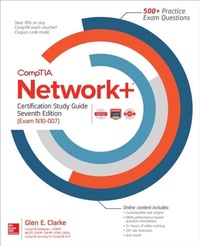
CompTIA Network+ Certification Study Guide, Seventh Edition (Exam N10-007)
1st Edition
Published on 3. August 2018
752 pages
978-1-260-12205-3 (ISBN)
Available for download
Description

Your complete exam prep course with digital content-500+ practice exam questions, 3+ hours of video training, and much moreWith hundreds of practice exam questions, including new performance-based types, CompTIA Network+(R) Certification Study Guide, Seventh Edition (Exam N10-007) covers everything you need to know to prepare for this challenging exam.*100% complete coverage of all official objectives for exam N10-007*Exam Watch notes call attention to information about, and potential pitfalls in, the exam*Exam Readiness checklist-you're ready for the exam when all objectives on the list are checked off*Inside the Exam sections highlight key exam topics covered*Two-Minute Drills for quick review at the end of every chapter*Simulated exam questions match the format, tone, topics, and difficulty of the real examCovers all the exam topics, including:Basic Network Concepts * Network Protocols and Standards * Networking Components * TCP/IP Addressing * TCP/IP Protocols * TCP/IP Utilities and Troubleshooting * Configuring Routers and Switches * Subnetting and Routing * Configuring Network Services * Wireless Networking * Remote Access and VPN Connectivity * Wide Area Network Technologies * Maintaining and Supporting a Network * Network Security Principles * Network Security Practices * Monitoring the Network * Troubleshooting the NetworkOnline content includes:*500+ practice exam questions*Test engine that provides full-length practice exams or customized quizzes based on chapters or exam objectives*NEW performance-based question simulations*Pre-assessment test*3+ hours of video training*20+ lab exercises and solutions*Bonus chapter! "e,Implementing a Network"e,*Quick Review Guide*Glossary
More details
Other editions
Additional editions
Book
08/2018
7th Edition
McGraw-Hill Education
€61.50
Shipment within 10-20 days
Content
- Cover
- Title Page
- Copyright Page
- Dedication
- Contents
- Preface
- Acknowledgments
- Introduction
- Exam Readiness Checklist
- 1 Basic Network Concepts
- Identifying Characteristics of a Network
- Servers, Workstations, and Hosts
- LANs, WANs, and MANs
- Types of Networks
- Internet, Intranet, and Extranet
- Identifying Network Topologies
- Bus Topologies
- Star Topologies
- Mesh Topologies
- Ring Topologies
- Hybrid Topologies
- Wireless Topologies
- Point-to-Point and Point-to-Multipoint
- Logical vs. Physical
- Segments and Backbones
- Network Media and Connectors
- Coaxial Cable
- Twisted-Pair Cable
- Exercise 1-1: Crimping a Category 5 Cable
- Fiber-Optic Cable
- Connector Types
- Networking over Power Lines
- Media Converters
- Access Methods
- CSMA/CD
- CSMA/CA
- Modulation Techniques
- Network Architectures
- Baseband and Broadband
- Fast Ethernet (100BaseT and 100BaseFX)
- Gigabit Ethernet
- 10-Gigabit Ethernet
- Exercise 1-2: Identifying the Different Network Architectures
- Network Operating Systems
- Windows Servers
- Exercise 1-3: Installing DNS on a Windows Server
- UNIX/Linux
- Certification Summary
- Two-Minute Drill
- Q&A Self Test
- Self Test Answers
- 2 Network Protocols and Standards
- Network Protocols
- NetBEUI
- What Is NetBIOS?
- TCP/IP
- Routable vs. Nonroutable Protocols
- The OSI Model
- Layer 7: The Application Layer
- Layer 6: The Presentation Layer
- Layer 5: The Session Layer
- Layer 4: The Transport Layer
- Layer 3: The Network Layer
- Layer 2: The Data Link Layer
- Layer 1: The Physical Layer
- Data Encapsulation
- Exercise 2-1: Mixing and Matching OSI Model Definitions
- Protocols and the OSI Layers
- Exercise 2-2: Viewing Protocol Information with Network Monitor
- Exercise 2-3: Analyzing Network Traffic
- 802 Project Standards
- IEEE 802 Categories
- Certification Summary
- Two-Minute Drill
- Q&A Self Test
- Self Test Answers
- 3 Networking Components
- Network Interface Cards
- Transceivers
- Exercise 3-1: Configuring a Network Card
- MAC Address
- Exercise 3-2: Determining Your Local Machine's MAC Address
- Troubleshooting Network Cards
- Hubs and Repeaters
- Hubs
- Repeaters
- Bridges and Switches
- Bridges
- Switches
- Routers and Multilayer Switches
- Routers
- Multilayer Switches
- Collision Domains and Broadcast Domains
- Gateways, Security Devices, Virtualization, and Cloud Computing
- Gateways
- Firewalls
- Intrusion Detection Systems
- Exercise 3-3: Identifying Network Components
- Other Networking Devices
- Wireless Access Points
- Wireless Range Extender
- VoIP End Point
- Analog Modems
- CSU/DSU
- ISDN
- Advanced Networking Devices
- Virtualization
- Cloud Computing
- Network Storage Types
- SCADA/ICS and Medianets
- Wiring Distribution and Rack Systems
- Device Placement and Labeling
- Certification Summary
- Two-Minute Drill
- Q&A Self Test
- Self Test Answers
- 4 TCP/IP Addressing
- TCP/IP Fundamentals
- TCP/IP Settings
- Exercise 4-1: Identifying Remote Systems
- TCP/IP Addressing
- Understanding Binary
- Exercise 4-2: Converting Decimal to Binary
- Exercise 4-3: Converting Binary to Decimal
- Address Classes
- Exercise 4-4: Identifying Address Classes
- Loopback Address
- Private vs. Public Addresses
- Exercise 4-5: Understanding Valid Addresses
- Virtual IP
- Addressing Schemes
- TCP/IP Ports
- Exercise 4-6: Viewing TCP/IP Port Values
- TCP/IP Configuration Concepts
- Manual Configuration/Static Address
- Dynamic Host Configuration Protocol (DHCP)
- Exercise 4-7: Configuring TCP/IP to Use DHCP
- APIPA
- Boot Protocol
- IP Reservations
- Domain Name System
- Windows Internet Naming Service
- Exercise 4-8: Configuring a Client for DNS
- Configuring a Linux Machine for TCP/IP
- Certification Summary
- Two-Minute Drill
- Q&A Self Test
- Self Test Answers
- 5 TCP/IP Protocols
- TCP/IP Protocol Suite
- The TCP/IP Model
- Exercise 5-1: Identifying TCP/IP Protocols
- IPv6 Fundamentals
- IPv6 Addressing and Hexadecimal Addressing
- IPv6 Protocols
- Tunneling Protocols
- Exercise 5-2: Exploring IPv6
- Network Services
- Web Services
- Network Controllers
- DHCP
- DNS
- RDP
- WINS
- NAT/PAT/SNAT
- ICS
- SMB/CIFS
- NFS
- AFP
- Samba
- ZeroConfig
- VoIP
- Unified Voice Services
- IPAM
- Certification Summary
- Two-Minute Drill
- Q&A Self Test
- Self Test Answers
- 6 TCP/IP Utilities and Troubleshooting
- Communication Requires ARP
- ARP Cache
- Exercise 6-1: Using ARP to See Your Local ARP Cache
- RARP
- Common TCP/IP Commands
- IPCONFIG and ifconfig
- Exercise 6-2: Using IPCONFIG
- Ping and Hping2
- Exercise 6-3: Using Ping
- Tracert/traceroute
- Netstat
- Exercise 6-4: Using Netstat to Determine Open Connections to a System
- Telnet
- Exercise 6-5: Using Telnet to Remotely Administer a Cisco Router
- FTP
- Exercise 6-6: Configuring and Using FTP
- Name Resolution Commands
- DNS Resolver Cache
- Exercise 6-7: Windows DNS Resolver Cache
- NSLOOKUP and DIG
- Exercise 6-8: Using NSLOOKUP
- TCP/IP Utilities
- Hostname and Host
- MTR
- Route
- Arping
- Pathping
- MAC Address Lookup Table
- Troubleshooting with TCP/IP Utilities
- Connectivity Problems
- Name-Resolution Problems
- Software Tools
- Exercise 6-9: Performing a Port Scan
- Certification Summary
- Two-Minute Drill
- Q&A Self Test
- Self Test Answers
- 7 Configuring Routers and Switches
- Basic Router Configuration
- Configuration Modes
- Configuring the Hostname
- Configuring Interfaces
- Exercise 7-1: Performing Basic Configuration of Cisco Routers
- Segmenting into Zones
- Basic Switch Configuration
- Configuring Interfaces
- Configuring VLANs
- Port Mirroring
- Exercise 7-2: Configuring VLANs on Cisco Switches
- Configuring Port Security
- Switch Management
- Troubleshooting Connectivity
- Layer-1 and Layer-2 Troubleshooting
- Layer-3 Troubleshooting
- Certification Summary
- Two-Minute Drill
- Q&A Self Test
- Self Test Answers
- 8 Subnetting and Routing
- Understanding Subnetting
- Exercise 8-1: Subnetting IP Addresses
- Classful vs. Classless Addressing
- CIDR
- Exercise 8-2: Subnetting Networks
- VLSM in Detail
- Understanding Routing and Static Routes
- Routing Concepts
- Cisco Routers
- Exercise 8-3: Configuring Cisco Routers
- Windows Routers
- Dynamic Routing Protocols
- Routing Metrics
- Distance Vector
- Link State
- Hybrid
- Advanced Concepts
- Certification Summary
- Two-Minute Drill
- Q&A Self Test
- Self Test Answers
- 9 Configuring Network Services
- Understanding DNS
- DNS Overview
- Configuring DNS Records
- Dynamic DNS
- Exercise 9-1: Installing and Configuring DNS
- Deploying DHCP
- DHCP Overview
- Configuring DHCP
- Configuring Reservations
- Exercise 9-2: Installing and Configuring DHCP
- DHCP Relay and IP Helper
- Implementing NAT
- NAT Overview
- Configuring NAT
- Exercise 9-3: Configuring NAT on Windows Server
- Other Network Services
- Port Forwarding
- Exercise 9-4: Configuring Port Forwarding
- Proxy Servers
- Unified Communications
- Access Control List
- Distributed Switching
- Software-Defined Networking
- Certification Summary
- Two-Minute Drill
- Q&A Self Test
- Self Test Answers
- 10 Wireless Networking
- Wireless Basics
- Wireless Concepts
- Wireless Network Types
- Wireless Standards
- Channels
- Authentication and Encryption
- Securing Wireless
- Security Best Practices
- Threats Against Wireless
- Implementing a Wireless Network
- Configuring the Wireless Router/Access Point
- Wireless Security
- Configuring the Client
- Exercise 10-1: Configuring a Wireless Network
- Configuring Roaming Wireless
- Understanding Mobile Devices
- Troubleshooting Wireless
- Other Wireless Networking
- Infrared (IR)
- Bluetooth
- NFC
- Cellular
- Technologies that Facilitate the Internet of Things (IoT)
- Geofencing
- Certification Summary
- Two-Minute Drill
- Q&A Self Test
- Self Test Answers
- 11 Remote Access and VPN Connectivity
- Remote Connectivity Concepts
- Remote Access and Administration
- Out-of-Band Management
- Public Switched Telephone Network
- Integrated Services Digital Network
- Remote Access Service (RAS)
- Serial Line Internet Protocol
- Point-to-Point Protocol
- Exercise 11-1: Enabling Modem Logging in Windows
- Dial-Up Networking
- Purpose of Modems
- Requirements for a Remote Connection
- Exercise 11-2: Creating a PPP Dial-Up Connection
- Virtual Private Networks (VPNs)
- VPN Overview
- VPN Protocols
- Exercise 11-3: Setting Up a VPN Server
- Exercise 11-4: Setting Up a VPN Client
- Certification Summary
- Two-Minute Drill
- Q&A Self Test
- Self Test Answers
- 12 Wide Area Network Technologies
- Packet-Switching vs. Circuit-Switching Networks
- Packet Switching
- Circuit Switching
- X.25 and Frame Relay
- Fiber-Optic WAN Technologies
- Synchronous Optical Network/Synchronous Digital Hierarchy
- Optical Carrier Level-X
- Fiber Distributed Data Interface
- Asynchronous Transfer Mode
- Internet Access Technologies
- Leased Lines with Tx-/Ex-Carriers
- DSL/ADSL
- Broadband Cable
- High Speed via Satellite and Cellular Networks
- Other Methods of Internet Access
- Certification Summary
- Two-Minute Drill
- Q&A Self Test
- Self Test Answers
- 13 Maintaining and Supporting a Network
- Network Upgrades and Downgrades
- Safety Practices
- Software Upgrades
- Hardware Upgrades
- Installing Patches and Updates
- Exercise 13-1: Configuring Windows Update
- Windows Server Update Services (WSUS)
- Antivirus and Antispyware Software
- Antivirus Software
- Antispyware/Adware
- Backing Up Network Data
- Tape Drives
- Archives
- Full, Incremental, and Differential Backups
- Scheduling Backups
- Exercise 13-2: Backing Up and Restoring Data on a Windows Server
- Providing Fault Tolerance
- RAID Level 0
- RAID Level 1
- RAID Level 5
- Exercise 13-3: Understanding and Configuring Fault Tolerance
- Network Documentation and Configuration Management
- Diagram Symbols
- Wiring Schematics
- Physical Network Diagrams
- Logical Network Diagrams
- Inventory Management and Labeling
- IP Address Utilization
- Vendor Documentation
- Baselines
- Internal Policies, Procedures, and Standards
- Change Management Documentation
- Configuration Management
- Certification Summary
- Two-Minute Drill
- Q&A Self Test
- Self Test Answers
- 14 Network Security Principles
- Understanding Attack Types
- Social Engineering
- Phishing Attack
- Network-Based Attacks
- Common Vulnerabilities
- Malicious Software
- Mitigating Attacks
- Understanding System Security
- Authentication
- Authorization
- Windows Security Subsystem
- Configuring Permissions
- Securing the Registry
- Exercise 14-1: Setting Permissions on Registry Keys
- Configuring User Rights
- Exercise 14-2: Modifying User Rights on a Windows System
- Configuring Auditing
- Exercise 14-3: Implementing Auditing in Windows
- Implementing Network Security
- Network Access Security
- Securing Communication
- Defining Data Encryption
- Encryption Methods
- Encryption Standards
- Methods of Securing Traffic
- Availability Concepts and Disaster Recovery
- Fault Tolerance
- High Availability
- Power Management
- Disaster Recovery and Business Continuity
- Guidelines to Protect the Network
- Physical Security
- Firewalls
- Intrusion Detection Systems
- Patch Management
- Hardening Devices and Systems
- Data Encryption
- Policies and Procedures
- Vulnerability Testing and Penetration Testing
- End-User Awareness and Training
- Certification Summary
- Two-Minute Drill
- Q&A Self Test
- Self Test Answers
- 15 Network Security Practices
- Physical Security Controls
- Securing the Premises
- Detective Controls
- Prevention Controls
- Network Closet/Server Room
- Access Control Methods
- Implementing Network Device Hardening Techniques
- Account Best Practices
- Patching and Updates
- Cryptography Technologies
- Security Policy and Access Control Models
- Antimalware Software
- Disable Unused Ports
- Switch Port Security
- Disabling Unnecessary Services
- Network Segmentation and Access Lists
- Use Secure Protocols
- Implementing Firewalls
- Firewall Architecture
- Firewall Types
- Other Firewall Features
- Configuring Access Control Lists
- Exercise 15-1: Enabling the Windows Firewall
- Common Mitigation Techniques
- Signature Management
- Device Hardening
- Switch Port Protection
- Network Segmentation
- Other Mitigation Techniques
- Certification Summary
- Two-Minute Drill
- Q&A Self Test
- Self Test Answers
- 16 Monitoring the Network
- Monitoring and Logging
- Monitoring
- Logging
- Monitoring Processes and Tools
- Log Reviewing
- Packet/Traffic Analysis
- Port Scanning
- Exercise 16-1: Using a Port Scanner
- Vulnerability Scanning
- Patch Management and Rollback
- Reviewing Baselines with System Monitor
- Exercise 16-2: Using System Monitor
- Event Viewer
- Exercise 16-3: Checking Event Logs
- Other Monitoring Tools
- Event Management
- Environmental and Power Monitoring
- Monitoring Techniques to Track Problems
- Monitoring Best Practices
- Monitoring Utilization
- Interface Monitoring and Metrics
- Certification Summary
- Two-Minute Drill
- Q&A Self Test
- Self Test Answers
- 17 Troubleshooting the Network
- Managing Network Problems
- Does the Problem Exist Across the Network?
- Workstation, Workgroup, LAN, or WAN Problem?
- Is the Problem Consistent and Replicable?
- Standard Troubleshooting Methods
- Network Troubleshooting Methodology
- Step 1: Identify the Problem
- Step 2: Establish a Theory of Probable Cause
- Step 3: Test the Theory to Determine Cause
- Step 4: Establish a Plan of Action to Resolve the Problem and Identify Potential Effects
- Step 5: Implement the Solution or Escalate as Necessary
- Step 6: Verify Full System Functionality and, if Applicable, Implement Preventative Measures
- Step 7: Document Findings, Actions, and Outcomes
- Sample Troubleshooting Situations
- Common Network Issues and Their Indicators
- Checking Physical and Logical Indicators
- Link Lights
- Collision Lights and Switch Status Lights
- Power Lights
- Error Displays
- Error Logs and Displays
- Performance Issues and Optimization
- Troubleshoot Common Wired Connectivity and Performance Issues
- Other Symptoms and Causes of Network Problems
- Recognizing Abnormal Physical Conditions
- Isolating and Correcting Problems in the Physical Media
- Checking the Status of Servers
- Troubleshoot Common Network Service Issues
- Common Network Troubleshooting Issues
- Checking for Viruses
- Checking the Validity of the Account Name and Password
- Rechecking Operator Logon Procedures
- Selecting and Running Appropriate Diagnostics
- Network Troubleshooting Tools
- Cable Crimper, Wire Stripper, and Punch-Down Tool
- Cable Tester, Certifier, and Butt Set
- Crossover Cables
- Loopback Adapter, Line Testers, and Light Meter
- Tone Generator/Toner Probe
- TDR and OTDR
- Oscilloscopes
- Multimeter
- Spectrum Analyzer
- Software Troubleshooting Tools
- Certification Summary
- Two-Minute Drill
- Q&A Self Test
- Self Test Answers
- Appendix About the Online Content
- Index

