

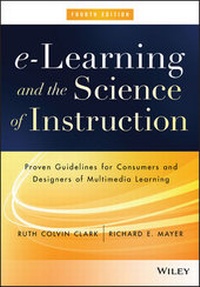
e-Learning and the Science of Instruction
Description

More details
Other editions
Additional editions
Persons
Content
CHAPTER 1
e-Learning
Promise and Pitfalls
CHAPTER SUMMARY
In this chapter we define e-learning as instruction delivered on a digital device that is intended to support learning. In e-learning the delivery hardware can range from desktop or laptop computers to tablets or smart phones, but the instructional goal is to support individual learning or organizational performance goals. Our scope includes e-learning designed for self-study available upon demand (asynchronous e-learning) as well as instructor-led e-learning presented at a fixed time (synchronous e-learning). Among these two forms of e-learning, we include e-courses developed primarily to provide information (inform courses) as well as those designed to build specific job-related skills (perform courses).
However, the benefits gained from these new technologies depend on the extent to which they are used in ways compatible with human cognitive learning processes and based on research-based principles of instructional design. When technophiles become so excited about cutting-edge technology that they ignore human mental limitations, they may not be able to leverage technology in ways that support learning. Instructional methods that support rather than defeat human learning processes are an essential ingredient of all effective e-learning courseware. The most appropriate methods depend on the goals of the training (for example, to inform or to perform); the learner's related skills (for example, whether they are familiar with or new to the skills); and various environmental factors, including technological, cultural, and pragmatic constraints.
In this chapter we lay the groundwork for the book by defining e-learning and identifying both the potential and the pitfalls of digital training.
What Is e-Learning?
We define e-learning as instruction delivered on a digital device (such as a desktop computer, laptop computer, tablet, or smart phone) that is intended to support learning. The forms of e-learning we examine in this book have the following features:
- Stores and/or transmits lessons in electronic form on external drives, the cloud, local internal or external memory, or servers on the Internet or intranet.
- Includes content relevant to the learning objective.
- Uses media elements such as words and pictures to deliver the content.
- Uses instructional methods such as examples, practice, and feedback to promote learning.
- May be instructor-led (synchronous e-learning) or designed for self-paced individual study (asynchronous e-learning).
- May incorporate synchronous learner collaboration as in breakout rooms or asynchronous collaboration as on discussion boards.
- Helps learners build new knowledge and skills linked to individual learning goals or to improved organizational performance.
As you can see, this definition has several elements concerning the what, how, and why of e-learning.
What. e-Learning courses include both content (that is, information) and instructional methods (that is, techniques) that help people learn the content.
How. e-Learning courses are delivered via digital devices using words in the form of spoken or printed text and pictures such as illustrations, photos, animation, or video. Some forms of e-learning called asynchronous e-learning are available on demand and designed for individual self-study. We show a screen shot from an asynchronous class on Excel in Figure 1.1. These courses are typically self-paced, allowing the individual learner to access training at any time or any location on their own. Other formats, called synchronous e-learning, virtual classrooms, or webinars, are designed for real-time instructor-led training. We show a screen shot from a virtual classroom in Figure 1.2. Synchronous e-learning allows students from New York to New Delhi to attend an online class taught by an instructor in real time. However, synchronous sessions are also often recorded, allowing them to be viewed by a single learner in a self-paced (asynchronous) manner. Synchronous and asynchronous forms of e-learning may support collaboration with others through applications such as wikis, breakout rooms, chat, discussion boards, media pages, and email. Many organizations combine instructor-led virtual classroom sessions, self-study sessions, and collaborative knowledge sharing opportunities in blended learning solutions.
Figure 1.1 A Screen Capture from an Asynchronous Excel Lesson.
Figure 1.2 A Screen Capture from a Synchronous Excel Lesson.
Why. e-Learning lessons are intended to help learners reach personal learning objectives or perform their jobs in ways that improve the bottom line goals of the organization.
In short, the "e" in e-learning refers to the "how"-the course is digitized so it can be stored in electronic form. The "learning" in e-learning refers to the "what"-the course includes content and ways to help people learn it-and the "why" of e-learning is the purpose: to help individuals achieve educational goals or to help organizations build skills related to improved job performance.
Our definition states that the goal of e-learning is to build job-transferable knowledge and skills linked to organizational performance or to help individuals achieve personal learning goals. Although the guidelines we present throughout the book also apply to lessons designed for school-based or general-interest learning goals, our emphasis is on instructional programs that are designed for workforce learning. To illustrate our guidelines, we draw on actual training courseware from colleagues who have given us permission to use their examples. In addition, we have built two sets of storyboards: one with a focus on basic Excel skills intended to illustrate a typical technology training course and a second with a focus on sales skills intended to illustrate instructional techniques that apply to more strategic skills.
In the five years since we wrote the third edition of e-Learning and the Science of Instruction, digital technology has continued to evolve rapidly. Blended designs integrate the benefits of technology and in-person instructional contexts. Search engines and social media make learners receivers, producers, and distributors of knowledge. Popular digital applications such as online games have prompted the use of games for learning purposes. Likewise, platforms have shrunk and diversified, giving birth to a range of mobile learning devices. As we write this chapter, the new Apple watch offers the smallest portable device with a diverse array of applications and the new Oculus Rift allows for low-cost virtual reality. No doubt instructional and performance support applications will continue to become more portable, more flexible, and more context sensitive to needs of the worker.
Is e-Learning Better?
For many training goals, you may have a choice of several delivery media. One of the least expensive options is a traditional book in printed or digital format. In-person instructor-led training augmented with slides and the occasional video is another popular option, accounting for about 55 percent of all delivery in U.S. workforce learning in 2013 (ATD, 2014). Finally, e-learning in either self-study or instructor-led formats offers a third choice. As you consider your delivery options, you might wonder whether some media are more effective for learning purposes than others.
Although technology is evolving rapidly, much of what we are seeing today under the e-learning label is not new. Training delivered on a computer, traditionally labeled computer-based training or CBT, has been available since the 1960s. Early examples delivered over mainframe computers were primarily on-screen text with interspersed questions-electronic versions of behaviorist psychologist B.F. Skinner's teaching machine. The computer program evaluated answers to the multiple-choice questions and prewritten feedback was matched to the learner responses. One of the main applications of these early e-lessons was to train workers to use mainframe computer systems. As technology has evolved, acquiring greater capability to deliver rich multimedia, the courseware has become more elaborate in terms of realistic graphics, audio, color, animation, games, and complex simulations. However, as we will see, greater media capabilities do not necessarily ensure more learning.
Each new wave of instructional delivery technology (starting with film in the 1920s) spawned optimistic predictions of massive improvements in learning. For example, in 1947 the U.S. Army conducted one of the first published media comparisons with the hypothesis that film teaches better than classroom instructors (see box for details). Yet after more than sixty years of research attempting to demonstrate that the latest media options are better, the outcomes fail to support the superiority of any single delivery medium over another.
The First Media Comparison Research
In 1947 the U.S. Army conducted...
