

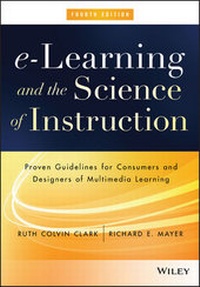
e-Learning and the Science of Instruction
Proven Guidelines for Consumers and Designers of Multimedia Learning
4th Edition
Published on 17. February 2016
528 pages
978-1-119-15867-7 (ISBN)
Description

The essential e-learning design manual, updated with the latest research, design principles, and examples
e-Learning and the Science of Instruction is the ultimate handbook for evidence-based e-learning design. Since the first edition of this book, e-learning has grown to account for at least 40% of all training delivery media. However, digital courses often fail to reach their potential for learning effectiveness and efficiency. This guide provides research-based guidelines on how best to present content with text, graphics, and audio as well as the conditions under which those guidelines are most effective. This updated fourth edition describes the guidelines, psychology, and applications for ways to improve learning through personalization techniques, coherence, animations, and a new chapter on evidence-based game design. The chapter on the Cognitive Theory of Multimedia Learning introduces three forms of cognitive load which are revisited throughout each chapter as the psychological basis for chapter principles. A new chapter on engagement in learning lays the groundwork for in-depth reviews of how to leverage worked examples, practice, online collaboration, and learner control to optimize learning. The updated instructor's materials include a syllabus, assignments, storyboard projects, and test items that you can adapt to your own course schedule and students.
Co-authored by the most productive instructional research scientist in the world, Dr. Richard E. Mayer, this book distills copious e-learning research into a practical manual for improving learning through optimal design and delivery.
* Get up to date on the latest e-learning research
* Adopt best practices for communicating information effectively
* Use evidence-based techniques to engage your learners
* Replace popular instructional ideas, such as learning styles with evidence-based guidelines
* Apply evidence-based design techniques to optimize learning games
e-Learning continues to grow as an alternative or adjunct to the classroom, and correspondingly, has become a focus among researchers in learning-related fields. New findings from research laboratories can inform the design and development of e-learning. However, much of this research published in technical journals is inaccessible to those who actually design e-learning material. By collecting the latest evidence into a single volume and translating the theoretical into the practical, e-Learning and the Science of Instruction has become an essential resource for consumers and designers of multimedia learning.
More details
Other editions
Additional editions

Ruth C. Clark | Richard E. Mayer
e-Learning and the Science of Instruction
Proven Guidelines for Consumers and Designers of Multimedia Learning
Book
04/2016
4th Edition
Wiley
Unfortunately, price unknown
Article exhausted; check for reprint
Ruth C. Clark | Richard E. Mayer
e-Learning and the Science of Instruction - Proven Guidelines for Consumers and Designers of Multimedia Learning 4e
Software
03/2016
Wiley
€65.40
No shipping information available
Persons
RUTH COLVIN CLARK has focused on evidence-based practice in design and development of workforce training materials for over three decades. Her recent books include Scenario-Based e-Learning and Evidence-Based Training, Second Edition.
RICHARD E. MAYER is a professor of psychology at the University of California Santa Barbara. He is an internationally recognized researcher in multimedia learning and has authored hundreds of research reports. He is the author of many books including Multimedia Learning, Computer Games for Learning, and editor of the Cambridge Handbook of Multimedia Learning, Second Edition.
Content
1 - e-Learning and the Science of Instruction [Seite 5]
2 - Contents [Seite 11]
3 - Acknowledgments [Seite 19]
4 - Introduction: Getting the Most from This Resource [Seite 21]
4.1 - Purpose [Seite 21]
4.2 - Audience [Seite 21]
4.3 - Package Components [Seite 22]
4.4 - Glossary [Seite 22]
5 - 1 e-Learning: Promise and Pitfalls [Seite 27]
5.1 - Chapter Summary [Seite 27]
5.2 - What Is e-Learning? [Seite 28]
5.3 - Is e-Learning Better? [Seite 31]
5.4 - The Promises of e-Learning [Seite 34]
5.4.1 - Promise 1: Customized Training [Seite 35]
5.4.2 - Promise 2: Engagement in Learning [Seite 35]
5.4.3 - Promise 3: Multimedia [Seite 36]
5.4.4 - Promise 4: Acceleration of Expertise Through Scenarios [Seite 37]
5.4.5 - Promise 5: Learning Through Digital Games [Seite 37]
5.5 - The Pitfalls of e-Learning [Seite 38]
5.5.1 - Pitfall 1: Too Much of a Good Thing [Seite 38]
5.5.2 - Pitfall 2: Not Enough of a Good Thing [Seite 38]
5.5.3 - Pitfall 3: Losing Sight of the Goal [Seite 38]
5.5.4 - Pitfall 4: Discovery Learning [Seite 39]
5.6 - Inform and Perform e-Learning Goals [Seite 39]
5.6.1 - Near Versus Far Transfer Perform Goals [Seite 40]
5.7 - e-Learning Architectures [Seite 40]
5.7.1 - Interactivity in the Architectures [Seite 41]
5.8 - What Is Effective e-Courseware? [Seite 42]
5.8.1 - Training Goals [Seite 42]
5.8.2 - Learner Differences [Seite 43]
5.8.3 - Context [Seite 43]
5.9 - Learning in e-Learning [Seite 44]
5.10 - Chapter Reflection [Seite 45]
5.11 - COMING NEXT [Seite 45]
5.12 - Suggested Readings [Seite 45]
6 - 2 How Do People Learn from e-Courses? [Seite 49]
6.1 - Chapter Summary [Seite 49]
6.2 - How Do People Learn? [Seite 51]
6.2.1 - Learning with Technology [Seite 51]
6.2.2 - What Is Learning and Instruction? [Seite 52]
6.2.3 - Three Metaphors for Learning [Seite 53]
6.2.4 - Principles and Processes of Learning [Seite 55]
6.3 - Managing Limited Cognitive Resources During Learning [Seite 56]
6.4 - How e-Lessons Affect Human Learning [Seite 59]
6.4.1 - Methods for Directing Selection of Important Information [Seite 60]
6.4.2 - Methods for Managing Limited Capacity in Working Memory [Seite 60]
6.4.3 - Methods for Integration [Seite 61]
6.4.4 - Methods for Retrieval and Transfer [Seite 62]
6.4.5 - Summary of Learning Processes [Seite 63]
6.5 - What We Don't Know About Learning [Seite 64]
6.6 - Chapter Reflection [Seite 65]
6.7 - COMING NEXT [Seite 66]
6.8 - Suggested Readings [Seite 66]
7 - 3 Evidence-Based Practice [Seite 69]
7.1 - Chapter Summary [Seite 69]
7.2 - What Is Evidence-Based Practice? [Seite 70]
7.3 - Three Approaches to Research on Instructional Effectiveness [Seite 71]
7.4 - What to Look for in Experimental Comparisons [Seite 75]
7.5 - How to Interpret Research Statistics [Seite 77]
7.5.1 - Statistical Significance: Probability Less Than .05 [Seite 78]
7.5.2 - Practical Significance: Effect Size Greater Than .5 [Seite 78]
7.6 - How Can You Identify Relevant Research? [Seite 79]
7.7 - Boundary Conditions in Experimental Comparisons [Seite 80]
7.8 - Practical Versus Theoretical Research [Seite 81]
7.9 - What We Don't Know About Evidence-Based Practice [Seite 82]
7.10 - Chapter Reflection [Seite 83]
7.11 - COMING NEXT [Seite 84]
7.12 - Suggested Readings [Seite 84]
8 - 4 Applying the Multimedia Principle: Use Words and Graphics Rather Than Words Alone [Seite 87]
8.1 - Chapter Summary [Seite 87]
8.2 - Do Visuals Make a Difference? [Seite 89]
8.3 - Multimedia Principle: Include Both Words and Graphics [Seite 90]
8.3.1 - Why Use Words and Graphics? [Seite 91]
8.3.2 - Select Graphics That Support Learning [Seite 92]
8.4 - Some Ways to Use Graphics to Promote Learning [Seite 94]
8.4.1 - Graphics as Topic Organizers [Seite 94]
8.4.2 - Graphics to Show Relationships [Seite 95]
8.4.3 - Graphics as Lesson Interfaces [Seite 95]
8.5 - Psychological Reasons for the Multimedia Principle [Seite 96]
8.6 - Evidence for Using Words and Pictures [Seite 97]
8.6.1 - Learners Often Misjudge the Value of Graphics [Seite 99]
8.7 - The Multimedia Principle Works Best for Novices [Seite 100]
8.8 - Should You Change Static Illustrations into Animations? [Seite 101]
8.8.1 - Use Animations to Illustrate Procedures [Seite 103]
8.8.2 - Use Animations as Interpretive Graphics [Seite 103]
8.8.3 - Add Visual Cueing to Animations [Seite 104]
8.8.4 - Animations: The Bottom Line [Seite 104]
8.9 - What We Don't Know About Visuals [Seite 104]
8.10 - Chapter Reflection [Seite 106]
8.11 - COMING NEXT [Seite 106]
8.12 - Suggested Readings [Seite 107]
9 - 5 Applying the Contiguity Principle: Align Words to Corresponding Graphics [Seite 109]
9.1 - Chapter Summary [Seite 109]
9.2 - Principle 1: Place Printed Words Near Corresponding Graphics [Seite 111]
9.3 - Violations of Contiguity Principle 1 [Seite 114]
9.3.1 - Separation of Text and Graphics on Scrolling Screens [Seite 114]
9.3.2 - Separation of Feedback from Questions or Responses [Seite 116]
9.3.3 - Separating Content with Linked Windows [Seite 117]
9.3.4 - Presenting Exercise Directions Separate from the Exercise [Seite 117]
9.3.5 - Displaying Captions at the Bottom of Screens [Seite 118]
9.3.6 - Using a Legend to Indicate the Parts of a Graphic [Seite 118]
9.3.7 - Displaying Running Text in a Separate Window with Animations or Video [Seite 119]
9.4 - Psychological Reasons for Contiguity Principle 1 [Seite 119]
9.5 - Evidence for Contiguity Principle 1 [Seite 120]
9.6 - Principle 2: Synchronize Spoken Words with Corresponding Graphics [Seite 124]
9.7 - Violations of Contiguity Principle 2 [Seite 125]
9.7.1 - Separation of Graphics and Narration Through Icons [Seite 125]
9.7.2 - Separation of Graphics and Narration in a Continuous Presentation [Seite 126]
9.8 - Psychological Reasons for Contiguity Principle 2 [Seite 127]
9.9 - Evidence for Contiguity Principle 2 [Seite 127]
9.10 - What We Don't Know About Contiguity [Seite 128]
9.11 - Chapter Reflection [Seite 130]
9.12 - COMING NEXT [Seite 130]
9.13 - Suggested Readings [Seite 131]
10 - 6 Applying the Modality Principle: Present Words as Audio Narration Rather Than On-Screen Text [Seite 133]
10.1 - Chapter Summary [Seite 133]
10.2 - Modality Principle: Present Words as Speech Rather Than On-Screen Text [Seite 135]
10.3 - Limitations to the Modality Principle [Seite 137]
10.4 - Psychological Reasons for the Modality Principle [Seite 139]
10.5 - Evidence for Using Spoken Rather Than Printed Text [Seite 141]
10.6 - When the Modality Principle Applies [Seite 146]
10.7 - What We Don't Know About Modality [Seite 147]
10.8 - Chapter Reflection [Seite 148]
10.9 - COMING NEXT [Seite 149]
10.10 - Suggested Readings [Seite 149]
11 - 7 Applying the Redundancy Principle: Explain Visuals with Words in Audio or Text But Not Both [Seite 151]
11.1 - Chapter Summary [Seite 151]
11.2 - Principle 1: Do Not Add On-Screen Text to Narrated Graphics [Seite 153]
11.3 - Psychological Reasons for the Redundancy Principle [Seite 155]
11.4 - Evidence for Omitting Redundant On-Screen Text [Seite 157]
11.5 - Principle 2: Consider Adding On-Screen Text to Narration in Special Situations [Seite 159]
11.6 - Psychological Reasons for Exceptions to the Redundancy Principle [Seite 160]
11.7 - Evidence for Including Redundant On-Screen Text [Seite 162]
11.8 - What We Don't Know About Redundancy [Seite 164]
11.9 - Chapter Reflection [Seite 167]
11.10 - COMING NEXT [Seite 167]
11.11 - Suggested Readings [Seite 167]
12 - 8 Applying the Coherence Principle: Adding Extra Material Can Hurt Learning [Seite 171]
12.1 - Chapter Summary [Seite 171]
12.2 - Principle 1: Avoid e-Lessons with Extraneous Words [Seite 173]
12.3 - Psychological Reasons to Avoid Extraneous Words in e-Learning [Seite 175]
12.4 - Evidence for Omitting Extraneous Words Added for Interest [Seite 176]
12.5 - Evidence for Omitting Extraneous Words Added to Expand on Key Ideas [Seite 178]
12.6 - Evidence for Omitting Extraneous Words Added for Technical Depth [Seite 179]
12.7 - Principle 2: Avoid e-Lessons with Extraneous Graphics [Seite 179]
12.8 - Psychological Reasons to Avoid Extraneous Graphics in e-Learning [Seite 181]
12.9 - Evidence for Omitting Extraneous Graphics Added for Interest [Seite 182]
12.10 - Evidence for Using Simpler Visuals [Seite 185]
12.11 - Can Interesting Graphics Ever Be Helpful? [Seite 187]
12.12 - Principle 3: Avoid e-Lessons with Extraneous Audio [Seite 188]
12.13 - Psychological Reasons to Avoid Extraneous Audio in e-Learning [Seite 190]
12.14 - Evidence for Omitting Extraneous Audio [Seite 190]
12.15 - What We Don't Know About Coherence [Seite 192]
12.16 - Chapter Reflection [Seite 195]
12.17 - COMING NEXT [Seite 195]
12.18 - Suggested Readings [Seite 195]
13 - 9 Applying the Personalization and Embodiment Principles: Use Conversational Style, Polite Wording, Human Voice, and Virtual Coaches [Seite 199]
13.1 - Chapter Summary [Seite 199]
13.2 - Personalization Principle: Use Conversational Rather Than Formal Style, Polite Wording Rather Than Direct Wording, and Human Voice Rather Than Machine Voice [Seite 202]
13.3 - Psychological Reasons for the Personalization Principle [Seite 203]
13.4 - Promote Personalization Through Conversational Style [Seite 205]
13.5 - Promote Personalization Through Polite Speech [Seite 207]
13.6 - Promote Personalization Through Voice Quality [Seite 209]
13.7 - Embodiment Principle: Use Effective On-Screen Coaches to Promote Learning [Seite 209]
13.7.1 - What Are Pedagogical Agents? [Seite 210]
13.7.2 - Do Agents Improve Student Learning? [Seite 212]
13.7.3 - Do Agents Need to Look Real? [Seite 213]
13.7.4 - Do Agents Need to Sound Real? [Seite 214]
13.7.5 - Should Agents Use Human?Like Gestures? [Seite 214]
13.7.6 - Implications for e?Learning [Seite 216]
13.8 - What We Don't Know About Personalization and Embodiment [Seite 217]
13.9 - Chapter Reflection [Seite 218]
13.10 - COMING NEXT [Seite 219]
13.11 - Suggested Readings [Seite 219]
14 - 10 Applying the Segmenting and Pretraining Principles: Managing Complexity by Breaking a Lesson into Parts [Seite 221]
14.1 - Chapter Summary [Seite 221]
14.2 - Segmenting Principle: Break a Continuous Lesson into Bite-Size Segments [Seite 223]
14.3 - Psychological Reasons for the Segmenting Principle [Seite 226]
14.4 - Evidence for Breaking a Continuous Lesson into Bite-Size Segments [Seite 227]
14.5 - Pretraining Principle: Ensure That Learners Know the Names and Characteristics of Key Concepts [Seite 229]
14.6 - Psychological Reasons for the Pretraining Principle [Seite 230]
14.7 - Evidence for Providing Pretraining in Key Concepts [Seite 232]
14.8 - What We Don't Know About Segmenting and Pretraining [Seite 234]
14.9 - Chapter Reflection [Seite 236]
14.10 - COMING NEXT [Seite 237]
14.11 - Suggested Readings [Seite 237]
15 - 11 Engagement in e-Learning [Seite 239]
15.1 - Chapter Summary [Seite 239]
15.2 - What Is Engagement? [Seite 241]
15.2.1 - Four Quadrants of Engagement [Seite 244]
15.3 - When Behavioral Engagement Impedes Learning [Seite 244]
15.4 - Engagement That Leads to Generative Processing [Seite 246]
15.4.1 - Relevant Graphics [Seite 246]
15.4.2 - Supported Drawing [Seite 247]
15.4.3 - Collaborative Observations of Skill Tutoring [Seite 248]
15.4.4 - Peer Teaching [Seite 250]
15.4.5 - Prompted Self?Explanations [Seite 251]
15.4.6 - Asking Questions During Explanations [Seite 252]
15.4.7 - Practice [Seite 252]
15.5 - A New View of Engagement [Seite 253]
15.6 - What We Don't Know About Engagement [Seite 253]
15.7 - Chapter Reflection [Seite 255]
15.8 - COMING NEXT [Seite 255]
15.9 - Suggested Readings [Seite 255]
16 - 12 Leveraging Examples in e-Learning [Seite 259]
16.1 - Chapter Summary [Seite 259]
16.2 - What Are Worked Examples? [Seite 260]
16.2.1 - Worked Examples for Strategic Tasks [Seite 261]
16.2.2 - Modeling Examples [Seite 262]
16.3 - The Psychology of Worked Examples [Seite 263]
16.4 - Evidence for the Benefits of Worked Examples [Seite 263]
16.4.1 - How Effective Are Worked Examples? [Seite 265]
16.4.2 - Should Worked Examples Be Paired with Problem Assignments? [Seite 265]
16.5 - Principles to Optimize Benefits of Worked Examples [Seite 265]
16.6 - Principle 1: Provide Worked Examples in Lieu of Problem Assignments When the Essential Load of the Lesson Is High [Seite 266]
16.7 - Principle 2: Fade from Worked Examples to Problems [Seite 267]
16.8 - Principle 3: Promote Self-Explanations [Seite 269]
16.8.1 - Add Self?Explanation Questions to Your Worked Examples [Seite 269]
16.8.2 - Assign Example Comparisons [Seite 271]
16.8.3 - Encourage Self?Explanations Through Active Observation [Seite 272]
16.9 - Principle 4: Include Instructional Explanations of Worked Examples in Some Situations [Seite 272]
16.10 - Principle 5: Apply Multimedia Principles to Examples [Seite 272]
16.10.1 - Multimedia Principle: Illustrate Worked Examples with Relevant Visuals [Seite 273]
16.10.2 - Modality and Redundancy Principles: Present Steps with Audio-NOT Audio and Text [Seite 274]
16.10.3 - Contiguity Principle: Present Steps with Integrated Text [Seite 275]
16.10.4 - Segmenting Principle: Present Steps in Conceptually Meaningful Chunks [Seite 275]
16.11 - Principle 6: Support Far Transfer [Seite 276]
16.11.1 - Far Transfer Guideline 1: Use Varied Context Worked Examples [Seite 277]
16.11.2 - Far Transfer Guideline 2: Include Self?Explanation Questions [Seite 278]
16.11.3 - Far Transfer Guideline 3. Require Active Comparison of Varied Context Examples [Seite 278]
16.12 - What We Don't Know About Worked Examples [Seite 280]
16.13 - Chapter Reflection [Seite 282]
16.14 - COMING NEXT [Seite 282]
16.15 - Suggested Readings [Seite 282]
17 - 13 Does Practice Make Perfect? [Seite 285]
17.1 - Chapter Summary [Seite 285]
17.2 - What Is Practice in e-Learning? [Seite 287]
17.2.1 - Formats of e?Learning Practice [Seite 289]
17.3 - Is Practice a Good Investment? [Seite 290]
17.3.1 - Meta?Analysis of Multimedia Interactivity [Seite 290]
17.3.2 - Practice Among Elite Performers [Seite 290]
17.4 - Principle 1: Add Sufficient Practice Interactions to e-Learning to Achieve the Objective [Seite 291]
17.4.1 - The Benefits of Practice [Seite 291]
17.4.2 - Practice Benefits Diminish Rapidly [Seite 292]
17.4.3 - Adjust the Amount of Practice Based on Task Criticality [Seite 293]
17.5 - Principle 2: Mirror the Job [Seite 295]
17.6 - Principle 3: Provide Effective Feedback [Seite 295]
17.6.1 - Provide Explanatory Feedback [Seite 296]
17.6.2 - Evidence for Benefits of Explanatory Feedback [Seite 297]
17.6.3 - Emphasize Three Categories of Feedback [Seite 298]
17.6.4 - Provide Auditory Feedback for Visual Tasks [Seite 299]
17.6.5 - Provide Step?by?Step Feedback When Steps Are Interdependent [Seite 299]
17.6.6 - Assign Guided Peer Feedback as a Practice Exercise [Seite 300]
17.6.7 - Tips for Feedback [Seite 301]
17.7 - Principle 4: Distribute and Mix Practice Among Learning Events [Seite 301]
17.7.1 - Distribute Practice Throughout the Learning Environment [Seite 302]
17.7.2 - Mix Practice Types in Lessons [Seite 303]
17.7.3 - Tips for Determining the Number and Placement of Practice Events [Seite 305]
17.8 - Principle 5: Apply Multimedia Principles [Seite 305]
17.8.1 - Modality and Redundancy Principles [Seite 305]
17.8.2 - Contiguity Principle [Seite 306]
17.8.3 - Coherence Principle [Seite 306]
17.8.4 - Tips for Applying the Multimedia Principles to Your Interactions [Seite 307]
17.9 - What We Don't Know About Practice [Seite 307]
17.10 - Chapter Reflection [Seite 309]
17.11 - COMING NEXT [Seite 309]
17.12 - Suggested Readings [Seite 310]
18 - 14 Learning Together Virtually [Seite 313]
18.1 - Chapter Summary [Seite 312]
18.2 - What Is Collaborative Learning? [Seite 315]
18.3 - What Is Computer-Supported Collaborative Learning (CSCL)? [Seite 317]
18.3.1 - Diversity of CSCL Research [Seite 321]
18.4 - Principle 1: Consider Collaborative Assignments for Challenging Tasks [Seite 322]
18.5 - Principle 2: Optimize Group Size, Composition, and Interdependence [Seite 324]
18.6 - Principle 3: Match Synchronous and Asynchronous Assignments to the Collaborative Goal [Seite 325]
18.7 - Principle 4: Use Collaborative Tool Features That Optimize Team Processes and Products [Seite 327]
18.8 - Principle 5: Maximize Social Presence in Online Collaborative Environments [Seite 328]
18.9 - Principle 6: Use Structured Collaboration Processes to Optimize Team Outcomes [Seite 329]
18.9.1 - How to Implement Structured Controversy [Seite 329]
18.9.2 - Adapting Structured Controversy to Computer?Mediated Collaboration [Seite 331]
18.10 - What We Don't Know About Collaborative Learning [Seite 331]
18.11 - Chapter Reflection [Seite 333]
18.12 - COMING NEXT [Seite 333]
18.13 - Suggested Readings [Seite 333]
19 - 15 Who's in Control? Guidelines for e-Learning Navigation [Seite 337]
19.1 - Chapter Summary [Seite 337]
19.2 - Learner Control Versus Program Control [Seite 339]
19.2.1 - Three Types of Learner Control [Seite 340]
19.2.2 - Tradeoffs to Learner Control [Seite 342]
19.3 - Do Learners Make Good Instructional Decisions? [Seite 343]
19.3.1 - Calibration Accuracy: Do You Know What You Think You Know? [Seite 343]
19.3.2 - How Does Calibration Affect Learning? [Seite 343]
19.3.3 - How Common Is Overconfidence Among Learners? [Seite 344]
19.3.4 - Do Learners Like Instructional Methods That Lead to Learning? [Seite 345]
19.3.5 - Psychological Reasons for Poor Learner Choices [Seite 346]
19.4 - Principle 1: Give Experienced Learners Control [Seite 347]
19.4.1 - When to Give Learner Control [Seite 348]
19.5 - Principle 2: Make Important Instructional Events the Default [Seite 348]
19.6 - Principle 3: Consider Alternative Forms of Learner Control [Seite 350]
19.6.1 - Shared Control [Seite 350]
19.6.2 - Advisement [Seite 350]
19.6.3 - Recommender Systems [Seite 350]
19.7 - Principle 4: Give Pacing Control to All Learners [Seite 351]
19.8 - Principle 5: Offer Navigational Support in Hypermedia Environments [Seite 352]
19.8.1 - Use Headings and Introductory Statements [Seite 352]
19.8.2 - Use Links Sparingly in Lessons Intended for Novice Learners [Seite 353]
19.8.3 - Use Course and Site Maps [Seite 353]
19.8.4 - Provide Basic Navigation Options [Seite 355]
19.9 - The Bottom Line [Seite 355]
19.10 - What We Don't Know About Learner Control [Seite 355]
19.11 - Chapter Reflection [Seite 357]
19.12 - COMING NEXT [Seite 357]
19.13 - Suggested Readings [Seite 357]
20 - 16 e-Learning to Build Thinking Skills [Seite 361]
20.1 - Chapter Summary [Seite 361]
20.2 - What Are Thinking Skills? [Seite 363]
20.2.1 - Generic Versus Domain?Specific Thinking Skills [Seite 366]
20.3 - Can Thinking Skills Be Trained? [Seite 367]
20.4 - Principle 1: Focus on Explicit Teaching of Job-Relevant Thinking Skills [Seite 369]
20.4.1 - Display Expert Thinking Models [Seite 370]
20.4.2 - Focus Learner Attention to Behaviors of Expert Models [Seite 371]
20.4.3 - Promote Active Engagement with Expert Models [Seite 372]
20.5 - Principle 2: Design Lessons Around Authentic Work Tasks or Problems [Seite 373]
20.5.1 - Example 1: Problem?Based Learning (PBL) [Seite 373]
20.5.2 - Example 2: Automotive Troubleshooting [Seite 374]
20.5.3 - Example 3: BioWorld [Seite 374]
20.5.4 - Features of Problem?Focused Instruction [Seite 377]
20.6 - Evidence for Problem-Focused Instruction [Seite 378]
20.6.1 - Evidence from Problem?Based Learning [Seite 379]
20.6.2 - Evidence from Sherlock [Seite 380]
20.6.3 - A Summary of Evidence for Problem?Focused Instruction [Seite 381]
20.7 - Principle 3: Define Job-Specific Thinking Processes [Seite 381]
20.8 - What We Don't Know About Teaching Thinking Skills [Seite 383]
20.9 - Chapter Reflection [Seite 385]
20.10 - COMING NEXT [Seite 385]
20.11 - Suggested Readings [Seite 385]
21 - 17 Learning with Computer Games [Seite 389]
21.1 - Chapter Summary [Seite 389]
21.2 - Do Games Have a Place in the Serious Business of Training? [Seite 391]
21.3 - Which Features Improve a Game's Effectiveness? [Seite 392]
21.4 - Does Game Playing Improve Cognitive Skills? [Seite 397]
21.5 - Are Games More Effective Than Conventional Media? [Seite 402]
21.6 - What We Don't Know About Learning with Computer Games [Seite 405]
21.7 - Chapter Reflection [Seite 407]
21.8 - COMING NEXT [Seite 407]
21.9 - Suggested Readings [Seite 408]
22 - 18 Applying the Guidelines [Seite 411]
22.1 - Chapter Summary [Seite 411]
22.2 - Applying the Evidence-Based Guidelines to e-Courses [Seite 411]
22.2.1 - Evidence?Based e?Learning in a Nutshell [Seite 412]
22.2.2 - Effect Sizes for Principles [Seite 413]
22.3 - e-Lesson Guidelines Checklist [Seite 416]
22.4 - Review of Sample 1: Excel for Small Business [Seite 421]
22.5 - Review of Sample 2: Synchronous Excel Lesson [Seite 426]
22.6 - Review of Sample 3: Automotive Troubleshooting Simulation [Seite 429]
22.7 - Reflections on Past Predictions [Seite 431]
22.7.1 - Fifteen Years Later [Seite 432]
22.8 - Beyond 2016 in Multimedia Research [Seite 433]
22.8.1 - More Productive Research Questions [Seite 433]
22.8.2 - Longer Experimental Treatments with Measures of Delayed Learning [Seite 434]
22.8.3 - More Research Conducted in Authentic Environments [Seite 434]
22.8.4 - Increased Emphasis on Motivational Aspects of e?Learning [Seite 435]
22.8.5 - Increased Emphasis on Metacognitive Aspects of e?Learning [Seite 435]
22.8.6 - Increased Focus on the Efficiency of e?Learning [Seite 435]
22.8.7 - Increased Emphasis on Assessment in e?Learning [Seite 436]
22.8.8 - Increased Transfer of Research?Based Guidelines into Practice [Seite 436]
22.9 - In Conclusion [Seite 437]
23 - References [Seite 439]
24 - Glossary [Seite 471]
25 - List of Tables and Figures [Seite 493]
26 - Name Index [Seite 505]
27 - Subject Index [Seite 513]
28 - About the Authors [Seite 529]
29 - EULA [Seite 531]
2 - Contents [Seite 11]
3 - Acknowledgments [Seite 19]
4 - Introduction: Getting the Most from This Resource [Seite 21]
4.1 - Purpose [Seite 21]
4.2 - Audience [Seite 21]
4.3 - Package Components [Seite 22]
4.4 - Glossary [Seite 22]
5 - 1 e-Learning: Promise and Pitfalls [Seite 27]
5.1 - Chapter Summary [Seite 27]
5.2 - What Is e-Learning? [Seite 28]
5.3 - Is e-Learning Better? [Seite 31]
5.4 - The Promises of e-Learning [Seite 34]
5.4.1 - Promise 1: Customized Training [Seite 35]
5.4.2 - Promise 2: Engagement in Learning [Seite 35]
5.4.3 - Promise 3: Multimedia [Seite 36]
5.4.4 - Promise 4: Acceleration of Expertise Through Scenarios [Seite 37]
5.4.5 - Promise 5: Learning Through Digital Games [Seite 37]
5.5 - The Pitfalls of e-Learning [Seite 38]
5.5.1 - Pitfall 1: Too Much of a Good Thing [Seite 38]
5.5.2 - Pitfall 2: Not Enough of a Good Thing [Seite 38]
5.5.3 - Pitfall 3: Losing Sight of the Goal [Seite 38]
5.5.4 - Pitfall 4: Discovery Learning [Seite 39]
5.6 - Inform and Perform e-Learning Goals [Seite 39]
5.6.1 - Near Versus Far Transfer Perform Goals [Seite 40]
5.7 - e-Learning Architectures [Seite 40]
5.7.1 - Interactivity in the Architectures [Seite 41]
5.8 - What Is Effective e-Courseware? [Seite 42]
5.8.1 - Training Goals [Seite 42]
5.8.2 - Learner Differences [Seite 43]
5.8.3 - Context [Seite 43]
5.9 - Learning in e-Learning [Seite 44]
5.10 - Chapter Reflection [Seite 45]
5.11 - COMING NEXT [Seite 45]
5.12 - Suggested Readings [Seite 45]
6 - 2 How Do People Learn from e-Courses? [Seite 49]
6.1 - Chapter Summary [Seite 49]
6.2 - How Do People Learn? [Seite 51]
6.2.1 - Learning with Technology [Seite 51]
6.2.2 - What Is Learning and Instruction? [Seite 52]
6.2.3 - Three Metaphors for Learning [Seite 53]
6.2.4 - Principles and Processes of Learning [Seite 55]
6.3 - Managing Limited Cognitive Resources During Learning [Seite 56]
6.4 - How e-Lessons Affect Human Learning [Seite 59]
6.4.1 - Methods for Directing Selection of Important Information [Seite 60]
6.4.2 - Methods for Managing Limited Capacity in Working Memory [Seite 60]
6.4.3 - Methods for Integration [Seite 61]
6.4.4 - Methods for Retrieval and Transfer [Seite 62]
6.4.5 - Summary of Learning Processes [Seite 63]
6.5 - What We Don't Know About Learning [Seite 64]
6.6 - Chapter Reflection [Seite 65]
6.7 - COMING NEXT [Seite 66]
6.8 - Suggested Readings [Seite 66]
7 - 3 Evidence-Based Practice [Seite 69]
7.1 - Chapter Summary [Seite 69]
7.2 - What Is Evidence-Based Practice? [Seite 70]
7.3 - Three Approaches to Research on Instructional Effectiveness [Seite 71]
7.4 - What to Look for in Experimental Comparisons [Seite 75]
7.5 - How to Interpret Research Statistics [Seite 77]
7.5.1 - Statistical Significance: Probability Less Than .05 [Seite 78]
7.5.2 - Practical Significance: Effect Size Greater Than .5 [Seite 78]
7.6 - How Can You Identify Relevant Research? [Seite 79]
7.7 - Boundary Conditions in Experimental Comparisons [Seite 80]
7.8 - Practical Versus Theoretical Research [Seite 81]
7.9 - What We Don't Know About Evidence-Based Practice [Seite 82]
7.10 - Chapter Reflection [Seite 83]
7.11 - COMING NEXT [Seite 84]
7.12 - Suggested Readings [Seite 84]
8 - 4 Applying the Multimedia Principle: Use Words and Graphics Rather Than Words Alone [Seite 87]
8.1 - Chapter Summary [Seite 87]
8.2 - Do Visuals Make a Difference? [Seite 89]
8.3 - Multimedia Principle: Include Both Words and Graphics [Seite 90]
8.3.1 - Why Use Words and Graphics? [Seite 91]
8.3.2 - Select Graphics That Support Learning [Seite 92]
8.4 - Some Ways to Use Graphics to Promote Learning [Seite 94]
8.4.1 - Graphics as Topic Organizers [Seite 94]
8.4.2 - Graphics to Show Relationships [Seite 95]
8.4.3 - Graphics as Lesson Interfaces [Seite 95]
8.5 - Psychological Reasons for the Multimedia Principle [Seite 96]
8.6 - Evidence for Using Words and Pictures [Seite 97]
8.6.1 - Learners Often Misjudge the Value of Graphics [Seite 99]
8.7 - The Multimedia Principle Works Best for Novices [Seite 100]
8.8 - Should You Change Static Illustrations into Animations? [Seite 101]
8.8.1 - Use Animations to Illustrate Procedures [Seite 103]
8.8.2 - Use Animations as Interpretive Graphics [Seite 103]
8.8.3 - Add Visual Cueing to Animations [Seite 104]
8.8.4 - Animations: The Bottom Line [Seite 104]
8.9 - What We Don't Know About Visuals [Seite 104]
8.10 - Chapter Reflection [Seite 106]
8.11 - COMING NEXT [Seite 106]
8.12 - Suggested Readings [Seite 107]
9 - 5 Applying the Contiguity Principle: Align Words to Corresponding Graphics [Seite 109]
9.1 - Chapter Summary [Seite 109]
9.2 - Principle 1: Place Printed Words Near Corresponding Graphics [Seite 111]
9.3 - Violations of Contiguity Principle 1 [Seite 114]
9.3.1 - Separation of Text and Graphics on Scrolling Screens [Seite 114]
9.3.2 - Separation of Feedback from Questions or Responses [Seite 116]
9.3.3 - Separating Content with Linked Windows [Seite 117]
9.3.4 - Presenting Exercise Directions Separate from the Exercise [Seite 117]
9.3.5 - Displaying Captions at the Bottom of Screens [Seite 118]
9.3.6 - Using a Legend to Indicate the Parts of a Graphic [Seite 118]
9.3.7 - Displaying Running Text in a Separate Window with Animations or Video [Seite 119]
9.4 - Psychological Reasons for Contiguity Principle 1 [Seite 119]
9.5 - Evidence for Contiguity Principle 1 [Seite 120]
9.6 - Principle 2: Synchronize Spoken Words with Corresponding Graphics [Seite 124]
9.7 - Violations of Contiguity Principle 2 [Seite 125]
9.7.1 - Separation of Graphics and Narration Through Icons [Seite 125]
9.7.2 - Separation of Graphics and Narration in a Continuous Presentation [Seite 126]
9.8 - Psychological Reasons for Contiguity Principle 2 [Seite 127]
9.9 - Evidence for Contiguity Principle 2 [Seite 127]
9.10 - What We Don't Know About Contiguity [Seite 128]
9.11 - Chapter Reflection [Seite 130]
9.12 - COMING NEXT [Seite 130]
9.13 - Suggested Readings [Seite 131]
10 - 6 Applying the Modality Principle: Present Words as Audio Narration Rather Than On-Screen Text [Seite 133]
10.1 - Chapter Summary [Seite 133]
10.2 - Modality Principle: Present Words as Speech Rather Than On-Screen Text [Seite 135]
10.3 - Limitations to the Modality Principle [Seite 137]
10.4 - Psychological Reasons for the Modality Principle [Seite 139]
10.5 - Evidence for Using Spoken Rather Than Printed Text [Seite 141]
10.6 - When the Modality Principle Applies [Seite 146]
10.7 - What We Don't Know About Modality [Seite 147]
10.8 - Chapter Reflection [Seite 148]
10.9 - COMING NEXT [Seite 149]
10.10 - Suggested Readings [Seite 149]
11 - 7 Applying the Redundancy Principle: Explain Visuals with Words in Audio or Text But Not Both [Seite 151]
11.1 - Chapter Summary [Seite 151]
11.2 - Principle 1: Do Not Add On-Screen Text to Narrated Graphics [Seite 153]
11.3 - Psychological Reasons for the Redundancy Principle [Seite 155]
11.4 - Evidence for Omitting Redundant On-Screen Text [Seite 157]
11.5 - Principle 2: Consider Adding On-Screen Text to Narration in Special Situations [Seite 159]
11.6 - Psychological Reasons for Exceptions to the Redundancy Principle [Seite 160]
11.7 - Evidence for Including Redundant On-Screen Text [Seite 162]
11.8 - What We Don't Know About Redundancy [Seite 164]
11.9 - Chapter Reflection [Seite 167]
11.10 - COMING NEXT [Seite 167]
11.11 - Suggested Readings [Seite 167]
12 - 8 Applying the Coherence Principle: Adding Extra Material Can Hurt Learning [Seite 171]
12.1 - Chapter Summary [Seite 171]
12.2 - Principle 1: Avoid e-Lessons with Extraneous Words [Seite 173]
12.3 - Psychological Reasons to Avoid Extraneous Words in e-Learning [Seite 175]
12.4 - Evidence for Omitting Extraneous Words Added for Interest [Seite 176]
12.5 - Evidence for Omitting Extraneous Words Added to Expand on Key Ideas [Seite 178]
12.6 - Evidence for Omitting Extraneous Words Added for Technical Depth [Seite 179]
12.7 - Principle 2: Avoid e-Lessons with Extraneous Graphics [Seite 179]
12.8 - Psychological Reasons to Avoid Extraneous Graphics in e-Learning [Seite 181]
12.9 - Evidence for Omitting Extraneous Graphics Added for Interest [Seite 182]
12.10 - Evidence for Using Simpler Visuals [Seite 185]
12.11 - Can Interesting Graphics Ever Be Helpful? [Seite 187]
12.12 - Principle 3: Avoid e-Lessons with Extraneous Audio [Seite 188]
12.13 - Psychological Reasons to Avoid Extraneous Audio in e-Learning [Seite 190]
12.14 - Evidence for Omitting Extraneous Audio [Seite 190]
12.15 - What We Don't Know About Coherence [Seite 192]
12.16 - Chapter Reflection [Seite 195]
12.17 - COMING NEXT [Seite 195]
12.18 - Suggested Readings [Seite 195]
13 - 9 Applying the Personalization and Embodiment Principles: Use Conversational Style, Polite Wording, Human Voice, and Virtual Coaches [Seite 199]
13.1 - Chapter Summary [Seite 199]
13.2 - Personalization Principle: Use Conversational Rather Than Formal Style, Polite Wording Rather Than Direct Wording, and Human Voice Rather Than Machine Voice [Seite 202]
13.3 - Psychological Reasons for the Personalization Principle [Seite 203]
13.4 - Promote Personalization Through Conversational Style [Seite 205]
13.5 - Promote Personalization Through Polite Speech [Seite 207]
13.6 - Promote Personalization Through Voice Quality [Seite 209]
13.7 - Embodiment Principle: Use Effective On-Screen Coaches to Promote Learning [Seite 209]
13.7.1 - What Are Pedagogical Agents? [Seite 210]
13.7.2 - Do Agents Improve Student Learning? [Seite 212]
13.7.3 - Do Agents Need to Look Real? [Seite 213]
13.7.4 - Do Agents Need to Sound Real? [Seite 214]
13.7.5 - Should Agents Use Human?Like Gestures? [Seite 214]
13.7.6 - Implications for e?Learning [Seite 216]
13.8 - What We Don't Know About Personalization and Embodiment [Seite 217]
13.9 - Chapter Reflection [Seite 218]
13.10 - COMING NEXT [Seite 219]
13.11 - Suggested Readings [Seite 219]
14 - 10 Applying the Segmenting and Pretraining Principles: Managing Complexity by Breaking a Lesson into Parts [Seite 221]
14.1 - Chapter Summary [Seite 221]
14.2 - Segmenting Principle: Break a Continuous Lesson into Bite-Size Segments [Seite 223]
14.3 - Psychological Reasons for the Segmenting Principle [Seite 226]
14.4 - Evidence for Breaking a Continuous Lesson into Bite-Size Segments [Seite 227]
14.5 - Pretraining Principle: Ensure That Learners Know the Names and Characteristics of Key Concepts [Seite 229]
14.6 - Psychological Reasons for the Pretraining Principle [Seite 230]
14.7 - Evidence for Providing Pretraining in Key Concepts [Seite 232]
14.8 - What We Don't Know About Segmenting and Pretraining [Seite 234]
14.9 - Chapter Reflection [Seite 236]
14.10 - COMING NEXT [Seite 237]
14.11 - Suggested Readings [Seite 237]
15 - 11 Engagement in e-Learning [Seite 239]
15.1 - Chapter Summary [Seite 239]
15.2 - What Is Engagement? [Seite 241]
15.2.1 - Four Quadrants of Engagement [Seite 244]
15.3 - When Behavioral Engagement Impedes Learning [Seite 244]
15.4 - Engagement That Leads to Generative Processing [Seite 246]
15.4.1 - Relevant Graphics [Seite 246]
15.4.2 - Supported Drawing [Seite 247]
15.4.3 - Collaborative Observations of Skill Tutoring [Seite 248]
15.4.4 - Peer Teaching [Seite 250]
15.4.5 - Prompted Self?Explanations [Seite 251]
15.4.6 - Asking Questions During Explanations [Seite 252]
15.4.7 - Practice [Seite 252]
15.5 - A New View of Engagement [Seite 253]
15.6 - What We Don't Know About Engagement [Seite 253]
15.7 - Chapter Reflection [Seite 255]
15.8 - COMING NEXT [Seite 255]
15.9 - Suggested Readings [Seite 255]
16 - 12 Leveraging Examples in e-Learning [Seite 259]
16.1 - Chapter Summary [Seite 259]
16.2 - What Are Worked Examples? [Seite 260]
16.2.1 - Worked Examples for Strategic Tasks [Seite 261]
16.2.2 - Modeling Examples [Seite 262]
16.3 - The Psychology of Worked Examples [Seite 263]
16.4 - Evidence for the Benefits of Worked Examples [Seite 263]
16.4.1 - How Effective Are Worked Examples? [Seite 265]
16.4.2 - Should Worked Examples Be Paired with Problem Assignments? [Seite 265]
16.5 - Principles to Optimize Benefits of Worked Examples [Seite 265]
16.6 - Principle 1: Provide Worked Examples in Lieu of Problem Assignments When the Essential Load of the Lesson Is High [Seite 266]
16.7 - Principle 2: Fade from Worked Examples to Problems [Seite 267]
16.8 - Principle 3: Promote Self-Explanations [Seite 269]
16.8.1 - Add Self?Explanation Questions to Your Worked Examples [Seite 269]
16.8.2 - Assign Example Comparisons [Seite 271]
16.8.3 - Encourage Self?Explanations Through Active Observation [Seite 272]
16.9 - Principle 4: Include Instructional Explanations of Worked Examples in Some Situations [Seite 272]
16.10 - Principle 5: Apply Multimedia Principles to Examples [Seite 272]
16.10.1 - Multimedia Principle: Illustrate Worked Examples with Relevant Visuals [Seite 273]
16.10.2 - Modality and Redundancy Principles: Present Steps with Audio-NOT Audio and Text [Seite 274]
16.10.3 - Contiguity Principle: Present Steps with Integrated Text [Seite 275]
16.10.4 - Segmenting Principle: Present Steps in Conceptually Meaningful Chunks [Seite 275]
16.11 - Principle 6: Support Far Transfer [Seite 276]
16.11.1 - Far Transfer Guideline 1: Use Varied Context Worked Examples [Seite 277]
16.11.2 - Far Transfer Guideline 2: Include Self?Explanation Questions [Seite 278]
16.11.3 - Far Transfer Guideline 3. Require Active Comparison of Varied Context Examples [Seite 278]
16.12 - What We Don't Know About Worked Examples [Seite 280]
16.13 - Chapter Reflection [Seite 282]
16.14 - COMING NEXT [Seite 282]
16.15 - Suggested Readings [Seite 282]
17 - 13 Does Practice Make Perfect? [Seite 285]
17.1 - Chapter Summary [Seite 285]
17.2 - What Is Practice in e-Learning? [Seite 287]
17.2.1 - Formats of e?Learning Practice [Seite 289]
17.3 - Is Practice a Good Investment? [Seite 290]
17.3.1 - Meta?Analysis of Multimedia Interactivity [Seite 290]
17.3.2 - Practice Among Elite Performers [Seite 290]
17.4 - Principle 1: Add Sufficient Practice Interactions to e-Learning to Achieve the Objective [Seite 291]
17.4.1 - The Benefits of Practice [Seite 291]
17.4.2 - Practice Benefits Diminish Rapidly [Seite 292]
17.4.3 - Adjust the Amount of Practice Based on Task Criticality [Seite 293]
17.5 - Principle 2: Mirror the Job [Seite 295]
17.6 - Principle 3: Provide Effective Feedback [Seite 295]
17.6.1 - Provide Explanatory Feedback [Seite 296]
17.6.2 - Evidence for Benefits of Explanatory Feedback [Seite 297]
17.6.3 - Emphasize Three Categories of Feedback [Seite 298]
17.6.4 - Provide Auditory Feedback for Visual Tasks [Seite 299]
17.6.5 - Provide Step?by?Step Feedback When Steps Are Interdependent [Seite 299]
17.6.6 - Assign Guided Peer Feedback as a Practice Exercise [Seite 300]
17.6.7 - Tips for Feedback [Seite 301]
17.7 - Principle 4: Distribute and Mix Practice Among Learning Events [Seite 301]
17.7.1 - Distribute Practice Throughout the Learning Environment [Seite 302]
17.7.2 - Mix Practice Types in Lessons [Seite 303]
17.7.3 - Tips for Determining the Number and Placement of Practice Events [Seite 305]
17.8 - Principle 5: Apply Multimedia Principles [Seite 305]
17.8.1 - Modality and Redundancy Principles [Seite 305]
17.8.2 - Contiguity Principle [Seite 306]
17.8.3 - Coherence Principle [Seite 306]
17.8.4 - Tips for Applying the Multimedia Principles to Your Interactions [Seite 307]
17.9 - What We Don't Know About Practice [Seite 307]
17.10 - Chapter Reflection [Seite 309]
17.11 - COMING NEXT [Seite 309]
17.12 - Suggested Readings [Seite 310]
18 - 14 Learning Together Virtually [Seite 313]
18.1 - Chapter Summary [Seite 312]
18.2 - What Is Collaborative Learning? [Seite 315]
18.3 - What Is Computer-Supported Collaborative Learning (CSCL)? [Seite 317]
18.3.1 - Diversity of CSCL Research [Seite 321]
18.4 - Principle 1: Consider Collaborative Assignments for Challenging Tasks [Seite 322]
18.5 - Principle 2: Optimize Group Size, Composition, and Interdependence [Seite 324]
18.6 - Principle 3: Match Synchronous and Asynchronous Assignments to the Collaborative Goal [Seite 325]
18.7 - Principle 4: Use Collaborative Tool Features That Optimize Team Processes and Products [Seite 327]
18.8 - Principle 5: Maximize Social Presence in Online Collaborative Environments [Seite 328]
18.9 - Principle 6: Use Structured Collaboration Processes to Optimize Team Outcomes [Seite 329]
18.9.1 - How to Implement Structured Controversy [Seite 329]
18.9.2 - Adapting Structured Controversy to Computer?Mediated Collaboration [Seite 331]
18.10 - What We Don't Know About Collaborative Learning [Seite 331]
18.11 - Chapter Reflection [Seite 333]
18.12 - COMING NEXT [Seite 333]
18.13 - Suggested Readings [Seite 333]
19 - 15 Who's in Control? Guidelines for e-Learning Navigation [Seite 337]
19.1 - Chapter Summary [Seite 337]
19.2 - Learner Control Versus Program Control [Seite 339]
19.2.1 - Three Types of Learner Control [Seite 340]
19.2.2 - Tradeoffs to Learner Control [Seite 342]
19.3 - Do Learners Make Good Instructional Decisions? [Seite 343]
19.3.1 - Calibration Accuracy: Do You Know What You Think You Know? [Seite 343]
19.3.2 - How Does Calibration Affect Learning? [Seite 343]
19.3.3 - How Common Is Overconfidence Among Learners? [Seite 344]
19.3.4 - Do Learners Like Instructional Methods That Lead to Learning? [Seite 345]
19.3.5 - Psychological Reasons for Poor Learner Choices [Seite 346]
19.4 - Principle 1: Give Experienced Learners Control [Seite 347]
19.4.1 - When to Give Learner Control [Seite 348]
19.5 - Principle 2: Make Important Instructional Events the Default [Seite 348]
19.6 - Principle 3: Consider Alternative Forms of Learner Control [Seite 350]
19.6.1 - Shared Control [Seite 350]
19.6.2 - Advisement [Seite 350]
19.6.3 - Recommender Systems [Seite 350]
19.7 - Principle 4: Give Pacing Control to All Learners [Seite 351]
19.8 - Principle 5: Offer Navigational Support in Hypermedia Environments [Seite 352]
19.8.1 - Use Headings and Introductory Statements [Seite 352]
19.8.2 - Use Links Sparingly in Lessons Intended for Novice Learners [Seite 353]
19.8.3 - Use Course and Site Maps [Seite 353]
19.8.4 - Provide Basic Navigation Options [Seite 355]
19.9 - The Bottom Line [Seite 355]
19.10 - What We Don't Know About Learner Control [Seite 355]
19.11 - Chapter Reflection [Seite 357]
19.12 - COMING NEXT [Seite 357]
19.13 - Suggested Readings [Seite 357]
20 - 16 e-Learning to Build Thinking Skills [Seite 361]
20.1 - Chapter Summary [Seite 361]
20.2 - What Are Thinking Skills? [Seite 363]
20.2.1 - Generic Versus Domain?Specific Thinking Skills [Seite 366]
20.3 - Can Thinking Skills Be Trained? [Seite 367]
20.4 - Principle 1: Focus on Explicit Teaching of Job-Relevant Thinking Skills [Seite 369]
20.4.1 - Display Expert Thinking Models [Seite 370]
20.4.2 - Focus Learner Attention to Behaviors of Expert Models [Seite 371]
20.4.3 - Promote Active Engagement with Expert Models [Seite 372]
20.5 - Principle 2: Design Lessons Around Authentic Work Tasks or Problems [Seite 373]
20.5.1 - Example 1: Problem?Based Learning (PBL) [Seite 373]
20.5.2 - Example 2: Automotive Troubleshooting [Seite 374]
20.5.3 - Example 3: BioWorld [Seite 374]
20.5.4 - Features of Problem?Focused Instruction [Seite 377]
20.6 - Evidence for Problem-Focused Instruction [Seite 378]
20.6.1 - Evidence from Problem?Based Learning [Seite 379]
20.6.2 - Evidence from Sherlock [Seite 380]
20.6.3 - A Summary of Evidence for Problem?Focused Instruction [Seite 381]
20.7 - Principle 3: Define Job-Specific Thinking Processes [Seite 381]
20.8 - What We Don't Know About Teaching Thinking Skills [Seite 383]
20.9 - Chapter Reflection [Seite 385]
20.10 - COMING NEXT [Seite 385]
20.11 - Suggested Readings [Seite 385]
21 - 17 Learning with Computer Games [Seite 389]
21.1 - Chapter Summary [Seite 389]
21.2 - Do Games Have a Place in the Serious Business of Training? [Seite 391]
21.3 - Which Features Improve a Game's Effectiveness? [Seite 392]
21.4 - Does Game Playing Improve Cognitive Skills? [Seite 397]
21.5 - Are Games More Effective Than Conventional Media? [Seite 402]
21.6 - What We Don't Know About Learning with Computer Games [Seite 405]
21.7 - Chapter Reflection [Seite 407]
21.8 - COMING NEXT [Seite 407]
21.9 - Suggested Readings [Seite 408]
22 - 18 Applying the Guidelines [Seite 411]
22.1 - Chapter Summary [Seite 411]
22.2 - Applying the Evidence-Based Guidelines to e-Courses [Seite 411]
22.2.1 - Evidence?Based e?Learning in a Nutshell [Seite 412]
22.2.2 - Effect Sizes for Principles [Seite 413]
22.3 - e-Lesson Guidelines Checklist [Seite 416]
22.4 - Review of Sample 1: Excel for Small Business [Seite 421]
22.5 - Review of Sample 2: Synchronous Excel Lesson [Seite 426]
22.6 - Review of Sample 3: Automotive Troubleshooting Simulation [Seite 429]
22.7 - Reflections on Past Predictions [Seite 431]
22.7.1 - Fifteen Years Later [Seite 432]
22.8 - Beyond 2016 in Multimedia Research [Seite 433]
22.8.1 - More Productive Research Questions [Seite 433]
22.8.2 - Longer Experimental Treatments with Measures of Delayed Learning [Seite 434]
22.8.3 - More Research Conducted in Authentic Environments [Seite 434]
22.8.4 - Increased Emphasis on Motivational Aspects of e?Learning [Seite 435]
22.8.5 - Increased Emphasis on Metacognitive Aspects of e?Learning [Seite 435]
22.8.6 - Increased Focus on the Efficiency of e?Learning [Seite 435]
22.8.7 - Increased Emphasis on Assessment in e?Learning [Seite 436]
22.8.8 - Increased Transfer of Research?Based Guidelines into Practice [Seite 436]
22.9 - In Conclusion [Seite 437]
23 - References [Seite 439]
24 - Glossary [Seite 471]
25 - List of Tables and Figures [Seite 493]
26 - Name Index [Seite 505]
27 - Subject Index [Seite 513]
28 - About the Authors [Seite 529]
29 - EULA [Seite 531]
