

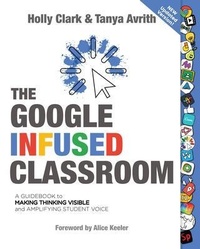
The Google Infused Classroom
Description

2021 NEW UPDATED VERSION for Post-Covid Teaching.
Looking for ways to use technology to improve learning outcomes and make lessons come alive?
This book is written for every teacher who wants to amplify teaching and learning in the classroom using powerful online tools that put learning first!
New Updated Version: includes new sections on Adobe Spark, Wakelet, Pear Deck, Jamboard, Canva and Special New Bonus Section on Personal Branding and Digital Citizenship.
Transform Teaching - Learning experts Holly Clark and Tanya Avrith provide a guidebook to help you use technology to engage your learners and amplify the learning experience in your classroom-with Google Apps and other online tools.
Empower Your Students - This book will teach you how to allow students to show their thinking, demonstrate their learning, and share their work with authentic audiences - to use technology in meaningful ways that prepare them for the future!
Examples You Can Use Tomorrow - With instructions for incorporating many of the best Google-friendly tools, including a special bonus sections on Digital Portfolios and Digital Citizenship.
For bulk orders contact info@elevatebooksedu.com
More details
Content
- Intro
- Praise for The Chromebook Infused Classroom
- Title Page
- Copyright
- Thank You.
- Join The Community
- Bring Meaningful and High-Energy PD To Your School or Event
- Contents
- Foreword
- The Google Infused Classroom
- How to Use This Book
- Disrupting What It Means to Be Literate
- Ten Characteristicsof Our Generation z Learners
- A Quick LookAt Learning Theories
- Making Thinking Visible, Giving Every Student a Voice, and Sharing Students' Work
- Ideas to Try In your Classroom
- A Quick Look at
- Assessment For/As/Of Learning
- Press Record-Powerful Digital Assessments
- Formative Assessment and the Tools to Use
- Socrative
- Padlet
- Google Forms
- Flipgrid
- Mote
- Peardeck
- Differentiation
- Google Classroom
- Excerpt from The Chromebook Infused Classroom Book
- Hyperdocs
- Excerpt from The Chromebook Infused Classroom Book
- Youtube
- Wakelet
- Demonstrations
- 1. Demonstrations of Learning
- Adobe Spark Page
- Book Creator
- 2. Demonstrations of Learning
- Adobe Spark Video
- WeVideo
- Google My Maps
- 3. Demonstrations of Learning
- Flipgrid
- 4. Demonstrations of Learning
- Adobe Spark Post
- 5. Demonstrations of Learning
- Screencastify
- Flipgrid
- 6. Demonstrations of Learning
- Book Creator
- Google docs
- 7. Demonstrations of Learning
- Google Slides
- Canva
- 8. Demonstrations of Learning
- Jamboard
- Reflection and Curation and the Tools to Use
- Flipgrid
- Adobe Spark
- Seesaw
- Wakelet
- Padlet
- Screencastify
- A Guide to Getting Started with Digital Portfolios
- The Three Types of Digital Portfolios
- The Three Types of Digital Portfolios
- The Three Types of Digital Portfolios
- Personal Branding and Digital Citizenship
- Why Google and What Is an Infused Classroom?
- Why Google and What Is an Infused Classroom?
- A Quick Look at Google Workspace for Education
- Critical Considerations When Choosing a Tool
- Meet the Tools
- Which Tool Should You Use
- Rethinking Teaching: Traditional vs Transformational
- Works Cited
- About the Author
