

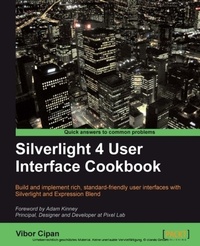
Silverlight 4 User Interface Cookbook
Build and implement rich, standard-friendly user interfaces with Silverlight and Expression Blend
Published on 13. January 2025
280 pages
978-1-84719-887-7 (ISBN)
Description

Build and implement rich, standard-friendly user interfaces with Silverlight and Expression Blend
Key Features
The first and only book to focus exclusively on Silverlight UI development.
Have your applications stand out from the crowd with leading, innovative, and friendly user interfaces.
Detailed instructions on how to implement specific user interface patterns together with XAML and C# (where needed) code, and explainations that are easy-to-understand and follow..
Real world projects which you can explore in detail and make modifications as you go.
Written by Vibor Cipan - Microsoft MVP for Expression Blend and WPF, and Silverlight UX specialist
Book DescriptionSilverlight makes it much easier to build web applications with highly usable, interactive, and exciting user interfaces. However, with so many new options open to designers and developers, making the best use of the tools available is not always so easy. It's ease of use and rapid development process has left one area completely uncovered- how to design, build, and implement professional and usable interfaces, and create an enjoyable user experience and interaction. Written by a Microsoft MVP and Silverlight Prototyping Specialist, this book is the first and only book on developing Silverlight User Interfaces. Clear, step-by-step instructions show how to build all the user interface elements that users look forward to in a cutting edge app. This book offers essential recipes, with each recipe depicting the commonly used user interface patterns built with Silverlight, and in some cases, with WPF to showcase the possibilities. The author's experience in designing and developing user interfaces enables him to share insights on creating professional interfaces in a clear and friendly way. The book starts off with recipes dealing with fixed and fluid layouts, building custom command link controls, working with navigation, and collapsible panels, and then moves on to the more advanced topics such as calendars, alternating row colors, and task panes. The author covers a number of different UI patterns, controls, and approaches accompanied by XAML and C# code where needed (and explained), along with usage context and practical, proven, and professional techniques for specific controls and patterns. From maps to task panes, and web cam support to pixel shaders, this Cookbook provides you with a rich selection of Silverlight UI recipes. It covers all that you need to know in order to design and implement a user interface, together with professional user experience and interface guidelines to make your solutions and applications pleasurable for your users.The author has found himself in the role of both, a designer and a developer, at different points in his professional career, and his motive was to create a book that will serve as a useful resource for designers and developers trying to find their way with Silverlight and Expression Blend.By the end of the book, you will be able to create a rich, professional, and standards-compliant user interface.What you will learn
Implement liquid versus fixed layouts to choose the best design for your application
Build custom controls like navigation pane, split button, and command link button to suit your application s needs
Good design practices for patterns like wizards, tabs, status bar area and window locations
Menu usage practices-classical and contextual ones together with guidelines
Design and implement navigation patterns, expanders, tiled sections, task panes, and collapsible panels for saving space and minimizing visual distractions
Design and implement calendar controls to allow user-specific time and date input
Represent large data sets using alternating row colours as a design technique
Create a responsive UI and remove the visual noise from the interfaces for a rich user experience
Enable full screen Silverlight experiences for interactive applications such as games, maps, and media players.
Add and utilize the maps and geo-based UI controls for a truly immersive map experience for your users
Use the pixel shading techniques to achieve amazing visual effects on images and controls
Who this book is forIf you are a developer or designer who knows the basics of Silverlight, has a smattering of C# and XAML, and wants to build applications with elegant and attractive interfaces, then this book is for you.
Key Features
The first and only book to focus exclusively on Silverlight UI development.
Have your applications stand out from the crowd with leading, innovative, and friendly user interfaces.
Detailed instructions on how to implement specific user interface patterns together with XAML and C# (where needed) code, and explainations that are easy-to-understand and follow..
Real world projects which you can explore in detail and make modifications as you go.
Written by Vibor Cipan - Microsoft MVP for Expression Blend and WPF, and Silverlight UX specialist
Book DescriptionSilverlight makes it much easier to build web applications with highly usable, interactive, and exciting user interfaces. However, with so many new options open to designers and developers, making the best use of the tools available is not always so easy. It's ease of use and rapid development process has left one area completely uncovered- how to design, build, and implement professional and usable interfaces, and create an enjoyable user experience and interaction. Written by a Microsoft MVP and Silverlight Prototyping Specialist, this book is the first and only book on developing Silverlight User Interfaces. Clear, step-by-step instructions show how to build all the user interface elements that users look forward to in a cutting edge app. This book offers essential recipes, with each recipe depicting the commonly used user interface patterns built with Silverlight, and in some cases, with WPF to showcase the possibilities. The author's experience in designing and developing user interfaces enables him to share insights on creating professional interfaces in a clear and friendly way. The book starts off with recipes dealing with fixed and fluid layouts, building custom command link controls, working with navigation, and collapsible panels, and then moves on to the more advanced topics such as calendars, alternating row colors, and task panes. The author covers a number of different UI patterns, controls, and approaches accompanied by XAML and C# code where needed (and explained), along with usage context and practical, proven, and professional techniques for specific controls and patterns. From maps to task panes, and web cam support to pixel shaders, this Cookbook provides you with a rich selection of Silverlight UI recipes. It covers all that you need to know in order to design and implement a user interface, together with professional user experience and interface guidelines to make your solutions and applications pleasurable for your users.The author has found himself in the role of both, a designer and a developer, at different points in his professional career, and his motive was to create a book that will serve as a useful resource for designers and developers trying to find their way with Silverlight and Expression Blend.By the end of the book, you will be able to create a rich, professional, and standards-compliant user interface.What you will learn
Implement liquid versus fixed layouts to choose the best design for your application
Build custom controls like navigation pane, split button, and command link button to suit your application s needs
Good design practices for patterns like wizards, tabs, status bar area and window locations
Menu usage practices-classical and contextual ones together with guidelines
Design and implement navigation patterns, expanders, tiled sections, task panes, and collapsible panels for saving space and minimizing visual distractions
Design and implement calendar controls to allow user-specific time and date input
Represent large data sets using alternating row colours as a design technique
Create a responsive UI and remove the visual noise from the interfaces for a rich user experience
Enable full screen Silverlight experiences for interactive applications such as games, maps, and media players.
Add and utilize the maps and geo-based UI controls for a truly immersive map experience for your users
Use the pixel shading techniques to achieve amazing visual effects on images and controls
Who this book is forIf you are a developer or designer who knows the basics of Silverlight, has a smattering of C# and XAML, and wants to build applications with elegant and attractive interfaces, then this book is for you.
All prices
More details
Edition
Digital original
Language
English
Place of publication
Birmingham
United Kingdom
Edition type
Digital original
File size
5,37 MB
ISBN-13
978-1-84719-887-7 (9781847198877)
Copyright in bibliographic data and cover images is held by Nielsen Book Services Limited or by the publishers or by their respective licensors: all rights reserved.
Schweitzer Classification
Other editions
Additional editions
Vibor Cipan
Silverlight 4 User Interface Cookbook
Book
08/2010
Packt Publishing
€62.90
Shipment within 3-4 weeks
Person
Cipan (EUR) Vibor :
Vibor Cipan is currently serving as the CEO and Partner of FatDUX Zagreb - a full service interactive UX and service design agency with offices around the world. Before joining FatDUX, Vibor worked at Microsoft Development Center in Copenhagen and before that, at Microsoft, Croatia. One thing, however, has stayed constant-his focus on user experience, service design, usability and information architecture. He has been awarded the prestigious title of 'Microsoft Most Valuable Professional' for three years in a row (and is still currently holding that title). He was the youngest awardee and the first one in the CEE, Europe to receive the award while being a full-time student.
Vibor Cipan is currently serving as the CEO and Partner of FatDUX Zagreb - a full service interactive UX and service design agency with offices around the world. Before joining FatDUX, Vibor worked at Microsoft Development Center in Copenhagen and before that, at Microsoft, Croatia. One thing, however, has stayed constant-his focus on user experience, service design, usability and information architecture. He has been awarded the prestigious title of 'Microsoft Most Valuable Professional' for three years in a row (and is still currently holding that title). He was the youngest awardee and the first one in the CEE, Europe to receive the award while being a full-time student.
Content
Table of Contents

