

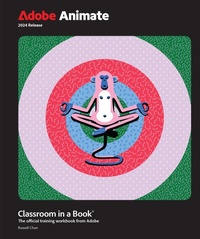
Adobe Animate Classroom in a Book 2024 Release
Published on 3. January 2024
480 pages
978-0-13-831758-4 (ISBN)
Description

The fastest, easiest, most comprehensive way to learn Adobe Animate
Adobe Animate Classroom in a Book 2024 Release contains 10 lessons that use real-world, project-based learning to cover the basics and beyond, providing countless tips and techniques to help you become more productive with the program. You can follow the book from start to finish or choose only those lessons that interest you. Learn to:
Unleash your productivity and creativity with the support of Apple Silicon M1 and M2
Use the sleek new user interface for a consistent experience across Creative Cloud applications
Navigate enhanced animation controls and publishing options for SVG, WebGL, HTML5, animated GIFs, and HD broadcast video
Classroom in a Book (R), the best-selling series of hands-on software training workbooks, offers what no other book or training program does-an official training series from Adobe, developed with the support of Adobe product experts.
Purchasing this book includes valuable online extras. Follow the instructions in the books "Getting Started" section to unlock access to:
Downloadable lesson files you need to work through the projects in the book
Web Edition containing the complete text of the book, interactive quizzes, and videos that walk you through the lessons step by step
What you need to use this book: Adobe Animate 2024 Release software, for either Windows or macOS. (Software not included.)
Adobe Animate Classroom in a Book 2024 Release contains 10 lessons that use real-world, project-based learning to cover the basics and beyond, providing countless tips and techniques to help you become more productive with the program. You can follow the book from start to finish or choose only those lessons that interest you. Learn to:
Unleash your productivity and creativity with the support of Apple Silicon M1 and M2
Use the sleek new user interface for a consistent experience across Creative Cloud applications
Navigate enhanced animation controls and publishing options for SVG, WebGL, HTML5, animated GIFs, and HD broadcast video
Classroom in a Book (R), the best-selling series of hands-on software training workbooks, offers what no other book or training program does-an official training series from Adobe, developed with the support of Adobe product experts.
Purchasing this book includes valuable online extras. Follow the instructions in the books "Getting Started" section to unlock access to:
Downloadable lesson files you need to work through the projects in the book
Web Edition containing the complete text of the book, interactive quizzes, and videos that walk you through the lessons step by step
What you need to use this book: Adobe Animate 2024 Release software, for either Windows or macOS. (Software not included.)
More details
Series
Language
English
Place of publication
Boston
United States
Publishing group
Pearson Education (US)
Target group
Professional and scholarly
File size
70,49 MB
ISBN-13
978-0-13-831758-4 (9780138317584)
Copyright in bibliographic data and cover images is held by Nielsen Book Services Limited or by the publishers or by their respective licensors: all rights reserved.
Schweitzer Classification
Other editions
Additional editions
Russell Chun
Adobe Animate Classroom in a Book 2024 Release
Book
04/2024
Addison Wesley
€69.50
Shipment within 15-20 days
Person
Russell Chun earned his master's degree in medical illustration from the Johns Hopkins University School of Medicine, and used Flash for over eight years to develop interactive, instructional multimedia. He has taught Flash at the beginning through advanced levels at a number of institutions including the College of San Mateo, the Center for Electronic Art, the UC Berkeley Graduate School of Journalism, Cellspace, Columbia University Graduate School of Journalism, and City University of New York Graduate School of Journalism. He has also taught Flash at national conferences, regional user group meetings, and corporate workshops. He is the author of several advanced Flash books, Macromedia Flash Advanced Visual QuickPro Guide for versions 5, MX, MX2004, and 8. He has written several Flash articles for MacWorld and for SBS Digital Design.
Content
Lesson 1 Getting Acquainted
Lesson 2 Creating Graphics and Text
Lesson 3 Animating Symbols with Classic Tweens
Lesson 4 Layer Parenting and Character Animation
Lesson 5 Animating with Modern Rigging
Lesson 6 Animating Symbols with Motion Tweens
Lesson 7 Animating the Camera
Lesson 8 Animating Shapes and Using Masks
Lesson 9 Inverse Kinematics with Bones
Lesson 10 Creating Interactive Media
Lesson 2 Creating Graphics and Text
Lesson 3 Animating Symbols with Classic Tweens
Lesson 4 Layer Parenting and Character Animation
Lesson 5 Animating with Modern Rigging
Lesson 6 Animating Symbols with Motion Tweens
Lesson 7 Animating the Camera
Lesson 8 Animating Shapes and Using Masks
Lesson 9 Inverse Kinematics with Bones
Lesson 10 Creating Interactive Media
