

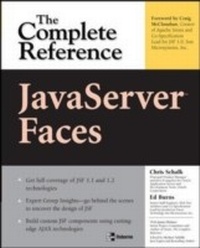
JavaServer Faces: The Complete Reference
1st Edition
Published on 25. August 2006
1031 pages
978-0-07-171048-0 (ISBN)
Description

Ideal for the 3+ million Java developers, this fast-paced tutorial offers in-depth coverage of JavaServer Faces (JSF) -- Sun Microsystem's Web application architecture for the future. Co-written by the #1 JSF expert in the Java community, this book offers the most complete resource on JSF available. * Extensive coverage on JSF custom component development * Serves as a thorough introduction to AJAX technology and techniques * Numerous custom JSF component examples including AJAX enabled components provided
More details
Other editions
Additional editions
Chris Schalk | Ed Burns | James Holmes
JavaServer Faces: The Complete Reference
Book
10/2006
Osborne/McGraw-Hill
€57.00
Shipment within 15-20 days
Content
- Cover Page
- JavaServer Faces: The Complete Reference
- Copyright Page
- Dedication
- About the Authors
- Contents
- Foreword
- Acknowledgments
- Introduction
- Part I The JavaServer Faces Framework
- 1 An Introduction to JavaServer Faces
- What Is JavaServer Faces?
- The History of JavaServer Faces
- The Common Gateway Interface
- The Servlet API
- JavaServer Pages
- Jakarta Struts
- The Birth of JavaServer Faces
- The JavaServer Faces Design Goals
- JSF-A Framework for Both "Corporate" Developers and "Systems" Developers
- JSF Application Architecture
- The JSF Request Processing Lifecycle
- The JSF Navigation Model
- 2 Building a Simple JavaServer Faces Application
- Application Overview
- The JSFReg Application Files
- Assembling the JSFReg Application
- The Configuration Files
- The JSP Pages
- Setting Up Your JSF Development Environment
- Downloading the JSF Reference Implementation and Required Libraries
- Installing Tomcat or Any J2EE-Compliant Application Server
- Compiling, Packaging, and Running the Application
- Compiling the Application
- Packaging the Application
- Deploying and Running the Application
- Reviewing the Key Portions of the Application
- 3 The JavaServer Faces Request Processing Lifecycle
- A High-Level Overview of the JSF Request Processing Lifecycle
- What Exactly Does the Request Processing Lifecycle Do?
- How Does It Differ from Other Web Technologies?
- Automatic Server-Side View Management and Synchronization
- What Are the Request Processing Lifecycle Phases?
- Observing the Request Processing Lifecycle in Action
- Advanced Topics Related to the Request Processing Lifecycle
- Using the immediate Attribute
- Processing Validations and Conversions Immediately
- Phase Listeners
- Lifecycle Concepts to Remember
- 4 Managed Beans and the JSF Expression Language
- What Are Managed Beans?
- A Simple Managed Bean Example
- Initializing Managed Bean Properties
- Declaring Lists and Maps Directly as Managed Beans
- Managed Bean Interdependence
- Setting Managed Properties Using EL
- Controlling Managed Bean Life Spans
- The JSF Expression Language
- Important Expression Languages Changes Between JSF 1.1 and JSF 1.2
- Unified EL Concepts
- Value Expressions
- Expression Operators
- Method Expressions
- Web Application Development Details on Managed Beans
- How to Access Managed Beans Programmatically
- Using Managed Beans as Backing Beans for JSF Pages
- 5 The Navigation Model
- Overview of the Navigation Model
- Recalling MVC-The Controller
- The NavigationHandler-Behind the Scenes
- A Note on Faces Action Methods
- Building Navigation Rules
- A Static Navigation Example
- A Dynamic Navigation Example
- More Sophisticated Navigation Examples
- Using Wildcards
- Using Redirects
- Placing Navigation Rules Outside of faces-config.xml
- 6 The User Interface Component Model
- What Are UI Components?
- The Rise of Component-Based Web Development
- The Goal of JavaServer Faces UI Components
- Introducing the JSF UI Component Architecture
- The UI Component Tree (View)
- The UI Component and Its Associated "Moving Parts"
- UI Components and JSP
- Accessing UI Components Programmatically
- Helpful Advice for Binding UI Components in JSP
- 7 Converting and Validating Data
- Some Validation and Conversion Examples
- Conversion and Validation Under the Covers
- The Faces Converter System
- DateTimeConverter
- NumberConverter
- Associating a Converter with a UIComponent Instance
- The Lifetime of a Converter
- Custom Converters
- The Faces Validation System
- LongRangeValidator
- DoubleRangeValidator
- LengthValidator
- The "required" Facility
- How to Associate a Validator with a UIComponent Instance
- Using JSP to Associate a Validator with a UIComponent Instance
- Using JSP and the validator Attribute to Associate a Validator with a UIComponent Instance
- Programmatically Associating a Validator with a UIComponent Instance
- Custom Validators
- Tie It All Together: Messages in a View
- FacesMessage-Related Methods on FacesContext
- The UIViewRoot and Its Locale Property
- When and How FacesMessage Instances are Created and Added to the FacesContext
- How FacesMessages Are Rendered
- 8 The JSF Event Model
- A High-Level Overview of the JSF Event Model
- How JSF Events Work
- The Faces Event Listener Interfaces and Event Classes
- When Are Faces Events Processed?
- The Anatomy of an Action Event
- Handling an Action Event Earlier in the Faces Lifecycle
- The Anatomy of a Value Change Event
- Writing Custom Action and Value Change Listeners
- Two Faces Event Examples
- Using a Value Change Event to Auto-Fill Fields
- Extending the Value Change Example
- Working with Phase Events and Listeners
- Using a PhaseListener to Observe the Faces Lifecycle in Action
- Creating Custom Events and Listeners
- Part II Extending JavaServer Faces
- 9 Applying JSF: Introducing the Virtual Trainer Application
- A Quick Tour of the Virtual Trainer Application
- Registering and Logging In to the Virtual Trainer Application
- Creating a New Training Event Workout Plan
- Selecting and Updating Training Events
- Logging In as an Online Trainer and Updating Event Workout Comments
- The Virtual Trainer Application Requirements
- The Virtual Trainer Application Architecture
- JSP Pages and Backing Beans
- Building the Virtual Trainer Application
- Basic Page Layout and Formatting
- Creating a Simple Authentication System
- Logging Out of the Virtual Trainer Application
- Revisiting JSFReg-Building the Registration System
- Building the Browse and Edit Pages of the Virtual Trainer Application
- Using a Custom Scroller Component with a dataTable
- Selecting and Editing a Single Row from a dataTable
- Drilling Down to an Edit Form
- Deleting a Training Event
- Creating New Training Events
- Implementing Sortable Columns
- Implementing Data-Tier Sorting in Faces
- Implementing Web-Tier Sorting in Faces
- Taking the Next Step-Persisting Virtual Trainer Data
- How to Build a Persistence Layer
- Internationalizing the Virtual Trainer Application
- Final Comments on Virtual Trainer
- 10 Building Custom UI Components
- Deciding When to Build a Custom UI Component
- What Are UI Components?
- The Moving Parts of a UI Component
- A Simple Hello World Example
- Building the HtmlHelloWorld Example
- A HelloWorld UI Component That Accepts Form Input
- A JSF Stock Quote Component
- An InputDate Component with Multiple Renderers
- Using the InputDate Component
- The Code Behind the InputDate Component
- The HtmlInputDateRenderer
- A WML InputDate Variation
- Dynamically Changing the Renderer at Runtime
- A Custom Chart Component
- Preparing the Chart Data Object
- Using the Chart Data Object
- Rendering an SVG Bar Chart
- Using JavaScript in a Custom JSF Component-A Slider Example
- The Challenge of Using Advanced JavaScript
- Using the JSF Slider Component
- Adding the Required JavaScript Library
- Advanced Custom JSF Component Development
- Updating the HtmlHelloInput UI Component to Use Method Binding
- Updating the HtmlHelloWorld and HtmlHelloInputMB Components for JSF 1.2
- Modifying the JSF 1.2 HtmlHelloWorldMB Component to Use Method Expressions
- Packaging JSF Components into a Self-Contained JAR
- Configuration Files
- Component Classes
- Associated Resources
- A JSF Components Package Example: components.jar
- Configuration Files
- Component Classes
- Associated Resources
- The Future of JSF Component Metadata
- 11 Building AJAX JSF Components
- Introduction to AJAX
- Why All the Interest in AJAX?
- Why JSF and AJAX Are a Perfect Match
- AJAX Under the Hood
- How to Issue an XML HTTP Request
- Using XMLHttpRequest with HTML
- DirectorySearch-A First AJAX Example Without JSF
- The Architecture of the AJAX(-Only) DirectorySearch
- What's Wrong with the AJAX-Only Version of DirectorySearch?
- Building AJAX-Enabled JSF Components
- The High-Level Elements of an AJAX System in JSF
- An AJAX DirectorySearch JSF Component
- An AJAX SpellCheck JSF Component
- AJAX Tips and Tricks
- AJAX XMLHttpRequest Reference
- 12 Building Non-UI Custom Components
- Non-UI Custom Components and Decoration in JSF
- Non-View Custom Components Explained
- PhaseListener
- Converter and Validator
- ViewHandler
- VariableResolver and PropertyResolver
- ELResolver (JSF 1.2)
- NavigationHandler
- ActionListener
- StateManager
- RenderKit
- Factories in JSF
- 13 Alternate View Description Technology and Facelets
- Motivation for Alternate View Description Technology
- The Relationship of the ViewHandler to the Rest of the JSF System
- The Relationship Between ViewHandler, RenderKit, and the Act of View Construction
- The Relationship Between ViewHandler and the State Management System
- How to Build and Install a Custom ViewHandler
- Using Decoration for the Custom ViewHandler
- General Considerations When Writing a Custom ViewHandler
- The Facelets View Description Technology
- The Power of Templating in Faces
- Similarities and Differences Between JSP and Facelets
- Taglibs in Facelets
- Implementing a Facelets Taglib
- Using a Facelets Taglib
- Templating with Facelets
- Guide to Facelets Templating Tags
- Guide to Non-Templating Facelets Tags
- The Design, Architecture, and Implementation of Facelets
- ViewHandler Methods Explained
- Part III Applying JavaServer Faces
- 14 Localization and Accessibility with JavaServer Faces
- Localization
- Some Benefits of the Localization Facilities Provided by JavaServer Faces
- A JSF Localization Example
- The Details Behind Faces Localization and Internationalization
- Internationalization Issues for Custom Components
- Accessibility
- Why Accessibility Is Important
- Guidelines for Providing Accessibility in JSF Applications
- Give a Text Equivalent to Nontextual Content
- Use Markup and Stylesheets Properly
- Clarify Natural Language Usage
- Ensure That Pages Featuring New Technologies Transform Gracefully
- Ensure User Control of Time-Sensitive Content Changes
- Design for Device Independence
- Use the Label Element
- Context and Orientation Information
- 15 Securing JavaServer Faces Applications
- Aspects and Implementation of Web Application Security
- Container-Managed Security
- Container-Managed Authentication
- Basic Authentication and the Concept of a "Realm"
- Form-Based Authentication
- Certificate Authentication
- Container-Managed Authorization and the Concept of Roles
- Container-Managed Data Security
- A Small Security Improvement in the Virtual Trainer
- Application-Managed Security with JavaServer Faces
- Reviewing the Virtual Trainer
- Servlet Filters and Authorization
- PhaseListeners and Authorization
- Implementing a "Remember Me" Feature
- RememberMeLoginComponent: Lifecycle and State Management
- RememberMeLoginComponent: Rendering Behavior
- RememberMeLoginComponent: Properties
- RememberMeLoginTag
- RememberMePhaseListener
- Leveraging JAAS from a JSF Application
- Using JAAS Authentication in the Virtual Trainer
- To Learn More about Security
- 16 Automated Testing and Debugging of JavaServer Faces Applications
- A Review of Software Testing Terminology
- Unit Testing
- Integration Testing
- System Testing
- Stress Testing
- Test Driven Development
- Tools for the Automated Testing of Web Applications
- JUnit, the Most Popular Automated Testing Technology for the Java Platform
- Cactus, Server-Side Automated Unit Testing
- HTMLUnit: Testing the Virtual Trainer Application Flow
- Load Testing and Profiling a JSF Application
- Debugging JSF Applications
- Debugging JSF Applications Without a Source-Level Debugger
- Logging Using the java.util.logging Facility
- Logging Using the Jakarta Commons Logging Facility
- Additional Non-Debugger Debugging Techniques for JSF Applications
- Source-Level Debugging with Eclipse
- Source-Level Debugging with NetBeans
- JSF JSP Debugging with Oracle JDeveloper
- Part IV JavaServer Faces Tools and Libraries
- 17 Developing JSF Applications with Visual Development Environments
- The Application
- Sun Java Studio Creator
- Getting Familiar with Java Studio Creator
- Building the Simple Virtual Trainer Application in Studio Creator
- BEA Workshop Studio
- Getting Familiar with BEA Workshop Studio
- Building the Simple JSF Trainer Application
- Oracle JDeveloper 10g
- Getting Familiar with JDeveloper
- Using Oracle's ADF Framework
- IBM Rational Web Developer
- Getting Familiar with IBM Rational Web Developer
- Building the Simple JSF Trainer Application
- Exadel Studio Pro
- Getting Familiar with Exadel Studio Pro
- Building the Simple JSF Trainer Application
- 18 The JavaServer Faces Configuration File
- Understanding XML DTDs
- Understanding XML Schemas
- Understanding How Configuration Files Are Processed
- The Faces Configuration Elements
- The action-listener Element
- The application Element
- The application-factory Element
- The attribute Element
- The attribute-class Element
- The attribute-name Element
- The base-name Element
- The component Element
- The component-class Element
- The component-family Element
- The component-type Element
- The converter Element
- The converter-class Element
- The converter-for-class Element
- The converter-id Element
- The default-locale Element
- The default-render-kit-id Element
- The default-value Element
- The el-resolver Element
- The faces-config Element
- The faces-context-factory Element
- The facet Element
- The facet-name Element
- The factory Element
- The from-action Element
- The from-outcome Element
- The from-view-id Element
- The key Element
- The key-class Element
- The lifecycle Element
- The lifecycle-factory Element
- The list-entries Element
- The locale-config Element
- The managed-bean Element
- The managed-bean-class Element
- The managed-bean-name Element
- The managed-bean-scope Element
- The managed-property Element
- The map-entries Element
- The map-entry Element
- The message-bundle Element
- The navigation-case Element
- The navigation-handler Element
- The navigation-rule Element
- The null-value Element
- The phase-listener Element
- The property Element
- The property-class Element
- The property-name Element
- The property-resolver Element
- The redirect Element
- The referenced-bean Element
- The referenced-bean-class Element
- The referenced-bean-name Element
- The render-kit Element
- The render-kit-class Element
- The render-kit-factory Element
- The render-kit-id Element
- The renderer Element
- The renderer-class Element
- The renderer-type Element
- The resource-bundle Element
- The state-manager Element
- The suggested-value Element
- The supported-locale Element
- The to-view-id Element
- The validator Element
- The validator-class Element
- The validator-id Element
- The value Element
- The value-class Element
- The var Element
- The variable-resolver Element
- The view-handler Element
- Extension Elements
- Metadata Elements
- Editing Configuration Files with Faces Console
- 19 The Standard JSF Component Library
- A Brief Review of JSF and JSP Tag Nomenclature
- Acquiring and Installing the Standard Libraries
- What You Get (Binary)
- What You Get (Source)
- The Core and HTML Component Library Reference
- The Standard Core Library
- The actionListener Tag
- The attribute Tag
- The convertDateTime Tag
- The convertNumber Tag
- The converter Tag
- The facet Tag
- The loadBundle Tag
- The param Component
- The phaseListener Tag (1.2 Only)
- The selectItem Component
- The selectItems Component
- The setPropertyActionListener Tag (1.2 Only)
- The subview Component
- The validateDoubleRange Tag
- The validateLength Tag
- The validateLongRange Tag
- The validator Tag
- The valueChangeListener Tag
- The verbatim Component
- The view Component
- The Standard HTML Library
- The column Component
- The commandButton Component
- The commandLink Component
- The dataTable Component
- The form Component
- The graphicImage Component
- The inputHidden Component
- The inputSecret Component
- The inputText Component
- The inputTextarea Component
- The message Component
- The messages Component
- The outputFormat Component
- The outputLabel Component
- The outputLink Component
- The outputText Component
- The panelGrid Component
- The panelGroup Component
- The selectBooleanCheckbox Component
- The selectManyCheckbox Component
- The selectManyListbox Component
- The selectManyMenu Component
- The selectOneListbox Component
- The selectOneMenu Component
- The selectOneRadio Component
- 20 The MyFaces Implementation and Component Library
- Acquiring MyFaces
- What You Get (Binary)
- What You Get (Source)
- Using MyFaces
- Using the MyFaces JSF Implementation
- Using the MyFaces Tomahawk Library
- The MyFaces Extended Components
- Common Extended Attributes
- The commandButton Component
- The commandLink Component
- The dataTable Component
- The graphicImage Component
- The inputHidden Component
- The inputSecret Component
- The inputText Component
- The inputTextarea Component
- The message Component
- The messages Component
- The outputLabel Component
- The outputText Component
- The panelGrid Component
- The panelGroup Component
- The selectBooleanCheckbox Component
- The selectManyCheckbox Component
- The selectManyListbox Component
- The selectManyMenu Component
- The selectOneListbox Component
- The selectOneMenu Component
- The selectOneRadio Component
- The MyFaces Custom Components
- Common Attributes
- The aliasBean Component
- The aliasBeansScope Component
- The buffer Component
- The checkbox Component
- The collapsiblePanel Component
- The commandNavigation Component
- The commandNavigation2 Component
- The commandSortHeader Component
- The dataList Component
- The dataScroller Component
- The div Component
- The htmlTag Component
- The inputCalendar Component
- The inputDate Component
- The inputFileUpload Component
- The inputHTML Component
- The inputTextHelp Component
- The jscookMenu Component
- The jsValueChangeListener Component
- The jsValueSet Component
- The newspaperTable Component
- The panelNavigation Component
- The panelNavigation2 Component
- The panelStack Component
- The panelTab Component
- The panelTabbedPane Component
- The popup Component
- The radio Component
- The saveState Component
- The selectOneCountry Component
- The selectOneLanguage Component
- The stylesheet Component
- The tree Component
- The tree2 Component
- The treeColumn Component
- The updateActionListener Tag
- The MyFaces Custom Validators
- The validateCreditCard Validator
- The validateEmail Validator
- The validateEqual Validator
- The validateRegExpr Validator
- The MyFaces Support for the Tiles Framework
- Tiles Overview
- Using the MyFaces Support for Tiles
- Part V Appendixes
- A Faces Console Quick Reference
- Supported Configuration Files
- Acquiring and Installing Faces Console
- Using Faces Console as a Stand-Alone Application
- Using Faces Console Inside Borland JBuilder
- Using Faces Console Inside Eclipse
- Using Faces Console Inside IBM Rational Application Developer for WebSphere
- Using Faces Console Inside IntelliJ IDEA
- Using Faces Console Inside NetBeans and Sun ONE Studio (Forte)
- Using Faces Console Inside Oracle JDeveloper
- Configuring the Faces Console Output Options
- B Third-Party JSF Component Libraries
- Sun's Extended UI Component Library
- JScape's WebGalileo Faces
- Oracle's ADF Faces
- Acquiring ADF Faces
- ADF Faces Component Reference
- ADF Faces Key Technologies
- ADF Faces Partial Page Rendering Feature
- The ADF Faces processScope
- Using the ADF Faces Dialog Framework
- ADF Faces Skinning Technology
- Oracle JDeveloper's Visual Design Time Experience for ADF Faces
- JSFCentral-A Reference for Third-Party Components
- C Migrating from Struts to Faces
- Similarities and Differences
- Development Style
- Migration Strategy: The Struts-Faces Integration Library
- Satisfying Compile-Time and Runtime Dependencies
- Declaring the FacesServlet
- Mapping the FacesServlet
- Replacing the Standard Struts Request Processor
- Migrating the JSP Pages
- Modifying the Action Forwards
- D JSF Futures: Apache Shale
- Shale, the Java Community Process, and Innovation
- Migration Concerns: Should I Depend on Shale?
- Getting and Running Shale
- The Dialog Manager
- The Application Manager
- A Guide to Shale Features
- ViewController (shale-core.jar)
- Dialog Manager (shale-core.jar)
- Application Manager (shale-core.jar)
- Validation (shale-core.jar)
- Remoting(shale-remoting.jar)
- Accessing Static Resources
- Invoking a MethodExpression
- Conclusion and Resources
- Index
