

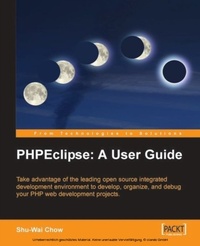
PHPEclipse: A User Guide
Use the leading open source integrated development enviornment to develop, organize, and debug your PHP web development projects
1st Edition
Published on 13. February 2006
228 pages
978-1-84719-032-1 (ISBN)
Description

Use the leading open source integrated development enviornment to develop, organize, and debug your PHP web development projectsKey Features - Compact guide to using Eclipse and PHPEclipse for web development
- Slash development time by improving the efficiency of your PHP coding and organizing your projects in the PHPEclipse environment
- Learn to use Eclipse for debugging PHP applications, interfacing with databases, and managing source code
- No previous knowledge of Eclipse required
Book DescriptionThe fusion of Eclipse, the leading open source development environment, and PHP is an exciting prospect for web developers. This book makes sure that you are up and running as quickly as possible, ready to take full advantage of PHPEclipse's tuned PHP development tools, without requiring any prior knowledge of Eclipse. You will begin with installing and configuring PHPEclipse, before moving onto a tour of the Eclipse environment, familiarizing you with its main components. As a plug-in to Eclipse, PHPEclipse is able to harness the platform to provide a rich and powerful development experience. For helping you improve the efficiency of your PHP coding, the book details the powerful editing features of PHPEclipse, and shows you how to use it to better organize your application code. You will see how PHPEclipse helps you throughout the development lifecycle, and learn how to use PHPEclipse's debugger to troubleshoot and step through your PHP code as it executes. The book rounds off with coverage of accessing databases and managing source code from within the. For the final step for your application, you will learn how to deploy your site to a production server."What you will learn - Finding your way around the Eclipse environment
- Working with the PHP editing features of PHPEclipse to correct your PHP syntax
- Configuring and using the debugger to help troubleshoot PHP code
- Using PHPDocumentor to quickly create documentation for your code
- Interfacing to SQL databases using the QuantumDB plug-in
- Managing your source code repository from within Eclipse
- Deploying your application to production servers via FTP, SFTP, WebDav
- Using Ant to deploy your PHP applications
Who this book is forThis book is written for PHP developers who want an open source development environment for creating web applications. You do not need any knowledge of Java or prior experience of Eclipse to use this book.
- Slash development time by improving the efficiency of your PHP coding and organizing your projects in the PHPEclipse environment
- Learn to use Eclipse for debugging PHP applications, interfacing with databases, and managing source code
- No previous knowledge of Eclipse required
Book DescriptionThe fusion of Eclipse, the leading open source development environment, and PHP is an exciting prospect for web developers. This book makes sure that you are up and running as quickly as possible, ready to take full advantage of PHPEclipse's tuned PHP development tools, without requiring any prior knowledge of Eclipse. You will begin with installing and configuring PHPEclipse, before moving onto a tour of the Eclipse environment, familiarizing you with its main components. As a plug-in to Eclipse, PHPEclipse is able to harness the platform to provide a rich and powerful development experience. For helping you improve the efficiency of your PHP coding, the book details the powerful editing features of PHPEclipse, and shows you how to use it to better organize your application code. You will see how PHPEclipse helps you throughout the development lifecycle, and learn how to use PHPEclipse's debugger to troubleshoot and step through your PHP code as it executes. The book rounds off with coverage of accessing databases and managing source code from within the. For the final step for your application, you will learn how to deploy your site to a production server."What you will learn - Finding your way around the Eclipse environment
- Working with the PHP editing features of PHPEclipse to correct your PHP syntax
- Configuring and using the debugger to help troubleshoot PHP code
- Using PHPDocumentor to quickly create documentation for your code
- Interfacing to SQL databases using the QuantumDB plug-in
- Managing your source code repository from within Eclipse
- Deploying your application to production servers via FTP, SFTP, WebDav
- Using Ant to deploy your PHP applications
Who this book is forThis book is written for PHP developers who want an open source development environment for creating web applications. You do not need any knowledge of Java or prior experience of Eclipse to use this book.
More details
Other editions
Additional editions
Book
01/2006
Packt Publishing
€45.40
Shipment within 3-4 weeks
Content
- Intro
- PHPEclipse: A User Guide
- Table of Contents
- PHPEclipse: A User Guide
- Credits
- About the Author
- Acknowledgements
- About the Reviewer
- Preface
- What This Book Covers
- What You Need for This Book
- Conventions
- Reader Feedback
- Customer Support
- Downloading the Example Code for the Book
- Errata
- Questions
- 1. Overview of Eclipse and PHPEclipse
- Integrated Development Environments
- Advantages of Using an IDE
- Disadvantages of Using an IDE
- IDEs in Development Projects
- Eclipse
- A History of Eclipse
- IBM and OTI
- The Eclipse Foundation
- The Eclipse Architecture
- Plug-Ins
- The Workbench Plug-In
- Standard Widget Toolkit
- Why Use Eclipse?
- Eclipse is Extensible
- Eclipse is Free
- Eclipse Frees You from Vendor Lock-In
- Cross-Platform
- Professional Features
- PHPEclipse
- Summary
- 2. Installation
- Installing Apache/PHP
- Windows
- Mac OS X
- Linux
- Testing Apache
- Testing PHP
- Installing Java
- Windows
- Mac OS X
- Linux
- Testing Java
- Eclipse
- Downloading Eclipse
- Installing Eclipse
- Installing PHPEclipse
- Putting It All Together
- Summary
- 3. The Eclipse Interface
- Starting Eclipse
- The Eclipse Welcome Screen
- Perspectives
- Changing Perspectives
- Quantum DB Perspective
- Editors
- PHPEclipse Views
- Navigator View
- Working Sets
- Console View
- Problems View
- Outline View
- Bookmarks View
- PHP Browser View
- Personalizing Your Perspectives
- Customize Perspectives
- Perspective Layouts
- Save Perspective As...
- Reset Perspective
- Close Perspective
- Close All Perspectives
- Summary
- 4. Writing PHP Code with Eclipse
- Creating a Project
- Adding Directories
- Creating PHP Files
- Code Templates
- The Editor
- Editor Visual Aids
- Customizing the Editor
- Creating a Web Application
- Setting Up the Database
- Setting Up the Project
- Creating the Objects
- Creating the View Files
- Writing the Database Class
- Writing the Pet Class
- Writing the Cat Class
- Writing the View Class
- Eclipse Web Tools Platform Project
- Installing the Web Tools Platform
- Installing on Linux and Windows
- Installing on Macintosh
- Writing the View Page
- HTML Cleanup Using HTML Tidy
- Code Documentation Using phpDocumentor
- Summary
- 5. Testing and Debugging
- About the Debugger
- Installing the Debugger
- Installing DBG
- Precompiled Binary Instructions
- Compiling DBG Yourself
- Configuring php.ini to Use DBG
- Testing Your PHP Installation
- Configuring Eclipse as the Debugger Client
- Specifying an Interpreter
- Creating a Debugging Configuration
- Troubleshooting Tips
- How to Use the Debugger
- Debug View
- Variables View
- Breakpoints View
- Console, Editor, Outline, and PHP Browser
- Navigating Through a Debugging Session
- Debugging Strategies
- Working with Variables
- Debugging Arrays
- Debugging Objects
- Changing Variable Values
- Forms, Cookies, Session, and Server Variables
- Watching Variables
- Run
- XDebug
- Installing XDebug
- Windows Installation
- Mac OS X/Linux Installation
- Configure php.ini
- Summary
- 6. Using the Quantum DB Plug-In
- Relational Databases
- JDBC
- The Quantum DB Plug-In
- Setting Up the Environment
- The Development Database
- Downloading and Installing the MySQL JDBC Driver
- Using the Quantum DB Plug-In
- Setting Up a Database in Quantum DB
- Using a Database in Quantum DB
- Writing SQL Statements
- Working with the Quantum Table View Result Sets
- Quantum DB Shortcuts
- Summary
- 7. Version Control
- Version Control Overview
- Terms and Concepts
- Installing and Setting Up CVS
- Windows Installation
- Macintosh Installation
- Linux Installation
- Macintosh and Linux Configuration
- The CVS Repository Perspective
- Adding a Repository
- Adding a Project to CVS
- Committing and Updating
- CVS Annotate View
- CVS Resource History
- Tagging
- Branching
- Merging
- Subclipse
- Viewing a Subversion Project
- Summary
- 8. Deploying Your Site
- Setting Up a Test FTP Server
- Windows
- Macintosh
- Linux
- .FTP, SFTP, and WebDAV Export
- Using Ant for Deployment
- Setting up Ant for FTP
- Downloading
- Installing
- Adding Files to the Ant Classpath
- Creating Our Sample Ant Build File
- Running an Ant Script
- Ant Tools
- Summary
- A. Plug-ins and Plug-in Sites
- Community Sites
- Notable Language Plug-ins
- B. The Eclipse Update Manager
- Installing New Plug-Ins
- Installing PHPEclipse
- Updating Current Software
- Index
