

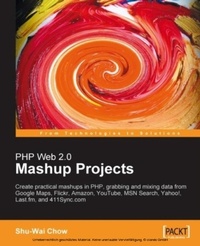
PHP Web 2.0 Mashup Projects: Practical PHP Mashups with Google Maps, Flickr, Amazon, YouTube, MSN Search, Yahoo!
Create practical mashups in PHP grabbing and mixing data from Google Maps, Flickr, Amazon, YouTube, MSN Search, Yahoo!, Last.fm, and 411Sync.com
1st Edition
Published on 13. January 2025
304 pages
978-1-84719-089-5 (ISBN)
Description

Create practical mashups in PHP grabbing and mixing data from Google Maps, Flickr, Amazon, YouTube, MSN Search, Yahoo!, Last.fm, and 411Sync.comKey Features - Expand your website and applications using mashups
- Gain a thorough understanding of mashup fundamentals
- Clear, detailed walk-through of the key PHP mashup building technologies
- Five fully implemented example mashups with full code
Book DescriptionA mashup is a web page or application that combines data from two or more external online sources into an integrated experience. This book is your entryway to the world of mashups and Web 2.0. You will create PHP projects that grab data from one place on the Web, mix it up with relevant information from another place on the Web and present it in a single application. This book is made up of five real-world PHP projects. Each project begins with an overview of the technologies and protocols needed for the project, and then dives straight into the tools used and details of creating the project: Look up products on Amazon.Com from their code in the Internet UPC database A fully customized search engine with MSN Search and Yahoo! A personal video jukebox with YouTube and Last.FM Deliver real-time traffic incident data via SMS and the California Highway Patrol! Display pictures sourced from Flickr in Google maps All the mashup applications used in the book are built upon free tools and are thoroughly explained. You will find all the source code used to build the mashups used in this book in the code download section for this book.What you will learn - You will learn how to write PHP code to remotely consume services like Google Maps, Flickr, Amazon, YouTube, MSN Search, Yahoo!, Last.fm, and the Internet UPC Database, not to mention the California Highway Patrol Traffic data! You will also learn about the technologies, data formats, and protocols needed to use these web services and APIs, and some of the freely-available PHP tools for working with them. You will understand how these technologies work with each other and see how to use this information, in combination with your imagination, to build your own cutting-edge websites.Chapter 1 provides an overview of "mashups": what a mashup is, and why you would want one.In Chapter 2 we create a basic mashup, and go shopping. We will simply look up products on Amazon.com based on the Universal Product Code (UPC). To do this, we cover two basic web services to get our feet wet ?¢'Ǩ'Äù XML-RPC and REST. The Internet UPC Database is an XML-RPC-based service. while Amazon uses REST. We will create code to call XML-RPC and REST services. Using PHP?¢'Ǩ'Ñ¢s SAX function, we create an extensible object-oriented parser for XML. The mashup covered in this chapter integrates information taken from Amazon s e-commerce service (ECS) with the Internet UPC database.In Chapter 3, we create a custom search engine using the technology of MSN, and Yahoo! The chapter starts with an introduction to SOAP, the most complex of the web service protocols. SOAP relies heavily on other standards like WSDL and XSD, which are also covered in readable detail. We take a look at a WSDL document and learn how to figure out what web services are available from it, and what types of data are passed. Using PHP5?¢'Ǩ'Ñ¢s SoapClient extension, we then interact with SOAP servers to grab data. We then finally create our mashup, which gathers web search results sourced from MSN and Yahoo! For the mashup in Chapter 4, we use the API from the video repository site YouTube, and the XML feeds from social music site Last.fm. We will take a look at three different XML-based file formats from those two sites: XSPF for song playlists, RSS for publishing frequently updated information, and YouTube?¢'Ǩ'Ñ¢s custom XML format. We will create a mashup that takes the songs in two Last.fm RSS feeds and queries YouTube to retrieve videos for those songs. Rather than creating our own XML-based parsers to parse the three formats, we have used parsers from PEAR, one for each of the three formats. Using these PEAR packages, we create an object-oriented abstraction of these formats, which can be consumed by our mashup application. In Chapter 5, we screen-scrape from the California Highway Patrol. The CHP maintains a website of traffic incidents. This site auto-refreshes every minute, ensuring the user gets live data about accidents throughout the state of California. This is very valuable if you are in front of a computer. If you are out and about running errands, it would be fairly useless. However, our mashup will use the web service from 411Sync.com to accept SMS messages from mobile users to deliver these traffic incidents to users.We ve thrown almost everything into Chapter 6! In this chapter, we use RDF documents SPARQL, RAP, Google Maps, Flickr, AJAX, and JSON. We create a geographically-centric way to present pictures from Flickr on Google Maps. We see how to read RDF documents and how to extract data from them using SPARQL and RAP for RDF. This gets us the latitude and longitude of London Tube Stations. We display them on a Google Map, and retrieve pictures of a selected station from Flickr. Our application needs to communicate with the API servers for which we use AJAX and JSON, which is emerging as a major data format. The biggest pitfall in this AJAX application is race conditions, and we will learn various techniques to overcome these.
Who this book is forIf you feel confident with your PHP programming, familiar with the basics of HTML and CSS, unafraid of XML, and interested in mashing things up, this is the book for you!There are a lot of formats and protocols, web services and web APIs encountered in this book ?¢'Ǩ'Äù you do not need to know anything about them or about AJAX; you will find all you need in the book. http://www.packtpub.com/files/images/buy-this-book.gif
- Gain a thorough understanding of mashup fundamentals
- Clear, detailed walk-through of the key PHP mashup building technologies
- Five fully implemented example mashups with full code
Book DescriptionA mashup is a web page or application that combines data from two or more external online sources into an integrated experience. This book is your entryway to the world of mashups and Web 2.0. You will create PHP projects that grab data from one place on the Web, mix it up with relevant information from another place on the Web and present it in a single application. This book is made up of five real-world PHP projects. Each project begins with an overview of the technologies and protocols needed for the project, and then dives straight into the tools used and details of creating the project: Look up products on Amazon.Com from their code in the Internet UPC database A fully customized search engine with MSN Search and Yahoo! A personal video jukebox with YouTube and Last.FM Deliver real-time traffic incident data via SMS and the California Highway Patrol! Display pictures sourced from Flickr in Google maps All the mashup applications used in the book are built upon free tools and are thoroughly explained. You will find all the source code used to build the mashups used in this book in the code download section for this book.What you will learn - You will learn how to write PHP code to remotely consume services like Google Maps, Flickr, Amazon, YouTube, MSN Search, Yahoo!, Last.fm, and the Internet UPC Database, not to mention the California Highway Patrol Traffic data! You will also learn about the technologies, data formats, and protocols needed to use these web services and APIs, and some of the freely-available PHP tools for working with them. You will understand how these technologies work with each other and see how to use this information, in combination with your imagination, to build your own cutting-edge websites.Chapter 1 provides an overview of "mashups": what a mashup is, and why you would want one.In Chapter 2 we create a basic mashup, and go shopping. We will simply look up products on Amazon.com based on the Universal Product Code (UPC). To do this, we cover two basic web services to get our feet wet ?¢'Ǩ'Äù XML-RPC and REST. The Internet UPC Database is an XML-RPC-based service. while Amazon uses REST. We will create code to call XML-RPC and REST services. Using PHP?¢'Ǩ'Ñ¢s SAX function, we create an extensible object-oriented parser for XML. The mashup covered in this chapter integrates information taken from Amazon s e-commerce service (ECS) with the Internet UPC database.In Chapter 3, we create a custom search engine using the technology of MSN, and Yahoo! The chapter starts with an introduction to SOAP, the most complex of the web service protocols. SOAP relies heavily on other standards like WSDL and XSD, which are also covered in readable detail. We take a look at a WSDL document and learn how to figure out what web services are available from it, and what types of data are passed. Using PHP5?¢'Ǩ'Ñ¢s SoapClient extension, we then interact with SOAP servers to grab data. We then finally create our mashup, which gathers web search results sourced from MSN and Yahoo! For the mashup in Chapter 4, we use the API from the video repository site YouTube, and the XML feeds from social music site Last.fm. We will take a look at three different XML-based file formats from those two sites: XSPF for song playlists, RSS for publishing frequently updated information, and YouTube?¢'Ǩ'Ñ¢s custom XML format. We will create a mashup that takes the songs in two Last.fm RSS feeds and queries YouTube to retrieve videos for those songs. Rather than creating our own XML-based parsers to parse the three formats, we have used parsers from PEAR, one for each of the three formats. Using these PEAR packages, we create an object-oriented abstraction of these formats, which can be consumed by our mashup application. In Chapter 5, we screen-scrape from the California Highway Patrol. The CHP maintains a website of traffic incidents. This site auto-refreshes every minute, ensuring the user gets live data about accidents throughout the state of California. This is very valuable if you are in front of a computer. If you are out and about running errands, it would be fairly useless. However, our mashup will use the web service from 411Sync.com to accept SMS messages from mobile users to deliver these traffic incidents to users.We ve thrown almost everything into Chapter 6! In this chapter, we use RDF documents SPARQL, RAP, Google Maps, Flickr, AJAX, and JSON. We create a geographically-centric way to present pictures from Flickr on Google Maps. We see how to read RDF documents and how to extract data from them using SPARQL and RAP for RDF. This gets us the latitude and longitude of London Tube Stations. We display them on a Google Map, and retrieve pictures of a selected station from Flickr. Our application needs to communicate with the API servers for which we use AJAX and JSON, which is emerging as a major data format. The biggest pitfall in this AJAX application is race conditions, and we will learn various techniques to overcome these.
Who this book is forIf you feel confident with your PHP programming, familiar with the basics of HTML and CSS, unafraid of XML, and interested in mashing things up, this is the book for you!There are a lot of formats and protocols, web services and web APIs encountered in this book ?¢'Ǩ'Äù you do not need to know anything about them or about AJAX; you will find all you need in the book. http://www.packtpub.com/files/images/buy-this-book.gif
More details
Other editions
Additional editions
Shu-Wai Chow
PHP Web 2.0 Mashup Projects
Book
09/2007
Packt Publishing
€51.10
Shipment within 3-4 weeks
Person
Chow Shu-Wai :
Shu-Wai Chow has worked in computer programming and information technology for the past eight years. He started his career in Sacramento, California, spending four years as the webmaster for Educaid, a First Union Company, and another four years at Vision Service Plan as an application developer. Through the years, he has become proficient in Java, JSP, PHP, ColdFusion, ASP, LDAP, XSLT, and XSL-FO. Shu has also been the volunteer webmaster and a feline adoption counselor for several animal welfare organizations in Sacramento. He is currently a software engineer at Antenna Software in Jersey City, New Jersey, and is finishing his studies in Economics at Rutgers, the State University of New Jersey. Born in the British Crown Colony of Hong Kong, Shu did most of his alleged growing up in Palo Alto, California. He lives on the Jersey Shore with seven very demanding cats, four birds that are too smart for their own good, a tail-less bearded dragon, a betta who needs her tank cleaned, a dermestid beetle colony, a cherished Fender Stratocaster, and a beloved, saint-like fiancé.
Shu-Wai Chow has worked in computer programming and information technology for the past eight years. He started his career in Sacramento, California, spending four years as the webmaster for Educaid, a First Union Company, and another four years at Vision Service Plan as an application developer. Through the years, he has become proficient in Java, JSP, PHP, ColdFusion, ASP, LDAP, XSLT, and XSL-FO. Shu has also been the volunteer webmaster and a feline adoption counselor for several animal welfare organizations in Sacramento. He is currently a software engineer at Antenna Software in Jersey City, New Jersey, and is finishing his studies in Economics at Rutgers, the State University of New Jersey. Born in the British Crown Colony of Hong Kong, Shu did most of his alleged growing up in Palo Alto, California. He lives on the Jersey Shore with seven very demanding cats, four birds that are too smart for their own good, a tail-less bearded dragon, a betta who needs her tank cleaned, a dermestid beetle colony, a cherished Fender Stratocaster, and a beloved, saint-like fiancé.
Content
- Intro
- PHP Web 2.0 Mashup Projects: Create practical mashups in PHP, grabbing and mixing data from Google Maps, Flickr, Amazon, YouTube, MSN Search, Yahoo!, Last.fm, and 411Sync.com
- Table of Contents
- PHP Web 2.0 Mashup Projects
- Credits
- About the Author
- About the Reviewer
- Preface
- What This Book Covers
- What You Need for This Book
- Conventions
- Reader Feedback
- Customer Support
- Downloading the Example Code for the Book
- Errata
- Questions
- 1. Introduction to Mashups
- Web 2.0 and Mashups
- Importance of Data
- User Communities
- How We Will Create Mashups
- More Mashups
- 2. Buy it on Amazon
- XML-RPC
- XML-RPC Structure
- XML-RPC Request
- XML-RPC Data Types
- Scalar Values
- String
- Integer
- Double
- Boolean
- Date/Time
- Base64-Encoded Binary
- Arrays
- Struct
- XML-RPC Response
- Working with XML-RPC in PHP
- Making an XML-RPC Request
- Serializing Data with XML-RPC Encode Request
- Creating a Single Parameter XML-RPC Request
- Double Data Type
- Date/Time and Base64 Data Types
- Creating a Multiple Parameter XML-RPC Request
- Passing Arrays in XML-RPC Requests
- Passing Struct in XML-RPC Requests
- Calling XML-RPC Using Sockets
- Processing an XML-RPC Response
- Creating an XML-RPC Parser Class
- Testing Our XML-RPC Parser Class
- Using PEAR to Handle XML-RPC
- REST
- Working with REST in PHP
- Making a REST Request
- A GET and POST Refresher
- Using Sockets to Initiate a REST Request
- Creating GET and POST Request Functions
- Making a REST Parser Class
- Testing Our REST Parser Class
- Processing a REST Response
- Basic Walkthrough with PHP and SAX
- Using the PHP's XML Functions
- Setting up the Callback Functions
- Seeing the Callbacks in Action
- Creating a SAX Parser Class
- Examining the Classes
- Using and Testing the Class
- Internet UPC Database API
- Amazon API
- A Tour of ECS
- Anatomy of an ECS REST Request
- Location of Service
- Mashing Up
- Product Lookups
- Handling Amazon's XML Responses
- An ECS Lookup Response
- Your Own Amazon Cart
- Summary
- 3. Make Your Own Search Engine
- SOAP
- Web Services Descriptor Language (WSDL) With XML Schema Data (XSD)
- Basic WSDL Structure
- definitions Element
- types Element
- Simple Type
- Complex Type
- Arrays
- message Element
- RPC Binding
- Document Binding
- portType Element
- binding Element
- service Element
- The SOAP Message
- Envelope
- Header
- Body
- RPC Binding
- Document Binding
- Fault
- PHP's SoapClient
- Creating Parameters
- Instantiate the SoapClient
- Instantiating in WSDL Mode
- Instantiating in Non-WSDL Mode
- Making the Call and Using SoapClient Methods
- Calling SOAP Operations in WSDL Mode
- Calling SOAP Operations in Non-WSDL Mode
- Handling the SOAP Response
- Handling SOAP Errors with SoapFault
- Handling Successful Results
- Microsoft Live Search Web Service
- Using Search
- Yahoo! Search Web Service
- Using Web Search
- Mashing Up
- Summary
- 4. Your Own Video Jukebox
- XSPF
- RSS
- YouTube Overview
- YouTube Developer API
- Last.fm Overview
- Audioscrobbler Web Services
- Parsing With PEAR
- Package Installation and Usage
- File_XSPF
- Services_YouTube
- XML_RSS
- Mashing Up
- Mashup Architecture
- Main Page
- Navigation Page
- Content Page
- Using the Mashup
- Summary
- 5. Traffic Incidents via SMS
- Screen Scraping the PHP Way
- Parsing with DOM Functions
- Basic Element and Attribute Parsing
- Testing the Schema
- More About PHP's Implementation of the DOM
- 411Sync.com API
- Creating Your Mobile Search Keyword
- Name Your Keyword
- Format the Users will Use when They Use Your Search
- HTTP Location of the XML Data
- California Highway Patrol Incident Page
- Mashing Up
- The Incident Class
- The DOM Parser Class
- The CHP DOM Parser Class
- Creating the Feed Page
- Testing and Deploying
- Summary
- 6. London Tube Photos
- Preliminary Planning
- Finding Tube Information
- Integrating Google Maps and Flickr Services
- Application Sequence
- Resource Description Framework (RDF)
- SPARQL
- Analyzing the Query Subject
- Anatomy of a SPARQL Query
- Writing SPARQL WHERE Clauses
- Basic Principles
- A Simple Query
- Querying for Types
- Ordering, Limiting, and Offsetting
- UNION and DISTINCT
- More SPARQL Features
- RDF API for PHP (RAP)
- XMLHttpRequest Object
- XMLHttpRequest Object Overview
- Using the Object
- Creating the Object
- Making the HTTP Request
- Creating and Using the Callback
- JavaScript Object Notation (JSON)
- JavaScript Objects Review
- JSON Structure
- Accessing JSON Properties
- Serializing the JSON Response
- Google Maps API
- Creating a Map
- Geocoding
- Markers
- Events
- InfoWindow Box
- Flickr Services API
- Executing a Search
- Interpreting Service Results
- Retrieving a Photo or a Photo's Page
- Mashing Up
- Building and Populating the Database
- Examining the File
- Creating Our Database Schema
- Building SPARQL Queries
- Stations Query
- Lines Query
- Lines to Stations Query
- Database Population Script
- The TubeSource Database Interface Class
- The Main User Interface
- Using Flickr Services with AJAX
- Creating an XMLHttpRequest Proxy
- Modifying the Main JavaScript
- Making the XMLHttpRequest
- Race Conditions
- Parsing the AJAX Response
- Summary
- Index
