

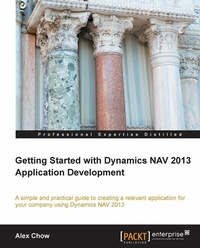
Getting Started with Dynamics NAV 2013 Application Development
Using this tutorial will take you deeper into Dynamics NAV from a developer's viewpoint, and allow you to unlock its full potential. The book covers developing an application from start to finish in logical, illuminating steps.
Published on 13. January 2025
230 pages
978-1-84968-949-6 (ISBN)
Description

Using this tutorial will take you deeper into Dynamics NAV from a developer s viewpoint, and allow you to unlock its full potential. The book covers developing an application from start to finish in logical, illuminating steps.
Key Features
Understanding user requirements and drawing inspiration from existing functions
Creating the application and integrating it into standard Dynamics NAV
Presented in a simple tutorial style, with a resource to get a free trial full version to help you get started
Book DescriptionSo, your company has made the wise decision to use Dynamics NAV as its main business software for all its enterprise resource planning. Dive in and learn the ins and outs of the software from a development standpoint and unlock the software's full potential.The book will walk you through creating an application from start to finish. Once you know how to create a working application that users can access, you will have the knowledge and the resources needed to create other applications based on the tutorials covered in this guide.You will start by obtaining a free trial version of Dynamics NAV and then be introduced to the world of analyzing and deriving user problems into a requirements list. Finally, you will be shown how to use the software to knock out these requirements. You will learn everything you need in order to begin creating your own applications, from translating the user's requirements to creating and modifying your system applications. Use Dynamics NAV's capability to create an application and address the user's needs, while also learning best practices and simple solutions. "Getting Started with Dynamics NAV 2013 Application Development" will help you on your way to becoming a great developer!What you will learn
Learn how to 'AEulook under the hood'AEu for existing application functions
Work within the application environment to create relevant projects
Create and modify an application that is to the user s specification
Relate the application object to the standard system
Explore functionalities and relationships to get your application working efficiently
Who this book is for"Getting Started with Dynamics NAV 2013 Application Development" is for any user who uses Dynamics NAV as their main business software. This is also for any developers who may be familiar with other accounting software and wish to get into developing within the Dynamics NAV field.
Key Features
Understanding user requirements and drawing inspiration from existing functions
Creating the application and integrating it into standard Dynamics NAV
Presented in a simple tutorial style, with a resource to get a free trial full version to help you get started
Book DescriptionSo, your company has made the wise decision to use Dynamics NAV as its main business software for all its enterprise resource planning. Dive in and learn the ins and outs of the software from a development standpoint and unlock the software's full potential.The book will walk you through creating an application from start to finish. Once you know how to create a working application that users can access, you will have the knowledge and the resources needed to create other applications based on the tutorials covered in this guide.You will start by obtaining a free trial version of Dynamics NAV and then be introduced to the world of analyzing and deriving user problems into a requirements list. Finally, you will be shown how to use the software to knock out these requirements. You will learn everything you need in order to begin creating your own applications, from translating the user's requirements to creating and modifying your system applications. Use Dynamics NAV's capability to create an application and address the user's needs, while also learning best practices and simple solutions. "Getting Started with Dynamics NAV 2013 Application Development" will help you on your way to becoming a great developer!What you will learn
Learn how to 'AEulook under the hood'AEu for existing application functions
Work within the application environment to create relevant projects
Create and modify an application that is to the user s specification
Relate the application object to the standard system
Explore functionalities and relationships to get your application working efficiently
Who this book is for"Getting Started with Dynamics NAV 2013 Application Development" is for any user who uses Dynamics NAV as their main business software. This is also for any developers who may be familiar with other accounting software and wish to get into developing within the Dynamics NAV field.
All prices
More details
Edition
Digital original
Language
English
Place of publication
Birmingham
United Kingdom
Target group
Professional and scholarly
US School Grade: College Graduate Student
Edition type
Digital original
File size
7,93 MB
ISBN-13
978-1-84968-949-6 (9781849689496)
Copyright in bibliographic data and cover images is held by Nielsen Book Services Limited or by the publishers or by their respective licensors: all rights reserved.
Schweitzer Classification
Other editions
Additional editions
Book
04/2013
Packt Publishing
€55.40
Shipment within 3-4 weeks
Person
Chow Alex :
Alex Chow has been working with Microsoft Dynamics NAV, formerly Navision, since 1999. His customers range from $2 million a year small enterprises to $500 million a year multinational corporations. With a background in implementing all functions and modules inside and outside of Microsoft Dynamics NAV, Alex has encountered and resolved the most practical through to the most complex requirements and business rules. He founded AP Commerce, Inc. in 2005, a full-service Dynamics NAV service center. Alex has also written the books Getting Started with Dynamics NAV 2013 Application Development and Implementing Dynamics NAV, Third Edition, both by Packt. He lives in southern California with his wife and two lovely daughters.
Alex Chow has been working with Microsoft Dynamics NAV, formerly Navision, since 1999. His customers range from $2 million a year small enterprises to $500 million a year multinational corporations. With a background in implementing all functions and modules inside and outside of Microsoft Dynamics NAV, Alex has encountered and resolved the most practical through to the most complex requirements and business rules. He founded AP Commerce, Inc. in 2005, a full-service Dynamics NAV service center. Alex has also written the books Getting Started with Dynamics NAV 2013 Application Development and Implementing Dynamics NAV, Third Edition, both by Packt. He lives in southern California with his wife and two lovely daughters.
Content
Table of Contents

