

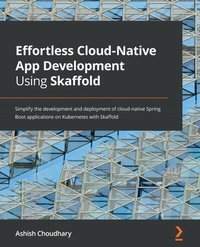
Effortless Cloud-Native App Development Using Skaffold
Simplify the development and deployment of cloud-native Spring Boot applications on Kubernetes with Skaffold
Published on 23. September 2024
272 pages
978-1-80107-695-1 (ISBN)
Description

A practical guide to solving inner development loop problems in cloud-native applications by automating build, push, and deploy boilerplate using Skaffold
Key Features
Learn how to build and deploy cloud-native applications quickly with Kubernetes
Create a production-ready continuous integration and continuous delivery (CI/CD) pipeline for cloud-native apps
Discover ways to create a GitOps-style CD workflow for cloud-native applications
Book DescriptionKubernetes has become the de facto standard for container orchestration, drastically improving how we deploy and manage cloud-native apps. Although it has simplified the lives of support professionals, we cannot say the same for developers who need to be equipped with better tools to increase productivity. An automated workflow that solves a wide variety of problems that every developer faces can make all the difference! Enter Skaffold - a command-line tool that automates the build, push, and deploy steps for Kubernetes applications. This book is divided into three parts, starting with common challenges encountered by developers in building apps with Kubernetes. The second part covers Skaffold features, its architecture, supported container image builders, and more. In the last part, you'll focus on practical implementation, learning how to deploy Spring Boot apps to cloud platforms such as Google Cloud Platform (GCP) using Skaffold. You'll also create CI/CD pipelines for your cloud-native apps with Skaffold. Although the examples covered in this book are written in Java and Spring Boot, the techniques can be applied to apps built using other technologies too. By the end of this Skaffold book, you'll develop skills that will help accelerate your inner development loop and be able to build and deploy your apps to the Kubernetes cluster with Skaffold.What you will learn
Overcome challenges faced while working in an inner development loop using Skaffold
Accelerate your development workflow using Skaffold
Understand Skaffold s architecture, internal working, and supported CLI commands
Build and deploy containers to Kubernetes using the Skaffold CLI and Cloud Code
Deploy Spring Boot applications to fully managed Kubernetes services such as Google Kubernetes Engine using Skaffold
Explore best practices for developing an app with Skaffold
Avoid common pitfalls when developing cloud-native apps with Skaffold in Kubernetes
Who this book is forCloud-native application developers, software engineers working with Kubernetes, and DevOps professionals who are looking for a solution to simplify and improve their software development life cycle will find this book useful. Beginner-level knowledge of Docker, Kubernetes, and the container ecosystem is required to get started with this book.
Key Features
Learn how to build and deploy cloud-native applications quickly with Kubernetes
Create a production-ready continuous integration and continuous delivery (CI/CD) pipeline for cloud-native apps
Discover ways to create a GitOps-style CD workflow for cloud-native applications
Book DescriptionKubernetes has become the de facto standard for container orchestration, drastically improving how we deploy and manage cloud-native apps. Although it has simplified the lives of support professionals, we cannot say the same for developers who need to be equipped with better tools to increase productivity. An automated workflow that solves a wide variety of problems that every developer faces can make all the difference! Enter Skaffold - a command-line tool that automates the build, push, and deploy steps for Kubernetes applications. This book is divided into three parts, starting with common challenges encountered by developers in building apps with Kubernetes. The second part covers Skaffold features, its architecture, supported container image builders, and more. In the last part, you'll focus on practical implementation, learning how to deploy Spring Boot apps to cloud platforms such as Google Cloud Platform (GCP) using Skaffold. You'll also create CI/CD pipelines for your cloud-native apps with Skaffold. Although the examples covered in this book are written in Java and Spring Boot, the techniques can be applied to apps built using other technologies too. By the end of this Skaffold book, you'll develop skills that will help accelerate your inner development loop and be able to build and deploy your apps to the Kubernetes cluster with Skaffold.What you will learn
Overcome challenges faced while working in an inner development loop using Skaffold
Accelerate your development workflow using Skaffold
Understand Skaffold s architecture, internal working, and supported CLI commands
Build and deploy containers to Kubernetes using the Skaffold CLI and Cloud Code
Deploy Spring Boot applications to fully managed Kubernetes services such as Google Kubernetes Engine using Skaffold
Explore best practices for developing an app with Skaffold
Avoid common pitfalls when developing cloud-native apps with Skaffold in Kubernetes
Who this book is forCloud-native application developers, software engineers working with Kubernetes, and DevOps professionals who are looking for a solution to simplify and improve their software development life cycle will find this book useful. Beginner-level knowledge of Docker, Kubernetes, and the container ecosystem is required to get started with this book.
All prices
More details
Edition
Digital original
Language
English
Place of publication
Birmingham
United Kingdom
Target group
Professional and scholarly
US School Grade: College Graduate Student
Edition type
Digital original
Product notice
Reflowable
File size
10,60 MB
ISBN-13
978-1-80107-695-1 (9781801076951)
Copyright in bibliographic data and cover images is held by Nielsen Book Services Limited or by the publishers or by their respective licensors: all rights reserved.
Schweitzer Classification
Other editions
Additional editions
Ashish Choudhary
Effortless Cloud-Native App Development Using Skaffold
Simplify the development and deployment of cloud-native Spring Boot applications on Kubernetes with Skaffold
Book
10/2021
Packt Publishing
€45.90
Shipment within 3-4 weeks
Person
Choudhary Ashish :
Ashish Choudhary is a software engineer and has over 10 years of experience in the IT industry. He has experience in designing, developing, and deploying web applications. His technical expertise includes Java, Spring Boot, Docker, Kubernetes, IMDG, distributed systems, microservices, DevOps, the cloud, and the general software development life cycle. He is an active blogger and technical writer. He has delivered talks to some renowned conferences such as GitHub Satellite India and Fosdem. He is also a strong advocate of open source technologies. He has been contributing to various open source projects for quite some time. Ashish believes in continuous learning and knowledge sharing.
Ashish Choudhary is a software engineer and has over 10 years of experience in the IT industry. He has experience in designing, developing, and deploying web applications. His technical expertise includes Java, Spring Boot, Docker, Kubernetes, IMDG, distributed systems, microservices, DevOps, the cloud, and the general software development life cycle. He is an active blogger and technical writer. He has delivered talks to some renowned conferences such as GitHub Satellite India and Fosdem. He is also a strong advocate of open source technologies. He has been contributing to various open source projects for quite some time. Ashish believes in continuous learning and knowledge sharing.
Content
Table of Contents
Code, Build, Test, and Repeat
Developing Cloud-Native Applications with Kubernetes
Skaffold
Understanding Skaffold's Features and Architecture
Installing Skaffold and Demystifying Its Pipeline Stages
Working with Skaffold Container Image Builders and Deployers
Building and Deploying a Spring Boot Application with the Cloud Code Plugin
Deploying a Spring Boot Application to Google Kubernetes Engine Using Skaffold
Creating a Production-Ready CI/CD Pipeline with Skaffold
Exploring Skaffold Alternatives, Best Practices, and Pitfalls
Code, Build, Test, and Repeat
Developing Cloud-Native Applications with Kubernetes
Skaffold
Understanding Skaffold's Features and Architecture
Installing Skaffold and Demystifying Its Pipeline Stages
Working with Skaffold Container Image Builders and Deployers
Building and Deploying a Spring Boot Application with the Cloud Code Plugin
Deploying a Spring Boot Application to Google Kubernetes Engine Using Skaffold
Creating a Production-Ready CI/CD Pipeline with Skaffold
Exploring Skaffold Alternatives, Best Practices, and Pitfalls
