

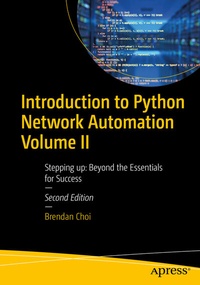
Introduction to Python Network Automation Volume II
Description

Continue your Python network automation journey and delve deeper into advanced techniques and methodologies. Volume 2 of this comprehensive guide takes you beyond the essentials, equipping you with advanced skills and strategies crucial for success in network automation. Building upon the knowledge gained in Volume 1, you'll set the stage for mastery in this dynamic field.
You'll start by establishing a robust lab environment for advanced automation projects tailored to your needs and use practical exercises to gain valuable insights into essential networking protocols. Then automate repetitive tasks with precision and efficiency by leveraging powerful Python libraries and tools. You'll also see how to streamline IP address management and data center infrastructure management tasks with Python. Discover advanced techniques for network management and monitoring to optimize network performance and security.
Explore the development of custom tools and applications for Cisco IOS upgrade tasks in complex network environments and put your skills to the test with real-world scenarios. All this is designed to solidify your expertise and confidence in network automation practices. Your network management capabilities will be enhanced with advanced tools, such as NetBox.
Introduction to Python Network Automation Volume 2 - Stepping up provides a comprehensive roadmap to elevate your skills and excel in the dynamic field of network automation. Whether you're a seasoned professional or a newcomer to the field, this guide equips you with the tools and knowledge needed to thrive in today's network automation landscape.
What You Will Learn
- Apply Python fundamentals and network automation strategies effectively.
- Utilize Python for streamlined network administration, boosting productivity.
- Consolidate Linux fundamentals and IP network services for enhanced network management.
- Practice implementing regular expressions in Python for network application development.
- Develop working Cisco IOS upgrading Python application in PoC environment.
- Explore Python's extensive applications in enterprise network automation for versatile solutions.
Who This Book Is For
IT engineers and developers, network managers and students, who would like to learn network automation using Python.
More details
Other editions
Additional editions
Person
Brendan Choi is a highly accomplished Tech Lead at Secure Agility, possessing over 19 years of extensive hands-on experience in Enterprise Network Automation and diverse IT technologies. As a Certified Cisco, VMware, and Fortinet Engineer, Brendan has worked with globally renowned enterprises including Cisco Systems, Telstra, NTT (Dimension Data), Fujitsu and various reputable Enterprise IT integrators. He is dedicated to streamlining work processes and ensuring uninterrupted IT service delivery through infrastructure and business process automation. Brendan has authored the 1st and 2nd editions of Introduction to Python Network Automation: The First Journey and is currently writing Introduction to Ansible Network Automation: KISS " for Apress and has trained over 200 Network and Systems Engineers on Python and Ansible Network Automation. Brendan's keen interest lies in Cloud, Enterprise Networking, Security, and Virtualization technologies, and he shares his knowledge, experience, and enthusiasm with the community through his blog and YouTube channel.
Content
Chapter 1:Setting Up a Python Automation Lab.- Chapter 2:Basic Telnet Lab.- Chapter 3: SSH, Paramiko, and Netmiko Lab.- Chapter 4:Automating Tasks with Cron in Python Lab.- Chapter 5:SNMP Discovery with Python Lab.- Chapter 6:Ansible and pyATS in virtualenv Lab.- Chapter 7:Sendmail and Twilio Notifications via Docker Lab.- Chapter 8:Upgrading Multiple Cisco IOS Routers.- Chapter 9:Cisco IOS Upgrade Tools Development 1.- Chapter 10:Cisco IOS Upgrade Tools Development 2.- Chapter 11:Completing the Upgrade Application and Upgrading Routers.- Chapter 12:Installing NetBox (IPAM/DCIM) with Python.
