

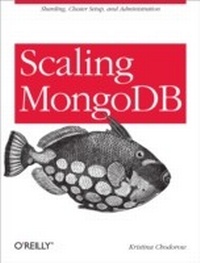
Scaling MongoDB
Sharding, Cluster Setup, and Administration
1st Edition
Published on 31. January 2011
66 pages
978-1-4493-0387-7 (ISBN)
Description

Create a MongoDB cluster that will grow to meet the needs of your application. With this short and concise book, you'll get guidelines for setting up and using clusters to store a large volume of data, and learn how to access the data efficiently. In the process, you'll understand how to make your application work with a distributed database system.Scaling MongoDB will help you:Set up a MongoDB cluster through shardingWork with a cluster to query and update dataOperate, monitor, and backup your clusterPlan your application to deal with outagesBy following the advice in this book, you'll be well on your way to building and running an efficient, predictable distributed system using MongoDB.
More details
Other editions
Additional editions
Book
04/2011
O'Reilly
€28.50
Shipment within 10-20 days
Content
- Intro
- Table of Contents
- Preface
- Conventions Used in This Book
- Using Code Examples
- Safari® Books Online
- How to Contact Us
- Chapter 1. Welcome to Distributed Computing!
- What Is Sharding?
- Chapter 2. Understanding Sharding
- Splitting Up Data
- Distributing Data
- One range per shard
- Multi-range shards
- How Chunks Are Created
- Example
- Sharding collections
- Balancing
- The Psychopathology of Everyday Balancing
- On changing chunk size
- mongos
- The Config Servers
- The Anatomy of a Cluster
- Chapter 3. Setting Up a Cluster
- Choosing a Shard Key
- Low-Cardinality Shard Key
- Keys that this rule applies to
- Exceptions to the rule
- Data center awareness
- Ascending Shard Key
- Keys that this rule applies to
- Exceptions to the rule
- Random Shard Key
- Good Shard Keys
- Coarsely ascending key + search key
- FAQ
- The general case
- What shard key should I use?
- Sharding a New Collection
- Quick Start
- Config Servers
- mongos
- Shards
- Limiting shard size
- Databases and Collections
- Sharding an Existing Collection
- Preparing Your Collection for Sharding
- Running shardcollection
- For Large Data Sets
- Adding and Removing Capacity
- Removing Shards
- Changing Servers in a Shard
- Chapter 4. Working With a Cluster
- Querying
- "Why Am I Getting This?"
- Counting
- Unique Indexes
- Updating
- MapReduce
- Temporary Collections
- Chapter 5. Administration
- Using the Shell
- Getting a Summary
- The config Collections
- "I Want to Do X, Who Do I Connect To?"
- Monitoring
- mongostat
- The Web Admin Interface
- Backups
- Config Server Backups
- Suggestions on Architecture
- Create an Emergency Site
- Create a Moat
- What to Do When Things Go Wrong
- A Shard Goes Down
- Most of a Shard Is Down
- Config Servers Going Down
- Mongos Processes Going Down
- Other Considerations
- Chapter 6. Further Reading
