

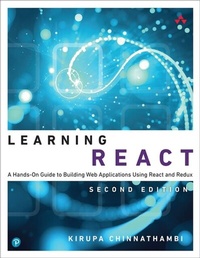
Learning React
A Hands-On Guide to Building Web Applications Using React and Redux
2nd Edition
Published on 26. April 2018
304 pages
978-0-13-484357-5 (ISBN)
Description

Learning React A hands-on guide to building web applications using React and Redux
As far as new web frameworks and libraries go, React is quite the runaway success. It not only deals with the most common problems developers face when building complex apps, it throws in a few additional tricks that make building the visuals for such apps much, much easier.
What React isn't, though, is beginner-friendly and approachable. Until now. In Learning React, author Kirupa Chinnathambi brings his fresh, clear, and very personable writing style to help web developers new to React understand its fundamentals and how to use it to build really performant (and awesome) apps.
The only book on the market that helps you get your first React app up and running in just minutes, Learning Reactis chock-full of colorful illustrations to help you visualize difficult concepts and practical step-by-step examples to show you how to apply what you learn.
Build your first React app
Create components to define parts of your UI
Combine components into other components to build more complex UIs
Use JSX to specify visuals without writing full-fledged JavaScript
Deal with maintaining state
Work with React's way of styling content
Make sense of the mysterious component lifecycle
Build multi-page apps using routing and views
Optimize your React workflow using tools such as Node, Babel, webpack, and others
Use Redux to make managing your app data and state easy
Contents at a Glance
1 Introducing React
2 Building Your First React App
3 Components in React
4 Styling in React
5 Creating Complex Components
6 Transferring Properties
7 Meet JSX... Again!
8 Dealing with State in React
9 Going from Data to UI in React
10 Events in React
11 The Component Lifecycle
12 Accessing DOM Elements in React
13 Setting Up Your React Dev Environment
14 Working with External Data in React
15 Building an Awesome Todo List App in React
16 Creating a Sliding Menu in React
17 Avoiding Unnecessary Renders in React
18 Creating a Single-Page App in React Using React Router
19 Introduction to Redux
20 Using Redux with React
As far as new web frameworks and libraries go, React is quite the runaway success. It not only deals with the most common problems developers face when building complex apps, it throws in a few additional tricks that make building the visuals for such apps much, much easier.
What React isn't, though, is beginner-friendly and approachable. Until now. In Learning React, author Kirupa Chinnathambi brings his fresh, clear, and very personable writing style to help web developers new to React understand its fundamentals and how to use it to build really performant (and awesome) apps.
The only book on the market that helps you get your first React app up and running in just minutes, Learning Reactis chock-full of colorful illustrations to help you visualize difficult concepts and practical step-by-step examples to show you how to apply what you learn.
Build your first React app
Create components to define parts of your UI
Combine components into other components to build more complex UIs
Use JSX to specify visuals without writing full-fledged JavaScript
Deal with maintaining state
Work with React's way of styling content
Make sense of the mysterious component lifecycle
Build multi-page apps using routing and views
Optimize your React workflow using tools such as Node, Babel, webpack, and others
Use Redux to make managing your app data and state easy
Contents at a Glance
1 Introducing React
2 Building Your First React App
3 Components in React
4 Styling in React
5 Creating Complex Components
6 Transferring Properties
7 Meet JSX... Again!
8 Dealing with State in React
9 Going from Data to UI in React
10 Events in React
11 The Component Lifecycle
12 Accessing DOM Elements in React
13 Setting Up Your React Dev Environment
14 Working with External Data in React
15 Building an Awesome Todo List App in React
16 Creating a Sliding Menu in React
17 Avoiding Unnecessary Renders in React
18 Creating a Single-Page App in React Using React Router
19 Introduction to Redux
20 Using Redux with React
All prices
More details
Series
Edition
2nd edition
Language
English
Place of publication
Boston
United States
Publishing group
Pearson Education (US)
Target group
College/higher education
File size
21,81 MB
ISBN-13
978-0-13-484357-5 (9780134843575)
Copyright in bibliographic data and cover images is held by Nielsen Book Services Limited or by the publishers or by their respective licensors: all rights reserved.
Schweitzer Classification
Other editions
Additional editions
Kirupa Chinnathambi
Learning React
A Hands-On Guide to Building Web Applications Using React and Redux
Book
08/2018
2nd Edition
Addison Wesley
€37.50
Shipment within 15-20 days
Person
Kirupa Chinnathambi has spent most of his life trying to teach others to love web development as much as he does.
In 1999, before blogging was even a word, he started posting tutorials on kirupa.com. In the years since then, he has written hundreds of articles, penned a few books (none as good as this one, of course!), and recorded a bunch of videos you can find on YouTube. When he isn't writing or talking about web development, he spends his waking hours helping make the web more awesome as a Program Manager at Microsoft. In his nonwaking hours, he is probably sleeping-or writing about himself in the third person.
You can find him on Twitter (twitter.com/kirupa), Facebook (facebook.com/kirupa), or email (kirupa@kirupa.com). Feel free to contact him anytime.
In 1999, before blogging was even a word, he started posting tutorials on kirupa.com. In the years since then, he has written hundreds of articles, penned a few books (none as good as this one, of course!), and recorded a bunch of videos you can find on YouTube. When he isn't writing or talking about web development, he spends his waking hours helping make the web more awesome as a Program Manager at Microsoft. In his nonwaking hours, he is probably sleeping-or writing about himself in the third person.
You can find him on Twitter (twitter.com/kirupa), Facebook (facebook.com/kirupa), or email (kirupa@kirupa.com). Feel free to contact him anytime.
Content
1 Introducing React
2 Building Your First React App
3 Components in React
4 Styling in React
5 Creating Complex Components
6 Transferring Properties
7 Meet JSX...Again!
8 Dealing with State in React
9 Going from Data to UI in React
10 Events in React
11 The Component Lifecycle
12 Accessing DOM Elements in React
13 Setting Up Your React Dev Environment Easily
14 Working with External Data in React
15 Building an Awesome Todo List App in React
16 Creating a Sliding Menu in React
17 Avoiding Unnecessary Renders in React
18 Creating a Single-Page App in React Using React Router
19 Introduction to Redux
20 Using Redux with React
2 Building Your First React App
3 Components in React
4 Styling in React
5 Creating Complex Components
6 Transferring Properties
7 Meet JSX...Again!
8 Dealing with State in React
9 Going from Data to UI in React
10 Events in React
11 The Component Lifecycle
12 Accessing DOM Elements in React
13 Setting Up Your React Dev Environment Easily
14 Working with External Data in React
15 Building an Awesome Todo List App in React
16 Creating a Sliding Menu in React
17 Avoiding Unnecessary Renders in React
18 Creating a Single-Page App in React Using React Router
19 Introduction to Redux
20 Using Redux with React
