

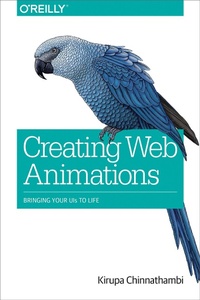
Creating Web Animations
Bringing Your UIs to Life
Published on 20. March 2017
210 pages
978-1-4919-5748-6 (ISBN)
Description

Thanks to faster browsers, better web standards support, and more powerful devices, the web now defines the next generation of user interfaces that are fun, practical, fluid, and memorable. The key? Animation. But learning how to create animations is hard, and existing learning material doesnt explain the context of the UI problem that animations are trying to solve. Thats where this book comes in.You'll gain a solid technical understanding of how to create awesome animations using CSS and learn how to implement common UI patterns, using practical examples that rely on animations to solve a core problem. Frontend web developers and designers will not only learn important technical details, but also how to apply them to solve real-world problems.Create animations found in common user interface implementations, such as bounce after scrolling, expanding search boxes, and content slidersLearn the technical details of working with CSS animations and transitionsUse CSS transforms to very animate an elements position, scale, and orientationUnderstand the importance of easing
More details
Other editions
Additional editions
Book
05/2017
O'Reilly
€37.50
Shipment within 10-20 days
Content
- Intro
- Copyright
- Table of Contents
- Preface
- Know Your Basic HTML, CSS, and JavaScript
- About Authoring Tools
- Using the Code Examples
- O'Reilly Safari
- Getting Help/Contacting the Author
- Contacting O'Reilly
- Acknowledgments
- Part I. The Basics
- Chapter 1. Introduction to Web Animations
- What Is an Animation?
- The Start and End States
- Interpolation
- Animations on the Web
- Conclusion
- Chapter 2. Introduction to CSS Animations
- Creating a Simple Animation
- What Just Happened
- The Name
- Duration and Keyframes
- Looping
- The Longhand Version
- Conclusion
- Chapter 3. Introduction to CSS Transitions
- Creating a Simple Transition
- What Just Happened
- The Longhand Version
- Conclusion
- Chapter 4. Working with CSS Timing Functions
- What Is a Timing Function?
- Timing Functions in CSS
- Timing Functions in CSS Animations
- Timing Functions in CSS Transitions
- Meet the Timing Function Curve
- The cubic-bezier Timing Function
- The step Timing Function
- Conclusion
- Chapter 5. Ensuring Your Animations Run Really Smoothly
- What Is a Smooth Animation?
- Creating Responsive 60 fps Animations
- Meet the Animation-Friendly Properties
- Push Element Rendering to the GPU
- Conclusion
- Chapter 6. Transitions, Animations, and JavaScript
- It's Just Property Changes
- The Example
- Initial State Using CSS, Changes Using JS
- What Just Happened?
- A Tale of Two Styling Approaches
- Setting the Style Directly
- Adding and Removing Classes Using JavaScript
- Animating with requestAnimationFrame
- Conclusion
- Chapter 7. CSS Animations Versus CSS Transitions
- Similarities
- Differences
- Triggering
- Looping
- Defining Intermediate Points/Keyframes
- Specifying Properties Up Front
- Interaction with JavaScript
- Conclusion
- Part II. Learning from Examples
- Chapter 8. Animating Your Links to Life
- The Starting Point
- Animated Underline
- Simple Background Color Change
- Cooler Background Color Change
- Conclusion
- Chapter 9. Simple Text Fade and Scale Animation
- The Example
- The CSS Animation
- The Easing Function
- Conclusion
- Chapter 10. Creating a Smooth Sliding Menu
- How the Sliding Menu Works
- Creating the Sliding Menu
- The Initial Page
- Adding the Menu
- Making the Menu Work
- Adding Some Finishing Touches
- Conclusion
- Chapter 11. Scroll-Activated Animations
- The Basic Idea
- The Content
- It's Scrolling Time
- Identifying the Elements
- Modifying the Elements
- Building It All Out
- Listening to the Scroll Event
- Detecting When Elements Are Visible
- Putting It All Together
- Some Performance Considerations
- Conclusion
- Chapter 12. The iOS Icon Wobble/Jiggle
- The Full HTML and CSS
- Deconstructing This Effect
- Looking at the CSS
- Faking Randomness
- Slightly Different Variants of Style Rules + Keyframes
- Altering Some CSS Properties and Their Values.Inline!
- Conclusion
- Chapter 13. Parallax Scrolling
- Overview of How the Parallax Effect Works
- Getting Started
- Adding Our Background Elements
- The JavaScript
- Conclusion
- Chapter 14. Sprite Sheet Animations Using Only CSS
- Creating the Sprite Sheet
- The Actual Implementation
- It's Animation Time
- The Steps Easing Function in Action
- Conclusion
- Chapter 15. Creating a Sweet Content Slider
- Overview of How It Works
- The Content
- The Content (For Realz This Time)
- What You Just Did
- Clipping the Content
- The Navigation Links
- Making the Content Actually Slide
- Adding the JavaScript
- Adding the Transition
- Understanding the Code (and More!)
- What's Really Going On
- The Role of the data-pos Attribute
- It's All About the JavaScript
- Conclusion
- Chapter 16. Conclusion
- Until Next Time
- Index
- About the Author
- Colophon
