

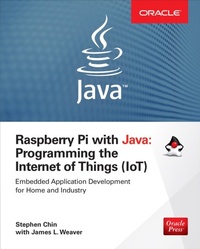
Raspberry Pi with Java: Programming the Internet of Things (IoT)
1st Edition
Published on 23. October 2015
351 pages
978-0-07-184202-0 (ISBN)
Available for download
Description

Use Raspberry Pi with Java to create innovative devices that power the internet of things! Raspberry Pi with Java: Programming the Internet of Things (IoT) fills an important gap in knowledge between seasoned Java developers and embedded-hardware gurus, taking a project-based approach to skills development from which both hobbyists and professionals can learn. By starting with simple projects based on open-source libraries such as Pi4J, hobbyists can get immediate results without a significant investment in time or hardware. Later projects target simplified industrial use cases where professionals can start to apply their skills to practical problems in the fields of home automation, healthcare, and robotics. This progression prepares you to be an active participant in the IoT revolution that is reshaping our lives. For the hobbyist: Hardware used in projects is affordable and easily accessible Follows a project-based learning approach with a gradual learning curve Projects are based on open-source code repositories with commercial friendly licenses For the professional computer engineer: Uses an industry-standard platform that allows for high performance, secure, production-ready applications Introduces Java SE Embedded for large devices and Java ME Embedded for small devices Code is portable to a wide variety of ARM and MIPS based platforms Provides practical skill development with advanced projects in the fields of home automation, healthcare, and robotics
More details
Other editions
Additional editions
Stephen Chin | James Weaver
Raspberry Pi with Java: Programming the Internet of Things (IoT) (Oracle Press)
Programming the Internet of Things (IoT) (Oracle Press)
Book
11/2015
McGraw-Hill Inc.,US
€39.30
Shipment within 15-20 days
Content
- Cover
- Title Page
- Copyright Page
- Contents at a Glance
- Contents
- Acknowledgments
- Introduction
- 1 Baking Pi
- Powering Your Raspberry Pi
- Purchasing Compatible SD Cards
- Formatting SD Cards
- Installing Raspbian
- Connecting Your Raspberry Pi
- How to Tell Your Raspberry Pi Is Working
- Installing Raspbian with NOOBS
- Networking Your Raspberry Pi
- Connecting via Ethernet
- Connecting via a Local Computer Network
- Connecting via a Wireless Network
- Updating and Upgrading
- Setting Up a Hostname
- Connecting to Your Raspberry Pi with SSH
- Creating a Simple Raspberry Pi Application
- 2 Your First Java Project
- Bill of Materials
- Getting Started with NetBeans
- Downloading and Configuring NetBeans
- Revisiting HelloRaspberryPi
- Brewing Java
- Communicating with a USB Scale
- Coffee Calculator
- Asynchronous Communication
- Coffee Brewing Recipe
- Commercial Licensing
- 3 Binary Timer
- Bill of Materials
- Accessing GPIO from Java
- Installing the Device I/O Library
- Device I/O Pin Assignments
- Device I/O Library LED Test
- Using Pi4J
- Pi4J Pin Assignments
- Pi4J LED Test
- Counting Down in Binary
- Implementing a Binary Timer
- Wiring the Breadboard
- Binary Timer Algorithm
- Completed Binary Timer
- Bonus: GPIO Performance Hacking
- 4 IoT Hat
- Bill of Materials
- Setting Up Your Raspberry Pi A+
- NFC/RFID Support on the Raspberry Pi
- Configuring Your Raspberry Pi for I2C, SPI, and UART
- Connecting the Smart Card Reader
- NFC Library Configuration
- Compiling and Installing libnfc
- Compiling and Installing ifdnfc
- Reading Cards from Java
- Physical Construction of the IoT Hat
- 5 Line Runner
- Bill of Materials
- Robot Assembly
- Programming the Line Runner
- Makeblock/ARPI600 Pin Mappings
- Pulse-Width Modulation
- Infrared Controller
- Line Following
- Obstacle Detection
- Summary
- 6 Tea Station
- Bill of Materials
- Choosing a Scale
- Temperature Probe
- Touchscreen Displays
- Tea Supplies
- Miscellaneous Items
- Precise Measurement with a Serial Scale
- Connecting the Serial Scale
- Testing with Minicom
- Accessing the Scale from Java
- Reading Scale Data with Pi4J
- Serial Implementation of Scale
- Accurate Temperature Sensing
- 1-Wire Serial Interface
- Testing the DS18B20
- Accessing the Temperature Sensor from Java
- Tea Recipe
- JavaFX UI
- 7 Autonomous Drone
- Hardware Bill of Materials
- Required Software
- Building an Autonomous Drone
- Setting Up Your Raspberry Pi
- Establishing a Network Connection Between the Pi and Drone, and Configuring the Raspberry Pi as a WAP
- Assembling and Fastening the Hardware to the Drone
- Writing a Java Method that Contains Flight Instructions
- Connecting to the Raspberry Pi via NetBeans to Remotely Deploy the Java Application and Supporting Libraries
- Flying the Drone by Invoking the Java Application
- Achieving Greater Degrees of Autonomy
- Orienting the Drone in 3D Space
- Implementing a Control Loop
- 8 Retro Video Game Emulator
- Bill of Materials
- Raspberry Pi
- Display and Adapter
- Speaker and Audio
- Navigation and Buttons
- Wiring and Tools
- Creating a GPIO Controller
- Wiring the Controller
- Soldering the Kippah
- Donning the Kippah
- Hooking Up Speakers
- Emulating the NES
- Running the Emulator
- Overclocking Your Raspberry Pi
- Automatic NES Startup
- 9 NightHacking RetroPi
- Bill of Materials
- Power Supply
- 3D Printer
- Construction of the RetroPi Case
- 3D Modeling in Autodesk Fusion 360
- Printing the Case
- Assembling the RetroPi
- Direct Wire Audio
- Portable Power
- Rewiring the Buttons
- Fitting the Internal Hardware
- Attaching the Screen
- Index

